1
3
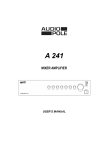
Controls and Settings
Front Panel
1
2
6
3
5
8
7
4
12
11
9
1 - GAIN
Input sensitivity. To be adjusted according to the signal source.
2 - TREBLE
Treble control. Neutral correction corresponds to the central position of the knob.
3 - BASS
Bass control. Neutral correction corresponds to the central position of the knob.
4 - MUTE
Button to mute the channel input signal. When activated, the red Led flashes
5 - VOL
Channel volume.
6 - Z1, Z2, Z3, Z4
Channel routing switches assigning the input channel to the zone outputs.
7 - PHONE
35 mm stereo phone Jack input for headphone.
8 - PHONE VOLUME
Output volume for headphone.
9 - ZONE VOLUME
Zone Output volume. The 6 segment Led display the output level.
10 - MONITOR
Button to route the Zone outputs to the Monitor output.
11 - MONITOR VOLUME
Volume of the monitor output.
12 - PL
Power On mode indicator.
13 - POWER
Power switch
4
10
13