1
Table of Contents
Chapter 4 - BIOS Setup ............................................................... 32
Overview ..................................................................................................... 32
AMI BIOS Setup Utility ............................................................................. 33
Main ......................................................................................................... 33
Advanced .................................................................................................. 33
Chipset ..................................................................................................... 40
Security .................................................................................................... 45
Boot ......................................................................................................... 45
Save & Exit ............................................................................................... 46
Copyright........................................................................................................... ..2
Trademarks ........................................................................................................ 2
FCC and DOC Statement on Class B ..................................................... 2
About this Manual .......................................................................................... 4
Updating the BIOS .................................................................................... 46
Notice: BIOS SPI ROM ............................................................................. 47
Warranty.............................................................................................................. 4
Chapter 5 - Supported Software ........................................................... 48
Static Electricity Precautions...................................................................... 4
Chapter 6 - GPIO Programming Guide............................................... 61
Safety Measures .............................................................................................. 4
Appendix A - nLite and AHCI Installation Guide ........................... 62
About the Package ......................................................................................... 5
nLite ............................................................................................................... 62
AHCI .............................................................................................................. 66
Chapter 1 - Introduction ............................................................................. 6
Appendix B - Watchdog Sample Code................................................ 68
Specifications ................................................................................................ 6
Features ........................................................................................................ 7
Appendix C - System Error Message ................................................... 69
Chapter 2 - Concept ....................................................................... 8
Appendix D - Troubleshooting ................................................................ 70
COM Express Module Standards.............................................................. 8
Specification Comparison Table ............................................................... 9
Chapter 3 - Hardware Installation...............................................10
Board Layout ............................................................................................... 10
Block Diagram ............................................................................................. 10
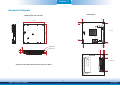
Mechanical Diagram .................................................................................. 11
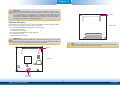
System Memory .......................................................................................... 12
Installing the DIMM Module ....................................................................... 13
Connectors ................................................................................................... 14
CPU Fan Connector.................................................................................... 14
COM Express Connectors ........................................................................... 14
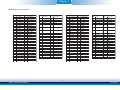
COM Express Connectors Signal Discription................................................. 17
Standby Power LED................................................................................... 25
Cooling Option ............................................................................................ 25
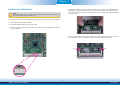
Installing BT968 onto a Carrier Board ................................................. 26
Installing the COM Express Debug Card ............................................. 29
3
Chapter 1 Introduction
www.dfi.com