1
SOUND
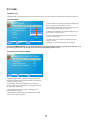
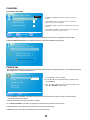
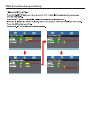
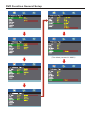
V I I.EQUALIZER SETTINGS This feature enables the internal equalizer of the speakers. You can adjust the
settings individually or use the presets (user, off, rock, pop jazz).
Equalizer SETTINGS
Mode
POP
-1
100
250
500
▲
:Return
:Move
3
1
1K
2K
▲
▲
MENU
2
▲
-2
0
-1
10K
4K
:Change Setting
CHANNEL
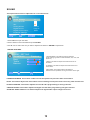
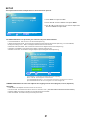
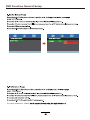
This option allows user to adjust the TV's tuner functions.
CHANNEL
Channel List
1.Press MENU to open the OSD.
Favorite List
2.Press ◄ or ► to select CHANNEL and press ENTER.
Channel Settings
Signal Type
Air
Auto channel search
▲
▲
:Return
:Move
Execute
ENTER
/
▲
MENU
3.Use ▲ or ▼ to select the one you want to adjust
and ◄ or ► or OK to adjust them.
:Go to next Menu
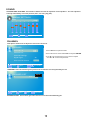
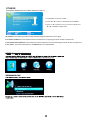
I.CHANNEL LIST This feature gives you the list of channels currently found by the TV.
CHANNEL LIST
▲
▲
:Return
:Move
▲
MENU
Ket
▲
2
Page 1/1
:Page
ENTER
:Select Channel
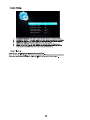
II.FAVORITE LIST This feature gives the favorite list of channels added by you.