1
SOLO NETWORK (11) 4062-6971 (21) 4062-6971 (31) 4062-6971 (41) 4062-6971 (48) 4062-6971 (51) 4062-6971 (61) 4062-6971
QuickSpecs
HP P6000 Enterprise Virtual Array
Overview
The HP P6000 Enterprise Virtual Array (EVA) is an enterprise class virtual storage array family for midsized customers
at an affordable price. With built in virtualization, P6000 EVA is designed to improve capacity utilization and be easy to
manage, which lowers the cost of ownership compared to traditional arrays. These arrays have high performance, scale
easily, and are highly reliable and available. P6000 EVA is a trusted platform for enterprise application consolidation with
solutions for Microsoft Exchange and SQL, Oracle, and SAP. It also offers integration with virtual server platforms from
VMware, Microsoft and more, plus broad operating systems support.
The HP P6000 EVA family is the next generation of EVA with two new models: P6300 EVA and P6500 EVA. The P6000
EVA family supports Serial Attached SCSI (SAS) disk drives with a wide range of Small Form Factor (SFF) SAS drives,
Large Form Factor (LFF) SAS drives, or combinations of both, to better match customer storage capacity, performance,
power, and availability needs. The P6000 EVA models are available with Fibre Channel host ports only, or Fibre Channel
and 1Gb/s iSCSI host ports, or Fibre Channel and 10Gb/s iSCSI/FCoE host ports. P6000 EVA is also very energy
efficient, with high efficiency power supplies for both the controllers and disk drive enclosures, with temperature sensing,
self-adjusting variable speed fans.
TW
O
R
K
HP P6000 Command View now includes Thin Provisioning, which helps reduce the storage capacity required, to help
reduce the number of disks needed, and thus reduce power and cooling costs. P6000 EVA also offers robust local and
remote replication capabilities with HP P6000 Business Copy and HP P6000 Continuous Access software. P6000
Business Copy now also support Dynamic LUN and RAID migration, where in one step, the user can change the
characteristics of an existing LUN, such as size, RAID type, disk type while the host I/O operation is active. This feature
is useful, for example, to move data to more space efficient storage tiers or to move a heavily accessed LUN to a
different disk group to improve performance.
S
O
L
O
N
E
P6300 EVA Combo Kits and Starter Kits are also available to help midsize customers with limited storage administration
resources in affordable packages that are simple to order, simple to deploy, and simple to manage. The kits are
available for both factory configuration and for field installation.
DA - 13904 U.S. QuickSpecs — Version 4 — 6/24/2011
Page 1
SOLO NETWORK (11) 4062-6971 (21) 4062-6971 (31) 4062-6971 (41) 4062-6971 (48) 4062-6971 (51) 4062-6971 (61) 4062-6971
QuickSpecs
HP P6000 Enterprise Virtual Array
L
O
N
E
TW
O
R
K
Overview
S
O
P6300 EVA
P6300 EVA
P6500 EVA
P6500 EVA
2C10D
2C10D
2C20D
2C18D
with 120 LFF drives
with 250 SFF drives
with 240 LFF drives
with 450 SFF drives
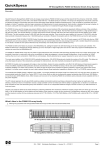
These drawings are informational only. The actual configuration may differ depending on the number of disk enclosures chosen
and the components being racked with the P6000 EVA.
The P6300 EVA can support up to 10 drive enclosures for a total of 120 LFF disks or 250 SFF disks. Combinations of LFF and
SFF drive enclosures, up to 10 drive enclosures, can be supported
The P6500 EVA can support up to 20 LFF drive enclosures for a total of 240 LFF disks or 18 SFF drive enclosures for a total o
450 SFF disks. (Combinations of LFF and SFF drive enclosures, up to 20 drive enclosures, and up to 450 disks, can be
supported.
What's New
The new P6000 EVA family supports:
8Gb/s Fibre Channel host ports
Native 1Gb/s iSCSI host ports
Native 10Gb/s iSCSI/FCoE host ports
3 new P6300 EVA dual controllers (available in Combo or Starter Kits)
DA - 13904 U.S. QuickSpecs — Version 4 — 6/24/2011
Page 2
SOLO NETWORK (11) 4062-6971 (21) 4062-6971 (31) 4062-6971 (41) 4062-6971 (48) 4062-6971 (51) 4062-6971 (61) 4062-6971
QuickSpecs
HP P6000 Enterprise Virtual Array
Overview
S
O
L
O
N
E
TW
O
R
K
P6300 EVA dual controller with eight 8Gb/s FC host ports
P6300 EVA dual controller with four 8Gb/s FC host ports and eight 1Gb/s iSCSI host ports
P6300 EVA dual controller with four 8Gb/s FC host ports and four 10Gb/s iSCSI/FCoE host ports
3 new P6500 EVA dual controllers (available in two different rack mounting configurations)
P6500 EVA dual controller with eight 8Gb/s FC host ports
P6500 EVA dual controller with four 8Gb/s FC host ports and eight 1Gb/s iSCSI host ports
P6500 EVA dual controller with four 8Gb/s FC host ports and four 10Gb/s iSCSI/FCoE host ports
--------------------------------------------P6500 EVA dual controller with eight 8Gb/s FC host ports - Storage Centric mounted
P6500 EVA dual controller with four 8Gb/s FC host ports and eight 1Gb/s iSCSI host ports - Storage Centric
mounted
P6500 EVA dual controller with four 8Gb/s FC host ports and four 10Gb/s iSCSI/FCoE host ports - Storage
Centric mounted
2 new SAS drive enclosures:
M6625, 25 Small Form Factor (SFF) drives
M6612, 12 Large Form Factor (LFF) drives
6Gb/s SAS drives:
Small Form Factor (SFF) or 2.5-inch form factor drives
146GB 15K rpm 6Gb/s SAS
300GB 10K rpm 6Gb/s SAS
450GB 10K rpm 6Gb/s SAS
600GB 10K rpm 6Gb/s SAS
500GB 7.2K rpm mid-line 6Gb/s SAS
Large Form Factor (LFF) or 3.5-inch form factor drives
300GB 15K rpm 6Gb/s SAS
450GB 15K rpm 6Gb/s SAS
600GB 15K rpm 6Gb/s SAS
2TB 7.2K rpm mid-line 6Gb/s SAS
More total capacity:
P6300 EVA - up to 10 SFF and/or LFF drive enclosures
Up to 120 LFF drives or
Up to 250 SFF drives or
Combinations of SFF or LFF drives in respective enclosures up to 10 enclosures
P6500 EVA - up to 18/20 drive enclosures
Up to 450 SFF drives (18 enclosures)
Up to 240 LFF drives (20 enclosures) or
Combinations of SFF or LFF drives in respective enclosures up to 20 enclosures or 450 drives, whichever
limit is reached first
Six P6300 EVA Combo Kits, each available as factory integrated kits or field installed kits
With P6300 EVA dual FC controllers, one SFF drive enclosure, P6000 Command View/ABM and a P6300
Command View LTU
With P6300 EVA dual FC/1GbE controllers, one SFF drive enclosure, P6000 Command View/ABM and a P6300
Command View P6300 LTU
With P6300 EVA dual FC/10GbE controllers, one SFF drive enclosure, P6000 Command View/ABM and a
P6300 Command View LTU
With P6300 EVA dual FC controllers, one LFF drive enclosure, P6000 Command View/ABM and a P6300
Command View LTU
With P6300 EVA dual FC/1GbE controllers, one LFF drive enclosure, P6000 Command View/ABM and a P6300
Command View LTU
With P6300 EVA dual FC/10GbE controllers, one LFF drive enclosure, P6000 Command View/ABM and a
P6300 Command View LTU
Two new P6300 EVA Starter Kits, each available as factory integrated kits or field installed kits:
with P6300 EVA dual controllers, one SFF drive enclosure, eight 300GB 10K 6Gb/s 2.5-inch SAS drives, P6000
Command View/ABM and a P6300 Command View LTU
with P6300 EVA dual controllers, one SFF drive enclosure, eight 600GB 10K 6Gb/s 2.5-inch SAS drives, P6000
Command View /ABM and a P6300 Command View LTU
New Thin Provisioning software and Dynamic Capacity Management software, supporting the P6000 EVAs and
previous EVA models, included with P6000 Command View
DA - 13904 U.S. QuickSpecs — Version 4 — 6/24/2011
Page 3
SOLO NETWORK (11) 4062-6971 (21) 4062-6971 (31) 4062-6971 (41) 4062-6971 (48) 4062-6971 (51) 4062-6971 (61) 4062-6971
QuickSpecs
HP P6000 Enterprise Virtual Array
Overview
S
O
L
O
N
E
TW
O
R
K
Enhanced Large LUN support including the ability to shrink and grow a LUN greater than 2TB integrated with
Business Copy and thin provisioning
Improved performance with 8Gb/s FC host ports, 6Gb/s SAS device ports, and support for more total capacity
New version of P6000 Command View with P6000 EVA support as well as the previous EVA models. P6000
Command View runs on the Array Based Management (ABM) module of the P6000 EVA and EVA4400 or as a server
based application on a management server.
P6000 Business Copy and P6000 Continuous Access now support P6000 EVA along with previous EVA models.
New version of P6000 SmartStart supports the easy installation of the P6000 EVA and EVA4400
Management of up to 1023 virtual disks (256 per HBA) for the P6300 EVA and up to 2047 virtual disks for the P6500
EVA, with LUNs ranging in size from 1GB to 32TB per Virtual disk, in 1GB increments
DA - 13904 U.S. QuickSpecs — Version 4 — 6/24/2011
Page 4
SOLO NETWORK (11) 4062-6971 (21) 4062-6971 (31) 4062-6971 (41) 4062-6971 (48) 4062-6971 (51) 4062-6971 (61) 4062-6971
QuickSpecs
HP P6000 Enterprise Virtual Array
Product Highlights
P6300 EVA
HSV340
XCS v10.0 (or later version)
Controller Model
Virtual Controller Software
(XCS)
Management Software
P6000 Command View v9.4
(or later version)
Oracle, SAP, Microsoft Exchange, SQL
Yes
P6000 Command View v9.4
(or later version)
Oracle, SAP, Microsoft Exchange, SQL
Yes
Yes
Yes
Up to 16 EVAs
Up to 16 EVAs
Per EVA
Per EVA
TW
O
Yes
Yes
R
K
Application Environment
Local Data Replication - HP
Business Copy EVA
Remote Data Replication - HP
Continuous Access EVA
P6000 Command View,
Server Based Management
(SBM), management and
configuration support
P6000 Command View,
Array Based Management
(ABM), management and
configuration support
Thin Provisioning EVA
Application block and file
storage
O/S Support
P6500 EVA
HSV360
XCS v10.0 (or later version)
Yes
Yes
O
L
O
N
E
HP-UX
HP-UX
HP OpenVMS
HP OpenVMS
Windows 2003
Windows 2003
Windows 2008
Windows 2008
Windows Server 2008 HyperV
Windows Server 2008 HyperV
Windows Server 7
Windows Server 7
Sun Solaris
Sun Solaris
Linux
Linux
IBM AIX
IBM AIX
VMware
VMware
Apple Mac OSX
Apple Mac OSX
Citrix Xen
Citrix Xen
Vraid 0, Vraid 1, Vraid 0+1, Vraid 5, Vraid Vraid 0, Vraid 1, Vraid 0+1, Vraid 5, Vraid
0+5, Vraid 6, & Cross Vraid Snaps
0+5, Vraid 6, & Cross Vraid Snaps
Up to 32TB
Up to 32TB
2
2
4GB
8GB
Yes, up to 96 hours
Yes, up to 96 hours
Fibre Channel, iSCSI, FCoE, and
Fibre Channel, iSCSI, FCoE, and
Direct Connect Fibre Channel
Direct Connect Fibre Channel
512/256
512/256
S
RAID supported
LUN size
Number of controllers
Cache (per controller pair)
Battery Back-up Cache
Host Connectivity
Number of Hosts Supported
(Single Path/Dual Path)
Host Ports (per controller pair)
Host Port Speed
8 FC host ports, or
4 FC host ports and 8 1Gb iSCSI host
ports, or
4FC host ports and 4 10Gb iSCSI/FCoE
host ports
8Gb/s FC
1Gb/s iSCSI
10Gb/s iSCSI/FCoE
8 FC host ports, or
4 FC host ports and 8 1Gb iSCSI host
ports, or
4FC host ports and 4 10Gb iSCSI/FCoE
host ports
8Gb/s FC
1Gb/s iSCSI
10Gb/s iSCSI/FCoE
DA - 13904 U.S. QuickSpecs — Version 4 — 6/24/2011
Page 5
SOLO NETWORK (11) 4062-6971 (21) 4062-6971 (31) 4062-6971 (41) 4062-6971 (48) 4062-6971 (51) 4062-6971 (61) 4062-6971
QuickSpecs
HP P6000 Enterprise Virtual Array
Product Highlights
Redundant SAS lanes from each
Redundant SAS lanes from each
controller to each SAS drive enclosure for controller to each SAS drive enclosure for
redundant paths to dual drive lanes
redundant paths to dual drive lanes
Device SAS Lanes (per controller
8
16
pair)
Device SAS Port Speed
6Gb/s
6Gb/s
Device Path Aggregate
24Gb/s
48Gb/s
Bandwidth
Device shelves
1 to 10
1 to 18/20
Drives per SFF enclosure
25
25
Drives per LFF enclosure
12
12
Drive types (mixed in any
High Performance Enterprise 10K rpm
High Performance Enterprise 10K rpm
enclosure, by physical SFF or LFF and 15K rpm SAS drives and 7.2K rpm
and 15K rpm SAS drives and 7.2K rpm
size)
Mid-line SAS drives
Mid-line SAS drives
Supported disks, minimum
8 SAS Enterprise
8 SAS Enterprise
8 SAS Mid-line
8 SAS Mid-line
Supported disks, maximum
120 LFF
240 LFF
250 SFF
450 SFF
Or combinations of LFF and SFF up to 10 Or combinations of LFF and SFF up to 20
enclosures
enclosures and/or up to 450 disks
Capacity
1.1 to 240TB
1.1 to 480TB
Drive capacities and speeds,
146GB 15K rpm SFF SAS
146GB 15K rpm SFF SAS
Small Form Factor (SFF)
300GB 10K rpm SFF SAS
300GB 10K rpm SFF SAS
450GB 10K rpm SFF SAS
450GB 10K rpm SFF SAS
600GB 10K rpm SFF SAS
600GB 10K rpm SFF SAS
500GB 7.2K rpm mid-line SFF SAS
500GB 7.2K rpm mid-line SFF SAS
Drive capacities and speeds,
300GB 15K rpm LFF SAS
300GB 15K rpm LFF SAS
Large Form Factor (LFF)
450GB 15K rpm LFF SAS
450GB 15K rpm LFF SAS
600GB 15K rpm LFF SAS
600GB 15K rpm LFF SAS
2TB 7.2K rpm mid-line LFF SAS
2TB 7.2K rpm mid-line LFF SAS
Read I/O Requests per Second
35,000
61,000
(IOPs)
Maximum throughput (MB/s)*
1700
1700
Drive Interface (per controller)
Four 6Gb/s SAS lanes per controller in Eight 6Gb/s SAS lanes per controller in
redundant paths to each dual ported drive redundant paths to each dual ported drive
Variable Speed Redundant
Yes
Yes
Blowers
Environmental Monitoring Unit
Monitors Power and Temperature
Monitors Power and Temperature
Regulatory approvals
UL, CSA, TUV, FCC, CE MARK, CTICK, UL, CSA, TUV, FCC, CE MARK, CTICK,
BSMI, VCCI
BSMI, VCCI
Fibre Channel Switches &
Optical Switches and Directors:
Directors
http://h18006.www1.hp.com/storage/saninfrastructure/switches.html
S
O
L
O
N
E
TW
O
R
K
Device Connectivity
* More P6300/P6500 EVA performance information is available at: www.hp.com/go/P6000 EVA, Resource Library.
DA - 13904 U.S. QuickSpecs — Version 4 — 6/24/2011
Page 6
SOLO NETWORK (11) 4062-6971 (21) 4062-6971 (31) 4062-6971 (41) 4062-6971 (48) 4062-6971 (51) 4062-6971 (61) 4062-6971
QuickSpecs
HP P6000 Enterprise Virtual Array
Product Highlights
O
L
O
N
E
TW
O
R
K
Easy to install and configure in just a few hours (for a factory configured unit) with the
SmartStart configuration utility*
Support for dual-ported 6Gb/s SFF and LFF SAS 10K and 15K rpm enterprise disk
drives, dual-ported 6Gb/s SFF and LFF SAS Mid-line disk drives
Array management flexibility with optional deployments of:
Array Based Management with Command View/ABM
Server Based Management with Command View/SBM
Support for Direct Attach connection to Windows, HP-UX, and Linux servers, without the
need for SAN switches, with Command View/ABM
SAN support for the native iSCSI/FCoE option and the MPX200 multi-protocol router with
Windows and Linux, Apple Mac OS X, Microsoft Windows, Sun Solaris, VMware.
Management of up to 1024 virtual disks (256 per HBA) for the P6300 EVA and up to
2048 virtual disks for the P6500 EVA, with LUNs ranging in size from 1GB to 32TB per
Virtual disk, in 1GB increments
Dynamic Capacity Management support to expand (in 1GB increments) and shrink LUNs
up to 32TB
NOTE: Requires Host Operating System Support.
Virtual disk data load leveling (non-disruptive background activity)
Distributed sparing of disk capacity
Redundant SAS connections from each controller to dual disk lanes
Support for remote replication between P6000 EVAs, EVA4400/6400/8400s,
EVA4100/6100/8100s and EVA4000/6000/8000s
Migration support via remote replications between P6000 EVAs, EVA4400/6400/8400s,
EVA4100/6100/8100s, EVA4000/6000/8000s and migration support only to older
EVA3000/5000s
Dual redundant controller operation for increased fault tolerance
High availability with hot plug drives, power supplies, fans, and industry failover software
Multiple Bus Failover Support using industry popular multiple path software
NOTE: Requires native OS multi-pathing support.
Battery-Back-Up for controller cache memory
Asynchronous Disk Swap (hot swap)
Clustered Server Support
Mirrored Write-Back Cache Support
Read-Ahead and Adaptive Read Caching Support
Support for local replication between Vraid types using Vsnap or Snapclone within a disk
group or using Snapclone across disk groups (and Cross Vraid Snapshot and
Snapclone)
Online XCS software upgrade capability
Online drive firmware upgrade capability
Multi-Vendor Platform Support
Controller Password Protection for Configuration Control
Selective Storage Presentation and SAN-based Data Zoning (through switches).
Monitor and control health, P6000 EVA end-to-end SAN performance and monitoring,
storage utilization and reporting for all key P6000 EVA and SAN infrastructure including
servers, storage, HP MSA, HP EML E-series tape, HP ProLiant Storage Servers (NAS),
HBAs, switches, applications and monitor the entire backup from a single interface with
HP Storage Essentials
S
P6000 EVA Additional
Capabilities
*For more information on P6000 SmartStart see:
http://h18000.www1.hp.com/products/storageworks/evasmartstart/relatedinfo.html?jumpid=
reg_R1002_USEN
DA - 13904 U.S. QuickSpecs — Version 4 — 6/24/2011
Page 7
SOLO NETWORK (11) 4062-6971 (21) 4062-6971 (31) 4062-6971 (41) 4062-6971 (48) 4062-6971 (51) 4062-6971 (61) 4062-6971
QuickSpecs
HP P6000 Enterprise Virtual Array
Product Highlights
P6000 EVA Product
Packaging
P6000 EVA packaging consists of:
a 2U FC dual HSV340 controller assembly for the P6300 EVA;
a 2U FC dual HSV360 controller for the P6500 EVA;
a 2U 12-LFF bay Model M6612 SAS drive enclosure; and
a 2U 25-SFF bay Model M6625 SAS drive enclosure
P6000 EVA configurations allow a wide range of configuration options, including flexible factory
rack-mounting options in either a standard 42U cabinet (based on the HP 10000 G2 Series
Rack) or a choice of 42U extended and 36U and 22U height.
The P6300 EVA is available in pre-configured Combo Kit or Starter Kit configurations only?.
For more information on these kits see the Configuration Section, Step 1.
K
Designed for NoThe P6000 EVA family's redundant architecture and value added software is designed to
Single-Point-of-Failure eliminate single-points-of-failure from server to storage in clustered or single server
configurations with multi-pathing.
P6000 EVAs is easily installable in a few to several hours, depending on the complexity of the
configuration, using HP P6000 SmartStart configuration utility.. For Windows 2003 and 2008
application servers, SmartStart software installs HBA drivers, Multi-pathing I/O (MPIO) drivers,
the Storage System Scripting Utility (SSSU) for Windows, P6000 Command View and
optionally, installs P6000 Command View on a Windows Server 2003 management server and
helps provision the storage.
Installation and
Startup
The P6300 EVA is designed to be Customer Self Installable. The larger and more complex
P6500 EVA includes Installation and Startup (I&S) Services included in the purchase price
N
E
TW
O
R
HP P6000 SmartStart
configuration utility
For complex P6300 EVA environments, an optional Installation & Start-up service is available.
O
Below are descriptions of the I&S services available:
S
O
L
For factory configured, factory racked P6300 EVA orders and when final installation of
just the pre-configured P6300 EVA hardware at the customer site is required, purchase
the Basic I&S service when needed.
For factory configured, factory racked orders, without an existing P6000 Command View
management server, purchase the P6000 Command View Installation and Startup
Service. This service includes LUN design and implementation, HP Insight Remote
Support software, and customer orientation training.
For P6000 Continuous Access configurations, purchase the HP Data Replication
Solution Service- Continuous Access.
For Replication Solutions Manager, purchase the HP Data Replication Solution Service Continuous Access EVA or Business Copy EVA.
NOTE: Customers who have completed the necessary training or who have gained the
necessary experience with these environments may decide to not purchase the recommended
Installation and Startup services. However some installation and startup services are required.
HP requires the purchase of Installation & Startup services when using:
Storage Essentials purchase the Storage Essentials Solution Service.
Continuous Access, purchase the HP Data Replication Solution Service Continuous
Access EVA.
NOTE: A comprehensive list of Installation & Start-up services can be found at:
www.hp.com/hps/storage
DA - 13904 U.S. QuickSpecs — Version 4 — 6/24/2011
Page 8
SOLO NETWORK (11) 4062-6971 (21) 4062-6971 (31) 4062-6971 (41) 4062-6971 (48) 4062-6971 (51) 4062-6971 (61) 4062-6971
QuickSpecs
HP P6000 Enterprise Virtual Array
Product Highlights
Remote Replication
Solutions
(Software and hardware
options)
HP P6000 Continuous Access provides disaster tolerant replication across a Fibre Channel
SAN. P6000 Continuous Access performs real-time replication between P6000 EVA of the
current and earlier generations. P6000 Continuous Access provides the highest level of FC
SAN data protection to customers in order to meet disaster tolerant business continuity
implementation goals. Through the use of MAN/WAN Fibre Channel SAN extensions, P6000
Continuous Access provides 24x7 protections against disaster like scenarios, in campus,
metro or continental networks. Thus, enabling business protection against unforeseen events.
For additional information about P6000 Continuous Access visit:
http://h18006.www1.hp.com/storage/software.html
HP Disaster Tolerant Solution for mySAP Business Suite on EVA offers a business
continuance solution for SAP environments, where data integrity and value added functionality
are high priorities. Best practices for implementing remote mirroring of an SAP database as
part of an overall data protection strategy with SAP applications can be found at:
http://h71028.www7.hp.com/erc/downloads/4aa1-5683Enw.pdf.
TW
O
R
K
The HP IP Distance Gateway (mpx110) provides SAN over WAN connectivity for protecting
and replicating data between EVA systems. By connecting islands of SANs over WANs, the IP
Distance Gateway enables CA replication (Asynchronous and Synchronous), SAN device
sharing, data migration and other long distance data services. At the core of providing long
distance data services is the ability to copy, move and replicate data locally and over long
distances. However, SANs have limited distance capabilities (10km) and IT managers need to
share, protect and move data over greater distances than 10km, routers and switches that link
SANs over IP WANs is the weapon of choice for most IT managers.
The IP Distance Gateway uses the FCIP (Fibre Channel Internet Protocol) standard to extend
SAN connectivity over the WAN.
O
L
O
N
E
Low Cost SAN over WAN Connectivity
High Performance with data compression and load balancing
Support for FCIP for SAN extension
Bridges SANs for all FC Fabrics
Supports two Ethernet and two Fibre Channel ports
Concurrent FC and IP traffic in High Availability mode
Integrated management with HP mpx Manager
Supports High Availability Options
Fabric and Direct Attach support
S
http://h18006.www1.hp.com/storage/disk_storage/index.html
Local Replication
Solutions
(Software options)
HP P6000 Business Copy is a local replication application for the P6000 EVA family. It
incorporates Virtually Capacity-free Snapshot (Vsnaps), standard snapshots and Snapclone
capabilities. P6000 Business Copy creates point-in-time copies of storage volumes, called
Business Continuance Volumes (BCVs) using the snapshot and cloning capabilities of the
array firmware and provides multi-array local mirror management. This product is indispensable
for critical data center operations such as non-disruptive backups, frequent snapshots of high
value databases, and data mining. The bottom line benefits include improved disk capacity
utilization and increased business continuity, data availability, and productivity savings.
Additional features include licensing based on replicated (not total raw) capacity and a new
improved management interface.
DA - 13904 U.S. QuickSpecs — Version 4 — 6/24/2011
Page 9
SOLO NETWORK (11) 4062-6971 (21) 4062-6971 (31) 4062-6971 (41) 4062-6971 (48) 4062-6971 (51) 4062-6971 (61) 4062-6971
QuickSpecs
HP P6000 Enterprise Virtual Array
Product Highlights
Replication
Management
P6000 EVA local and remote replication is managed with HP Replication Solutions Manager, a
graphical user interface and scripting environment, that greatly simplifies storage management
by creating, running, and managing storage replication jobs using controller based snapshots,
clones and remote mirroring.
With HP Replication Solutions Manager users easily can manage both remote and local
replication across the full P6000 EVA product family. By virtually removing the complexity
associated with both small and large replication environments, point-in-time copies and remote
replication are managed and configured with just a few mouse clicks. To assist the user,
Information on the replication environment is presented in a variety of views, including an
interactive topology manager that allows each user to select their viewing preference. In
addition, HP Replication Solutions Manager provides a scripting interface for additional
flexibility. HP Replication Solutions Manager is included as part of the P6000 Command View
media kit.
HP P6000 Thin Provisioning provides the ability to create a vdisk such that the operating
system sees more capacity available than is physically allocated by the array. As the OS writes
data to the vdisk, the firmware will automatically allocate more space up to the size of the
vdisk.
N
E
Thin Provisioning
TW
O
R
K
Application Integration As an alternative to HP P6000 Business Copy, the user can simply replicate an Oracle
with Oracle
database using HP Replication Solutions Manager (RSM). RSM provides a graphical interface
to view the components of the database to be replicated, and allow selection of a specified
database. The replication manager will automatically suspend the Oracle application, and take
a point in time copy (local or remote) of all associated array virtual disks. The replication
manager will provide the option to restart the original Oracle database after the replicas have
been initiated on the array. The user will be able to utilize the replication manager to present
the replica to another host.
The following are some of the benefits of thin provisioning. It allows customers to:
S
O
L
O
Purchase only the storage capacity and performance actually needed today
Take advantage of ongoing storage price reductions by delaying purchases until capacity
is needed
Save power and cooling costs immediately
Reduce stress by reducing the need to anticipate and justify expenses for resources that
might never be needed
Increase array capacity online, without any impact to the server/application
Increase storage utilization and return on investment immediately (Stop paying for
storage that is never used)
Use virtual storage with your virtual machines
Never extend a File System (FS) again - make the Vdisk larger than needed the first time
Easily shrinking the thin provisioned Vdisk
Capacity Management HP EVA Dynamic Capacity Management Software is a comprehensive software solution that
automates storage provisioning and improves capacity utilization on the HP Enterprise Virtual
Array (EVA) family. Designed for the enterprise market, EVA Dynamic Capacity Management
Software uses advanced automation to automatically "right-size" the file system and storage
volumes to ensure the highest levels of capacity utilization are achieved while reducing
ongoing storage administration needs. For more information about DCM, please see the
following:
http://h18000.www1.hp.com/products/storage/software/eva_dcm/index.html
DA - 13904 U.S. QuickSpecs — Version 4 — 6/24/2011
Page 10
SOLO NETWORK (11) 4062-6971 (21) 4062-6971 (31) 4062-6971 (41) 4062-6971 (48) 4062-6971 (51) 4062-6971 (61) 4062-6971
QuickSpecs
HP P6000 Enterprise Virtual Array
Product Highlights
Application Solutions P6000 EVA provides outstanding solutions for customers running Oracle, Exchange, SAP
environments and those customers who are deploying virtual server technologies like VMware.
Here are descriptions of two such solutions:
Oracle E-Business Suite (EBS)
Designed to support the global economy (as well as mid-market companies with complex
requirements), Oracle® E-Business Suite (EBS) on the HP BladeSystem server and the HP
EVAs help users think globally to make better decisions; work globally to be more competitive;
and manage globally to lower costs, enhance security and increase performance. This rightsized, affordable business technology is built on a unified architecture with a single Oracle
Database-providing a comprehensive, integrated set of business management and planning
applications that allow organizations to manage their end-to end operations.
organizations to manage their end-to end operations.
Microsoft Exchange 2010
TW
O
R
K
Whether your company is large, small, or mid-sized, improving communication is critical. Email is the leading tool for business communication, and the productivity gains from workplace
collaboration can be enormous. But managing all that information can be a challenge. A unified
messaging solution that runs on HP P6000 EVA along with HP ProLiant servers and
Microsoft® Exchange Server 2010 enables your employees to effectively share information
across your organization, with customers, suppliers, and partners.
E
For additional information on application solutions for the P6000 EVA, please go to:
www.hp.com/go/p6000.
L
O
N
P6000 EVA with HP
HP Storage Essentials Enterprise Suite and HP Storage Essentials Standard Edition SRM
Storage Essentials
Software integrate with HP Systems Insight Manager to provide end-to-end advanced server
Storage Resource
and storage management capabilities. HP Storage Essentials SRM Suite software features a
Management Software base management console and an expanding portfolio of value-add plug-in software to assist
Suite
in managing EVA in heterogeneous SANs across the enterprise.
S
O
HP Storage Essentials Suite delivers integrated heterogeneous and multivendor functionality
for network (Arrays, DAS, SAN, NAS, HBAs, switches) management, storage resource
management, reporting, business application and backup monitoring, capacity metering,
provisioning and application infrastructure monitoring.
http://h18006.www1.hp.com/products/storage/software/e-suite/index.html
DA - 13904 U.S. QuickSpecs — Version 4 — 6/24/2011
Page 11
SOLO NETWORK (11) 4062-6971 (21) 4062-6971 (31) 4062-6971 (41) 4062-6971 (48) 4062-6971 (51) 4062-6971 (61) 4062-6971
QuickSpecs
HP P6000 Enterprise Virtual Array
Product Highlights
HP Storage Essentials Standard Edition Storage Resource Management Software and
Systems Insight Manager with P6000 Command View / SBM software provides a total solution
that allows midsize businesses with limited IT staff to see the big picture (storage-serversinfrastructure) thereby reducing SAN complexity by not having to depend on Excel
spreadsheets or whiteboards to track and manage SAN storage and infrastructure. It supports
Windows and Linux servers with small to medium HP storage based SANs including HP P6000
EVA, HP P2000, HP NAS, HP EML Tape, HBAs and fabric devices. HP Standard Edition SRM
Software unified server and storage tool-set automates complex and manual storage process
and tasks with auto discovery, visualization and topology mapping for quick device
identification, integrated NAS and SAN management, business application monitoring including
Oracle, Microsoft SQL, Sybase, InterSystems Caché, Microsoft Exchange Server and SAP
Adaptive Computing Controller (ACC) environments path dependency identification, and endto-end EVA SAN performance monitoring and analysis. For more information on HP Storage
Essentials SRM Standard Edition Software visit:
http://h18006.www1.hp.com/products/storage/software/std-suite/index.html
HP Storage Essentials
SRM Performance
Pack Software and
P6000 EVA
(end-to end P6000 EVA
SAN Performance
Management)
HP Storage Essentials SRM Performance Pack Software combined with Storage Essentials
SRM Enterprise Edition Software monitors performance along the complete path of business
applications through underlying storage area networks (SAN) components, including host
server, host bus adapter (HBA), fabric switch and P6000 EVA. A unified and simplified
interface helps administrators increase efficiency, troubleshoot performance bottlenecks faster,
and quickly visualize the big performance picture of their P6000 EVA storage, hosts and SAN
infrastructure with real-time monitoring, historical trend analysis and trend extrapolation.
TW
O
R
K
HP Standard Edition
SRM Software and
P6000 EVA
N
E
The SRM Performance Pack Software can be ordered separately on a per P6000 EVA basis
for existing Storage Essentials SRM Enterprise Edition customers, and for Storage Essentials
SRM Standard Edition customers the SRM Standard Edition LTU includes licensing to monitor
up to 3 P6000 EVAs. For more information on HP Storage Essentials SRM Standard Edition
Software visit:
O
L
HP SIM, HP Systems Insight Manager, is the foundation for HP's unified server-storage
strategy - it is packaged as value add software with P6000 EVA, it is a management
application and it is derived from the heritage of Compaq Insight Manager, HP Toptools, and
HP Servicecontrol. HP SIM runs on HP Windows, Linux, and HP-UX and provides discovery
and identification, fault management, security administration, asset reporting, and centralized
configuration management across heterogeneous servers, storage and infrastructure. HP SIM
is easily extensible, integrating other HP management products and value-add plug-ins such
as the ProLiant Essentials, Integrity Essentials, and Server Essentials.
S
P6000 EVA with HP
Systems Insight
Manager Software
O
http://h18006.www1.hp.com/products/storage/software/std-suite/index.html
HP SIM relies on industry standards like SMI-S, SNMP, SSH, WBEM, and WMI to detect and
report heterogeneous device attributes. HP SIM may also be configured to launch array
specific applications for configuration, reporting and replication. For more information on HP
Systems Insight Manager see:
http://h18013.www1.hp.com/products/servers/management/hpsim/index.html?
jumpid=go/hpsim.
Single-pathing
(Single HBA per host)
Single-pathing (or single HBA per host) support is provided for all supported operating systems
(but may be version dependent). Use of single-pathing, which does not offer a redundant path
option, should be used with care. Failure of the single HBA will result in loss of access for that
host until the HBA is replaced.
DA - 13904 U.S. QuickSpecs — Version 4 — 6/24/2011
Page 12
SOLO NETWORK (11) 4062-6971 (21) 4062-6971 (31) 4062-6971 (41) 4062-6971 (48) 4062-6971 (51) 4062-6971 (61) 4062-6971
QuickSpecs
HP P6000 Enterprise Virtual Array
Product Highlights
Enclosure Capacity
P6000 EVAs provides high density disk storage solutions. P6000 EVA (HSV340 or HSV360)
dual controllers occupy 2U of space. The 12-LFF bay M6612 SAS disk enclosure and the 25SFF bay M6625 SAS disk enclosures each occupy 2U of space. The P6300 EVA supports to
up to 120 LFF SAS disks in 12U of rack space or up to 250 SFF SAS disks in 12U of rack
space. The P6500 EVA supports up to 240 LFF SAS disks in 42U of rack space or up to 450
SFF SAS disks in 38U of rack space.
15K rpm Drive Support The P6000 EVAs support 15K rpm dual-ported 6Gb/s SAS disk drives. This includes the
146GB 15K SFF and the 300/450/600GB 15K LFF drives. The P6000 EVAs support single or
mixed drive capacities and types (high performance and Mid-line SAS) within an enclosure. HP
recommends using the same drive type (the same capacity) within a disk group because
virtualization allocates space proportionate to the highest capacity drive within the group. A
minimum of eight high performance SAS drives are required in a configuration using high
performance drives.
TW
O
R
K
10K rpm Drive Support P6000 EVA also supports 10K rpm dual-ported 6Gb/s SAS disk drives. This includes the
300GB/450GB/600GB 10K LFF drives. The P6000 EVAs support single or mixed drive
capacities and types (high performance and Mid-line) within an enclosure. HP recommends
using the same drive type (the same capacity) within a disk group because virtualization
allocates space proportionate to the highest capacity drive within the group. A minimum of
eight high performance SAS drives are required in a configuration using high performance
drives.
O
L
O
N
The P6000 EVA also supports 7.2K dual ported 6Gb/s mid-line SAS drives. This includes the
500GB 7.2K SFF 6Gb/s mid-line SAS and the 2TB 7.2K LFF 6Gb/s mid-line SAS drives.
AP6000 EVA supports a full configuration of mid-line disk drives and can be configured with
any combination of mid-line and high performance disk drives; total raw capacity varies based
upon the redundancy (Vraid) selected. A minimum of eight mid-line SAS drives are required in
a configuration using mid-line SAS drives.
Mid-line SAS drives are designed for lower duty cycle applications such as near on-line data
replication for back-up. These drives should not be used as a replacement for P6000 EVA high
performance, standard duty cycle, SAS drives. Doing so could shorten the life of the drive.
S
7.2K Mid-line Drive
Support
E
NOTE: 10K rpm disk drives draw less power than their 15K rpm counterparts. So these disk
drives are good choices for customers looking to cut their power requirements and who do not
need the performance of 15K rpm disk drives.
DA - 13904 U.S. QuickSpecs — Version 4 — 6/24/2011
Page 13
SOLO NETWORK (11) 4062-6971 (21) 4062-6971 (31) 4062-6971 (41) 4062-6971 (48) 4062-6971 (51) 4062-6971 (61) 4062-6971
QuickSpecs
HP P6000 Enterprise Virtual Array
Product Highlights
Fibre Channel
Technology
P6000 EVA models are enabled for 8Gb/s FC Switched Fabric and are compatible with 8Gb/s,
4Gb/s, or 2Gb/s FC Switched Fabric SANs. They can co-exist in the same FC SAN with
EVA3000/5000 or EVA4x00/6x00/8x00 FC storage solutions and many other SAN devices.
Direct Connection from P6000 EVA to servers is also supported.
P6000 EVA takes advantage of the benefits of Fibre Channel (FC) in distance, performance
and connectivity. The use of optical Fibre cabling allows distances between connected
segments of a SAN to be up to 500 meters @ 2Gb/s using short wave multi-mode and OM3
cables, up to 384 meters @ 4Gb/s and OM3 cables, and up to 150 meters @ 8Gb/s and OM3
cables, and up to 10 kilometers (6.21 miles) @ 8Gb/s or 4Gb/s when using long wave
transceivers. Storage Area Networks (SANs) can be constructed using FC switches/directors
for fabric connectivity. HP SAN H-Series, B-series and C-series switches and directors provide
exceptional connectivity while increasing the effective bandwidth of the network. Supported
SAN features include Zoning for communication isolation and Inter-Switch Links (hops) up to
10 km.
R
The P6000 EVAs have 8Gb/s FC host ports per HSV340 or HSV360 controller pair. The
models have:
TW
O
Transfer Speeds
K
For more information on specific support specifications see the following SAN Infrastructure
URL: http://h18006.www1.hp.com/storage/saninfrastructure/switches.html
FC only, have 8 FC ports, four for each controller.
FC and 1Gb/s iSCSI (1GbE), have four FC ports, two for each controller, and eight 1Gb/s
iSCSI ports, four for each controller.
FC and 10Gb/s iSCSI/FCoE (10GbE) have four FC ports, two for each controller, and
four 10Gb/s iSCSI/FCoE ports, two per controller.
N
E
The HSV340 and HSV360 controllers are compatible with 8Gb/s, 4Gb/s and 2Gb/s FC
switches, HBAs, servers and other storage solutions.
O
L
O
Each P6000 EVA controller pair interfaces with the M6612 and M6625 drive enclosures via
6Gb/s SAS connections. With two SAS device connectors per controller and dual SAS I/O
modules per drive enclosure, each controller has two connections to each SAS drive A and B
port. So each controller has two redundant paths to each SAS enclosure I/O module and two
redundant paths to each drive in each enclosure.
S
High Availability/ Fault All P6000 EVA models are configured with dual HSV controllers that operate in a redundant
Tolerance/
mode. Each controller has either four redundant FC paths; or two redundant FC paths and four
Hot pluggable support redundant 1Gb/s iSCSI paths; or two redundant FC paths and two redundant 10Gb/s
iSCSI/FCoE paths. In the event of a path failure, the alternate paths to the controller can be
utilized with the use of multi-path software in the Operating System.
Each P6300 EVA controller has two SAS connectors, each carrying two SAS signals. With the
P6300 EVA, one SAS cable, carrying two redundant SAS signals, connects to one SAS I/O
module on a drive enclosure; and the second SAS cable, carrying two more redundant SAS
signals, connects to the other SAS I/O module of a drive enclosure. For the P6300 EVA, up to
ten drive enclosures can be connected in a SAS daisy-chain arrangement with a controller pair.
At the end of the daisy chains, each chain is then connected to the second P6300 EVA
controller.
Each P6500 EVA controller has two SAS connectors, each carrying four SAS signals. A Y-SAS
cable is used to split the signals into two branches, each with two SAS signals. One branch of
the Y-cable, carrying two redundant SAS signals, connects to one SAS I/O module on a drive
enclosure; the second branch of the Y-cable goes to a SAS I/O module on a second drive
enclosure. Similarly, a second Y-SAS cable, carrying two more redundant SAS signals per
branch, connects to the other SAS I/O module of each of the two drive enclosures. For the
DA - 13904 U.S. QuickSpecs — Version 4 — 6/24/2011
Page 14
SOLO NETWORK (11) 4062-6971 (21) 4062-6971 (31) 4062-6971 (41) 4062-6971 (48) 4062-6971 (51) 4062-6971 (61) 4062-6971
QuickSpecs
HP P6000 Enterprise Virtual Array
Product Highlights
P6500 EVA, up to twenty LFF SAS drive enclosures or eighteen SFF SAS drive enclosures or
combinations of LFF and SFF SAS enclosures (up to 20 enclosures as long as a 450 drive
count is not exceeded) can be connected in a SAS daisy-chain arrangement with a controller
pair. At the end of the daisy chains, each chain is then connected to the second P6500 EVA
controller, again using Y-SAS cables.
Within the SAS drive enclosures, one I/O module connects to one port of each SAS drive in
the enclosure; and the other I/O module connects to the second port of each SAS drive.
The HSV340 and HSV360 controllers also have dual redundant hot plug power supplies and
dual redundant hot plug blowers. Each controller has hot plug cache batteries to maintain
cache contents for up to 96 hours in case of a total power failure.
The M6612 and M6625 SAS drive enclosures have dual redundant hot plug SAS I/O modules
that allow the controllers to distribute I/Os between the two modules and provides redundant
paths should either I/O module become unavailable. The enclosure also has dual redundant
hot plug power supplies and dual hot plug blowers. Environmental Monitoring Unit (EMU)
functionality is built into the I/O modules in the enclosures and monitors and reports the
condition of the power supplies and fans.
TW
O
R
K
The SAS and mid-line SAS disk drives have dual SAS lanes which can be redundantly
accessed by each controller. The drives are hot plug. The drives can be configured, using
redundant Vraid 1, Vraid 5, or Vraid 6 protection so that a drive failure will not cause loss of
data. Optional virtual sparing can be configured so that a drive failure will trigger an automatic
rebuild of the Vraid 1, Vraid 5, or Vraid 6 protection using the virtual spare drive(s).
O
L
HP P6000 Command View provides the capability to manage P6000 EVA family in a SAN or
direct connect Fibre Channel host attach configuration. HP P6000 Command View / SBM
software runs on a variety of server configurations using Windows Server 2003, Windows
Server 2008 Enterprise Edition or Standard Edition. See the Command View QS at:
www.hp.com/go/commandview for a list of servers that support Command View.
S
EVA Manageability
O
N
E
All EVAs have dual redundant power distribution. Two independent power cords distribute
power through two Power Distribution Units (PDUs) to each side of the EVA cabinets, to each
power supply of the controllers and to each power supply of the drive enclosures. Each cabinet
power cord can be connected to independent power sources. For maximum availability, a
customer should provide redundant power from independent power circuit breakers,
independent power lines from the power company and even independent power companies.
Battery -backed UPS (Uninterruptible Power Supplies) or independent power generators can
also be deployed.
The powerful P6000 Command View/SBM provides an easy mechanism to manage up to 16
EVA units in a SAN configuration. Industry leading security enhancements in Command View
now allows administrators to take advantage of Windows domains and local groups. Command
View integrates with Windows Active Directory to authorize and authenticate users. In addition,
all user actions and events that change system state are logged. Administrators can now use
the audit logging capabilities to see who did what and when. The P6000 Command View media
kits and license are required with all P6000 EVA models. HP P6000 Command View requires a
License to use (LTU) for each array.
P6000 Command View / ABM is also available for P6000 EVA. It runs on the P6000 EVA's
ABM module and does not require a management server. It manages only the P6000 EVA that
it is running on. It supports Command View functions as well as Business Copy functions, but
not Continuous Access functions.
DA - 13904 U.S. QuickSpecs — Version 4 — 6/24/2011
Page 15
SOLO NETWORK (11) 4062-6971 (21) 4062-6971 (31) 4062-6971 (41) 4062-6971 (48) 4062-6971 (51) 4062-6971 (61) 4062-6971
QuickSpecs
HP P6000 Enterprise Virtual Array
Product Highlights
Performance
Fibre Channel host connections provide up to 800MB/s bandwidth for each 8Gb/s path.
Dual mirrored port write caching capability between the controller pair, with battery backed
cache, maintains optimal availability while assuring data integrity in the event of a failure.
Each HSV340 or HSV360 controller has four Fibre Channel host ports (eight FC ports in a
redundant pair of controllers), or two Fibre Channel host ports and four 1Gb/s iSCSI ports (four
FC ports and eight iSCSI ports), or two Fibre Channel host ports and eight 10Gb/s iSCSI/FCoE
ports (four FC ports and four iSCSI/FCoE ports) in a redundant pair of controllers, assuring the
availability of bandwidth for the most demanding applications.
In addition, 4GB of cache per HSV340 controller pair and 8GB of cache per HSV360 controller
pair helps ensure high performance.
P6000 EVAs ship with XCS v10.x factory installed on new P6000 EVA models. The base XCS
license for P6000 EVA is contained in the hardware shipment. XCS v10.x also supports the
EVA4400/6400/8400 arrays.
XCS v10.x controller media download is available from HP.com. These downloads are
available for upgrades of existing P6000 EVA installations or for EVA4400/6400/8400. The
P6000 EVA Release Notes and Upgrading Product software Guide are also available from the
same location.
N
E
P6000 EVA Required
Software
TW
O
R
K
Servers Supported - HP servers (HP-UX, ProLiant, ProLiant Storage Servers, AlphaServers)
Single and Clustered X86 servers
Dell servers
Sun servers
IBM servers
Apple XApple Servers (PowerPC and Intel)
L
O
NOTE: Review the Release Notes and Upgrading Product Software documentation and
compatibility requirements of all installed Array Integrated Software completely before
upgrading.
S
O
HP P6000 Command View is required software for P6000 EVA. HP P6000 Command View
requires a License to use (LTU) for each array.
Install and configure P6000 Command View / SBM and P6000 EVA with HP P6000 SmartStart
Storage. Order this media kit when ordering P6000 EVA.
P6000 EVA Software
Selector
The following matrix will assist in identifying some of the complimentary HP software products
can be used along with the P6000 EVA to support various business applications. Please see
your Sales Representative, or go to: http://www.hp.com for more information on these valuable
HP software products.
Just click on the product name and you will be linked to the product specification URL.
DA - 13904 U.S. QuickSpecs — Version 4 — 6/24/2011
Page 16
SOLO NETWORK (11) 4062-6971 (21) 4062-6971 (31) 4062-6971 (41) 4062-6971 (48) 4062-6971 (51) 4062-6971 (61) 4062-6971
QuickSpecs
HP P6000 Enterprise Virtual Array
Product Highlights
Device and
Backup
Configuration
Solutions
Management
X
X
R
S
HP Data
Protector
HP Systems
Insight
Manager
X
In-context
launch of CV
EVA, SAN
discovery,
monitoring,
asset, config.,
security
X
monitor applications
and associated
storage/infrastructure
(Oracle, Microsoft
Exchange Server,
Sybase, Microsoft
SQL, InterSystems
Cache' database and
SAP ACC)
TW
O
N
L
O
X
Backup
monitoring/
reporting
X
Discovery,
topology,
monitoring,
events,
applications,
NAS/SAN, File
monitoring,
reporting,
Performance,
monitor host
clusters
X
monitoring,
events,
applications,
NAS/SAN, File
monitoring,
reporting, EVA
Performance,
monitor host
clusters
K
X
End to end
backup
monitoring/
reporting
O
HP Storage
Discovery,
Essentials
topology
Standard
Edition SRM
Software (Small
to medium HP
Storage-based
SANs)
Application
Integration
X
E
HP P6000
X (Required)
Command View
with Thin
Provisioning
HP P6000
X
SmartStart
HP P6000
Business Copy
HP P6000
Continuous
Access
P6000 Dynamic
X
Capacity
Manager
HP Storage
X
Essentials
End to end
Suite
provisioning
(Heterogeneous,
(hosts,
multivendor)
infrastructure,
storage)
Business Disaster
Unified
Storage
Continuity/ Recovery/
Server and
Resource
Local
Remote
Storage
Management
Mirroring Mirroring
Management
X
X
X
(Oracle, Exchange,
Sybase, MS SQL)
X
X
(Included
with EVA)
DA - 13904 U.S. QuickSpecs — Version 4 — 6/24/2011
Page 17
SOLO NETWORK (11) 4062-6971 (21) 4062-6971 (31) 4062-6971 (41) 4062-6971 (48) 4062-6971 (51) 4062-6971 (61) 4062-6971
QuickSpecs
HP P6000 Enterprise Virtual Array
Product Highlights
EVA and Value-added Software Compatibility
Model
P6300/P6500
EVAs
XCS Software
HP P6000
HP Continuous
Command View* Access EVA**
HP Business
Copy EVA**
HP Replication
Solution Manager
(RSM)***
P6300/P6500
P6000 Command Continuous
Business Copy
Replication
EVAs v10.x (XCS View/SBM v9.4 (orAccess EVA v9.4 EVA v9.4 (or later Solution Manager
v10.x) or later
later version)
(or later version) version)
v5.3 (or later
or
version)
P6000 Command
View/ABM v9.4 (or
later version)
TW
O
R
K
*HP P6000 Command View is required software. HP P6000 Command View requires an Unlimited License to use (LTU)
for each array. If the EVA does not have the proper licensed capacity it will be in violation of the End User License
Agreement (EULA).
**HP Continuous Access EVA and HP Business Copy EVA requires an Unlimited License to use (LTU) for each array. If
the EVA does not have the proper licensed capacity it will be in violation of the End User License Agreement (EULA).
***HP Replication Solutions Manager Software provides a powerfully simple graphical user interface (GUI) to create,
manage and configure local and remote replication on the entire EVA family. The RSM Software provides a centralized
management interface that integrates with HP Business Copy EVA Software and HP Continuous Access EVA Software
for local and remote replication, resulting in a unique, cost effective disaster recovery solution.
Operating Systems, Cluster and High Availability Compatibility
Microsoft Windows
2003/IA64
Microsoft Windows
2008 32-bit, x64
Microsoft Windows
2008 IA64
HP-UX
E
N
O
L
Microsoft Windows
2003/x64
All Editions - See R2, SP2
SPOCK for
R2, SP2
details
All Editions - See R2, SP2
SPOCK for
R2, SP2
details
All Editions - See R2, SP2
SPOCK for
R2, SP2
details
All Editions - See SP1, SP2, R2
SPOCK for
details
All Editions - See SP1, SP2, R2
SPOCK for
details
11i v2 (Integrity)
O
Microsoft Windows
2003/32-bit
Versions Supported
S
Operating System
11i v3 (Integrity)
Linux
Cluster Server or HA Versions
High Availability Supported
Software
Microsoft Cluster Windows Server
Server
2003
(MSCS) (2003)
Windows Server
Windows
2008
Failover
Clusters
See SPOCK for
(MFCS)(2008)
details
Veritas Storage
Foundation &
HA Solutions for
Windows
HP ServiceGuard11.16
A11.19
11.17
11.18
HP ServiceGuard11.19
A11.20
Failover
Software
Full featured
MPIO, available
from HP (2003,
2008) and
Microsoft DSM
from Microsoft
(2008)
See SPOCK for
details
HP-UX 11.iv3 has
OS native
multi-path,
pvlinks native in
HP-UX, and
Veritas DMP
Veritas Storage
Foundation &
HA Solutions
Red Hat EL Advanced Server 4.7, RHEL Clustering See SPOCK for QLogic Failover
4.8, 5.4, 5.5 (IA32, IA64 & x86_64)
versions
driver, available
SLES HA
from HP (RHEL
SUSE/SLES10 (IA32, IA64 & x64) Extensions
4 only), Emulex
DA - 13904 U.S. QuickSpecs — Version 4 — 6/24/2011
Page 18
SOLO NETWORK (11) 4062-6971 (21) 4062-6971 (31) 4062-6971 (41) 4062-6971 (48) 4062-6971 (51) 4062-6971 (61) 4062-6971
QuickSpecs
HP P6000 Enterprise Virtual Array
Product Highlights
Apple Mac OS X
HP OpenVMS
Sun Solaris
MultiPulse
available from
HP (RHEL 4.7
and 4.8), and
Native Device
Mapper and
Documentation
ATTO FC HBA
driver
Native in OS
MPxIO for
Solaris,
Native in OS
Veritas DMP
MPIO for IBM
AIX,
Native in OS
Veritas DMP
VMware
N
E
Xen
TW
O
R
K
IBM AIX
SP3 (includes Open Enterprise
Server Linux)
VERITAS Storage
Foundation &
SUSE/SLES11 SP1(IA32, IA64 & HA Solutions
x64)- (Includes Open Enterprise
Server Linux, Oracle Enterprise
Linux V4, 5)
10.5
N/A
N/A
10.6
Alpha: 8.3, 8.4
HP OpenVMS
8.3
Clusters
8.3-1h1
Integrity: 8.3, 8.3-1H1, 8.4
8.4
9 (SPARC)
SunCluster
3.2
VERITAS Storage See SPOCK for
10.3 (SPARC & x86)
Foundation &
versions
HA Solutions
5.3
HACMP
Native in OS
6.1
PowerHA
See SPOCK for
versions
VERITAS Storage
Foundation &
HA Solutions
ESX Server 4.0, 4.1
Native HA
See SPOCK for
versions
MSCS
Clustering**
Citrix XenServer 5.6
Citrix
Native HA
SGLX
See SPOCK for
versions
See SPOCK for
versions
Native Device
Mapper MPIO
(Citrix)
L
O
NOTE: For the latest support information on hardware, operating systems and high availability, failover and cluster
software, check HP's Single Point of Connectivity Knowledge (SPOCK).
S
O
Racking Guidelines
Power Distribution Units (PDUs) are configured according to the voltage used in the country
and Power Distribution when the solution is ordered. These PDUs provide redundant power. They are located in the
bottom and back of the cabinet, taking 1U of rack space.
For P6000 EVA, a variety of HP 10000 G2 Series Rack offerings and integration options are
available. P6000 EVA configurator tools utilize a 42U HP 10000 G2 Series Rack as the
standard recommendation and will provide a 200 - 240V PDU and country specific power
cords. However, P6000 EVA configurations can be customized to meet a wide variety of
customer needs. The height, width (including the 800mm wide rack) and types of rack and
PDUs can be modified based upon the specific customer need. If other devices, such as
servers, switches or back-up devices are to be installed with the array, this can be specified
and the cabinets and PDUs can be modified to support the configuration. P6000 EVA also
supports 22U and 36U racks. The 47U rack is also supported, but not factory configured,
because of the cabinet height, which creates shipping difficulties. It must be assembled on site.
For more information on the HP rack offerings, please see the following URL:
http://h18004.www1.hp.com/products/servers/proliantstorage/racks/index.html
Other PDUs, besides the 200 - 240 V single-phase default PDU, are also supported. This
includes 100 - 127 volt single-phase, 200 - 240 volt three-phase, and 380 - 415 volt threephase PDUs. Monitored PDUs are also supported.
DA - 13904 U.S. QuickSpecs — Version 4 — 6/24/2011
Page 19
SOLO NETWORK (11) 4062-6971 (21) 4062-6971 (31) 4062-6971 (41) 4062-6971 (48) 4062-6971 (51) 4062-6971 (61) 4062-6971
QuickSpecs
HP P6000 Enterprise Virtual Array
Product Highlights
NOTE: When 1200mm deep cabinets are used, the power cords that come with the P6000
EVA controllers and drive enclosures are not long enough to reach to the power strip locations
in the deep cabinets. One pair of longer power cords,142257-006 (black) and AF573A (gray), is
needed for each P6000 EVA controller or drive enclosure, either factory installed or field
installed.
For more information on PDU support, please see the following URL:
http://h18004.www1.hp.com/products/servers/proliantstorage/power-protection/pdu.html
NOTE: When adding additional devices to existing racks ensure that the installed PDUs will
support the new power requirements.
The unique virtual architecture allows up to twice the normal effective capacity utilization of
traditionally architected storage offerings. And with Virtually Capacity-Free Snapshot (Vsnap),
significant duplicate capacity requirements can be eliminated resulting in fewer/smaller storage
acquisitions.
O
L
O
N
E
TW
O
R
K
P6000 EVA is a high density disk storage solution. Additionally, the unique virtual architecture
allows up to twice the normal effective capacity utilization of traditionally architected storage
offerings. And with the virtually Capacity-Free Snapshot (Vsnap), mid-line SAS disk drives and
the ability to change Vraid types, significant amount of duplicate capacity requirements can be
eliminated, resulting in fewer/smaller storage acquisitions.
S
Total Cost of
Ownership
DA - 13904 U.S. QuickSpecs — Version 4 — 6/24/2011
Page 20
SOLO NETWORK (11) 4062-6971 (21) 4062-6971 (31) 4062-6971 (41) 4062-6971 (48) 4062-6971 (51) 4062-6971 (61) 4062-6971
QuickSpecs
HP P6000 Enterprise Virtual Array
Service and Support, HP Care Pack and Warranty Information
Warranty and Services P6000 EVA comes with HP's 3-year Global Limited Warranty and Technical Support, which
Included with the
includes 3 years 9x5 hardware support, with next business day (NBD) response. HP's warranty
Product
and support features:
Online Business Support Center and IT Resource Center
Remote Support
Technical Phone Support
Customer Self Repair (see list below)
Software Limited Warranty
On-site Warranty Service
P6000 EVA SAS and midline SAS drives are 3 years, parts only.
R
K
Online Support
HP online support capabilities include a variety of self-help tools, troubleshooting assistance,
and access to the patch database, firmware/software update packages and documentation.
Register with the HP Business Support Center and the IT Resource Center to receive product
specific and proactive notifications for P6000 EVA.. For more information go to:
www.hp.com/support or: www.itrc.hp.com.
TW
O
Remote Support
HP designed P6000 EVA with support capability to facilitate remote monitoring and email
notification of array errors/events. To take full advantage of HP's remote support solutions and
maximize the service delivery experience, these features must be enabled at time of
installation. Additional fault monitoring software is included in the P6000 EVA software media
kit.
N
E
Technical Phone Support
24x7 telephone technical support is available to assist with Hardware warranty related
troubleshooting and issue resolution. Call HP warranty support: 1-800-474-6836. Qualified
technical resources will be your first point of contact to assist with your service request.
O
L
O
Customer Self Repair (customer installed replacement parts)
HP designed P6000 EVA to enable the highest degree of Customer Self Repair and parts
replacements. This feature enables maximum support flexibility, while minimizing unit down
time. Customer Self Repair parts come with step by step instructions with additional assistance
available online or by phone.
S
Required Customer Self-Repair (Replacement) Parts List:
Hard disk drives with drive firmware code load.
Controller enclosure power supply.
Controller enclosure fan.
Controller cache battery.
Controller management module
Disk enclosure power supply.
Disk enclosure fan.
Bezels.
Optional Customer Self-Repair Parts List:
Controller module.
Controller cache memory (DIMM).
Internal enclosure boards and cables
Fiber channel Transceivers.
Fiber channel transceivers cables.
Part replacement videos can be viewed at: http://hp.com/go/sml. For P6000 EVA, select
DA - 13904 U.S. QuickSpecs — Version 4 — 6/24/2011
Page 21
SOLO NETWORK (11) 4062-6971 (21) 4062-6971 (31) 4062-6971 (41) 4062-6971 (48) 4062-6971 (51) 4062-6971 (61) 4062-6971
QuickSpecs
HP P6000 Enterprise Virtual Array
Service and Support, HP Care Pack and Warranty Information
Storage, then EVA Disk Arrays, then HP P6300/P6500 Enterprise Virtual Array, then the
particular resource needed.
Software Warranty
If the removable HP Software media on which HP distributes the software proves to be
defective in materials or workmanship within 90-days of purchase, return the media to HP for
replacement.
On-site Warranty Service
P6000 EVA comes with 3 year on-site warranty support, for those service events not remedied
either remotely or through use of customer self-repair replaceable parts. On-site service is
made available at HP's discretion and scheduled during standard office hours.
For more information about HP's Global Limited Warranty and Technical Support, visit:
http://h18006.www1.hp.com/products/storageworks/warranty.html
K
For more information about HP's Global Limited Warranty and Technical Support, visit:
ftp://ftp.compaq.com/pub/products/storageworks/warranty/en_321708-008.pdf
TW
O
R
HP warrants the HP 10000 G2 Series Rack according to the standard rack product warranty.
Please refer to product specification for further details:
http://h18004.www1.hp.com/products/servers/proliantstorage/racks/index.html
N
E
HP Care Pack Services Packaged server and storage services for increased uptime, productivity and ROI
When you buy HP server and storage products and solutions, it's also a good time to think about what levels of support
you may need. Our portfolio of service options reduce deployment and management worries while helping you get the
most out of your server and storage investments. We take a holistic approach to your environment, bridging servers,
blades, storage, software and network infrastructures with our packaged HP Care Pack Services for servers and
storage.
O
L
O
Protect your business beyond warranty
When it comes to robustness and reliability, standard computing equipment warranties have matured along with
technology. Good news that can also create problems stemming from depending on standard warranties designed to
only protect against product defects and some downtime causes. Using a standard approach to warranty uplifts, such as
HP Care Pack Services, helps reduce downtime risks and provides operational consistency for mission-critical and
standard business computing.
S
HP Care Pack Services: Upgrading or extending standard server and storage warranties cost effectively
HP Care Pack Services offer a standard reactive hardware and software support services suite sold separately, or
combined with our Support Plus and Support Plus 24 services. The portfolio also provides a combination of integrated
proactive and reactive services, such as Proactive 24 Service and Critical Service. In addition with HP Proactive Select,
you can acquire the specific proactive constancy and technical services. HP Proactive Select menu offers a broad set of
service options that you can mix and match depending on your specific requirements. Proactive service options include
offers for server, storage, network, SAN device, software, environment and education services.
HP server and storage lifecycle support services offers a full spectrum of customer care-from technology support to
complex migrations to complete managed services. HP Factory Express provides customization, integration and
deployment services for turnkey solutions. HP Education Services offer flexible, comprehensive training on to help your
IT staff get the most out of your server and storage investments. HP Financial solutions extend innovative financing and
cost-effective asset management programs-from purchase to equipment retirement.
Learn more: www.hp.com/services/servers and www.hp.com/services/storage
NOTE: Care Pack Services availability may vary by product and country.
HP Care Pack Services are sold by HP and HP Authorized Service Partners:
Services for customers purchasing from HP or an enterprise reseller are quoted using HP order configuration
DA - 13904 U.S. QuickSpecs — Version 4 — 6/24/2011
Page 22
SOLO NETWORK (11) 4062-6971 (21) 4062-6971 (31) 4062-6971 (41) 4062-6971 (48) 4062-6971 (51) 4062-6971 (61) 4062-6971
QuickSpecs
HP P6000 Enterprise Virtual Array
Service and Support, HP Care Pack and Warranty Information
tools.
Customers purchasing from a commercial reseller can find HP Care Pack Services at
http://www.hp.com/go/lookuptool
Recommended HP Care Pack Services for optimal satisfaction with your HP
product.
HP Critical Service (CS) provides a complete support solution designed for businesses that run
essential mission-critical applications, which cannot tolerate downtime without a significant
business impact. This 3-year, comprehensive service provides the right combination of
proactive and reactive support designed to improve availability and performance across your IT
infrastructure. With fewer interruptions and less downtime, you will lower costs and gain
competitive advantages in the marketplace. HP Critical Service provides highly-trained
professionals with world-class skills and a commitment to understand both your enterprise
technology requirements and your business objectives. In today's new era of business
technology, technology must produce thousands of business outcomes. Today's HP
Technology Services portfolio helps customers manage their technology in action-because
when technology works, business works.
Boost business productivity through increased availability and decrease business losses
caused by IT downtime
Reduce risk and improve efficiency by proactively managing changes across the
environment with no interoperability gaps
Resolve complex problems quickly through direct access to HP Services expertise and
support from a team familiar with business and technology infrastructure
Free IT staff to focus on strategic business issues and increase customer satisfaction
http://h20195.www2.hp.com/V2/GetPDF.aspx/4AA0-1613EEE
HP EVA 6300 Disk
For an efficient start, HP P6300 EVA Disk Array Installation and Startup Service - provides
Array Installation and deployment of your P6300 EVA Disk Array, P6000 Command View and remote support tools
Startup Service
into your storage environment to help get you up and running quickly. In today's new era of
business technology, technology must produce thousands of business outcomes. Today's HP
Technology Services portfolio helps customers manage their technology in action-because
when technology works, business works.
Installation and startup by an HP technical specialist
Availability of an HP service specialist to answer basic questions during delivery
Delivery of the service at a mutually convenient scheduled time
Verification prior to installation that all service prerequisites are met
Customer orientation session
http://h20195.www2.hp.com/v2/GetPDF.aspx/4AA1-8183ENW.pdf
HP Enhanced
HP Enhanced Implementation Service for SANs - For customers who are building a new SAN
Implementation
or expanding their existing one, we offer the HP Enhanced Implementation Service for SANs.
Service for SANs
This provides complete design and implementation services for Fibre Channel, FCOE, FCIP,
SAS and iSCSI SAN connectivity components.
Ensures optimal SAN connectivity tailored to your specific environment.
Allows your IT resources to stay focused on their core tasks and priorities
Reduces implementation time, impact and risk to your storage environment
Helps ensure a successful implementation for complex deployments by providing HP
project management
http://h20195.www2.hp.com/V2/GetDocument.aspx?docname=5981-8527EN&cc=us&lc=en
S
O
L
O
N
E
TW
O
R
K
3-Year HP Critical
Service
DA - 13904 U.S. QuickSpecs — Version 4 — 6/24/2011
Page 23
SOLO NETWORK (11) 4062-6971 (21) 4062-6971 (31) 4062-6971 (41) 4062-6971 (48) 4062-6971 (51) 4062-6971 (61) 4062-6971
QuickSpecs
HP P6000 Enterprise Virtual Array
Service and Support, HP Care Pack and Warranty Information
Optional HP Care Pack Services that will enhance your HP product experience.
3-Year HP Proactive 24 As an alternative to our recommended support level, for customers who want enhanced
operational effectiveness and proactive problem identification:
HP Proactive 24 Service (P24) integrates hardware and software support to help you improve
the stability and operational effectiveness of your IT environment. An HP Account Manager
acts as your primary point of contact to ensure that HP meets your support needs effectively.
P24 provides the maximum value when multiple technologies in the environment (e.g. servers,
storage, SAN and the network), are all covered. It provides an environment-wide view and
consistent support of all of these components which affect stability of your key applications.
Choose P24 when you want to:
O
N
E
3-Year HP Support
Plus 24
TW
O
R
K
enhance operational effectiveness with proactive problem identification and
recommendations from HP
partner with technical experts who help coordinate support, provide hands-on assistance,
and share knowledge with your staff
rapidly access support and expertise spanning your environment
obtain personalized services tailored to your business environment and critical success
factors
anticipate necessary change - and execute it correctly the first time
efficiently manage infrastructure resources to meet your performance objectives
http://h20195.www2.hp.com/V2/GetPDF.aspx/4AA0-1614ENUC
As an alternative to our recommended support level, for customers who need access to
responsive 24x7 hardware and software support plus software updates on HP and selected
third party products:
HP Support Plus 24 helps you increase performance and availability with comprehensive,
consistent hardware and software services. Working with your IT team, HP Services engineers
deliver onsite hardware support and over-the-phone software support around-the-clock 365
days per year. Service coverage encompasses HP products and selected multivendor
hardware and software.
L
In addition, this convenient HP Care Pack packaged service makes software updates available
to you at substantial savings.
O
Choose Support Plus 24 when you need to:
S
Improve uptime with responsive hardware and software services available anytime
Cost-effectively obtain expert 24x7 multivendor hardware and software support
Enjoy consistent service coverage across geographically dispersed sites
Update HP and selected third-party software at a predictable cost
Take advantage of subscription savings on software updates
http://h20195.www2.hp.com/V2/GetPDF.aspx/5981-6638EEE
For customers who need to improve IT performance and manageability through the use of cost
effective flexible proactive services:
HP Proactive Select Service improves your IT performance and manageability through the use
of cost effective flexible services. HP provides technical expertise and best practices to
accelerate ROI of your technology investment. Selectable proactive services span a wide
range of technology and process services - a flexible way to purchase proactive services that
fit your particular environment and situation.
HP Proactive Select
Service
HP Proactive Select Service is technology agnostic and purchased in addition to your choice of
underlying reactive support.
http://h20195.www2.hp.com/v2/GetPDF.aspx/4AA2-3842ENN.pdf
DA - 13904 U.S. QuickSpecs — Version 4 — 6/24/2011
Page 24
SOLO NETWORK (11) 4062-6971 (21) 4062-6971 (31) 4062-6971 (41) 4062-6971 (48) 4062-6971 (51) 4062-6971 (61) 4062-6971
QuickSpecs
HP P6000 Enterprise Virtual Array
Service and Support, HP Care Pack and Warranty Information
eSupport
HP eSupport is a portfolio of technology-based services that assist you with managing your
business environment - from the desktop to the data center.
Support Portal
The HP support portal provides one-stop access to the information, tools and services you
need to manage the daily operations of your IT environment.
Features include:
Access to self-solve tools (including search technical knowledge base)
Efficient logging and tracking of support cases
Collaboration with other business and IT professionals
Download of patches and drivers
Access to diagnostic tools
Proactive notification of relevant information
TW
O
R
K
Access to certain features of the support portal requires an HP service agreement. To access
the support portal, visit: http://www.hp.com/support
HP Insight Remote Support software delivers secure remote monitoring and support for your
HP Servers and Storage, 24 X 7, so you can spend less time solving problems and more time
focused on your business. You can have your systems remotely monitored for hardware failure
using secure technology that's been proven at thousands of companies around the world. In
many cases, you can avoid problems before they occur.
HP Education Services
In today's cost-conscious business environment, IT professionals, developers, consultants and
users face an interesting challenge: how to keep up with the latest technologies and expand
important skills while delivering profitable results on current projects. To help address this
challenge, HP offers innovative training solutions that help keep you up-to-date on
virtualization, server, storage, Insight Control, Citrix, Microsoft® and open source/Linux-related
topics-while spending less time away from business-critical activities.
HP Services Awards
HP Technology Services continues to be recognized for service and support excellence by
customers, partners, industry organizations and publications around the world. Recent honors
and award reflect our services team's dedications, technical expertise, professionalism and
uncompromising commitment to customer satisfaction.
Additional Services
Information
S
O
L
O
N
E
Customer Technical
Training
To learn more on HP ProLiant servers, HP BladeSystem servers and HP storage products,
please contact your HP sales representative or HP Authorized Channel Partner. Or visit
www.hp.com/services/proliant or www.hp.com/services/bladesystem or
http://www.hp.com/hps/storage
DA - 13904 U.S. QuickSpecs — Version 4 — 6/24/2011
Page 25
SOLO NETWORK (11) 4062-6971 (21) 4062-6971 (31) 4062-6971 (41) 4062-6971 (48) 4062-6971 (51) 4062-6971 (61) 4062-6971
QuickSpecs
HP P6000 Enterprise Virtual Array
Configuration Information and Configuration Rules
Step 1 – Hardware
P6300 EVA Combo Kits
P6300 EVA Configurations start with the selection of one of the P6300 Combo Kit choices below or by selecting one of
the P6300 EVA Starter Kits below.
P6300 EVA Combo Kits come with a dual HSV300 controller (FC only, or FC/1GbE, or FC/10GbE), one SFF or one LFF
drive enclosure, P6000 Command View /ABM (Array Based Management software - installed on the controller
Management Module) and a P6300 Unlimited P6000 Command View LTU (License To Use). Any of the available P6000
EVA SAS or mid-line SAS disk drives, SFF drives with SFF enclosures and LFF drives with LFF enclosures, can be
used with the combo kits.
Order combo kits factory integrated into a rack or field installed into a rack. Additional SFF or LFF drive enclosures, up
to a maximum configuration of ten drive enclosures, and additional disk drives can be ordered with the combo kits. SFF
and LFF enclosures and drives can be mixed in a P6300 EVA.
QK739A#0D1
R
K
HP P6300 EVA Dual FC Controller, SFF enclosure and Command View
Combo Factory Integrated Kit
TW
O
One 2U P6300 EVA Dual FC Controller with two HSV340 array
controller modules, each with four 8Gb/s FC host ports. Also included
are eight 8Gb/s SFPs, mounting hardware, power cords, SAS
interconnect cables and XCS firmware license
One 2U M6625 25-SFF bay SAS HDD enclosure, with mounting
hardware, power cords and SAS interconnect cables
P6000 Command View/ABM installed with restore CD
NOTE: P6000 SmartStart software, containing P6000 Command
View/SBM software, either on a CD or an e-copy, if needed, can be
ordered separately
P6300 Unlimited Command View LTU (which also includes a Thin
Provisioning Unlimited LTU and a Dynamic Capacity Manager Unlimited
LTU)
XCS v10.x Firmware installed with restore CD
L
O
N
E
P6300 EVA Dual FC
Controller, SFF
enclosure and
Command View
Combo Factory
Integrated Kit
O
S
P6300 EVA Dual FC
Controller, SFF
enclosure and
Command View
Combo Field Installed
Kit
NOTE: This kit is only for Factory Integration. It requires the #0D1option.
NOTE: 8 SFF drives must be ordered with this factory integrated kit.
HP P6300 EVA Dual FC Controller, SFF enclosure and Command View
Combo Field Installed Kit
QK740A
One 2U P6300 EVA Dual FC Controller with two HSV340 array
controller modules, each with four 8Gb/s FC host ports. Also included
are eight 8Gb/s SFPs, mounting hardware, power cords, SAS
interconnect cables and XCS firmware license
One 2U M6625 25-SFF bay SAS HDD enclosure, with mounting
hardware, power cords and SAS interconnect cables
P6300 Command View/ABM installed with restore CD
NOTE: P6000 SmartStart software, containing P6000 Command
View/SBM software, either on a CD or an e-copy, if needed, can be
ordered separately
P6300 Unlimited Command View LTU (which also includes a Thin
Provisioning Unlimited LTU and a Dynamic Capacity Manager Unlimited
LTU)
XCS v10.x Firmware installed with restore CD
NOTE: This kit is only for Field Installation. It cannot be installed in the
Factory.
DA - 13904 U.S. QuickSpecs — Version 4 — 6/24/2011
Page 26
SOLO NETWORK (11) 4062-6971 (21) 4062-6971 (31) 4062-6971 (41) 4062-6971 (48) 4062-6971 (51) 4062-6971 (61) 4062-6971
QuickSpecs
HP P6000 Enterprise Virtual Array
Configuration Information and Configuration Rules
QK741A#0D1
One 2U P6300 EVA Dual FC/1GbE (1Gb/s iSCSI) Controller with two
HSV340 array controller modules, each with two 8Gb/s FC host ports.
Also included are four 8Gb/s SFPs, mounting hardware, power cords,
SAS interconnect cables and XCS firmware license
One 2U M6625 25-SFF bay SAS HDD enclosure, with mounting
hardware, power cords and SAS interconnect cables
P6000 Command View/ABM installed and restore CD
NOTE: P6000 SmartStart software, containing P6000 Command
View/SBM software, either on a CD or an e-copy, if needed, can be
ordered separately
P6300 Unlimited Command View LTU (which also includes a Thin
Provisioning Unlimited LTU and a Dynamic Capacity Manager Unlimited
LTU)
XCS v10.x Firmware installed and restore CD
R
K
NOTE: This kit is only for Factory Integration. It requires the #0D1option.
NOTE: 8 SFF drives must be ordered with this factory integrated kit.
HP P6300 EVA Dual FC/1GbE Controller, SFF enclosure and Command
View Combo Field Installed Kit
QK742A
One 2U P6300 EVA Dual FC/1GbE (1Gb/s iSCSI) Controller with two
HSV340 array controller modules, each with two 8Gb/s FC host ports.
Also included are four 8Gb/s SFPs, mounting hardware, power cords,
SAS interconnect cables and XCS firmware license
One 2U M6625 25-SFF bay SAS HDD enclosure, with mounting
hardware, power cords and SAS interconnect cables
P6000 Command View/ABM installed and restore CD
NOTE: P6000 SmartStart software, containing P6000 Command
View/SBM software, either on a CD or an e-copy, if needed, can be
ordered separately
P6300 Unlimited Command View LTU (which also includes a Thin
Provisioning Unlimited LTU and a Dynamic Capacity Manager Unlimited
LTU)
XCS v10.x Firmware installed and restore CD
O
L
O
N
E
P6300 EVA Dual
FC/1GbE Controller,
SFF enclosure and
Command View
Combo Field Installed
Kit
HP P6300 EVA Dual FC/1GbE Controller, SFF enclosure and Command
View Combo Factory Integrated Kit
TW
O
P6300 EVA Dual
FC/1GbE Controller,
SFF enclosure and
Command View
Combo Factory
Integrated Kit
S
NOTE: This kit is only for Field installation. It cannot be installed in the
Factory.
HP P6300 EVA Dual FC/10GbE Controller, SFF enclosure and Command
View Combo Factory Integrated Kit
P6300 EVA Dual
FC/10GbE Controller,
SFF enclosure and
Command View
Combo Factory
Integrated Kit
QK743A#0D1
One 2U P6300 EVA Dual FC/10GbE (10Gb/s iSCSI/FCoE) Controller
with two HSV340 array controller modules, each with two 8Gb/s FC host
ports. Also included are four 8Gb/s SFPs, mounting hardware, power
cords, SAS interconnect cables and XCS firmware license
One 2U M6625 25-SFF bay SAS HDD enclosure, with mounting
hardware, power cords and SAS interconnect cables
P6000 Command View/ABM installed with restore CD
NOTE: P6000 SmartStart software, containing P6000 Command
View/SBM software, either on a CD or an e-copy, if needed, can be
ordered separately
P6300 Unlimited Command View LTU (which also includes a Thin
Provisioning Unlimited LTU and a Dynamic Capacity Manager Unlimited
LTU)
XCS v10.x Firmware installed with restore CD
DA - 13904 U.S. QuickSpecs — Version 4 — 6/24/2011
Page 27
SOLO NETWORK (11) 4062-6971 (21) 4062-6971 (31) 4062-6971 (41) 4062-6971 (48) 4062-6971 (51) 4062-6971 (61) 4062-6971
QuickSpecs
HP P6000 Enterprise Virtual Array
Configuration Information and Configuration Rules
QK744A
One 2U P6300 EVA Dual FC/10GbE (10Gb/s iSCSI/FCoE) Controller
with two HSV340 array controller modules, each with two 8Gb/s FC host
ports. Also included are four 8Gb/s SFPs, mounting hardware, power
cords, SAS interconnect cables and XCS firmware license
One 2U M6625 25-SFF bay SAS HDD enclosure, with mounting
hardware, power cords and SAS interconnect cables
P6000 Command View/ABM installed with restore CD
NOTE: P6000 SmartStart software, containing P6000 Command
View/SBM software, either on a CD or an e-copy, if needed, can be
ordered separately
P6300 Unlimited Command View LTU (which also includes a Thin
Provisioning Unlimited LTU and a Dynamic Capacity Manager Unlimited
LTU)
XCS v10.x Firmware installed with restore CD
K
P6300 EVA Dual
FC/10GbE Controller,
SFF enclosure and
Command View
Combo Field Installed
Kit
NOTE: This kit is only for Factory Integration. It requires the #0D1option.
NOTE: 8 SFF drives must be ordered with this factory integrated kit.
HP P6300 EVA Dual FC/10GbE Controller, SFF enclosure and Command
View Combo Field Installed Kit
HP P6300 EVA Dual FC Controller, LFF enclosure and Command View
Combo Factory Integrated Kit
QK745A#0D1
E
One 2U P6300 EVA Dual FC Controller with two HSV340 array
controller modules, each with four 8Gb/s FC host ports. Also included
are eight 8Gb/s SFPs, mounting hardware, power cords, SAS
interconnect cables and XCS firmware license
One 2U M6612 12-LFF bay SAS HDD enclosure, with mounting
hardware, power cords and SAS interconnect cables
P6000 Command View/ABM installed and restore CD
NOTE: P6000 SmartStart software, containing P6000 Command
View/SBM software, either on a CD or an e-copy, if needed, can be
ordered separately P6300 Unlimited Command View LTU (which also
includes a Thin Provisioning Unlimited LTU and a Dynamic Capacity
Manager Unlimited LTU)
XCS v10.x Firmware installed and restore CD
S
O
L
O
N
P6300 EVA Dual FC
Controller, LFF
enclosure and
Command View
Combo Factory
Integrated Kit
TW
O
R
NOTE: This kit is only for Field installation. It cannot be installed in the
Factory.
P6300 EVA Dual FC
Controller, LFF
enclosure and
Command View
Combo Field Installed
Kit
NOTE: This kit is only for Factory Integration. It requires the #0D1option.
NOTE: 8 LFF drives must be ordered with this factory integrated kit.
HP P6300 EVA Dual FC Controller, LFF enclosure and Command View
Combo Field Installed Kit
QK746A
One 2U P6300 EVA Dual FC Controller with two HSV340 array
controller modules, each with four 8Gb/s FC host ports. Also included
are eight 8Gb/s SFPs, mounting hardware, power cords, SAS
interconnect cables and XCS firmware license
One 2U M6612 12-LFF bay SAS HDD enclosure, with mounting
hardware, power cords and SAS interconnect cables
P6300 Command View/ABM installed and restore CD
NOTE: P6000 SmartStart software, containing P6000 Command
View/SBM software, either on a CD or an e-copy, if needed, can be
ordered separately
P6300 Unlimited Command View LTU (which also includes a Thin
Provisioning Unlimited LTU and a Dynamic Capacity Manager Unlimited
LTU)
DA - 13904 U.S. QuickSpecs — Version 4 — 6/24/2011
Page 28
SOLO NETWORK (11) 4062-6971 (21) 4062-6971 (31) 4062-6971 (41) 4062-6971 (48) 4062-6971 (51) 4062-6971 (61) 4062-6971
QuickSpecs
HP P6000 Enterprise Virtual Array
Configuration Information and Configuration Rules
XCS v10.x Firmware installed and restore CD
NOTE: This kit is only for Field Installation. It cannot be installed in the
Factory.
HP P6300 EVA Dual FC/1GbE Controller, LFF enclosure and Command
View Combo Factory Integrated Kit
QK747A#0D1
One 2U P6300 EVA Dual FC/1GbE (1Gb/s iSCSI) Controller with two
HSV340 array controller modules, each with two 8Gb/s FC host ports.
Also included are four 8Gb/s SFPs, mounting hardware, power cords,
SAS interconnect cables and XCS firmware license
One 2U M6612 12-LFF bay SAS HDD enclosure, with mounting
hardware, power cords and SAS interconnect cables
P6000 Command View/ABM installed and restore CD
NOTE: P6000 SmartStart software, containing P6000 Command
View/SBM software, either on a CD or an e-copy, if needed, can be
ordered separately
P6300 Unlimited Command View LTU (which also includes a Thin
Provisioning Unlimited LTU and a Dynamic Capacity Manager Unlimited
LTU)
XCS v10.x Firmware installed with restore CD
NOTE: This kit is only for Factory Integration. It requires the #0D1option.
NOTE: 8 LFF drives must be ordered with this factory integrated kit.
HP P6300 EVA Dual FC/1GbE Controller, LFF enclosure and Command
View Combo Field Installed Kit
QK748A
N
E
One 2U P6300 EVA Dual FC/1GbE (1Gb/s iSCSI) Controller with two
HSV340 array controller modules, each with two 8Gb/s FC host ports.
Also included are four 8Gb/s SFPs, mounting hardware, power cords,
SAS interconnect cables and XCS firmware license
One 2U M6625 25-SFF bay SAS HDD enclosure, with mounting
hardware, power cords and SAS interconnect cables
P6300 Command View/ABM installed with restore CD
NOTE: P6000 SmartStart software, containing P6000 Command
View/SBM software, either on a CD or an e-copy, if needed, can be
ordered separately
P6300 Unlimited Command View LTU (which also includes a Thin
Provisioning Unlimited LTU and a Dynamic Capacity Manager Unlimited
LTU)
XCS v10.x Firmware installed with restore CD
S
O
L
O
P6300 EVA Dual
FC/1GbE Controller,
LFF enclosure and
Command View
Combo Field Installed
Kit
TW
O
R
K
P6300 EVA Dual
FC/1GbE Controller,
LFF enclosure and
Command View
Combo Factory
Integrated Kit
NOTE: This kit is only for Field installation. It cannot be installed in the
Factory.
P6300 EVA Dual
FC/10GbE Controller,
LFF enclosure and
Command View
Combo Factory
Integrated Kit
HP P6300 EVA Dual FC/10GbE Controller, LFF enclosure and Command
View Combo Factory Integrated Kit
QK749A#0D1
One 2U P6300 EVA Dual FC/10GbE (10Gb/s iSCSI/FCoE) Controller
with two HSV340 array controller modules, each with two 8Gb/s FC host
ports. Also included are four 8Gb/s SFPs, mounting hardware, power
cords, SAS interconnect cables and XCS firmware license
One 2U M6612 12-LFF bay SAS HDD enclosure, with mounting
hardware, power cords and SAS interconnect cables
P6000 Command View/ABM installed with restore CD
NOTE: P6000 SmartStart software, containing P6000 Command
View/SBM software, either on a CD or an e-copy, if needed, can be
ordered separately
DA - 13904 U.S. QuickSpecs — Version 4 — 6/24/2011
Page 29
SOLO NETWORK (11) 4062-6971 (21) 4062-6971 (31) 4062-6971 (41) 4062-6971 (48) 4062-6971 (51) 4062-6971 (61) 4062-6971
QuickSpecs
HP P6000 Enterprise Virtual Array
Configuration Information and Configuration Rules
A P6300 Unlimited Command View LTU
XCS v10.x Firmware installed with restore CD
QK750A
One 2U P6300 EVA Dual FC/10GbE (10Gb/s iSCSI/FCoE) Controller
with two HSV340 array controller modules, each with two 8Gb/s FC host
ports. Also included are four 8Gb/s SFPs, mounting hardware, power
cords, SAS interconnect cables and XCS firmware license
One 2U M6612 12-LFF bay SAS HDD enclosure, with mounting
hardware, power cords and SAS interconnect cables
P6000 Command View/ABM installed with restore CD
NOTE: P6000 SmartStart software, containing P6000 Command
View/SBM software, either on a CD or an e-copy, if needed, can be
ordered separately
A P6300 Unlimited Command View LTU
XCS v10.x Firmware installed with restore CD
R
K
P6300 EVA Dual
FC/10GbE Controller,
LFF enclosure and
Command View
Combo Field Installed
Kit
NOTE: This kit is only for Factory Integration. It requires the #0D1option.
NOTE: 8 LFF drives must be ordered with this factory integrated kit.
HP P6300 EVA Dual FC/10GbE Controller, LFF enclosure and Command
View Combo Field Installed Kit
TW
O
NOTE: This kit is only for Field installation. It cannot be installed in the
Factory.
P6300 EVA Starter Kits
S
O
L
O
N
E
P6300 EVA Starter Kits are complete solutions with a dual controller, one SFF enclosure, eight disk drives, P6000
Command View /ABM (Array Based Management software - installed on the controller Management Module) and a
P6300 Unlimited Command View LTU. The starter kits can be ordered to be factory integrated into a rack or they can be
ordered to be field installed into a rack. Additional SFF or LFF drive enclosures, up to a maximum configuration of ten
drive enclosures, and additional disk drives can be ordered with the starter kits.
AP889A#0D1
P6300 EVA Factory
HP P6300 EVA (8) 300GB 10K SFF SAS Factory Integrated Starter Kit
Integrated Starter Kit
P6300 EVA Dual Controller array FC
with (8) 300GB 10K
M6625 25-SFF bay SAS HDD enclosure
SFF drives
Eight 300GB 10K RPM SFF SAS disk drives
P6000 Command/ABM installed with restore CD
NOTE: P6000 SmartStart software, containing P6000 Command
View/SBM software, either on a CD or an e-copy, if needed, can be
ordered separately
P6300 Unlimited Command View LTU
XCS v10.x Firmware installed with restore CD
P6300 EVA Field
Installed Starter Kit
with (8) 300GB 10K
SFF drives
NOTE: This kit is only for Factory Integration. It requires the #0D1option.
HP P6300 EVA (8) 300GB 10K SFF Field Installed Starter Kit
AP890A
P6300 EVA Dual Controller array FC
M6625 25-SFF bay SAS HDD enclosure
Eight 300GB 10K RPM SFF SAS disk drives
P6000 Command View/ABM installed with restore CD
NOTE: P6000 SmartStart software, containing P6000 Command
View/SBM software, either on a CD or an e-copy, if needed, can be
ordered separately
P6300 Unlimited Command View LTU
XCS v10.x Firmware installed with restore CD
DA - 13904 U.S. QuickSpecs — Version 4 — 6/24/2011
Page 30
SOLO NETWORK (11) 4062-6971 (21) 4062-6971 (31) 4062-6971 (41) 4062-6971 (48) 4062-6971 (51) 4062-6971 (61) 4062-6971
QuickSpecs
HP P6000 Enterprise Virtual Array
Configuration Information and Configuration Rules
P6300 EVA Dual Controller array FC
M6625 25-SFF bay SAS HDD enclosure
Eight 600GB 10K RPM SFF SAS disk drives
P6000 Command View/ABM installed with restore CD
NOTE: P6000 SmartStart software, containing P6000 Command
View/SBM software, either on a CD or an e-copy, if needed, can be
ordered separately
P6300 Unlimited Command View LTU
XCS v10.x Firmware installed with restore CD
NOTE: This kit is only for Factory Integration. It requires the #0D1option.
HP P6300 EVA (8) 600GB 10K SFF SAS Field Installed Starter Kit
AP892A
P6300 EVA Dual Controller array FC
M6625 25-SFF bay SAS HDD enclosure
Eight 600GB 10K RPM SFF SAS disk drives
P6000 Command View/ABM installed with restore CD
NOTE: P6000 SmartStart software, containing P6000 Command
View/SBM software, either on a CD or an e-copy, if needed, can be
ordered separately
P6300 Unlimited Command View LTU
XCS v10.x Firmware installed with restore CD
TW
O
R
P6300 EVA Field
Installed Starter Kit
with (8) 600GB 10K
SFF drives
AP891A#0D1
K
P6300 EVA Factory
Integrated Starter Kit
with (8) 600GB 10K
SFF drives
NOTE: This kit is only for Field Installation. It cannot be installed in the
Factory.
HP P6300 EVA (8) 600GB 10K SFF SAS Factory Integrated Starter Kit
N
E
NOTE: This kit is only for Field Installation. It cannot be installed in the
Factory.
O
P6500 EVA Controllers
P6500 EVA configurations start with the selection of one of the P6500 EVA controller choices below.
S
O
L
NOTE: The #0D1 option for the following controllers must be ordered if the controllers are to be configured in cabinets in
the factory. If the controllers are to be installed in the field, #0D1 is not included.
P6500 EVA Dual
HP P6500 EVA Dual Controller Fibre Channel Array
AJ938A
Controller Array,
One 2U controller enclosure with two HSV360 controller modules, each with
AJ938A#0D1
Fibre Channel
four 8Gb/s FC host ports. Also included with each controller enclosure are
eight 8Gb/s SFPs, mounting hardware, power cords, SAS interconnect
cables, and XCS firmware license. Order one unit for each P6500 EVA array
configuration.
HP P6500 EVA Dual Controller Fibre Channel and 1GbE Array
AJ939A
P6500 EVA Dual
One 2U Controller Enclosure with two HSV360 controller modules, each with
AJ939A#0D1
Controller Array,
Fibre Channel
two 8Gb/s FC host ports and four 1GbE (1Gb/s iSCSI) ports. Also included
and 1GbE
with each controller enclosure are four 8Gb/s SFPs, mounting hardware,
power cords, SAS interconnect cables, and XCS firmware license. Order one
unit for each P6500 EVA array configuration.
AP718A
P6500 EVA Dual
HP P6500 EVA Dual Controller Fibre Channel and 1GbE Array
AP718A#0D1
Controller Array,
One 2U Controller Enclosure with two HSV360 controller modules, each with
Fibre Channel
two 8Gb/s FC host ports and two 10GbE (10Gb/s iSCSI/FCoE) ports. Also
included with each controller enclosure are four 8Gb/s SFPs, mounting
and 10GbE
hardware, power cords, SAS interconnect cables, and XCS firmware license.
(iSCSI/FCoE) Array
Order one unit for each P6500 EVA array configuration.
Storage Centric P6500 For the following Storage Centric Rack versions of the P6500 EVA controllers
DA - 13904 U.S. QuickSpecs — Version 4 — 6/24/2011
Page 31
SOLO NETWORK (11) 4062-6971 (21) 4062-6971 (31) 4062-6971 (41) 4062-6971 (48) 4062-6971 (51) 4062-6971 (61) 4062-6971
QuickSpecs
HP P6000 Enterprise Virtual Array
Configuration Information and Configuration Rules
EVA controllers
(for CTO (factory Configure-To-Order) only), the controllers will be located in a
central rack location so that future expansion of the arrays, by adding drive
enclosures, will be easy.
In the Storage Centric configurations, other non-EVA components are not
permitted in CTO orders, but can be added in the field.
In Non-Storage Centric configurations, other non-EVA components can be
added for CTO orders. They can also be added in the field.
S
O
L
O
N
E
TW
O
R
K
The following drawings show example configurations for a P6500 EVA 2C10D
in Storage Centric and non-Storage Centric configurations.
P6500 EVA 2C10D
Storage Centric Configuration
P6500 EVA 2C10D
Non-Storage Centric Configuration
NOTE: The following Storage Centric Controllers can only be ordered with #0D1 to be mounted in a cabinet in the
factory.
P6500 EVA Dual
HP P6500 EVA Dual Controller Fibre Channel Array for Storage Centric
AP893A#0D1
Controller Array,
Rack
Fibre Channel
One 2U controller enclosure with two HSV360 controller modules, each with
DA - 13904 U.S. QuickSpecs — Version 4 — 6/24/2011
Page 32
SOLO NETWORK (11) 4062-6971 (21) 4062-6971 (31) 4062-6971 (41) 4062-6971 (48) 4062-6971 (51) 4062-6971 (61) 4062-6971
QuickSpecs
HP P6000 Enterprise Virtual Array
Configuration Information and Configuration Rules
for Storage Centric
Rack
NOTE: The Storage Centric rack configuration, for CTO only, will result in the
controller assembly being placed in the middle of the rack cabinet to allow for
easy expansion of the P6500 EVA in the future. The MPX200 Multi Function
router, The MPX110 IP Distance Gateway and X series servers used as EVA
Management Servers can be added. Other non-EVA components are not
permitted in CTO orders, but can be added in the field.
HP P6500 EVA Dual Controller Fibre Channel and 1GbE Array for Storage AP894A#0D1
Centric Rack
One 2U Controller Enclosure with two HSV360 controller modules, each with
two 8Gb/s FC host ports and four 1GbE (1Gb/s iSCSI) ports. Also included
with each controller enclosure are four 8Gb/s SFPs, mounting hardware,
power cords, SAS interconnect cables, and XCS firmware license. Order one
unit for each P6500 EVA array configuration.
K
P6500 EVA Dual
Controller Array,
Fibre Channel
and 1GbE
for Storage Centric
Rack
four 8Gb/s FC host ports. Also included with each controller enclosure are
eight 8Gb/s SFPs, mounting hardware, power cords, SAS interconnect
cables, and XCS firmware license. Order one unit for each P6500 EVA array
configuration.
BK760A#0D1
E
HP P6500 EVA Dual Controller Fibre Channel and 10GbE Array for
Storage Centric Rack
One 2U Controller Enclosure with two HSV360 controller modules, each with
two 8Gb/s FC host ports and two 10GbE (10Gb/s iSCSI/FCoE) ports. Also
included with each controller enclosure are four 8Gb/s SFPs, mounting
hardware, power cords, SAS interconnect cables, and XCS firmware license.
Order one unit for each P6500 EVA array configuration.
N
P6500 EVA Dual
Controller Array,
Fibre Channel
and 10GbE
(iSCSI/FCoE) Array
for Storage Centric
Rack
TW
O
R
NOTE: The Storage Centric rack configuration, for CTO only, will result in the
controller assembly being placed in the middle of the rack cabinet to allow for
easy expansion of the P500 EVA in the future. The MPX200 Multi Function
router, The MPX110 IP Distance Gateway and X series servers used as EVA
Management Servers can be added. Other non-EVA components are not
permitted in CTO orders, but can be added in the field.
S
O
L
O
NOTE: The Storage Centric rack configuration, for CTO only, will result in the
controller assembly being placed in the middle of the rack cabinet to allow for
easy expansion of the P6500 EVA in the future. The MPX200 Multi Function
router, The MPX110 IP Distance Gateway and X series servers used as EVA
Management Servers can be added. Other non-EVA components are not
permitted in CTO orders, but can be added in the field.
Drive Enclosures
Drive enclosures can be ordered separately to be installed in the field or they can be factory configured in racks. At least
one drive enclosure is required with each P6300 EVA Dual Controller and at least two drive enclosures are required with
each P6500 EVA Dual Controller for factory configuration. Drive enclosures can be ordered for factory configuration
without controllers for expansion beyond one cabinet. See below for more on expansion options.
M6612 3.5-inch SAS
HP M6612 3.5-inch SAS Drive Enclosure
AJ832A
Drive Enclosure
AJ832A#0D1
Select M6612 3.5-inch SAS drive enclosures to expand P6300 EVA
configurations up to ten enclosures or to expand a P6500 EVA configuration
up to twenty enclosures.
SFF and LFF drive enclosures can be mixed in a P6000 EVA. When mixed,
up to twenty drive enclosures can be supported in a P6500 EVA, but with a
maximum combined drive count of 450 disk drives.
NOTE: A minimum of 8 disk drives per high performance SAS type or Mid-line
DA - 13904 U.S. QuickSpecs — Version 4 — 6/24/2011
Page 33
SOLO NETWORK (11) 4062-6971 (21) 4062-6971 (31) 4062-6971 (41) 4062-6971 (48) 4062-6971 (51) 4062-6971 (61) 4062-6971
QuickSpecs
HP P6000 Enterprise Virtual Array
Configuration Information and Configuration Rules
SAS drive type are required per P6300/P6500 EVA when using those drive
types.
HP M6625 2.5-inch SAS Drive Enclosure
M6625 2.5-inch SAS
Drive Enclosure
Select M6625 2.5-inch SAS drive enclosures to expand P6300 EVA
configurations up to ten enclosures or to expand a P6500 EVA configuration
up to eighteen enclosures.
AJ840A
AJ840A#0D1
2.5-inch (SFF) and 3.5-inch (LFF) drive enclosures can be mixed in a P6000
EVA. When mixed, up to twenty drive enclosures can be supported in a
P6500 EVA, but with a maximum combined drive count of 450 disk drives.
NOTE: A minimum of 8 disk drives per high performance SAS type or mid-line
SAS drive type are required per P6000 EVA when using those drive types.
SAS Disk Drives
O
HP M6625 146GB 6 G SAS 15K 2.5-inch HDD
HP M6625 300GB 6 G SAS 10K 2.5-inch HDD
HP M6625 450GB 6 G SAS 10K 2.5-inch HDD
HP M6625 600GB 6 G SAS 10K 2.5-inch HDD
HP M6625 500GB 6 G SAS 7.2K 2.5-inch HDD
NOTE: #0D1 will appear after the drive part numbers to indicate factory
integration where appropriate. #0D1 is used only when the drive enclosures
and drives are being factory integrated in a rack.
Disk drive (3.5-inch) Bulk Pack Shipping
AP877A
AP875A
AW612A
AW611A
AP878A
S
O
L
SFF (2.5-inch)
SAS Drives
N
E
TW
O
R
K
Drives are orderable at the time the array is purchased, or can be added in the future when additional capacity is
required. Use these SKUs whenever ordering hard disk drives for the P6000 EVA, either for factory integration or when
adding additional capacity. Note that these SKUs apply ONLY to the P6000 EVA models and cannot be used with other
prior generation EVA models.
HP SAS and mid-line NOTE: A minimum of eight (8) high performance SAS or mid-line SAS
SAS Drives
drives are required per P6000 EVA.
LFF (3.5-inch)
HP M6612 300GB 6 G SAS 15K 3.5-inch HDD
AP870A
SAS Drives
HP M6612 450GB 6 G SAS 15K 3.5-inch HDD
AP871A
HP M6612 600GB 6 G SAS 15K 3.5-inch HDD
AP872A
HP M6612 2TB 6 G SAS 7.2K 3.5-inch HDD
AW590A
Disk drive
(3.5-inch) Bulk Pack
shipping
Customers ordering disk drives that are not factory configured have the option
of getting the drives shipped in a bulk pack package in quantities of 10 drives
per package.
519137-B21
(Americas
only))
NOTE: All drives ordered with a disk drive bulk pack option must be the same
drive type per bulk pack. One bulk pack must be ordered for each 10 drives.
The drive part numbers must be entered directly after the bulk pack part
number.
NOTE: Quantities of disk drives ordered that are not multiples of 10 will be
shipped in individual drive shipping packages.
NOTE: The bulk pack shipping option is for the Americas region only.
NOTE: 0D1 will appear after the disk drive part number to indicate that the
drives are linked to the bulk pack.
Disk drive
Disk drive (2.5-inch) Bulk Pack Shipping
DA - 13904 U.S. QuickSpecs — Version 4 — 6/24/2011
590171-B21
Page 34
SOLO NETWORK (11) 4062-6971 (21) 4062-6971 (31) 4062-6971 (41) 4062-6971 (48) 4062-6971 (51) 4062-6971 (61) 4062-6971
QuickSpecs
HP P6000 Enterprise Virtual Array
Configuration Information and Configuration Rules
(2.5-inch) Bulk Pack
shipping
Customers ordering disk drives that are not factory configured have the option
of getting the drives shipped in a bulk pack package in quantities of 10 drives
per package.
(Americas only)
NOTE: All drives ordered with a disk drive bulk pack option must be the same
drive type per bulk pack. One bulk pack must be ordered for each 10 drives.
The drive part numbers must be entered directly after the bulk pack part
number.
NOTE: Quantities of disk drives ordered that are not multiples of 10 will be
shipped in individual drive shipping packages.
NOTE: The bulk pack shipping option is for the Americas region only.
NOTE: 0D1 will appear after the disk drive part number to indicate that the
drives are linked to the bulk pack.
FC SFPs and FC Cables
K
R
BK837A
BK838A
BK839A
BK840A
BK841A
BK842A
BK843A
AJ833A
1 m LC-LC Multi-Mode OM3 Fibre Channel Cable
2 m LC-LC Multi-Mode OM3 Fibre Channel Cable
5 m LC-LC Multi-Mode OM3 Fibre Channel Cable
15 m LC-LC Multi-Mode OM3 Fibre Channel Cable
30 m LC-LC Multi-Mode OM3 Fibre Channel Cable
50 m LC-LC Multi-Mode OM3 Fibre Channel Cable
AJ834A
AJ835A
AJ836A
AJ837A
AJ838A
AJ839A
O
0.5m PremierFlex LC/LC Multi-Mode Optical Cable
1m PremierFlex LC/LC Multi-Mode Optical Cable
2m PremierFlex LC/LC Multi-Mode Optical Cable
5m PremierFlex LC/LC Multi-Mode Optical Cable
15m PremierFlex LC/LC Multi-Mode Optical Cable
30m PremierFlex LC/LC Multi-Mode Optical Cable
50m PremierFlex LC/LC Multi-Mode Optical Cable
.5 m LC-LC Multi-Mode OM3 Fibre Channel Cable
S
PremierFlex OM3+
FC cables (optional)
(LC to LC)
L
O
4Gb Transceivers
TW
O
8Gb Transceivers
The following tables show the distances available with various cables and transceivers.
Distance-Maximum OM2 Cable
OM3 Cable
PremierFlex Cable
8Gb performance
50 meters
150 meters
150 meters
4Gb performance
150 meters
380 meters
380 meters
2Gb performance
300 meters
500 meters
500 meters
Distance-Maximum OM2 Cable
OM3 Cable
PremierFlex Cable
8Gb performance
50 meters
150 meters
150 meters
4Gb performance
150 meters
380 meters
380 meters
2Gb performance
300 meters
500 meters
500 meters
E
SFPs
HP P6000 EVA Loopback Connector
Contains one Loopback connector. The loopback connector is used when a P6000 EVA FC
host port is not cabled to a switch or HBA (for direct connect)
NOTE: All EVA FC host ports must be filled with either a cable or loopback connector.
The P6000 EVA controllers come with 8Gb SFPs in each FC port.
N
EVA Loopback
Connector
FC cable - OM3
LC-LC type cables
Ethernet Cables and Ethernet SFP
1GbE Ethernet cables The following Ethernet cables can be used to connect between the EVA 1GbE
(1Gb/s iSCSI) connectors and the customer's Ethernet network. Up to 8 are
needed. No SFPs are needed.
DA - 13904 U.S. QuickSpecs — Version 4 — 6/24/2011
Page 35
SOLO NETWORK (11) 4062-6971 (21) 4062-6971 (31) 4062-6971 (41) 4062-6971 (48) 4062-6971 (51) 4062-6971 (61) 4062-6971
QuickSpecs
HP P6000 Enterprise Virtual Array
Configuration Information and Configuration Rules
10GbE Copper
Ethernet cables
L
C7536A
C7537A
C7542A
487655-B21
BK837A
BK838A
BK839A
BK840A
BK841A
BK842A
BK843A
AJ833A
AJ834A
AJ835A
AJ836A
AJ837A
AJ838A
AJ839A
455883-B21
O
Optical 10GbE
Ethernet SFP
O
N
E
FC cable - OM3
LC-LC type cables
TW
O
R
K
PremierFlex OM3+
FC cables (optional)
(LC to LC)
CAT 5e cable, RJ45 to RJ45, M/M 4.3m (14ft)
CAT 5e cable, RJ45 to RJ45, M/M 7.6m (25ft)
CAT 5e cable, RJ45 to RJ45, M/M 7.6m (50ft)
NOTE: For more information on the Ethernet cables, see:
http://h18004.www1.hp.com/products/servers/proliantstorage/bcsrackandpower/data-cables/cat_5_cables.html?jumpid=reg_R1002_USEN
(Up to 8 are needed.)
These copper FC cables can be used to connect 10GbE ports to the
customer's iSCSI/FCoE network, if the connection is inside the EVA cabinet.
No SFPs are required as SFPs are part of the copper cables.
HP BLc SFP+ 3m 10GbE Copper Cable
(4 are required for redundancy)
The following FC cables can be used to connect the 10GbE ports to the
customer's iSCSI/FCoE network. They are to be used when the connection is
outside of the EVA cabinet. Optical Ethernet SFPs (see below) are required.
0.5m PremierFlex LC/LC Multi-Mode Optical Cable
1m PremierFlex LC/LC Multi-Mode Optical Cable
2m PremierFlex LC/LC Multi-Mode Optical Cable
5m PremierFlex LC/LC Multi-Mode Optical Cable
15m PremierFlex LC/LC Multi-Mode Optical Cable
30m PremierFlex LC/LC Multi-Mode Optical Cable
50m PremierFlex LC/LC Multi-Mode Optical Cable
.5 m LC-LC Multi-Mode OM3 Fibre Channel Cable
1 m LC-LC Multi-Mode OM3 Fibre Channel Cable
2 m LC-LC Multi-Mode OM3 Fibre Channel Cable
5 m LC-LC Multi-Mode OM3 Fibre Channel Cable
15 m LC-LC Multi-Mode OM3 Fibre Channel Cable
30 m LC-LC Multi-Mode OM3 Fibre Channel Cable
50 m LC-LC Multi-Mode OM3 Fibre Channel Cable
10GbE Short Range Ethernet 10GBase-SR
S
Choose a Rack and Rack Options
Start your order by choosing a rack to house your P6000 EVA based on the
HP 10000 G2 Series Rack.
NOTE: The 10000 G2 Series Rack is the only series supported for factory
configuration.
Primary Configuration P6000 EVA will be configured into a 42U HP 10000 G2 Series Rack with the
Rules
appropriate PDU. If other products such as servers or back-up products are
included in the cab, a different PDU will be added (if required) or can be
chosen from a list of appropriate offerings shown in the configuration tool. HP
10000 G2 Series Rack must be purchased for factory configuration. Additional
P6000 EVA controller enclosures and drive enclosures may be ordered for
multiple subsystem integration at the factory.
Factory Integration
The 5642 (42U) Rack Cabinet System is supported for field installation. This
rack may be purchased along with EVA component pieces for assembly in the
field. The HP 5642 rack system is an entry level rack with sufficient features
for easy access and ease of use.
When calculating available U-space, assume that no space will be placed
DA - 13904 U.S. QuickSpecs — Version 4 — 6/24/2011
Page 36
SOLO NETWORK (11) 4062-6971 (21) 4062-6971 (31) 4062-6971 (41) 4062-6971 (48) 4062-6971 (51) 4062-6971 (61) 4062-6971
QuickSpecs
HP P6000 Enterprise Virtual Array
Configuration Information and Configuration Rules
HP 10642 G2 with Extension Shock Rack
HP 10636 G2 Shock Universal Rack
HP 10636 G2 with Extension Shock Rack
HP 10622 G2 Pallet Universal Rack
HP Rack 10636 G2 Modular Cooling System (MCS) Shock (42U)
HP 10842 G2 Shock Universal Rack
For more information on the HP rack offerings, please see the following URL:
http://h18004.www1.hp.com/products/servers/proliantstorage/racks/index.html
For more information on PDUs, see:
http://h18004.www1.hp.com/products/servers/proliantstorage/powerprotection/pdu.html
Used to reclaim 2U of space in a 10000 G2 Series Rack with P6000 EVA
configurations. This kit allows the PDUs to be placed in the back of the rack
without requiring any rack U space.
AF002A
AF004A
AF012A
AF014A
AF021A
AF098A
AF042A
AG730A
TW
O
HP PDU Pivot Kit
(0U PDU option)
R
K
HP 10000 Series G2
Racks
between the mounted components. For redundancy, order PDUs in quantities
of two. Refer to the Configuration and User Guide in the Information Library at
the Rack Solutions webpage.
NOTE: The number of 6000 EVA components that will fit in a rack varies and
is determined by the interior U-space of the cab.
HP 10642 G2 Shock Universal Rack
NOTE: The use of the PDU Pivot Kit is strongly recommended and is the
default option when orders are configured, as it will save 2U of valuable rack
space.
O
Expansion Options
L
O
Non-HP rack and
power requirements
N
E
NOTE: 0D1 will appear after this part number to indicate factory integration
where appropriate.
For detailed information on determining compatibility of a non-HP rack, please
review the information included in the P6000 EVA User Guide which can be
found at: http://www.hp.com/go/P6000
S
The P6300/P6500 EVA Dual Controller enclosure can be added on-site into
existing EVA configurations (or qualified rack systems), using the P6300
Combo kit, P6300 Starter kit, or P6500 dual controller SKUs listed earlier.
Additional SAS drive enclosures, either SFF or LFF, listed earlier, can be
ordered to expand a P6000 EVA configuration.
6 meter SAS
expansion cable kit
2 meter SAS
expansion cable kit
Additional hard disk drives can be ordered using the drive SKUs listed earlier.
If a P6000 EVA needs to be expanded into an adjacent cabinet, one 6 meter
SAS expansion cable kit is needed for a P6300 EVA; two 6 meter SAS
expansion cable kits are needed for a P6500 EVA. Each 6 meter SAS
expansion cable kit contains four 6 meter SAS cables.
If a P6000 EVA needs to be expanded within the same cabinet, but the drive
enclosure to be added needs to be some distance away from the nearest
existing drive enclosure within the same cabinet, one 2 meter SAS expansion
cable kit is needed. Each 2 meter SAS expansion cable kit contains four 2
meter SAS cables.
AP879A
AW566A
NOTE: The SAS cables that come with each drive enclosure are 0.7m (27.3
in) long.
DA - 13904 U.S. QuickSpecs — Version 4 — 6/24/2011
Page 37
SOLO NETWORK (11) 4062-6971 (21) 4062-6971 (31) 4062-6971 (41) 4062-6971 (48) 4062-6971 (51) 4062-6971 (61) 4062-6971
QuickSpecs
HP P6000 Enterprise Virtual Array
Configuration Information and Configuration Rules
Optional Hardware Accessories
Non-HP Rack
installation
For racks other than those specifically stated for use with P6000 EVA,, please visit the P6000
EVA web page for details on rack and power specifications: http://www.hp.com/go/P6000,
select P6000 EVA and under Support select Manuals, then select P6000 EVA User Manual.
Due to the wide variety of non-HP racks available, HP does not guarantee that the P6000 EVA
components will mount or operate properly in non-HP racks.
Step 2 - EVA Firmware and Software
P6000 EVA models are factory installed with controller firmware XCS v10.0 (or later version).
HP P6000 EVA XCS v10.x controller media download is available from HP.com. These
downloads are available as archival media for P6000 EVA from the following link:
http://h10010.www1.hp.com/wwpc/us/en/sm/WF04a/12169-304616-304648-304648304648.html
K
P6000 EVA XCS
Controller Firmware
R
P6000 Command View (REQUIRED)
TW
O
P6000 Command View-A P6000 Command View Unlimited Capacity LTU license is required for the P6000 EVA.
Setup and Management
Thin Provisioning is now a feature of P6000 Command View, beginning with v9.4 (or later
Software
version).
E
Two versions of P6000 Command View are available and come packaged together in the
media kit:
O
N
- HP P6000 Command View /SBM (Server Based Management) v9.4 (or later version) is
available to run on Windows Management Servers. It is required if Continuous Access EVA is
going to be used with the EVA.
- HP P6000 Command View /ABM (Array Based Management) v9.4 (or later version), also
comes installed on the management module of P6000 EVA controllers.
S
O
L
For more information on P6000 Command View, see:
http://h18006.www1.hp.com/products/storage/software/cmdvieweva/index.html.
P6000 SmartStart
SmartStart for EVA Installation Software
Install and configure P6000 EVA using HP P6000 SmartStart configuration utility, which runs
on Windows Server systems. This software installs necessary drivers on Windows Server 2003
and 2008 application servers and P6000 Command View / SBM v9.4 (or later version) on a
Windows Server 2003 management server, as well as provisions the storage. During
installation, click to accept the terms of the HP P6000 SmartStart* configuration utility End
User License Agreement (EULA). No separately orderable LTU is required for HP P6000
SmartStart.
*For more information and ordering information on SmartStart, see:
http://h18000.www1.hp.com/products/storageworks/evasmartstart/relatedinfo.html?jumpid=
reg_R1002_USEN
Replication Solutions Manager
DA - 13904 U.S. QuickSpecs — Version 4 — 6/24/2011
Page 38
SOLO NETWORK (11) 4062-6971 (21) 4062-6971 (31) 4062-6971 (41) 4062-6971 (48) 4062-6971 (51) 4062-6971 (61) 4062-6971
QuickSpecs
HP P6000 Enterprise Virtual Array
Configuration Information and Configuration Rules
Replication Solutions Replication Solutions Manager Software integrates with HP P6000 Business Copy Software
Manager - Local
and HP P6000 Continuous Access software for local and remote replication.
Replication
Management Software See the product URL for ordering information and part numbers:
http://h18006.www1.hp.com/products/storage/software/repsolmgr/index.html
P6000 Business Copy
P6000 Business Copy - HP P6000 Business Copy is a local replication software product for the EVA family providing
Local Replication
Snapshot and clone set-up and management. Business Copy is sold by utilized capacity. For
Software
more information, see the Business Copy description earlier in this document.
See the product URL for ordering information and part numbers:
http://h18006.www1.hp.com/products/storage/software/bizcopyeva/index.html.
P6000 Continuous Access
K
HP P6000 Continuous Access is a controller-based application that performs real-time
replication between HP enterprise virtual arrays. For more information, see Continuous Access
description earlier in this document.
R
P6000 Continuous
Access - Remote
Replication Software
TW
O
Please see the product URL for ordering information and part numbers:
http://h18006.www1.hp.com/products/storage/software/conaccesseva/index.html.
P6000 Dynamic Capacity Management
O
N
E
P6000 Dynamic
HP P6000 Dynamic Capacity Management Software is a comprehensive software solution that
Capacity Management automates storage provisioning and improves capacity utilization on the HP Enterprise Virtual
Software - Capacity
Array (EVA) family. For more information, see the DCM description earlier in this document.
Management
See the product URL for ordering information and part numbers:
http://h18000.www1.hp.com/products/quickspecs/12815_na/12815_na.html
O
Industry popular multiple path software is supported on P6000 EVAs. This software is used to
manage multiple paths between hosts and storage systems. It enables high availability through
path management and I/O load balancing. Multiple path support is available for the following
Operating Systems:
S
Multiple Path High
Availability Software
L
Multiple Path High Availability Software
HP-UX - HP-UX 11.31 has OS native multi-path, pvlinks native in HP-UX and Veritas
DMP
Windows - Full featured MPIO, v3.00.00 available from HP and Microsoft DSM from
Microsoft
Linux - QLogic Failover driver, available from QLogic /HP, Emulex MultiPulse available
from Emulex/HP and Device Mapper v4.0 Enablement Kit from HP
OpenVMS - native in OS
AIX - MPIO native in OS
Solaris - MPxIO native in OS, Veritas DMP available from Veritas
NetWare - MPIO native in OS
VMware - MPIO native in OS
Apple Mac OS X - Included with ATTO HBA driver
For more information on other Multi-Path Options for HP Arrays, see:
http://h18006.www1.hp.com/products/storage/software/multipathoptions/index.html
DA - 13904 U.S. QuickSpecs — Version 4 — 6/24/2011
Page 39
SOLO NETWORK (11) 4062-6971 (21) 4062-6971 (31) 4062-6971 (41) 4062-6971 (48) 4062-6971 (51) 4062-6971 (61) 4062-6971
QuickSpecs
HP P6000 Enterprise Virtual Array
Configuration Information and Configuration Rules
Step 3 - P6000 EVA Connectivity Options
HP MPX200
Multifunction Router
The HP MPX200 Multifunction Router provides 1GbE and 10GbE iSCSI/FCoE connectivity to
the P6000 EVA and enables modular multi-protocol SAN designs with increased scalability,
stability, and ROI on storage infrastructure.
NOTE: The MPX200 Multifunction Router can be used with the Fibre Channel (only) P6000
EVA. MPX200 can also be used with the iSCSI or iSCSI/FCoE versions of P6000 EVA array,
but the iSCSI or iSCSI/FCoE host ports of P6000 EVA cannot also be used and must be
disconnected.
For more information on the MPX200, see:
http://h18006.www1.hp.com/products/storageworks/mpx200mr/related.html?
jumpid=reg_R1002_USEN
TW
O
R
K
HP X3000 G2 Network Stretch your P6000 EVA array investment by adding file & print services, iSCSI connectivity,
Storage Gateways
and management hosting with an X3000 G2 Series Network Storage Gateway platform. X
Series Network Storage Gateways are optimized file and print server solutions that are built on
industry-standard HP ProLiant servers and come with Microsoft Windows Storage Server 2008
R2 operating system pre-installed. Since they're Windows-based, network integration is easy,
your tools and data protection applications run right on the box, and management has a
familiar look and feel. Like many Network Attached Storage (NAS) devices, they support
heterogeneous file serving environments and are pre-configured to install in minutes.
E
An X3000 G2 Network Storage Gateway is a file/iSCSI gateway that adds IP-based services to
your Fibre Channel array or SAN. So it not only enhances your P6000 EVA investment with file
and print services, but it helps you save even more by enabling tiered (Fibre Channel and
iSCSI) block access for application servers. All of your important client and server data can be
managed, scaled, and protected on a single P2000 G3 array.
N
For more information visit: www.hp.com/go/X3000
O
L
O
The HP IP Distance Gateway (mpx110) provides SAN over WAN connectivity for protecting
and replicating data between HP P6000 EVA and P9000. By connecting islands of SANs over
WANs, the IP Distance Gateway enables continuous access replication, both asynchronous
and synchronous, SAN device sharing, data migration and other long distance data services.
Providing long distance data services and the ability to copy, move and replicate data, both
locally and over long distances. SANs have limited distance capabilities (35km) and IT
managers need to share, protect and move data over greater distances than 35km. Routers
and switches that link SANs over IP WANs is the primary method for most IT managers. The
IP Distance Gateway uses the FCIP (Fibre Channel Internet Protocol) standard to extend SAN
connectivity over the WAN.
S
HP IP
Distance Gateway
(mpx110)
For more information on the HP IP Distance Gateway, please see:
http://h18006.www1.hp.com/products/storageworks/fcipd_gateway/index.html
DA - 13904 U.S. QuickSpecs — Version 4 — 6/24/2011
Page 40
SOLO NETWORK (11) 4062-6971 (21) 4062-6971 (31) 4062-6971 (41) 4062-6971 (48) 4062-6971 (51) 4062-6971 (61) 4062-6971
QuickSpecs
HP P6000 Enterprise Virtual Array
Configuration Information and Configuration Rules
Step 4 - Other SAN Components and Software
SAN Components
The HP SAN integrates best-in-class storage networking components to deliver a complete
connectivity platform for end-to-end network storage solutions. HP's fabric portfolio includes:
HBAs,
directors,
switches,
SAN extenders,
NAS heads,
iSCSI routers, and
fabric software.
HP SAN Infrastructure components deliver the network storage infrastructure for the Adaptive
Enterprise.
K
For details on SAN infrastructure components and storage compatibility information, please
visit: http://hp.com/go/san
TW
O
R
Storage Resource
HP Storage Essentials Standard Edition Storage Resource Management Software allows
Management Software midsize businesses with limited IT staff to see the big picture thereby reducing SAN
(HP Standard Edition complexity. For more information, see the Storage Essentials product description earlier in this
SRM Software)
document: http://h18006.www1.hp.com/products/software/bto/srmgt/standard/index.html.
S
O
L
O
N
E
VMware Site Recovery VMware Site Recovery Manager (SRM) is designed to automate the recovery process and the
Manager
remote replication of HP P6000 Continuous Access EVA with P6000 EVA. The solution
provides central management through VMware Virtual Center and enables more frequent
testing. This solution also leverages your existing recovery site hardware to reduce operational
cost of training. It is a solution that is fully integrated with HP servers, HP Storage and HP
Services, providing mid-market customers with a total business continuity solution. For more
information: www.hp.com/go/storage/vmware
DA - 13904 U.S. QuickSpecs — Version 4 — 6/24/2011
Page 41
SOLO NETWORK (11) 4062-6971 (21) 4062-6971 (31) 4062-6971 (41) 4062-6971 (48) 4062-6971 (51) 4062-6971 (61) 4062-6971
QuickSpecs
HP P6000 Enterprise Virtual Array
Technical Specifications
TW
O
R
K
P6000 EVA
Operating
50° to 95° F (10° to 35° C) - Reduce rating by 1° F for each 1000 ft altitude (1.8° C/1,000 m)
Temperature
Shipping Temperature -40° to 150° F (-40° to 66° C)
Humidity
10% to 90% non-condensing
Shipping Humidity
5% to 90% non-condensing
Operating Vibration
Sine 5-10 Hz 0.020" (0.5mm) double amplitude displacement, 10-500 Hz 0.1g, Random 10500Hz at 0.15 Grms
Non-operating
Sine 10-150 Hz 0.3g, Random 10-500 Hz at 0.5 Grms
Vibration
Shipping Vibration
Sine 5-150 Hz 0.5g, Random 0.86 Grms from 5-300 Hz, consisting of 5-100 Hz at 0.0059
g2/Hz and 100-300 Hz at 0.000049 g2/Hz
(packaged, on shock
pallet)
Operating Shock
5g half-sine 10mSec
Non-operating Shock 8g half-sine 10mSec
Shipping Shock
Horizontal: 10-deg incline at 1m/Sec, Vertical rotational edge 0.15m
(packaged, on shock
pallet)
Altitude
Up to 8,000 ft (2,400 m)
Air Quality
Not to exceed 500,000 particles per cubic foot of air at a size of 0.5 micron or larger
S
O
L
O
N
E
Power Data (North America/Europe/Japan) maximum configuration
NOTE: This power information is for a maximum configuration using the default 208 - 240 Volt single-phase PDUs.
Other PDUs may use different plugs, voltages, etc. For more information on PDU support, please see the following URL:
http://h18004.www1.hp.com/products/servers/proliantstorage/power-protection/pdu.html
AC plug type
North America - 3 wire NEMA No. L6-30P, 30 Amp (208 to 240V, 50-60Hz 30A)
(quantity 2)
Europe - 3 wire, 2 pole IEC 309, 30 amp, (220 to 240V 50Hz 32A)
NOTE: For other voltages, including 3-phase or 100-127V, see the PDU information for plug
types at:
http://h18004.www1.hp.com/products/servers/proliantstorage/power-protection/pdu.html.
Number of phases
Single (3-phase PDUs are also available)
Rated current
17A @ 200V-240V AC, 60Hz total, 4.25 A per power cord (2 PDUs)
34A @ 100-127V AC, 60/50Hz, 8.5A per power cord (2 PDUs)
NOTE: The current ratings are for a full 42U cabinet with default PDUs. Different PDUs have
different current/power ratings. The cabinet may be full of EVA and other equipment and actual
current loads will vary by configurations. For the individual P6300 EVA or P6500 EVA current
loads, see the table below.
Nominal Line Voltage North America - 208V or 230V or 120V
Europe - 230V
Japan - 206V or 108V
Latin America - 208V or 240V
Range Line Voltage 187V to 256V or 90V to 127V
Line Frequency
North America 60 Hz, Europe 50 Hz, Japan 50 or 60 Hz, Latin America 60K or 50Hz
DA - 13904 U.S. QuickSpecs — Version 4 — 6/24/2011
Page 42
SOLO NETWORK (11) 4062-6971 (21) 4062-6971 (31) 4062-6971 (41) 4062-6971 (48) 4062-6971 (51) 4062-6971 (61) 4062-6971
QuickSpecs
HP P6000 Enterprise Virtual Array
Technical Specifications
P6300/P6500 Enterprise Virtual Array Power, Heat and Current
P6000 EVA
Dual
Controllers
Configurations
P6300
EVA FC
/10GbE
2C10D
with 250
15K SFF
drives
P6500
EVA FC
10GbE
2C20D
with 240
15K LFF
drives
P6500
EVA FC
/10GbE
2C18D
with 450
15K SFF
drives
3016.6
5845.3
5059.8
FC
and
10GbE
M6612
with
12 LFF
drives
95.8
138.7
269.5
223.6
66.0
326.5
473.0
919.0
762.4
225.2
10202.8
10286.6
19932.6
19254.0
0.21
0.30
0.59
0.49
0.2
6.5
6.6
12.7
11.0
0.23
0.33
0.65
0.54
0.2
7.2
7.3
7.0
12.2
0.21
0.30
0.60
0.49
0.2
6.6*
6.7*
12.9*
11.2*
0.24
0.35
N
P6300
EVA FC
M6625 M6612 or
/10GbE
with
M6625
2C10D
25 SFF with no
with 120
drives
drives
15K LFF
drives
FC
Only
0.69
0.57
0.2
7.7*
7.7*
10.0**
13.0**
30
30
30
220
220
270
260
136.5
259.2
213.2
53.8
2887.3
2917.4
5638.2
5059.8
311.7
465.5
883.9
727.1
183.3
9845.8
9948.3
19932.6
17269.7
0.40
0.59
1.13
0.93
0.23
12.6
12.7
24.5
21.2
0.44
0.66
1.25
1.03
0.26
13.9
14.0
13.6
23.5
0.40
0.59
1.14
0.94
0.24
12.7*
12.9*
24.9**
21.5**
0.46
0.68
1.33
1.10
0.28
14.8*
15.0*
19.3**
16.7**
E
O
O
31.4
40
L
40
S
K
2992.0
R
NOTE: At idle, the
system operates at
approx. 15% less power
than at typical.
Typical Total Unit
Wattage @
230V
Total Unit
BTU/hour @
230V
Input Current
per plug, 230V
Input Current
per plug, 208V
Input Current
per plug, 115V
Input Current
per plug, 100V
In Rush
Current (A) per
plug, 208V
FailoverTotal Unit
Mode Wattage @
230V
Total Unit
BTU/hour @
230V
Input Current
(A), 230V
Input Current
(A), 208V
Input Current
(A), 115V
Input Current
(A), 100V
Drive
Enclosures
TW
O
NOTE: This data
represents dual
controllers and fully
populated drive shelves.
To determine total
configuration power,
select the proper
controller pair and the
number of enclosures
with the proper drives
and add up the total
consumption.
*Using 4 PDUs
** Using 6 PDUs.
For more detailed information on a specific configuration and drives please utilize the EVA Power Calculator at:
http://www.hp.com/servers/powercalculator
DA - 13904 U.S. QuickSpecs — Version 4 — 6/24/2011
Page 43
SOLO NETWORK (11) 4062-6971 (21) 4062-6971 (31) 4062-6971 (41) 4062-6971 (48) 4062-6971 (51) 4062-6971 (61) 4062-6971
QuickSpecs
HP P6000 Enterprise Virtual Array
Technical Specifications
P6000 EVA Product Dimensions, Weight and Clearance
Depth
in/cm
Max Weight
lb/kg
302/137.3
Req. Front
Clearance
in/cm
30/76.2
Req. Rear
Clearance
in/cm
30/76.2
78.75/200.03
23.7/60.3
40.2 /102.2
3.5/8.9
17.6/44.7
24.5/62.3
58.75/26.7
N/A
N/A
3.5/8.9
17.6/44.7
24.5/62.3
60.25/27.4
N/A
N/A
4.29/10.9
1.065/2.7
7.36/18.7
2.0/0.9
N/A
N/A
2.97/7.6
0.60/1.5
5.34/13.6
0.7/0.3
N/A
N/A
3.5/8.89
17.6/44.70
23.75/60.33
38/17.3
N/A
N/A
3.5/8.89
17.6/44.70
23.75/60.33
62/28.2
N/A
3.5/8.89
17.6/44.70
3.5/8.89
17.6/44.70
78.75/200.03
23.7/60.3
78.75/200.03
23.7/60.3
N/A
23.75/60.33
38/17.3
N/A
N/A
23.75/60.33
55/25.0
N/A
N/A
40.2/102.2
981/445.9
30/76.2
30/76.2
40.2/102.2
916/416.4
30/76.2
30/76.2
23.7/60.3
40.2/102.2
983/446.8
30/76.2
30/76.2
78.75/200.03
23.7/60.3
40.2/102.2
918/417.3
30/76.2
30/76.2
78.75/200.03
23.7/60.3
40.2/102.2
1601/727.7
30/76.2
30/76.2
78.75/200.03
23.7/60.3
40.2/102.2
1360/618.2
30/76.2
30/76.2
78.75/200.03
23.7/60.3
40.2/102.2
1473/669.5
30/76.2
30/76.2
78.75/200.03
23.7/60.3
40.2/102.2
1362/619.1
30/76.2
30/76.2
7.0/19.8
17.6/44.7
24.5/62.3
103/46.8
N/A
N/A
7.0/19.8
17.6/44.7
24.5/62.3
103/46.8
N/A
N/A
E
N
O
L
78.75/200.03
TW
O
R
K
Width
in/cm
S
42U Graphite cab with
dual PDUs and pivot
kit
P6000 EVA Dual
Controller Array, FC
P6000 EVA Dual
Controller Array, FC
and 1GbE or FC and
10GbE
LFF SAS Drive with
carrier*
SFF SAS Drive with
carrier*
M6612 LFF Drive
Enclosure - no drives
M6612 LFF Drive
Enclosure with 12
drives*
M6625 SFF Drive
enclosure - no drives
M6625 SFF Drive
Enclosure with 25
drives*
P6300 EVA FC
2C10D with 120 LFF
Drives*
P6300 EVA FC
2C10D with 250 SFF
Drives*
P6300 EVA FC & iSCSI
2C10D with 120 LFF
Drives*
P6300 EVA FC & iSCSI
2C10D with 250 SFF
Drives*
P6500 EVA FC
2C20D with 240 LFF
Drives*
P6500 EVA FC
2C18D with 450 SFF
Drives*
P6300 EVA FC & iSCSI
2C20D with 240 LFF
Drives*
P6300 EVA FC & iSCSI
2C18D with 450 SFF
Drives*
P6300 Starter Kit with
8 300GB SFF drives
P6300 Starter Kit with
8 600GB SFF drives
Height
in/cm
O
Physical Dimensions
DA - 13904 U.S. QuickSpecs — Version 4 — 6/24/2011
Page 44
SOLO NETWORK (11) 4062-6971 (21) 4062-6971 (31) 4062-6971 (41) 4062-6971 (48) 4062-6971 (51) 4062-6971 (61) 4062-6971
QuickSpecs
HP P6000 Enterprise Virtual Array
Technical Specifications
* Weight will vary somewhat by drive capacity and vendor. The weight shown is with the heaviest drive available.
© Copyright 2011 Hewlett-Packard Development Company, L.P.
The information contained herein is subject to change without notice.
The only warranties for HP products and services are set forth in the express warranty statements accompanying such
products and services. Nothing herein should be construed as constituting an additional warranty. HP shall not be liable
for technical or editorial errors or omissions contained herein.
S
O
L
O
N
E
TW
O
R
K
For hard drives, 1GB = 1 billion bytes (10003 or 109). Actual usable capacity can be less, based on Vraid types used.
DA - 13904 U.S. QuickSpecs — Version 4 — 6/24/2011
Page 45