1
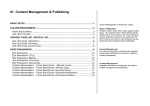
11. Vote Management
VOTE CAMPAIGNS ...................................................................................................................... 1
ADD / EDIT CAMPAIGN .............................................................................................................. 2
VOTES (VOTE LIST) .................................................................................................................... 3
ADD / EDIT VOTE......................................................................................................................... 4
VOTE RESULT............................................................................................................................... 5
I8 has a built-in voting system for business
to make investigation on customer needs.
I8 Business Intelligence Platform 3.0 User Manual – Vote System
LOC: : Exchange > Votes …
VOTE CAMPAIGNS
Different vote campaigns are placed at different
places or different pages. Votes of the same
campaign are displayed at the same location in the
sequence of their priorities.
•
•
•
•
•
•
All rights reserved, i8 BI Lab
www.i8series.com
Name: The name of the campaign (Click the name to
view campaign votes, you can have many votes in
the same campaign, when a user finish one vote, he
can first view the summary of the vote, after that, he
will be displayed with next vote)
Votes: Number of votes of the campaign
Code: The code of the campaign (Front end calling
parameter)
Priority: The sequence of the vote displaying order
Edit: Click it to edit the campaign properties
Delete: Remove the vote campaign and its votes
Page 1 of 2
I8 Business Intelligence Platform 3.0 User Manual – Vote System
LOC: : Exchange > Votes …
ADD / EDIT CAMPAIGN
Click “Add New Campaign”or “Edit Campaign”button
•
•
•
•
•
All rights reserved, i8 BI Lab
www.i8series.com
Name/Title: Caption/name of the campaign
Code: Code for the campaign
Enabled: Enable or disable campaign (Only enabled
campaign will b e displayed in front end)
Archive: Archive completed campaign
Priority: Display order of the campaign in back end
Page 2 of 3
I8 Business Intelligence Platform 3.0 User Manual – Vote System
LOC:: Exchange > Votes …
VOTES (VOTE LIST)
Click vote campaign name
- Switching to different campaign
•
•
•
•
•
•
•
•
•
All rights reserved, i8 BI Lab
www.i8series.com
Vote name: Name of the vote (The vote question).
Click the name to view current voting result (If there
is any). The number next to the name is the total
number of votes
Code: Code for the vote
Type: Vote answer type (Exclusive, inclusive & Input
Start: Time to start
End: End time
Priority: Display sequence for the vote
Enabled: Enable / Disable of vote
Edit: Edit vote content
Delete: Remove vote
Page 3 of 4
I8 Business Intelligence Platform 3.0 User Manual – Vote System
LOC:: Exchange > Votes …
ADD / EDIT VOTE
Click campaign name and click add new vote/edit vote
button
•
•
•
•
•
•
•
•
Name: Name of the vote
Enabled: Toggle validity of the vote
Priority: Display sequence in front end
Campaign: The campaign the vote belongs to
Code: The code of the vote
Type: The type of the vote
Start: Start time of the vote
End time: End time of the vote
Vote item property (Vote answers)
•
•
•
•
•
Item name: Answer caption
Enabled: Enable the vote item
Priority: Answer display priority in front end
Type: Vote item type (Image or text)
Extra Info: Extra info is required
Click “Add New Vote Item/Update Item”button to
save any updates or modifications to the answer item.
After all answer items are done, click the save
buttons on the top right corner to save all.
Answer item list (Items for choose)
•
•
•
•
•
•
•
All rights reserved, i8 BI Lab
www.i8series.com
Item name: Answer caption
Item Type: Type of the answer item (Text, image)
Priority: Display priority of the vote answer item
Enabled: Toggle if the vote item is valid or not
Extra Info: ‘yes’for extra info, ‘no’for no
Edit: Edit vote selection item
Delete: Remove vote item
Page 4 of 5
I8 Business Intelligence Platform 3.0 User Manual – Vote System
LOC:: Exchange > Votes …
VOTE RESULT
Click campaign name and click vote name
On the left shows the voting result
•
•
•
•
All rights reserved, i8 BI Lab
www.i8series.com
Name: Vote item
Votes: Number of times being voted
Share: Percentage of the vote item compare with
total number of vote action
Graph: Graphical illustration of vote share
Page 5 of 6