1
Starburst
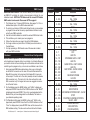
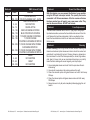
System Menu
Starburst
System Menu
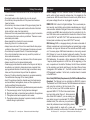
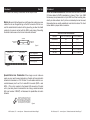
System Menu: When making adjustments press ENTER to
confirm your setup. To exit without making any adjustments
press the MODE button. After 10 seconds, the display will
return to the DMX address setting. Your operating mode
will still continue to run despite the display showing the
DMX address setting. The display will lock after 30 seconds,
press the MODE button for 3 seconds to unlock.
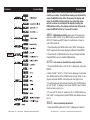
AXXX - DMX Address Setting. See page 12 for more infor-
mation on DMX Control. To run DMX mode, you must first turn
AUTO off. Please see AUTO below for instructions on how to
turn AUTO mode off.
1. Press the either the MODE button until “AXXX” is displayed,
“XXX” represents the current displayed address. Press ENTER.
2. Press the UP or DOWN buttons to find your desired address.
Press ENTER to set your desired DMX address.
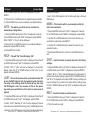
AUTO - Auto mode or Sound Active mode selection.
1. Press the MODE button until “AUto” is displayed, and press
ENTER.
2. Either “SoNd”, “AuOF” or “AUto” will be displayed. To activate
Auto Mode press the UP or DOWN button so that “AUto” is displayed, and press ENTER. Auto Mode will now begin to run.
3. To activate Sound Active Mode press the UP or DOWN button
so that “SoNd” is displayed, and press ENTER. Sound Active
Mode will now begin to run.
4. To turn AUTO mode off, press the UP or DOWN buttons so
that “AuOF” is displayed and press ENTER. Auto Mode will now
be off.
SOUS - Sound sensitivity adjustment.
1. Press the MODE button until “AUto” is displayed. Press the
ADJ Products, LLC - www.adj.com - Starburst Instruction Manual Page 8
ADJ Products, LLC - www.adj.com - Starburst Instruction Manual Page 9