1
INTERFACOM, S.A.
3.2 EXTRAS
Add Extras.
Fare and Extras addition
Cancel Extras
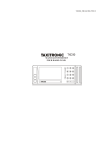
When in HIRED or STOPPED, press on the EXTRAS area
to add Extras. If Extras are allowed, a pop up menu
displays the available Extras. Select the adequate Extras
button.
When in STOPPED, press on the FARE Area. The FARE
display will show the addition of FARE and EXTRAS for a
configurable time.
To cancel extras while in STOPPED, press on the TARIFF
area and select CANCEL EXTRAS.
This function might be disabled if local regulations do not
allow it.
TXD70_EN_V4.docx
7