1
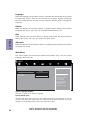
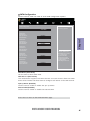
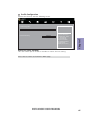
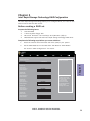
PCH Configuration
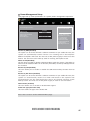
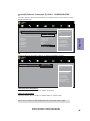
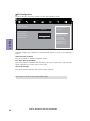
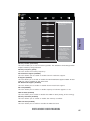
Scroll to this item and press <Enter> to view the following screen:
Main
Advanced
Chipset
M.I.B. X
Security
PCH Configuration
Restore AC Power Loss
Power Off
Audio Configuration
Azalia HD Audio
Enabled
Case Open Warning
Chassis Opened
Disabled
No
Boot
Exit
Select AC Power state when
Power is re-applied after
a power failure.
Chapter 3
lk : Select Screen
mn /Click: Select Item
Enter/Dbl Click : Select
+/- : Change Opt.
F1: General Help
F2: Previous Values
F3: Optimized Defaults
F4: Save & Exit
ESC/Right Click: Exit
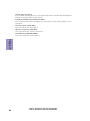
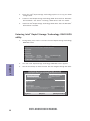
Restore AC Power Loss (Power Off)
This item enables your computer to automatically restart or return to its operating
status.
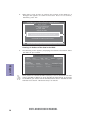
Azalia HD Audio (Enabled)
This item enables or disables Azalia HD audio.
Case Open Warning (Disabled)
This item enables or disables the warning if the case is opened up, and the item
below indicates the current status of the case.
Chassis Opened (No)
This item indicates whether the case has been opened.
Press <Esc> to return to the Chipset Menu page.
52
H97I-DRONE USER MANUAL