1
•
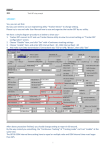
Added super_size to Targets form
•
Added Rng/Brg to targets panel,
Bold and enlarged D&T CPA on VP_AIS for High Collision Threats
Tracked Targets
• Added TTS for AIS Crash targets in Talking Pilot
• Double-click a target in the list to make it the tracked target
• Display panel for Rng, DCPA are highlighted for High Crash Potential targets
• Temporary function for Touch-Screen users:
While in Auto-pan-mode: clicking a target will set this as the tracked target
(instead of panning)
Other
• Targets list will be shown with the tracked target pre-selected in the list
• Fixed column sorting on Targets List
WPTS
Quick Wpt at Ship's Position
• Use [Space]+[Space] to drop a wpt at Ship position (pops-up Wpt Form).
ie, hitting space when chart is centred at ship will drop a wpt at ship's position
Support for Raymarine LifeTag (personal MOB device)
• Will be ignored if a MOB is active in SOB
• Must be manually cancelled using SOB MOB toolbar button
• MOB Wpt will not be added if wpt with lat/lng exists in wpt list
Drag & Drop
• Added Drag&Drop support for WPT files
File is not moved to SOB\Waypoints, although wpts will be saved
to this folder/file when SOB exits!
Importing
Full support for SHAPE column added when importing a wpt text list.
• The SHAPE must be one of the SOB WPT codes (see User Manual)
• Doesn't matter the order of NOTES & SHAPE, but they must come after NAME, LAT, LNG.
• SHAPE heading can also be SH
• NOTES heading can be NOTE*, DESC*, or COMMENT*
Other
• Changed WPT limit to 5000 (prev 500)
GRIBS
GRIB component is not fully covered in these notes, please refer to the User Manual Chapter:
SOB+GRIB requires an update to the C-Map library DLL (cmWin32.DLL r6.2.2.20). This is installed
with SOB+GRIB and is backward compatible with SOBvMAX.
Middle window drag pre-selects GRIB cell area if GRIB is visible, previous grid used is saved between
sessions.
GRIB File form wont open unless trial or paid user
Drag and Drop any GRIB file directly to the chart or onto the GRIB Tree. The files can be dragged
from a file list or email attachment.
• If dropped on the Tree form then the headers are decoded to the Tree only
• If dropped on the chart then is automatically decoded to tree, loaded into the Viewer which is
set to animation mode, and the chart is panned and zoomed to show the grid.
The following GRIB data providers are supported:
1. SailDocs
2. MailASail