1
COPYRIGHT © 2009 AMI ENTERTAINMENT NETWORK, INC.
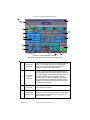
Coin-In Menu
determine the amount of money earned on a
game by multiplying the meter pulse by the
reading on the hard meter.
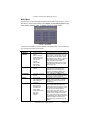
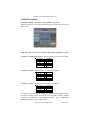
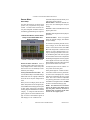
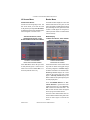
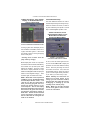
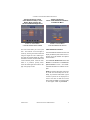
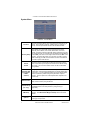
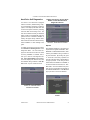
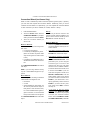
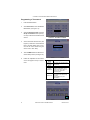
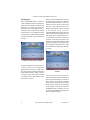
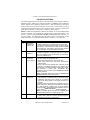
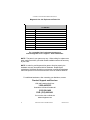
FIGURE 3 - COIN-IN MENU
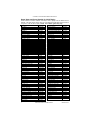
Game cost can be controlled two ways: by
changing the number of credits required to
play a game, or by changing the cost of a
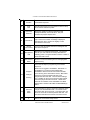
credit. The Coin-In Menu allows you to adjust the cost of a credit, as well as provide a
way to give players “bonus” credits for depositing a higher amount of money. On the
Cash-In and Credits Table, the “-” and “+”
buttons are used to change the number of
credits, while the corresponding price value
for the credits is entered by pressing the
Edit button in that row.
NOTE: The “Edit” button will bring
up a numbered keypad, limited to 2
decimal places. The Cash-In and
Credits Table is ordered, so values
must be set in increasing increments
from top to bottom of the screen. The
final two values, however, can be
entered as “0”, which is the equivalent
of N/A. As each row on the table is
filled in, the “Edit” button will appear
for the subsequent row below it.
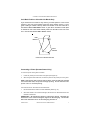
Similar to the Cash-In and Credits Table, when
programming the Channels on the Coin-In
Menu, Channel 1 is set for the lowest value
coin, Channel 2 for the next highest value,
etc. The meter pulse, which is the highest
common divisor of all the monetary values
of the Channels, is independent of the credits and only tracks the smallest unit of currency. Operators can use this number to
PM0426-26 Rev A
NOTE: Changing the values of the
Channels on the Coin-In Menu may
change the meter pulse. Therefore, a
Cash Settlement Collection should be
performed prior to adjusting the Channels in order to accurately reflect coin
drop based on the hard meter reading.
Adjusting the Channels will not affect
the Cash-In and Credits Table, which
performs a separate function on the
Coin-In Menu.
To give customers bonus credits for inserting larger denominations, manually adjust
the credits earned per dollar value on the
Credit and Values Table. Coins may be deposited in any combination of values, and
the game will automatically register the highest number of credits for the total amount of
coins deposited. Once a game is played,
any remaining fractional credits are saved
and applied to the next purchase.
NOTE: It is recommended that if you
are enabling bonus credits, that the
game be set to display in credits and
not money. If the game is set to display
in money, all money values will be
based on the value of 1 credit, which is
typically the most expensive credit.
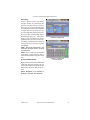
The type of currency registered can be adjusted by touching the Change Currency
button at the bottom right-hand corner of the
Coin-In Menu. Touching the Default Settings button just below it will return the CoinIn Menu to its factory settings. This setting
can be adjusted (as described previously),
but will return if the game memory is cleared.
MEGATOUCH ION EVO OWNER’S MANUAL
10