1
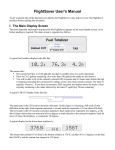
II. GPS position/nav data The FlightSaver records 3-D position information provided by your GPS output port. A compressed file format is used so that even several thousand hours of GPS data won’t stress the limits of the flash data card. Once you have this long-term record you will be amazed at the utility of the data when coupled with the mapping software supplied with the FlightSaver. A few examples are: See exactly what went awry on that ILS attempt Return to that unmarked dirt strip you visited several years ago Prove to the FAA that you were actually above the class B airspace that the controller insisted you violated Recreate those forgotten pilot logbook entries Review 3D plots of your competition acro sequences to hone your flying precision and box positioning skills even when you can’t find an observer qualified to critique your sequence. Identify the most efficient IFR and VFR routes and altitudes for your most common destinations. In addition to the recording functions you will come to appreciate the FlightSaver’s GPS display functions. For example, you can elect to display ground speed on the main display page – continuously, or on a rotating basis with other functions. More importantly, the FlightSaver enables its CDI display (course deviation indicator) whenever a GPS destination has been selected. Although your GPS can display a digital CDI, typically the CDI resolution is too coarse to easily gauge its movement. The FlightSaver’s CDI’s resolution however, is as good as a traditional analog display. Another compelling advantage is that the FlightSaver allows you to view the CDI continuously, freeing up the GPS display for other equally important navigation data – another example of reducing extraneous button pushing and knob fiddling. You could accomplish the same thing by adding a conventional analog indicator, but typically this will cost as much as the FlightSaver and use the same panel space for a small fraction of the utility. The FlightSaver also simultaneously displays a CCI (course correction indicator) - another graphical course indication that provides essential information not given by the conventional analog CDI. (See the side bar “ CCI – a new way to fly”). CCI – a new way to fly FlightSaver’s CCI display appears directly below the CDI and shows you which way and how much you should turn to fly direct to the selected destination. Each thin arrow indicates a turn of 2° and each thick arrow indicates a turn of 10°. When flying VFR, flying direct to your destination is usually what you want, so following the CCI is the easiest way of navigating. Other methods require you to integrate information from more than one instrument or display. Note that this is different than homing – accomplished by merely pointing the nose directly at the destination. Homing also gets you there but via an inefficient curved path because it doesn’t account for the effect of wind. The CCI however accounts for the wind without you even having to know what it is. Flying to keep the CCI zeroed will yield a straight path to the destination even as the winds are changing. Although the CCI is an angular measure, do not confuse it with the VOR CDI, which is also shown in degrees. The VOR shows you how many degrees you are from the selected course, but it does not integrate knowledge of the aircraft’s course and so by itself it can’t tell you which way to turn. What about when you are flying IFR? Flying to the destination is generally not enough. One must fly to the destination via a prescribed course. To do that, one must use the CDI along with the course interception and tracking skills so painfully acquired during your instrument training. However even for this task, you will find the CCI very useful because it tells you which way and how fast the CDI is going to move. If the CCI is pointing to the left, that means the CDI will be moving to the left. If you are trying to get back to the selected course you should be happy only when the CCI and CDI are pointing in opposite directions. As an example, suppose the CDI has drifted to the left. To make a 30° cut back to the course, steer so the CCI shows three thick arrows to the right. The CCI data (sometimes called track angle error) comes from your GPS and is computed as the difference between the bearing to the waypoint and the course over the ground. So, yes, it turns out you’ve had this information all along. However only with the FlightSaver can you display it in way that is easy to interpret (i.e. in graphical form right next to the CDI). If you have an HSI you probably depend on it for course guidance. Even so, you will find the CCI a useful adjunct and an important backup system. (Remember that your HSI depends on failure-prone mechanical parts such as the gyro and compass slaving system and some on the notoriously unreliable vacuum pump as well.)