1
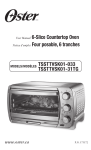
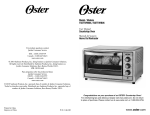
Learning About Your
Countertop Oven
1
Temperature Setting
2
Power Light
Adjust the dial thermostat
to the desired temperature.
Indicates that oven is
plugged in and that the
timer is set to begin
warming.
3
Function Setting
4
Timer/Toast Shade
Setting
Selectcookingfunction
by turning knob to desired
setting.
Adjust the dial to the
desired time.
Three Rack Positions
Removable
Crumb Tray
Pullsoutfor
easy cleaning.
Glass Door
Allows you to see
food cooking.
Removable Wire Rack
To accommodate a wide
variety of foods, the oven
has a removable wire rack
and three rack positions.
Baking Pan and Broiling Rack (Select Models Only)
Use for all your baking, broiling and grilling needs. (not shown)
Interior Light (Select Models Only)
Illuminates oven chamber when in use.
1
Temperature Setting
2
Power Light
3
Function Setting
4
Timer /Toast Setting
English-3|oster.ca