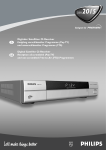
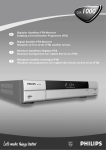
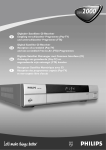
1
�������������������������������������� SATELLITE BAHRAIN 2.50D QATAR 25.00R KUWAIT 2.00D OMAN 2.50R INTERNATIONAL ��� ����� � ���� UAE 25.00D KSA 25.00R ������������������������� TELE EUROPE 5.90€ ����������������� ������� Amazing Mini DVB-S receiver ������� ��������� ���� New Top Model Receiver with PVR ���������� ������������ LCD Monitor That Can Receive it All! ����������������������� ���������������������� ����� Jason Lee, ARION’s CEO, Shares His Company’s Story ��������� ������� ������� ������������������������� ����������������� ������������������ ������������ ��� Exclusively for TELE-satellite Readers SatcoDX “World of Satellites” ������� �������� ���������� ���� SatcoDX’s “World of Satellites” Software contains the technical data from every satellite transmission worldwide SatcoDX Software Activation Code Version 3.10: 8AF68823FGD3B979C3ED5EG99AA482B8 Valid until the publication of the next issue of TELE-satellite magazine Download SatcoDX Software here: www.TELE-satellite.com/cd/0702/eng TELE Step by Step Guide to Get SatcoDX Software Running on Your Computer: 1. Download SatcoDX Software Version 3.10 from the above URL, or install from CD-ROM SATELLITE INTERNATIONAL Note: if you have already installed Version 3.10, you do not need to do it again. Check your currently installed version by clicking the HELP button, then ABOUT. The third line tells you the version installed on your computer Main Address: TELE-satellite International PO Box 1234 85766 Munich-Ufg GERMANY/EUROPA UNION Editor-in-Chief: Alexander Wiese [email protected] Published by: TELE-satellite Medien GmbH, Germany Design/Production TELE-satellite Hungary Kft Nemeti Barna Attila International Advertising Alexander Wiese [email protected] CITY Advertising Monika Szabo [email protected] Subscriptions Services See Page 50 2. Enter the Activation Code by clicking LICENSE and then REGISTRATION. After entering Activation Code click VALIDATE KEY and EXIT. Now you are ready to download the newest satellite transponder data anytime you want, provided your computer is connected to the Internet and is allowed to access FTP. Note: SatcoDX Software also runs without Activation Code, or with an outdated Activiation Code. However, the satellite data on display will be either from last time you performed an update, or from the time when original software has been compiled. By default, each SatcoDX software contains the set of satellite data as current as when it was compiled and put together. Complete Channel Lists from Every Satellite With all Technical Data Newsstand Distributors TELE-satellite English Edition Australia: Europress Austria: Pressegrossvertrieb PGV Bahrain: Al-Hilal Publishing Canada: Disticor China: LSG Derong Trade Co. Estonia: As Lehepunkt Finland: Rautakirja Oyi Greece: Hellenic Distribution Ireland: Eason & Son Israel: Steimatzky Kuwait: Kuwaiti Group for Publishing Lebanon: Levant Group Malta: Miller Distributors Nigeria: Newsstands Distribution Norway: Narvesen Norge AS Oman: Dar Al-Atta’a Est. Qatar: Dar Al Sharq Printing Saudi Arabia: Saudi Distribution South Africa: MCS - Caxton Sweden: Svenska Interpress AB Thailand: Infosat Intertrade UAE: Emirates Printing Publishing UK: International Press Network USA: Prestige Periodicals Automatic Display of all Receivable Satellite Channels Automatic Programming of SatcoDX Compatible Receivers Data Updates via Internet Anytime via Main and Backup Servers Copyright © 2007 by TELE-satellite ISSN 1435-7003 Print Channel Lists With Satellite Footprints in HTML Format Printed in SPAIN/EUROPA UNION www.TELE-satellite.com/eng Member of Distripress Save Chart Data in many useful file formats CONTENT TECHNISAT HD-VISION 32 LCD TV with integrated DVB-S, DVB-T, DVB-C, analog terrestrial and FMJ tuners ...........14 TOPFIELD TF4000PVR PLUS Digital Satellite Receiver with PVR function ...........................18 T-CONNECT S-2400 USB BOX DVB-S data receiver for PC ........20 MATRIX PLANET FTA Receiver with OTA ..............22 Chess Click-Clack 65 cm and 85 cm aluminum dishes with a collapsible LNB support arm ......................24 SPAUN SF 3000 Satellite Finder Antenna alignment meter ....28 Satellite Transmissions New Satellite Launches ...........46 Dear Readers In this issue of TELE-satellite we will touch on a subject that in the future you will read more and more about: the correct installation, connection and use of signal analyzers. The title “Digital is Our Friend”, Horizon’s company motto, wasn’t placed on the front cover for the fun of it. Transmission technology is getting more and more complicated every day and it naturally follows that reception technology requirements are increasing correspondingly. So, in this issue we are introducing signal analyzer manufacturer HORIZON who sees a rosy picture in their future with the coming expansion of the DVB-S2 standard. SPAUN, who also sees a similar trend, is marketing a new line of signal analyzers that we will also be introducing in this issue. Proper assembly and alignment of satellite dishes is becoming more and more critical as is shown in a test report on a well-thought-out satellite dish from MAX Communications. This is all coupled with some words on the mechanics behind satellite dishes in our beginner section. It is safe to say that the simpler days are slowing coming to an end. You can still find a number of satellites that still transmit analog signals. These are easy to identify and align to. But digitalization is continuing and the new DVB-S2 standard requires even more precise antenna alignment. Eventually you won’t be able to do without a signal analyzer; you’d want to take advantage of every possibility. It is becoming increasingly clear that DVB-S2 is not linked only to HDTV. DVBS2 can handle more channels than DVBS. The first programming providers are already using this new standard to simply save some costs associated with leasing transponder space: they stuff the original DVB-S transmitted channels into the new DVB-S2 standard in order to realize lower costs per channel. This has nothing to do with HDTV, instead, it is better use of existing capacity, in other words, saving money. DVB-S2 will almost certainly be pushed through very quickly since it will be more cost efficient for programming providers. As a result, there will also be increasing requirements for the satellite dish, LNB, distribution equipment such as DiSEqC switches and ultimately receivers. Every component will now need to be chosen with greater care and you won’t be able to avoid the use of a signal analyzer. Good times for technicians! Sincerely, Alexander Wiese P.S.: My favorite radio station of the month: “Mood Media” on EUTELSAT W3A (7° east), 11.342, H, A-PID240, with nonstop easy-listening, relaxing background music. No talk; no commercials. Beginner Section: Exactly adjust your satellite dish by yourself! ....................... 10 Practical tip: Receiving neighbouring satellites ............. 38 Feature: Dish Size versus EIRP ............................ 12 HORIZON Company Report: „Digital Is Our Friend“ ............................ 42 TELE-satellite Receiver Guide ......... 32, 34 ARION Company Report: A Leading Company................................ 44 Satellite Reception: Channel Encryption Syberian Style .......... 36 Quality Dispute ..................................... 48 ADVERTISERS ARION ................................................... 7 CABSAT .................................................37 CSTB-2007 ............................................26 DIGITAL TELEMEDIA ............................. 4 DOEBIS ............................................... 8,9 DVB SHOP .............................................39 DVB WORLD 2007 .................................12 EDON .................................................... 11 EMP .......................................................38 EYCOS ...................................................23 6 TELE-satellite International — www.TELE-satellite.com FORTECSTAR .........................................35 GT-SAT ..................................................25 HORIZON ..............................................31 JAEGER/WEISS .....................................27 KATHREIN .............................................43 MAX-COMMUNICATION .........................51 MOTECK ................................................33 OPENTECH.............................................52 PANSAT ................................................. 41 PANSAT .................................................45 PROMAX ................................................47 SADOUN ................................................49 SMARTWI ..............................................33 SPACECOM ............................................29 SPAUN ...................................................19 STAB .....................................................15 STARSAT ...............................................21 TECHNISAT ........................................... 5 TELE-satellite CITY ...............................40 TOPFIELD .............................................. 2 BEGINNER SECTION Dish Installation Exactly adjust your satellite dish by yourself! Heinz Koppitz Just with a simple digital receiver it‘s not very easy to correctly adjust a satellite antenna. using a compass, GPS device or construction First you have to slowly move the dish to the correct position and if the signal is finally avail- plans of your house or just wait until noon, at able, as soon as bad weather conditions appear, you may lose the picture, or at least it could that time the sun will be directly in your south be distorted because of the not very accurate mountings most manufacturers use. Fortunately direction (North in Southern hemisphere). there are a few clues how to correctly adjust the dish with minimal effort, which I will tell you in this article. * Find your local geographic data by using software like Google Earth, or if available a GPS device. You can also use the data of a Modern DTH satellites transmit high power will change while fixating the brackets again. bigger city nearby, adding or reducing as a signals so that they can be received with small Furthermore you‘ll soon experience, that the rule of thumb 1° for every 100km that you are 60cm dishes or even with flat dishes and if dish not only changes its elevation angle, but away from that place. there are reception problems, they normally it will also start to slide down the mounting don‘t occur because of the small dish size but pole. In this situation it‘s hardly possible to * Use these coordinates to calculate your because of poor alignment. In the old analogue adjust the dish by yourself, especially if you‘re local elevation by using tools like www.TELE- days the mounting systems didn‘t have to be trying to mount it on a roof and the receiver is satellite.com/fxpos.exe and setup that value very precise, but nowadays it‘s necessary to far away in your living room. on the elevation scale of your dish. correctly adjust the dish up to one degree. If you want to try it anyway, here are a few The antenna mount sometimes makes it very hard to adjust the dish correctly To easily adjust the elevation of your dish, clues that will help you to successfully complete your work First step: Good preparation is half the job Second step: Find the signal by slowly moving your antenna Now take care, that the mounting pole is installed absolutely perpendicular and if its position is ok, install your dish on the mount- most manufacturers add a scale to the mounting, but very often these scales are too small, * You should only buy an antenna with a unreadable or you simply can‘t see them clearly visible elevation scale. Also check that (north). Now you need an extra pair of brack- during the adjustment process. The situation the dish uses two pairs of mounting brackets. ets and install it under the antenna mounting, ing pole and adjust it at first to the south so that the dish can‘t slide down the mounting becomes even worse when you try to adjust the azimuth angle, there‘s no scale available * Work together and install a communica- pole. Of course you can remove them after the and you have to move the dish until you finally tion line between the person operating the installation is complete. The second person find the correct signal. Of course you can only receiver and the other one installing the dish. should now start the receiver and tune to a valid channel on the desired satellite. Slowly move the dish when the brackets are open and if the manufacturer used just one pair of brack- * Find the South direction (in Southern move the dish to the east or west until you‘ve ets instead of two, the dish‘s elevation angle hemisphere you would look for the North) by reached the position, which FXPOS calculated Poorly readable elevation scale One pair and two pairs of mounting brackets 10 TELE-satellite International — www.TELE-satellite.com for your azimuth angle. Now the receiver The last step to perfect signal reception is you have to install between your antenna and should already show a signal, if it does not, the fine tuning of your antenna. It‘s necessary the receiver by using F plugs, so that it gets just move the dish a little bit further. If you to perform it very accurately so that your dish power from your receiver. Its sensitivity is not can‘t find a valid signal, your elevation angle is will also work in bad weather conditions and as high as the one of a professional gauge, but probably not correctly adjusted, so move the show you all available transponders. it‘s ok to determine the best position for an dish back to the south, adjust the elevation by 1,2 or even 3 degree and repeat the whole procedure again until you finally get a signal. Third step: Fine tuning for your dish to optimize the reception results already found satellite. * Nearly every digital receiver shows a quality indicator bar or even a numeric value * If you want to change your dishes adjust- (normally by pressing the info button), so it‘s ment frequently to different satellites, you again up to your aid to tell you these values should consider buying a DiSEqC motor. These while you fine tune the antenna. motors work very accurately in 1/10° steps and you can easily receive all available satellites * If no one’s available to help you can also use one of those cheap satellite seekers, which with just one single LNB. Furthermore they always use two pairs of mounting brackets. Expert opinion Unfortunately only very few manufacturers support the adjustment of their dishes with simple tools. If only the manufacturers wanted, they could offer much easier mounting systems. An antenna mounting that comes very close to our ideas, is the dish from Max Communication presented in this issue of TELE-satellite. An extra pair of mounting brackets to stabilize the dish while adjusting it Sat Seeker www.TELE-satellite.com — TELE-satellite International 11 FEATURE The EIRP Secret Dish Size versus EIRP Peter Miller You do not have to be a real satellite DX-er to ask yourself a question: “can I receive this or that transponder from this or that satellite in my location?”. If only you decide to install a motorized dish, this question immediately becomes very important to you. Your antenna will be receiving signals from many satellites, and while some of them will be very easy to receive, the others will be difficult or even impossible to read. Inevitably, you will start studying the footprints of various satellites and satellite beams. And very soon will you discover that some footprints show the minimum dish diameter required for reception, but the others show something called EIRP, usually expressed in dBW (see SatcoDX coverage maps for examples of this type). EIRP means Effective Isotropic Radiated Power and is the product of the transponder power and its antenna gain coefficient (P x G). The higher EIRP, the stronger signal reaching your dish and the smaller dish required to receive it. If the beam footprint is small, the antenna gain coefficient is large and EIRP is big. For very wide beams, G is small and also EIRP can not be high. EIRP can be trans- lated to the dish size as you can see in figures 1 through 3. Figure 3 is an enlarged part of figure 2 to make it easier for you to find the dish size for the most commonly used dish sizes for Ku-Band. The graphs shown in the figures, assume 20° LNB for C-Band and an LNB with NF=0.6 dB for Ku-Band. Should you have better equipment, for example universal 0.3 dB LNB for Ku-Band, you Figure 1. Dish size vs. EIRP for C-Band. ���� New Opportunities New Standards Figure 2. Dish size versus EIRP for Ku-Band. Burlington Hotel, Dublin, Ireland 7 – 9 March, 2007 The annual DVB World conference has now become a must for all involved in digital television. It’s the place to be for the latest information on developments in this rapidly expanding field. Topics will include MPEG 2&4, DVB-S2, HDTV, IPTV, DVB-H, Home Networking, Advanced Modulation for DVB-T and the controversial subject of DRM. Programme and registration details will be announced in September. Details will appear at www.dvbworld.eu Further information from [email protected] Figure 3. Dish size versus EIRP for Ku-Band. may decrease the requirements for the dish size by a few percent. For example, you may expect that for EIRP=48 dBW, instead of 70 cm dish with 0.6 dB LNB, you can successfully use 65 cm dish with 0.3 dB LNB. Occasionally, we hear that somebody receives signal with a smaller dish than the one shown in the graph for a given EIRP. It can happen if the satellite transmits somewhat stronger signal than promised in its specification. So, do not jump into conclusion that something is wrong with the graphs. SATELLITE RECEPTION HDTV Monitor Technisat HD-Vision 32 Multitalented LCD TV and a guaranteed 100% pixelfree panel. As far as a manufacturers warranty goes, Technisat provides the HD-Vision 32 with a two-year warranty with an added three-year spare parts warranty (not including the remote control and panel). But is this TV really all it’s cracked up to be? For several weeks we put this TV through a series of long-term tests to determine, with the help of some independent test personnel, how the picture quality compares to a standard picture-tube TV and to SDTV/HDTV. LCD TV’s are currently the latest consumer craze. Everyone wants one. But what good is the best TV if you have a number of receivers for reception of all kinds of signals (analog TV, DVB-T, DVB-S and DVB-C)? The simple answer to this question is the HD-Vision 32 from Technisat. This LCD TV is a true multitalented wonder. Its tuner not only gives you analog TV but also DVB-S, DVB-T and DVB-C, plus you can tune in your favorite FM radio stations! The “32” in the model number represents the size of the LCD screen in inches and 32 inches is 81cm. For those of you who believe that “bigger is better”, Technisat offers the HDVision 40 with a 40-inch (102cm) screen. The HD-Vision 32 is available in several different versions: with side-mounted removable speakers, with or without contrast screen or with built-in speakers in the TV stand and then all this in a variety of colors (silver, black, high-gloss black, high-gloss white and platinum). The large number of available connectors on this TV was immediately apparent when we unpacked it from the shipping box. With the optional wall mount, it can be hung on the living room wall just like you would any other framed picture or painting. The overall workmanship of this TV also initially left us with a positive impression and if you’ve already had some experience with Technisat remote controls, you’ll have no problems handling the one for the HD-Vision 32. Eight buttons can be found on the front panel for control of this TV even without the remote. There’s also a status LED that shows the current operational mode of the TV. A main power switch is also available and can be found at the top of the TV and is therefore very easy to reach. While the variety of connectors found along the side panel and near the bottom of this TV will force the pulse of a professional or hobbyist up a notch or two, less experienced users might be somewhat overwhelmed by what they see. Fortunately, the easyto-understand user manual will help to set things straight so that even beginners will soon have a grasp on what all the different connectors can do. A CI slot for use with all compatible PayTV modules can be found near the top. There’s also a Conax card reader under which is the satellite IF input and terres- 14 TELE-satellite International — www.TELE-satellite.com trial signal input. Here you’ll also find an RS-232 interface, two USB connectors, two HDMI inputs, an S-Video input plus a collection of 12 RCA jacks for audio/video inputs, an audio output, a YUV input plus subwoofer connector, a headphone jack and an analog as well as optical digital audio output. Underneath you will also find two Scart connectors that can handle CVBS, RGB and S-Video signals as well as a VGA connection. If you’re not interested in using the speakers that come with the HD-Vision 32, you can of course link the TV to your existing stereo system. At 100.5 x 57.5 x 20cm, you should have no trouble finding a suitable spot for the HD-Vision 32, even if that means mounting it on the wall. Everyday Use The technical specifications of this TV all by themselves tell quite a story: 32-inch screen (81cm), 16:9 format, resolution of 1366x768 pixels, dynamic contrast of 3000:1, contrast ration of 1000:1, 500 cd/m2 brightness, a reaction time of 8ms as well as a viewing angle that spans 170° After turning on the HD-Vision 32 for the first time, an installation assistant appears. The first step, as always seems to be the case, is to select the desired onscreen display (OSD) language. The user can choose from 14 different languages: English, German, Italian, Spanish, French, Turkish, Polish, Russian, Greek, Portuguese, Czech, Hungarian, Dutch and Swedish. This is followed by selecting the desired audio language and local time zone. Only then can you perform a channel scan and configure the built-in tuner. But don’t forget to first decide how you want 4:3 signals displayed: the HD-Vision comes with a number of different possibilities. The most popular choice is “Optimal 16:9” since in this mode you won’t have to look at any black sections on the screen. The tuners in the HD-Vision 32 are capable of receiving analog terrestrial TV, DVB-T, DVB-S, DVB-C signals and even FM radio stations. And to help keep the channel scan time to a minimum, the next installation step allows you to select the types of signals that are actually receivable where you are so that the others would simply be skipped over during the channel scan. The integrated DVB-S tuner in our test unit supports the DiSEqC 1.0 protocol allowing up to four satellites to be received. Technisat is also working on adding the a button. Switching channels on the same transponder requires about one second, other wise, as already mentioned, it is 1.5 to 2.0 seconds. Channel surfing is still somewhat fun. DiSEqC 1.1 protocol and expects that this will be included with the production units that are to be delivered in the first quarter of 2007. Those with motorized antennas were also not left out in the cold: the HD-Vision 32 also supports the DiSEqC 1.2 protocol. The roughly 20 satellites preprogrammed into this unit with more or less up-to-date data are really not all that much. 12 additional satellites can be manually added. In the DVB-T channel scan menu, the power supply to the attached antenna can be turned on or off as needed while for DVBC reception, no additional settings are needed and are therefore not available. Before the channel scan is started, the HD-Vision 32 takes a quick look to see if a new software version happens to be available. If so, it would be downloaded and installed directly via satellite. advantage to this method is that the user no longer has to worry about updating his channel list should there be a transponder change or should a new channel appear. From now on this is handled by Technisat. The list can now be custom designed for your area thanks to the ability to select your country in the setup menu. Of course, for those of you (hobbyists and the like) who don’t want to have any limitations, you can naturally have your channel scan look for everything. In our tests, roughly 20 minutes was needed to scan three satellites as well as the analog and digital terrestrial bands. And we weren’t disappointed either: the HD-Vision 32 managed to find every channel. Even the weaker signals from the multiple cameras we use to keep an eye on the entrance hallway and also the satellite dishes on the roof were recognized without any difficulties. If you aren’t using this TV with a satellite antenna, you can of course install updates via the RS232 interface or with the help of a USB stick. We suggest performing the updates with a USB stick since updates via satellite require quite a bit of time. Simply download the new software from Technisat’s web site, copy it to the USB stick and then insert the stick into one of the two USB ports on the TV. The rest of the process runs automatically and is taken care of in roughly five minutes. To help reduce the channel scan time in satellite mode, the HD-Vision 32, just like all Technisat receivers, comes with the capability to upload a pre-made channel list via satellite based on the ISIPRO system. The big The channel list includes every recognized signal and does not differentiate between the various reception modes. DVB-S, DVB-T, DVB-C and analog terrestrial channels can easily be mixed together. Even the channel switching times between the different tuners is fairly good at 1.5 to 2.0 seconds and is really not all that much of a delay. Unfortunately, we sorely miss the capability to rename channels. This is especially true for our camera signals that were stored simply with the UHF channel number. Both the DVB-S and DVB-T tuners were found to be quite sensitive allowing for reception of weaker signals without any problems. The satellite tuner also withstood our SCPC test although the manufacturer’s claim of 145 Ms/sec. could not be verified. Only transponders starting at 2.0 Ms/sec. could be reliably handled. Thanks to all the different reception possibilities it is almost not even necessary to connect an external receiver to the HD-Vision. But then there is no PVR function and an HDTV DVB-S2 tuner is also not available. Thanks to the two integrated HDMI ports, connecting an external HDTV receiver, in our case the Humax PR-HD1000, was no trouble at all. In addition to the required digital picture data, HDMI also carries the associated audio signal allowing all necessary connections to be handled by a single thin cable. Pressing the “0” button on the remote control opens the A/V source selection window. In no time at all we were able to select one of the two HDMI inputs and were thus amazed at the brilliance, color depth, detail and sharpness of the HDTV signal. The HD-Vision supports both HDTV 720p and HDTV 1080p and therefore justifiably carries the HDTV Ready logo. The HD-Vision comes with an automatic picture brightness control so that it can adjust itself to the conditions of any room and deliver an optimal picture. We also successfully tested the connection of a YUV and RGB capable PVR receiver. The HD-Vision is also capable of turning itself on automati- In addition to the automatic channel scan in all three modes, the HD-Vision can, of course, also scan manually with freely selectable transponder and channel selection. As we already determined with the installation assistant, the satellite channel scan was not exactly the fastest: 11 minutes were needed to scan and store 80 transponders. CI Module Slot 16 TELE-satellite International — www.TELE-satellite.com After every channel change, the HD-Vision momentarily displayed an info bar that showed information on the current program and the currently selected channel. Thanks to the SFI/EPG function, all the programming information from a group of preselected channels can be stored in advance and then displayed at a particular time with the simple push of Connections for audio and video accessories on the underside cally (depending on a 12V control signal via Scart or via an HDMI or VGA signal) and going back into standby mode after the receiver is shut off. And most likely you won’t have to acquire a separate PVR anyway: by the time you read this, Technisat will have a version of the HD-Vision with built-in PVR on the market. The integrated VGA connector lets you use the HD-Vision as a normal LCD PC monitor for PowerPoint presentations and so on. The best picture is of course obtained using the full 1360x768 resolution of the TV. If the graphics card in the PC can’t handle this resolution, then 1024x768 will work also although at a cost of some picture sharpness. The HD-Vision 32 also comes with an assortment of practical extra features. For all German PayTV Premiere customers, all of the multifeed options as well as an integrated teletext decoder are available; a sharp improvement over the teletext display on a CRT monitor. If you happen to own a second Technisat receiver, you can use the included remote control to operate this box as well. + Is It Worth Switching? Many of you are probably asking if it is even worth switching to a new LCD TV or HDTV since you would have to expect to shell out at least 2500 Euros. We and many others who we asked say “yes!” With normal SDTV reception when compared to a Panasonic 100Hz CRT TV, all of our testers agreed independently that the picture of the LCD TV was more stable and thus much easier on the eyes. 16:9 transmissions were especially better in quality in terms of three-dimensional presentation and overall sharpness when compared to standard TV’s. TECHNIC Anschlußleiste an der Seite Even more noticeable was the difference in HDTV reception. The higher resolution of the LCD TV really brought out the full quality of HDTV signals, a difference that anyone will immediately recognize. Lastly, we wanted to utilize our testers one more time to see if they could tell the difference between an HDTV signal in YUV or HDMI. Here it was quite clear that while a difference does exist and can really only be seen when compared side-by-side, our testers could not identify the correct mode in five different attempts in non-side-by-side tests. - Technisat Digital GmbH, 54550 Daun/Germany Tel +352 710 707 900 Fax +352 710 707 959 E-mail [email protected] Function LCD TV with integrated DVB-S, DVB-T, DVB-C, analog terrestrial and FMJ tuners Channel Memory 6000 Satellites 32 Symbolrate 1-45 Ms/sec. SCPC Compatible yes USALS no DiSEqC 1.0/1.2 (1.1 starting 2007) Scart Connectors 2 HDMI Interface yes YUV Input yes S-Video Input yes VGA Connection yes Audio Outputs 2 x RCA Subwoofer Output yes Headphone Jack yes CVBS Input yes (optical and coaxial) Reception Modes DVB-S, DVB-C, DVB-T, analog terrestrial and FM Analog Tuner 46-860 MHz DVB-S Tuner 950-2150 MHz DVB-C/T Tuner 174-230 MHz/470-860 MHz 0/12-Volt Output no EPG yes C/Ku-Band Compatible yes Expert conclusion The price of the HD-Vision 32 is somewhat higher than other LCD TV’s of this size but in return it comes with numerous extra features as well as three fully integrated tuners that more than make up for the higher price. It is easy to use with logically designed menus. The HD-Vision never crashed and no major problems could be found during our long-term test. Manufacturer DATA VGA Modes 640x480, 1360x768 Power Supply 230 VAC, 50 Hz Dimensions 100.5x57.5x20cm Weight 21-23 Kg (including contrast screen) Thomas Haring TELE-satellite Test Center Austria Existing channel names could not be changed. The channel switching speed as well as the preprogrammed satellite list could use some improvement. Info Bar Main Menu Installation Assistant DVB-S Settings Channel Scan Channel List Editing DVB-T Settings Channel List HDTV Signal VGA Signal www.TELE-satellite.com — TELE-satellite International 17 TEST REPORT Satellite receiver Topfield TF4000PVR Plus A tried-and-tested receiver is reborn The South Korean company Topfield was one of the first to offer a PVR receiver which actually worked flawlessly – thanks to a software team that listens to what customers really want, and thanks to a huge number of enthusiastic supporters around In the beginning this receiver was considered a high-end box for professionals, but in the course of time it became the perfect gadget for beginners – not least because of its unbeatable price. So it’s hardly surprising that Topfield continued to manufacture this cash cow up until very recently, when finally the decision was taken to re-launch this particular model so that new features that have become available thanks to more advanced chipsets can be included as well. Ever since we first got wind of this decision by Topfield, we’d been eagerly waiting for the new TF4000PVR Plus. The casing is once again perfectly designed and the combination of silver metal with black Plexiglas looks stylish and makes this box something want to display in your living room cabinet, rather than hide away. Five buttons are located on the front panel which allow operating the receiver without the remote control. It’s a pity there is no dedicated button for accessing the main menu. In the centre of the front there is the usual easy-to-read Topfield segment display with three LEDs. A flap on the right hides two CI slots for all standard modules as well as a slot for an embedded card reader, which was blank and thus inactive in our test receiver. However, one might ponder the idea that in the future the TF4000PVR Plus – just like its predecessor – will also be available with an integrated card reader. the globe. The name of the box was TF4000PVR. In the meantime, several years have gone by and Topfield has added several other products to its range. Yet, the success story of the TF4000PVR continued all the way. to a PC, as well as an optical digital audio output. Unfortunately, there is no mechanical main power switch. Contrary to Topfield PVR receivers of the 5000 and 6000 series the TF4000PVR Plus does not feature an USB 2.0 connection and therefore it is not possible to transfer recordings from the box to the PC or MP3s from a PC to the box. The included remote control is the standard Topfield model which has rightly received much praise in the past. The downside is that the remote will also control all other 5000 series receivers within its reach. Everyday use If you ever have had the privilege of holding a Topfield remote control in your hands you should feel at home with the one that comes with the TF4000PVR Plus. Operating the receiver is straightforward, the only change we noticed with the new European model is that it sports a very up-to-date channel list for both ASTRA 19.2° East and HOTBIRD 13° East. A clear focus on the German speaking market is also evidenced by the fact that all German language channels show up on top of the channel list. The default language for the OSD is also set for German. The new TF4000PVR Plus is able to output the video signal as RGB, CVBS, YUV and S-Video using either the PAL or NTSC colour mode. Automatic detec- On the back panel there are two tuner inputs with their respective loop-through outputs, two scart connections, three RCA jacks for stereo audio and video, an RS232 interface for linking the box 18 TELE-satellite International — www.TELE-satellite.com tion of NTSC or PAL signals and correct switching in case of US feeds happened without any problems. Thanks to the YUV option this box is predestined for use with LCD or plasma screens or beamers. Apart from LNB settings the installation menu includes the channel search as well. An automatic search can be performed with the network mode on or off and can be restricted to FTA signals or scan all available signals. With the network search mode activated the Topfield completed a full scan on our 80-transponder test satellite in approximately seven minutes. This is a very good result, albeit one we have come to expect from Topfield products. The channel edit menu deserves special mention as it is a very effective tool: channels can be renamed, moved, deleted or sorted according to all kinds of parameters as well as protected with a PIN code to make sure your little ones don’t watch anything that’s not suitable for their age. Channels can also be copied to an unlimited number of favourite lists, a feature that is both fun and extremely useful for keeping everything close by and handy. Once all basic settings are finished it is time to press the Exit button to leave the main menu. The TF4000PVR Plus then automatically tunes into the first channel on the list and displays a smart info bar which shows EPG information on the current programme, the availability of teletext, Dolby Digital, subtitles etc. as well as the reception parameters of the selected channels and tuner that is providing the current signal. Zapping is fun with the TF4000PVR Plus, as the time it takes to switch from one channel to the next is around one second. This receiver features two tuners and therefore is able to record two different events from different transponders at the same time, while simultaneously a third programme from one of these two transponders or a recording on the hard disk can be watched on the screen. All this needs two distinct signal inputs to work, of course. The Archive button on the remote control opens a window listing all available recordings. Similar to the concept of PCs, the recordings can be filed in different folders. A coloured $ symbol indicates whether a recording is encrypted, partially encrypted or FTA. Using the Vega software that is provided free of charge by Topfield the channel list can be edited on a PC, while the receiver can conveniently be updated via satellite. The TF4000PVR Plus turned out to be a perfect A-grade product when we put it to the tuner test: neither the reception of an SCPC transponder with approximately 1.5 Ms/s nor weaker satellites (at our location) such as Eurobird 2 or Astra 2D could make this sweet box sweat. One word of caution, though: the signal quality meter is not 100% trustworthy. In conclusion, we can happily state that the new TF4000PVR Plus is the ideal receiver to jump into the Personal Video Recorder world. It offers top features and includes everything most users will desire – with the exception of an USB 2.0 interface. TECHNIC DATA Manufacturer Topfield, Seongnam/Korea Fax +82-31-7082607 E-mail inquiry@i-topfield.com Model TF4000PVR Plus Function Digital Satellite Receiver with PVR function Channel memory 5000 Symbol rates 1-45 Ms/sec. Satellite inputs 2xF SCPC compatible yes USALS yes DiSEqC 1.0 / 1.1 / 1.2 / 1.3 Scart connections 2 Audio/video outputs 3 x RCA UHF modulator no 0/112 Volt connection no Digital audio output yes EPG yes C/Ku band compatible yes Power supply 90-250 VAC / 50/60 Hz Main menu LNB settings Info bar EPG Signal search + Horizontal beam of NILESAT 7° West Expert conclusion The receiver is easy to use, offers a wide range of features and looks very stylish in the living room. - Satellite and transponder data should be completely updated, 5000 channels are on the low side for a PVR receiver with DiSEqC 1.3 support, two CI slots and many reception areas, especially in Europe. Thomas Haring TELE-satellite Test Center Austria To calibrate & adjust your dishes - easy to use - exact and accurate - absolutely reliable - programmable TEST REPORT Mini Receiver T-Connect S-2400 USB box Small and efficient Nowadays, laptops or desktop PCs have become part of our household inventory. More and more they are turning into multimedia centres such as photo albums, music storage etc. The idea to be able to use these appliances to watch digital satellite TV was the next step in evolution. Technotrend is offering a low cost and handy alternative to meet this requirement with their T-Connect S-2400 USB box. TELE-satellite had the opportunity of taking a closer look at this device. The parcel we received from DVB-SHOP, the worldwide distributor for Technotrend products, contained the satellite receiver which is a tiny silvergrey box of approximately 10 x 7 x 2,5 cm, its external 12V power supply, a USB cable, a remote control unit and a CD-ROM for the software. The receiver has three connections at it’s back, USB interface, Tuner input and power supply. A LED on the front shows the state (On/Off) of the receiver. The installation of the device could not be made easier. Once the antenna cable and the power supply are plugged in, you only need to connect the USB cable to your computer and Windows will start the installation procedure asking you to insert the CD-ROM. The whole process only takes 2 or 3 minutes and you can immediately start the “Digital TV” application which appears on your desktop. If you happen to have a Dish pointing at Astra 19,2°E, you can immediately test your new acquisition since a certain amount of TV channels (mostly German) are part of the initial channel list. The graphical interface that comes up on your screen is fairly self-explanatory. The main part contains the TVpicture; on the left you will find the channel list and all the necessary buttons for operating the receiver. It is very likely that you may want to modify the initial setup for the satellite and channels. A simple click on the settings button will display a menu page with several tabs. The first tab “LNB” is for the antenna setup. It offers the choice between no DiSEqC, simple and DiSEqC 1.0 where up to 4 LNB could be configured. There is no possibility to use a motorized dish. Once this setting is taken care of, you can click “Apply” and return to the main GUI. A click on the bin- oculars pictogram takes you to the channel search and channel list editor. The channel scan is impressively fast and within a few minutes all the available channels will appear on the list where they can be sorted, individually deleted, renamed or even moved over to a favourites list. The tuner appeared to be very sensitive, which is a plus if you plan to use this receiver “on the move” (camping, caravanning etc) with a relatively small dish. The fact that this receiver is powered by 12 Volts and connects over USB to for instance a laptop, makes it ideal for this sort of use. The remote control unit which comes with this receiver increases even more the comfort of watching your favourite broadcasts while you take care of the barbecue. And if this occupation asks for all your attention, you could take advantage of all the available functions of a fully grown PVR. The broadcast will then be recorded on the hard disk, waiting to be recalled at any time. It is also possible to set up programmed recordings while you are away. The T-Connect S-2400 USB implements a teletext decoder as well. The speed in the transition from one page to the next impressed us. The EPG deserves a special mention as well. The user will have to choose the wanted channels beforehand. After this, a very complete program guide is displayed in a full screen format where every available programming information is displayed in several columns, one for each channel. Besides of all the pleasures of watching TV or listening to satellite radio stations, you might as well decide to consult your email or surf on the Internet. The manufacturer of the T-connect S-2400 USB has not forgotten to offer you this possibility. Provided you have set up an account with one of the Internet via satellite providers, you could receive the necessary data through this device once you have sent out the request perhaps using your mobile phone’s GPRS function. 20 TELE-satellite International — www.TELE-satellite.com TECHNIC DATA + Distributor DVB-Shop, Germany Telephone +49-34954-31960 Fax +49-34954-49233 Internet www.dvbshop.net Function DVB-S data receiver for PC Frequency range 950 – 2150 MHz FEC 1/2, 2/3, 3/4, 5/6, 7/8 Modulation MCPC + SCPC DiSEqC 1.0 Power 12 Volts Consumption 15W max. Expert Conclusion The T-Connect S-2400 USB is a fully featured FTA satellite receiver to expand your PC or laptop. Through all our testing it behaved perfectly with no bugs or freezes. It could be a perfect lightweight companion to your camping-car and still offer you all the features of a usually bulky and heavy satellite receiver. The picture quality is excellent even in full screen format. - Lack of the DiSEqC 1.2 or USALS protocol. Yanis Patalidis TELE-satellite Test Center France TEST REPORT Satellite Receiver Matrix Planet Using this feature is very easy, simply select the desired satellite, configure the LOF of LNB, choose to scan only-FTA or all channels. The blind scan will find any active transponders and directly get the channels list. While the search is in progress, only the frequency and SR are shown, as well as the found channel names. It would be nice if the polarity would be included as well. Blind-Scan FTA Receiver with OTA Conclusion In a previous issue of TELE-satellite (#194) we reported on a Blindscan receiver offered by Stella Satindo, a satellite equipment distributor based in Jakarta Indonesia. They got a new model out, Its front panel has seven buttons for full control of the receiver: power on/off, menu/exit, ok, vol-, vol+, ch- and ch+. It also has eight LEDs above the display, acting as a signal strength indicator. With its slim design, it should be easily fit with to any other equipment. A calendar feature is also available. The Matrix Planet is less equipped on the rear panel: three RCA jacks for video and stereo audio, a satellite IF input with corresponding looped through output, plus an RS-232 interface and an RF output. There is also a main power switch. Unfortunately there is no digital audio output, as well as no SCART connector. The included remote control is clearly labelled, but somehow uncommon with the numeric pads at bottom. Although buttons are small, they are not too close together and thus still easy to operate. The overall workmanship of this receiver is fine and left us with a good impression. Everyday Use The Matrix Planet can store up to 3200 channels. It supports both DiSEqC 1.0 and 1.2 protocols, and can be used to switch up to four LNBs, or to be connected to a motorized antenna. This box comes with pre-programmed channels from six satellites and ready to use with a 4in1 LNBFs system: PalapaC2 (113.0E), + called Matrix Planet, a Blindscan receiver as well, designed in a black housing and with OTA (Over The Air firmware update). Telkom1 (108.0E), Asiasat3S (105.5E) and Asiasat2 (100.5E), plus additionally Asiasat4 (122.0E) and Apstar6 (134.0E) . This receiver only has two OSD languanges: English and Indonesian. The user manual that comes with the receiver is only available in Indonesian language. A push of the Info button delivers all relevant provider data and content information on the current selected channel. It also has four Favorite Lists. A test on 3747V at Asiasat3S (105.5E) showed that a transponder with a low SR as 2626 can be handled without any problem. The specifications state that even SRs as low as 2000 can be received, but at our test location we do not get such low SR. TECHNIC We were pleased to test this receiver’s feature and reliable operation. With the ability to upgrade from satellite, this receiver will always have an up to date firmware. This Matrix Planet is a cost effective FTA receiver. Manufacturer PT Stella Satindo Komplek Daan Mogot Prima Blok B3 No. 7 Jl. Daan Mogot Raya km 12,8 Jakarta 11740, Indonesia Website www.stella.co.id Phone +62-21-54373829 DATA OTA Stella Satindo is the first local distributor to offer a receiver with OTA feature. Using this feature is very easy. The receiver software can be upgraded automatically from satellite Telkom1 (108.0E) transponder 3580H, by simply tuning to channel 20 in the channel list. Unfortunately, during our test, there was no new software available yet. Blind Scan The Matrix Planet also offers blind scan. This feature updates the channel list without manually entering any transponder data. Expert conclusion Fax +62-21-54373833 Email [email protected] Model Matrix Planet Function Digital FTA receiver with OTA Channel Memory 3200 Satellites no Symbolrate 2 – 45 Mbps DiSEqC 1.0, 1.2 22 kHz switch yes USALS no Programmable 0/12V no Scart connectors no Video/ Audio Output 3 X RCA Digital Audio Output no Color systems PAL, NTSC S-VHS Output no RF Modulator yes, fixed on 621 MHz (ch 39) SCPC Compatible yes EPG yes Teletext no Power Supply 90 – 240 VAC Power Consumption 20 W (max.) Software upgrade by OTA. Blind scan as additional feature. Cost effective FTA box for easy use - Uncommon positions for the remote buttons 22 TELE-satellite International — www.TELE-satellite.com Vincent Witjhun TELE-satellite Test Center Indonesia Blind Scan OTA ����������������� MULTI-ROOM - MULTI-PEOPLE The EYCOS S60.12 PV2R is the newest flagship in the Eycos family. With its Multi-Room concept, it is an outstanding family-friendly digital receiver with hard disk recorder. Everyone can watch their own channels with just this one receiver. The S60.12PV2R makes it possible. Today, a digital receiver with built-in hard drive makes a standard video recorder mostly obsolete. Eycos is one of the leading manufacturers of PVR receivers. Its time-proven technology together with its simple operation makes it easy for anyone to use. Its stunning picture and audio quality along with a variety of useful extra features are standard with Eycos. In addition to FTA and CI receivers, you can choose from four different PVR models. NEW from EYCOS: Crypto-FTA and Crypto-CI Receivers High-quality, outstanding Customer Service and excellent price/performance ratio: that’s the EYCOS guarantee! TEST REPORT Fast Dish Chess Click-Clack Alu 65 cm and 85 cm Aluminum dishes with a collapsible LNB support arm If you ever installed a satellite antenna in a difficult position, you know that dishes are not the same. The first very obvious difference is the material: steal or aluminum. Aluminum dishes are really light. It is especially perceivable for bigger antennae. If your support is at a certain distance from your balcony or you have to climb a steep roof to mount your antenna on the chimney pole, the weight counts. When we learnt that Max Communication would like us to test their dishes, all we knew was that they were made with aluminum. Assembly and alignment After unpacking the flat parcels a courier had delivered, we discovered more. First, we want to emphasize that the workmanship of the hardware was really perfect. Both models (65 and 85 cm) looked very elegant. The complete package contained a dish itself, a piece of hardware making up both a dish holder and an LNB support arm and a small plastics bag with a few nuts and bolts. When the hardware was attached to the dish, a unique feature of these antennae became visible. The arm supporting an LNB is folding! Thank to this, you can prepare everything inside your house, then collapse the arm and take everything up to the roof through a small roof trap. When on the roof, you mount the assembled set onto a pole, attach a cable to LNB, unfold the support arm, fix it in this position by turning a plastic knob and voila – antenna is ready to be aligned to the desired satellite. The alignment process is also easier when compared to other models because of 2 things. First, the antennae have double clamps for fixing it to a pole. Thanks to this, when you loosen the nuts to turn the dish east or west, it does not slip down the pole as it happens with single clamp models - see also our observations about how to mount a dish elsewhere in this magazine. Pre-assembled dish with the mount collapsed for very easy transport and fast mounting The second feature that can be very important for a beginner is the elevation scale. Cheap dishes do not have it and this is additional trouble because not only azimuth has to be found experimentally, but also the ele- 24 TELE-satellite International — www.TELE-satellite.com One Click, and the mount is fixed to it's elevation position - all what is needed now is a Clack to turn to correct azimuth vation. With Max Communication ing are respectively: 17°-57°, Click-Clack models, the eleva- 5°-44° and 44°-82°. tion can be set in advance, and The dishes can thus be opti- when on the roof, all you have mized for nearly every region do is to turn your dish slightly on Earth, to show correct Eleva- to the right or to the left to find tion angles for ease-of-installa- a signal. The supporting hardware can be mounted in three different ways described in the assem- tion. A clever idea, avoiding long searches. Reception bly drawing as: 1-A, 1-B and 2- Of course our test could not A, offering you three different finish right after the success- ranges of the elevation angles. ful assembly. We installed the The ranges printed in the draw- 0.3 dB LNB and checked which Close-up of movable mount satellites we could receive. We were able to receive everything one could expect with the dishes of those sizes. The dish perform- Generally with the 65 cm dish, one can receive signals of 48 dBW or stronger and with the 85 cm antenna - 46 dBW or stronger. ance was exactly as expected. There is no point in listing the Although the difference may not look big, in our test location in satellites we “did” because it differs for various location. Western Poland, the number of satellites one can receive with a 85 cm dish is significantly greater than the number with a 65 cm dish. These two types of dishes can confidently claim ClickClack: click for opening the mount, and clack for turning the dish into right direction. Ready! The elevation scale allows to assemble the dish before it is actually mounted to the pole TECHNIC DATA Manufacturer/Distributor Max Communication GmbH, Siemensstr. 47 25462 Rellingen, Germany E-mail / Internet [email protected] / www.click-clack.eu Telephone +49 4101 6060-0 Fax +49 4101 6060-999 Models Chess Click-Clack Alu 65 cm and 85 cm Description Offset dishes for Ku-Band Outside diameter 665x710 mm and 852x903 mm Reflector diameter 610x654 mm and 780x832 mm Elevation angle 17°-82° in 3 ranges LNB holder 40 mm Mast diameter 32-60 mm Gain at 12 GHz 36 dB and 38.8 dB Weight 0.9 and 2.1 kg + Expert Conclusion Folding support arm, low weight, double pole clamp, elevation scale make those dishes a good choice both for a beginner as well as for a professional installer who needs to transport a number of pre-mounted antennae in his car boot. Excellent workmanship ensures long durability. - Peter Miller TELE-satellite Test Center Poland none www.TELE-satellite.com — TELE-satellite International 25 TEST REPORT Satellite Meter Satellite Finder SF 3000 of SPAUN Find what you need Probably most of our readers aligned their satellite dishes on their own at least once. We know that the experienced installer can do it even without any additional equipment. However, he or she must be able to see the TV-set screen showing the strength and quality bar graphs or be able to hear the signal strength tone (if the receiver can produce it). It is not always available. So, practically every professional installer has some kind of portable meter that helps him/her do the job. Those satellite finders can vary significantly in functionality. The simplest ones show only signal strength. The SF 3000 model we got for testing from SPAUN, belongs to the more advanced class. Despite its relatively small dimensions (234 x 108 x 50 mm) and weight (920 g including an accumulator), the plastic case of SF 3000 makes solid impression. Its yellow buttons are not too small and not too big – just perfect. Descriptions are very easy to read. Four buttons (F1 through F4) are the so-called soft keys. Their function is changeable and depends on the menu or submenu you are currently in. Function name is displayed on the LCD right above them. Functions that are most commonly used, have dedicated buttons on the right side of the console. Greenish LCD display is of the graphic type (128 x 64 pixels) and its backlight can be switched on and off. During measurements, LNB output has to be directly connected to an F-type connector mounted on the top side of the meter. Directly means that you can not have a DiSEqC switch between an LNB and a meter. On the bottom side of the meter, you can find sockets for power supply and RS-232 cable. The serial interface socket is not the regular DB9 type but the one that is normally used for USB. So, you have to use a special cable (included in a package) that has different plugs on both ends. Also in a set, you get an external charger for the built in NiMH accumulator, CD-ROM with a PC application program and a protective bag with a belt that you can wear on your waist. Before using this meter, it is recommended to enter your geographical coordinates in SF 3000 utility menu. Then, you select from a list a satellite you want to align your dish to. The device will show you: the azimuth, elevation and LNB skew. Additionally it will display something like a compass showing the calculated azimuth with respect to the North or South direction. This data should be used for the coarse antenna alignment. Next screen is about measuring signal strength. The result is shown graphically and an audible tone is generated which pitch is correlated to signal strength. When you think you have found the maximum of the signal, you again press a button and now the meter tries to lock to the transponder associated with the selected satellite. If the locking is successful, you see a screen showing: satellite name, signal level in dBµV or dBmW, BER and C/N. Now you can fine-tune your antenna to get a maximum reading of C/N and a minimum reading of BER. In real world, it may happen that you aim your dish to a wrong satellite. In such case, a meter can not lock to the transponder because different satellite have usually different transponder parameters. So after an unsuccessful locking, you have to return to the screen for finding a maximum signal and rotate your dish slightly to one or the other side in search for other maximum. Usually you do not have to 28 TELE-satellite International — www.TELE-satellite.com repeat this more than 2 or 3 times to “hit the target”. SF 3000 stores up to 80 satellites with one transponder data per satellite. Everything: numerical values and names, can be edited locally from SF 3000 keyboard or remotely with the help of PC. Included software allows you to edit the satellite and associated transponder data more conveniently. It contains a long list of satellites (more than the meter can store) along with the number of potential transponders to associate with them. So, we think it is a good idea to install the PC software, select only the satellites that you can receive in your location, verify transponders data and load your list to the meter via serial interface. The customized list can be shorter - it may be enough to have just 20 satellites commonly used in the location. If you have such opportunity (e.g. access to a motorized dish), it will not harm to check if the meter really locks to all the satellites stored in its list. In this way, you will be able to spot potential errors in the entered data well before you start aligning a new dish. It is worth mentioning that you may enter satellites from any band and program any local oscillator frequency. During the alignment, the meter performed very well. Its response was very fast both in the coarse tuning for maximum signal, as well as the fine-tuning for maximum C/N (which corresponds to maximum quality). Volume of the audible tone is high enough, so you can hear it even in not perfect conditions for example near to a busy street. It does not take long to learn how to operate this meter and this is an advantage over the more sophisticated, expensive + devices. On the other hand, the manufacturer honestly admits that the parameters displayed by SF 3000 (signal level, C/N and BER) are not calibrated. It means that you should not compare the results of one SF 3000 with the results of another SF 3000 or a meter of different type. This is not a serious problem when the meter is used just for the purpose it has been designed for. SF 3000 when fully loaded, can continuously work for 4 hours. Similarly, about 4-5 hours is required to charge its accumulator. Expert conclusion This is a handy light meter with fast response and big memory. It is really easy to use – and this is also true for its PC software. Such meter is a must for every installer and can also be very useful for the advanced hobbyists who like to play with their dishes. - Peter Miller TELE-satellite Test Center Poland none TECHNIC DATA 30 TELE-satellite International — www.TELE-satellite.com Manufacturer SPAUN Electronic, Singen, Germany Fax +49 (0) 7731 – 8673-17 E-mail [email protected] Model SF 3000 Satellite Finder Function Antenna alignment meter Input frequency 950 ... 2150 MHz C/Ku-Band compatible Yes Signal level 44 ... 90 dBµV Symbol rate 2 ... 45 Msps Operational temperature 0 ... +40°C Number of pre-programmed satellites 80 Power supply of the accumulator charger 100 ... 240 V, 50/60 Hz TV Radio Volt Hertz Ms/sec S-VHS V 0/12 e azin TSI M ag Emb CA edded CI S lots e Seria Inter l f ac n er M ec Polahanical rizer Hard (Buil Disk t-in) Posit io Volt Outp0/12 ut t RCA S-VH Outp S ut Scar Outpt u Aud Outpio/Video ut Digit Outpal Audio ut Pow Sup er ply Satc ComoDX patib le Loop Thro edugh IF Mo d Outpulator ut L NTS C/PA USA ComLS patib le tible DiSE qC SCP ComC pa olrat Sym b Cha Memnnel ory DVB Satellite Receivers e TELE-satellite Receiver Guide Issue GB ARION 9400 PV2R 8000 1.0, 1.1, 1.2, 1.3 yes PAL D/K, B/G, I yes, UHF yes no 90-240V 50/60Hz yes 1.0, 1.1, 1.2 yes NTSC/ PAL yes, UHF yes no 2-40 yes 1.0, 1.1, 1.2 yes NTSC/ PAL yes yes 2-40 yes 1.0, 1.1, 1.2 no PAL yes 1.2 yes yes 2-45 yes yes yes yes, 2 yes yes no no yes yes, yes, 2 RS-232 no #192 2006 100-240V yes 50/60Hz (optical) yes yes, 2 yes yes no no yes yes, RS-232 yes no #188 2005 no 80-300V yes yes no no yes no no no no no no #193 2006 yes no 90-270V no yes no no no no no no no no no #191 2006 yes, UHF yes no 90-260 VAC 50/60Hz yes yes yes, 2 no no no no no yes, yes, 2 RS-232 no #189 2005 yes PAL D/K, B/G, I yes yes yes 90-240V 50/60Hz (optical) yes yes yes, 2 no no no no yes yes, yes, 2 RS-232 yes #191 2006 (optical) yes yes yes, 2 no yes no no no yes, yes, 2 RS-232 no #188 2005 no #187 2005 ARION AF-9300PVR 8000 2-45 BEETEL SD98 5000 (S/PDIF) BEL 5518 2000 BOTECH CA 9000 FTA/CI 4900 2-45 yes DGSTATION Relook 400S 10000 2-40 yes 1.0, 1.1, 1.2, 1.3 DSN-GR 7400 CI EXPLORER 5000 TV 1600Radio 2-45 yes 1.0, 1.2, 1.3 yes NTSC/ PAL/ SECAM yes yes no 95-250V 50/60Hz yes 1.0, 1.2 no NTSC/ PAL yes yes no 90-250V 50/60Hz yes yes yes, 2 no yes no no no yes, RS-232 yes 1.0, 1.1, 1.2, 1.3 yes NTSC/ PAL yes yes no 100-240 VAC yes yes yes, 2 no no no no no yes, yes, 2 RS-232 no #192 2006 yes 1.0, 1.1, 1.2, 1.3 yes NTSC/ PAL yes yes no 90-250 VAC (optical) yes yes yes, 2 no no no no yes yes, RS-232 yes no #191 2006 yes 1.0, 1.1, 1.2 yes NTSC/ PAL no yes no 90-250 VAC (optical) yes yes yes, 2 no no no no no yes, RS-232 no no #189 2005 yes NTSC yes yes no 100-120 VAC (S/PDIF) yes yes no yes no no no no yes, RS-232 no no #195 2006 yes NTSC/ PAL yes yes no 90-240V 50/60Hz (optical) yes yes no yes no no no no yes, RS-232 no no yes yes, 2 no no no no no yes, RS-232 no no #187 2005 yes yes yes, 2 yes no no no yes yes, RS-232 yes no #190 2005 yes no yes, 1 yes no no no no yes, RS-232 no no #189 2005 yes yes yes, 2 yes no no no yes yes, yes, 2 yes, 2 #190 RS-232 2005 yes yes yes, 2 no yes no no no yes, yes, 2 yes, 2 #189 RS-232 2005 yes yes yes, 2 no no no no no yes, yes, 2 RS-232 yes #193 2006 yes yes yes, 2 yes no no no yes yes, yes, 2 RS-232 no #191 2006 EDISON 2100 FTA 4000 1-45 no EYCOS S30.12 CI 8000 2-45 EYCOS S50.12 PVR 8000 1-45 EYCOS S10.02F 4000 2-45 FORTEC STAR MERCURY II 6000 2-45 yes 1.1, 1.1, 1.2, 1.3 FORTEC STAR FSIR-5400 NA 4800 2-45 yes 1.0, 1.2 yes, #190 Irdeto 2005 FORTEC STAR Lifetime Diamond DVB-S & DVB-T 3000 1-45 yes 1.0, 1.2, 1.3 yes NTSC/ PAL yes yes no 90-250V 50/60Hz 1.0, 1.2 yes NTSC/ PAL yes yes no 90-250V 50/60Hz no PAL/ SECAM yes yes no 190-250V 50/60Hz yes yes no 100-250 VAC (optical) GLOBAL TEQ 6000PVR 10000 1-45 yes (optical) GENERAL SATELLITE FTA-7001S 5000 2-45 yes 1.0, 1.2 GOLDEN INTERSTAR 9000 CI PVR Premium 9000 1-45 yes 1.0, 1.1, 1.2 yes NTSC/ PAL GOLDEN INTERSTAR DVB-T/S 8300 CI Premium 6000 1-45 yes 1.0, 1.1, 1.2 yes NTSC/ PAL yes yes no 100-250 VAC (optical) yes 1.0, 1.2, 1.3 yes NTSC/ PAL no yes no 90-250 VAC (optical) yes 1.0, 1.2, 1.3 yes NTSC/ PAL no yes yes 100-240 VAC (optical) HUMAX PR-HD1000 5000 1-45 KATHREIN UFS 821 4000 2-45 Volt Hertz Ms/sec S-VHS V 0/12 e azin TSI M ag Emb CA edded e CI S lots Seria Inter l f ac n er M ec h a Pola nical rizer Hard (Buil Disk t-in) Posit io Volt Outp0/12 ut t RCA S-VH Outp S ut Scar Outpt u Aud Outpio/Video ut Digit Outpal Audio ut Pow Sup er ply Satc ComoDX patib le Loop Thro edugh IF Mo d Outpulator ut NTS C/PA L USA ComLS patib le DiSE qC tible SCP ComC pa olrat e TV Radio Sym b Cha Memnnel ory DVB Satellite Receivers Issue GB LEMON 030-CI 6000 starting at 1.8 yes 1.0, 1.1, 1.2 no yes 1.0, 1.2 yes yes 90-260V 50/60Hz yes, optical &coax yes yes, 2 no no no no no yes, yes, 2 RS-232 no #187 2005 no 90-240 VAC no yes no no no no no no yes, RS-232 no no #196 2006 yes no 80-270 VAC no yes no yes no no no no yes, RS-232 no no #194 2006 yes no 90-250V 50/60Hz yes yes yes, 2 no no no no yes, yes, RS-232 no yes #188 2005 no #193 2006 yes, #190 2005 NTSC/ PAL yes yes no NTSC/ PAL yes RF yes 1.0 no NTSC/ PAL yes RF 1.0, 1.2 no NTSC/ PAL no no 10.5-14DC MATRIX PLANET 3200 2-45 MATRIX Java 1000 2-45 NEOTION 601 DVR 5000 2-45 external PANSAT 6000HXC 10000 1-45 yes 1.0, 1.2, 1.3 yes NTSC/ PAL yes, UHF yes no 90-250V yes 50/60Hz (S/PDIF) yes no yes yes no no yes yes, yes, 2 RS-232 yes 1.0, 1.2 yes NTSC/ PAL yes, UHF yes no 90-250V 50/60Hz yes yes no yes yes no yes no yes, RS-232 yes yes no yes no no no yes yes, yes, 2 RS-232 no #187 2005 yes yes yes, 2 yes yes no no yes yes, yes, 2 RS-232 no #190 2005 PANSAT 3500S 5000 1-45 (optical) no Conax PANSAT 500HC PVR&CI 10000 1-45 yes 1.0, 1.2, 1.3 yes NTSC/ PAL yes yes, 2 no 90-250V 50/60Hz 1-45 yes 1.0, 1.2 yes NTSC/ PAL yes, UHF yes no 90-250V 50/60Hz PIXX Event 10000 (optical) QUALI-TV QS 1080IRCI for HDTV and MPEG 4:2:2 unknown 2-40 yes 1.0, 1.2 no NTSC/ PAL no yes no 100-240V 50/60Hz yes yes yes, 2 no no no no no yes, yes, 2 yes, #187 RS-232 Irdeto 2005 1.0, 1.2, 1.3 yes NTSC/ PAL yes yes no 100-250 VAC 50/60Hz no yes yes, 2 no yes no no no yes, RS-232 1.0, 1.2, 1.3 yes NTSC/ PAL yes yes yes 90-250 VAC 50/60Hz no yes yes, 2 no yes no no no yes, yes, 2 RS-232 yes, #191 uni- 2006 versal 1.0, 1.2 no NTSC/ PAL yes yes yes 90-250 VAC 50/60Hz no yes yes, 2 yes yes no no no yes, yes, 2 RS-232 yes, #189 uni- 2005 versal 1.0, 1.2, 1.3 yes NTSC/ PAL no no no 180-250 yes VAC (optical & 50Hz coax) yes yes, 2 no no no no no no no no #194 2006 no NTSC/ PAL no no no 230VAC yes (optical & 50Hz yes yes, 2 no no no no no no yes Conax, Cryptoworks #193 2006 yes PAL/ NTSC/ SECAM yes yes no 90-240 VAC 50/60Hz yes yes yes, 2 yes (via scart) no no no no yes, yes, 2 RS-232 yes, #189 2005 1.0, 1.1, 1.2, 1.3 yes NTSC/ PAL no yes no 90-250V 50/60Hz yes yes yes, 2 no no no no yes yes, yes, 2 RS-232 no (optical) #196 2006 1.0, 1.1, 1.2, 1.3 yes NTSC/ PAL no yes no 90-250V 50/60Hz (optical) yes yes yes, 2 yes no no no yes yes, yes, 2 RS-232 no #192 2006 1.0, 1.1, 1.2, 1.3 yes NTSC/ PAL yes yes no 90-250V 50/60Hz (optical) yes yes yes, 2 yes no yes no no yes, yes, 2 RS-232 no #190 2005 1.0, 1.1, 1.2, 1.3 yes NTSC/ PAL yes, UHF yes no 90-250V 50/60Hz (optical) yes yes yes, 2 yes no no no yes yes, yes, 2 RS-232 no #188 2005 1.0, 1.2, 1.3 yes NTSC/ PAL yes, UHF yes no 90-250V yes 50/60Hz (S/PDIF) yes yes, 2 no no no no no yes, yes, 2 yes, RS-232 Conax #193 2006 1.0, 1.2, 1.3 yes NTSC/ PAL yes, UHF yes yes 90-250V 50/60Hz yes yes, 2 no no no no no yes, RS-232 #191 2006 STAR SAT SR-X1400D 6500 1-45 yes no no #193 2006 STAR SAT SR-X2500CUCI 4000 2-45 yes STAR SAT SR-X3500CUCI Ultra 6000 2-45 yes TECHNISAT Digit 4S 5000 1-45 yes TECHNISAT Digit MF4-S CC 5000 1-45 yes 1.2 coax) TECHNOMATE TM-7755 2VA 2CI 5000 2-45 yes 1.0, 1.2 (optical) Viaccess TOPFIELD TF4000PVR Plus 5000 1-45 yes TOPFIELD TF6000PVR 5000 1-45 yes TOPFIELD TF5000CIP 5000 1-45 yes TOPFIELD TF5000PVR Masterpiece 5000 1-45 yes VANTAGE VT-X121SCI 4000 1-45 yes VANTAGE VT-X111SCX 4000 2-45 yes no no yes, Conax SATELLITE RECEPTION System Encryption Channel Encryption Syberian Style Nickolas Ovsyadovsky In the previous issue of our magazine we described the situation with reception of Russian channels both in European and Asian parts of the largest country on Earth, and, as it turned out, oftenly it's not quite easy and requires some brainwork, sometimes resulting in very interesting inventions (like unique solutions to simultaneously receive C and Ku-band channels). But, unfortunately, the problems don't stop there. It's not enough to just receive the digital satellite signal, it also has to be decrypted. Headquarters of Telecom company in Moscow For the majority of Russians, especially the ones not familiar with satellite reception and the choice that it offers, watching TV is associated with two channels - Perviy Kanal (previously known as ORT) and Telekanal Rossiya (RTR). History of these two goes back to old Soviet times, when they were known as channels "1" and "2", and what might sound surprising - back then they were much more similair to main state channels currently broadcasting in many countries. Watching them was not too much fun - news and political programs, live broadcasts from the Parliament, classical music concerts, old movies, that was pretty much it. And as the country changed, so did it's television. Rapidly and dramatically. What an average Russian now gets for free from these two channels is normally only broadcasted on premium pay channels or even pay-per-view in other countries. What about a fresh hit movie from Hollywood, which was released on DVD only a couple of weeks ago, top football match or boxing event, maybe a Pervij Kanal Formula-1 race ? Just tune to Perviy Kanal or Telekanal Rossiya in prime time and let them positively surprise you. Differently from old times, all this content is purchased legally, and it's not hard for the broadcasters to cover the price, because advertising rates on these channels are sky high today. But even if it's enough money to pay for the broadcasting rights for Russia, neighbouring countries are not supposed to get all the "cool stuff". And since the Hollywood studios and other copyright holders become more and more strict with this, so do the broadcasters, and the two main Russian channels are no exception. First encryption system, which was introduced to protect the expensive content of Russian channels, was the BISS (Basic Interop- 36 TELE-satellite International — www.TELE-satellite.com erable Scrambling System), which was developed by EBU (European Broadcasting Union) in 2000. Broadcasters were afraid if this system would completely fit to encrypt regular broadcasting, since it's original aim was to protect copyright-sensitive feed broadcasts. But as it turned out, the system was supported by most headend equipment, installed all over Russia, so different versions of Perviy Kanal and Telekanal Rossiya started to disappear step-bystep from the FTA transponder charts. And since in the European part of Russia terrestrial coverage is quite good, plus such projects as Tricolor and NTV Plus provided reception of above mentioned channels, encryption didn't affect the big picture. But again, once the Ural mountains were behind, it started to get complicated. In the Asian part of Russia, where it's physically impossible to install enough terrestrial transmitters, a lot of people used satellite dishes to receive the two main state channels. Encryption was a total shock for them, espe- Company "Telecom", famous for it's research and development work in the telecommunication area. "Roscrypt", which was developed by 2004 and based on the Common Interface standard, has two variants - with or without smartcard. The first one is mainly aimed to protect Russian national channels from being illegally received abroad, however, the developer also claims that it can be used in small cable networks aswell. Currently unused second variant was prepared to be used by some country-wide pay TV project, however, the existing one uses a different system, more popular in Europe. Roscrypt, introduced by Perviy Kanal, left the viewers even more shocked. Forums and newsgroups are full with messages stating that it was not hacked and there are major hardships with hacking it, but they hope it's just a matter of time. However, "Telecom" claims Roscrypt to be a very secure system, much more protected then some well-known foreign rivals, because the keys can be updated a lot Telekanal Rossiya cially when it turned out that it's not planned to sell receivers/smartcards to private individuals. Perviy Kanal and Telekanal Rossiya also broadcast the so-called "international" versions, with all expensive content replaced with cheap South American soap operas, and some of the viewers accepted this as a replacement. But the smart ones went a different way, and the BISS system was pretty quickly hacked. Different Internet forums became full with information on how to decrypt the so-muchwanted content. Of course, broadcasters were not happy with such news, especially Perviy Kanal, with highest advertisement rates and most expensive programming. This lead to the appearing of "Roscrypt" system, by Russian Joint Stock more often, plus unique, Russian-standard encryption algorythms are used. According to developer's information, currently used keys are guaranteed safe for at least 3 years, while the not-yet-activated ones - for up to 10 years. Sounds good, but let's see what the reality will show. It's also interesting to see, what the future holds for Russian commercial TV channels, such as NTV, STS, REN-TV and others. At the moment they are FTA on majority of satellites, but how long will this last ? The only thing we can do is wait and see. Let's just hope that sooner or later every Russian, no mater where he lives, in Kaliningrad or Vladivostok, would receive as many free channels as an average Moscovite. Over 15 that is. SATELLITE RECEPTION Practical tip Receiving neighbouring satellites Heinz Koppitz Once you get the knack of receiving satellite channels you will soon endeavor to watch channels from all over the world. The question in this case is how to extend the existing satellite reception equipment. We have already discussed multifeed reception, which allows receiving more than one satellite simultaneously, and we have dealt with rotating antennas, which allow – at least in theory – to receive every single visible satellite. This article describes how neighbouring satellites can be received without additional technical equipment with just one single LNB. Parabolic antennas don't only focus the reception energy, they act at the very same time as beam antennas. They can only receive transmitted signals within a very narrow band which lies between 2 and 3 degrees, depending on the type. This is why it can be so tricky to perfectly align the antenna towards a specific satellite. When it comes to digital signals, a picture will only appear on the TV if the antenna pole is 100% horizontal and if the values for elevation and azimuth are correct. Of course the reason for this narrow reception range is that otherwise satellites would interfere with each other as they all use the same frequency range, which in most cases is the Ku band. Satellites with a 3-degree spreading can thus be distinguished easily by the parabolic antenna. But what about 38 TELE-satellite International — www.TELE-satellite.com satellites that are less than three degrees apart? In fact, satellites that are only two degrees apart cannot be differentiated by the parabolic antenna. This limits the possibilities for satellite operators, as they have to share the same frequency range between them. For users, however, this means bigger choice. With an angular separation from one degree both satellites can be received equally well. For satellites with high transmission power these and other similar pairings will cause no signal loss, and both satellites come in perfectly, even though – or rather because – only a 60 cm dish is used. Such a dish has a beam spread angle of almost 3 degrees, which means it will only get recognisably weaker (-3 dB) once the angular separation exceeds 1.5 degrees. Ironically, parabolic antennas with a large diameter may show this reduced reception even with 1 degree of angular separation, because the bigger the diameter, the lower the beam spread angle. For 100 cm dishes the beam spread angle is below 2 degrees, which means even a space of 1 degree will have adverse effects, even though these will only be recognisable on the fringes of the footprint when signal levels are low. In Europe, this is the case for these pairs of satellites: Satellite 1 Satellite 2 Angular separation Astra 2, positioned at 28.2° East Eurobird, positioned at 28.5° East 0.3 ° Thor, positioned at 0.8 ° West Intelsat 10-02 positioned at 1° West 0.2° Amos, positioned at 4° West AtlanticBird 3, positioned at 5° West 1.0° Tel.: +36 . 30 . 9336 277 Fax: +36 . 1 . 788 1043 Monika Balázsné-Szabó Advertising Manager [email protected] 40 TELE-satellite International — www.TELE-satellite.com COMPANY REPORT Digital Satellite Meter Manufacturer HORIZON „Digital Is Our Friend“ Alexander Wiese Way up in northern London, far away from the city, but still inside the M25 ring, is where you’ll find Horizon’s headquarters. Making the industrial district in the small town of Enfield their home was a strategically good decision. The nearby rail line in one direction will take you to Stansted Airport while in the other direction you’ll end up at Liverpool Street Station in London. Horizon therefore has a connection to the world in any direction and for Horizon this is absolutely necessary since they deliver to the entire world. It all started in the year 2000: at that time BSkyB needed for the digital age small and easy to handle digital satellite meters for the precise alignment of satellite dishes. The alignment of the antennas to ASTRA 2 at 28.2 east had especially increased the demands placed in the installers. Horizon’s first analyzer, the HDSM (Horizon Digital Satellite Meter) greatly simplified this work. Today this unit is available in version 2.5 and presents itself as Horizon’s success product: “Nearly 75% of our sales revolve around this product”, explains John McLoone, Horizon’s Sales Director, “it is available for roughly £250 at the retail level.” Initially, Horizon distributed only in Great Britain, but over the next several years they expanded their reach. They now deliver to the USA as an OEM for the brand name Birdog Technical Manager Robert Sydee (left) and Sales Director John McLoone (center) with Horizon’s HDSM and also in Germany where Kathrein distributes under the name MSK. Horizon products can also be found in Italy with RAIWAY for DVB-T and in Australia for AUSTAR, also for DVB-T. Doordarshan and TSky in India have also recently jumped on the bandwagon. At Horizon’s headquarters you will find 10 employees; additional employees can be found in the distribution headquarters in the USA and India. Actual production of the analyzers is handled by a partner company. Not too far from Enfield there are 120 workers assembling the analyzers. For 2005 Horizon realized a turnover of about £3 million; they are forecasting this to increase to about £4 million for 2006. Horizon’s company headquarters located north of London in Enfield 42 TELE-satellite International — www.TELE-satellite.com Future markets that appeal to Horizon include India, Russia, China and Brazil. Explains John Mcloone, “Even in these countries they are beginning to realize that the fine tuning adjustments of a satellite dish for digital reception does have higher requirements”. To expand their business, Horizon Soon to hit the market: a transponder stream reader in a professional 19-inch rack with direct USB programming interface (front left) Rear panel of the transponder stream reader with a second high-speed USB interface and the antenna input. Everything else is handled by Rod Hewitt’s adapted TSReader software will be taking part in numerous trade shows. For 2007, Horizon expects to be at ABTA in Brazil, CCBN in China, CSTB in Russia, Convergence in India and ANGA in Germany. development of a transport stream reader that programming providers are especially looking forward to so that they can better examine their own transmitted signals. Horizon’s group of engineers is constantly busy improving their products. “DVB-S2 will The further development of digital technology, now leaning towards HDTV, makes John Every caller is first greeted by the friendly voice of Andrea Noble Technical inquiries are tackled by Robert Sydee; sometimes the SatcoDX frequency lists come in handy there too appear in the first quarter of 2007”, states Paul Hardcastle, Technical Director, “we are also thinking about producing an analyzer with a built-in monitor”. McLoone very happy. His company motto is “Digital is our Friend”. The more complicated digital technology becomes, the better the signal analyzers need to be. They are also quite far along with the Founder and Managing Director Paul Pickering The future looks bright for Horizon! The further development of signal analyzers is handled by Paul Hardcastle in his shack COMPANY REPORT High Quality Manufacturer ARION A Leading Company Alexander Wiese Mr. Jason Lee, ARION’s President and CEO In just a few short years the South Korean company ARION has managed to make quite a name for itself as a manufacturer of highquality Digital Set-Top Boxes. Founded in 1999, ARION began exporting digital receivers the very next year. ARION gained fame in 2004 by introducing the first twin-tuner receiver with PVR. In 2005 they committed to expanding and promoting the name ARION. The move to the larger ARION building in An-Yang City in the Gyenggi-Do district was completed in early 2006. Located in one of the most southern of the 25 districts of Seoul, it is easily reachable via Metro line #4. Today more than 100 employees work in their headquarters of which 60 of them are dedicated to research and development (R&D). Four employees can also be found in their branch offices in Frankfurt and Dubai. 60 additional employees are busy in their manufacturing center in DanYang and thanks to a Joint Venture agreement signed in 2005, 200 more employees are now keeping busy in the Chinese city of DongGuan (ShenZhen province). ARION extended its business from this year in cooperation with broadcasters such as Canal Digitaal in Holland and managed a turnover of roughly US$ 55 million in 2005. For 2006 ARION expects a somewhat lower turnover due primarily to overall price reductions, but for 2007 an increase in turnover to more than US$ 80 million is forecasted. This optimism in large part is based on the new HDTV technology. “We believe that HDTV will have an impact to the market much like 44 TELE-satellite International — www.TELE-satellite.com the introduction of color TV had all those years ago”, Sam Chang, Marketing Manager is convinced. He adds, “Once you’ve seen the picture quality of HDTV, you’ll never want to go back to standard or analog TV”. ARION will shortly be introducing their first HDTV receiver to the market. The AF-8000HDCI will be presented by TELE-satellite in a test report in the next issue. The first HDTV receiver with PVR will follow shortly thereafter towards the end of the 1st quarter of 2007. “The current popularity of flat screen TV’s with end users is accelerating this development”, says Sam Chang, “since we are seeing increased demand for regular standard receivers with HDMI outputs and Multi-Room PVR”. Mr. Chang is also very proud of the quality assurance of his company: “ARION receivers have been designed to work properly in almost any geographical environment”. The quality assurance team helps to prevent any defective receivers from ever leaving their facility. ARION has the entire world within their field of view. Their receivers are exported to every corner of the world and are matched to local requirements. In the early days, the incredibly tiny receiver that carried the model number AF-1000 was a bestseller. Today, they are mainly focusing on sales of newly developed HD, PVR in retail market and also signed some big contracts with service providers with various CAS / Middleware integrated STBs. This is how it all started: the AF1000 was ARION’s initial success A look at the assembly line in DongGuan ARION has a very simple Mission Statement: “Maximization of the company value by realizing customer satisfaction through good human management”. And their Vision is to “Be a leading company in the field of digital multimedia content receivers”. ARION is well on the way to reaching these goals! A first view of the future: ARION‘s brandnew HDTV Set Top Box AF8000HDCI The ARION building in the south of Seoul SATELLITE INFORMATION New Satellites New Satellite Launches Sylvain Oscul AMERICOM 18 SES Americom is due to launch AMERICOM 18. This satellite has been designed to provide C-band services for cable programming and regular broadcasting. It will be located at 255 East (105.5 West) and has 24 transponders with 36 MHz each. It‘s life expectancy is 15 years. NSS-8 INTELSAT will start NSS-8, to replace NSS-703, which will come to its end of life in 2009. NSS-8 will be located at 57 East, and has 56 C-band and 36 Ku-band transponders BADR-4 ARABSAT is about to launch it‘s 4th satellite, called BADR-4. It will be co-located at ARABSAT‘s „Hot Spot“ location at 26 East, servicing as a backup for BADR-2 and BADR3, and eventually to take over. BADR-4 has 32 transponders in Ku-band 46 TELE-satellite International — www.TELE-satellite.com LETTER TO THE EDITOR Quality Dispute What MPEG do you use? In a previous TELE-satellite issue (#194) Peter Miller took a journey into the depth of video quality. TELE-satellite reader Clive J. Grove from South Africa sent us his thoughts: I find Peter Millers article a oversimplification of the situation with regards to the MPEG System. Firstly, MPEG 2 and 4 both sacrifice movement not resolution when data rates are reduced. That statement has itself a simplification embodied in it because as the article in TELE-satellite notes that the resolution table has a number of optional settings. These tend to be reduced as the SR is reduced. However this is not an exclusive process. Great steps forwards have been made in the last ten years. The current level of algorithms in use far surpasses those of a few years ago. I recently commissioned a station using 4.2Msb for two discrete television carriers both with sound plus a further three audio carriers all in the same bouquet. This station is directly receivable on a set top box and is without any visible artifacts. Peter Miller also glosses around the variants of progressive scanning. Most 16:9 devices have this mode. Most users seem to prefer it. The center image is determined by the classic horseshoe. This portion of the screen is scanned correctly and the sides are stretched to achieve a best fit of the image. If such a system is in use it is easy to detect. Any horizontally scrolling information can be seen to decelerate in the screen center, then accelerate as it passes to the right of the screen. Lastly if you want to see a really high quality image at a low data rate tune to Direct 8. This station can be found on W3A. It is in a bouquet. This stations data rate is part of a progressive bouquet so it is variable. It typically varies between 1.8 and 2.0Msb. If this signal is displayed upon a high resolution monitor you will see how good a low bit rate signal can be. Also HD, video resolution and picture quality are inextricably wound up in the total modulation system. I admit that it may be considered out of court for the present article but there is not a word about S2. This may be the most important single advancement to digital television, both satellite and terrestrial COFDM. All studies so far done indicate that the error correction algorithms now in use allow reception of QPSK at -2dB C/N and 32PSK at energy levels that are practical for use. 48 TELE-satellite International — www.TELE-satellite.com Peter Miller responds to our reader’s remarks: MPEG compressions not only sacrify movement but also „sharpness“ of picture when data rate is reduced. This is because the DCT (Discreet Cosine Transform) coefficients are quantizied. It is up to the broadcaster how coarse the quantization is. The coarser it is, the less details will be visible on the picture. It is perfectly visible when watching low quality channels (for example on Hot Bird satellite 13 E). It is not actually reducing the resolution (the number of pixels stays the same) but the difference between the neighbouring pixels. I know this is again somewhat simplified. I do not know if the unit „Msb“ used by our reader is megasymbol per second (Ms/s or Msps) or megabit per second (Mb/s or Mbps). If the reader means megasymbols (and this is the value provided in satellite charts), the bit rate can be significantly higher than the symbol rate because: Bit rate = 2 x Symbol rate x FEC For example, if the FEC=5/6: BR= 2 x 4.2 x 5/6 = 7 Mb/s Now, if the 2 TV channel mentioned above are not „action“ ones (or at least one of them is rather static), I can imagine that their quality is satisfactory. But generally, our reader is probably right that today‘s MPEG coders are much more effective than those at the begining of the digital television era when mostly „rules of the thumbs“ were invented and spread around. Maybe it is no longer true that you need 5 Mbps for a sports channel but around 3-4 Mbps? However, I am sure that quite a number of headends still use „old“ coders which are not state of the art today. One thing is certain though. If a channel has 5 or 6 Mbps, you can use it as a benchmark for others. Even with the old coder, it should provide near perfect video. About 16:9: true, but this feature is usually implemented in a TV-set - not in a settop-box. I did not want our less experienced readers to start searching this function in their receiver menus. Direct 8 average bitrate is actually around 2.5 Mbps according to SatcoDX - what is quite average. If this channel is statistically multiplexed in a modern multiplexer with a number of the others on this transponder, it means that momentarily its bitrate may jump - maybe to 5 or 6 Mbps (during very dynamic action). That‘s why we may perceive its quality as very good. However, please keep in mind that the regular DVD disc has the average bitrate 4 Mbps. And I would be reluctant to assume that DVD are coded with poor quality codecs. So the Direct 8 channel can not be as good as the DVD player with a contemporary disc.