1
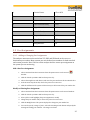
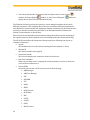
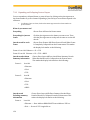
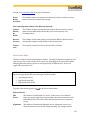
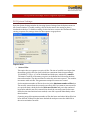
 USART Overrun The number of overrun errors broken down by DTE and DCE device. Parity The number of parity errors broken down by DTE and DCE device. If you have a large number of parity errors, check your I/O Settings for accuracy. Framing The number of framing errors broken down by DTE and DCE device. If you have a large number of framing errors, check your I/O Settings for accuracy. CRC The number of CRC errors detected. CRC counting is done only when monitoring HDLC or SDLC data. Underrun The number of underrun errors broken down by DTE and DCE device. Underrun errors occur when FTS is unable to transmit data quickly enough. These errors only occur when transmitting in sync mode. High Speed Serial HCI and High Speed UART (HSU) Errors Parity The number of parity errors broken down by device.
Framing The number of framing errors broken down by device.
ZigBee Errors FCS The number of FCS errors detected.
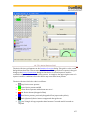
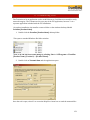
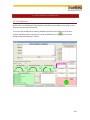
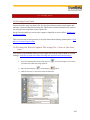
10.7 Data Highway Plus Statistics Frontline Test Equipment’s DH+ product includes powerful statistical analysis capabilities. Easily accessible and up to date statistical data provides the user with valuable information when starting up, surveying, benchmarking, and troubleshooting DH+ networks. DH+ stats runs automatically when a capture file is loaded or when a live capture is performed and cannot be turned off. All of its dialogs can be brought down, however. Driver buffer overflows and UART overruns during live capture cause data loss that can result in some invalid frames. This can affect the values shown in DH+ Stats. To prevent driver buffer overflows, try increasing "Driver Receive Buffer Size in Operating System Pages" in "Options : System Settings : Advanced". To prevent UART overruns, try running on a faster machine. Driver buffer overflows and UART overruns are also displayed on the regular Statistics screen, accessible from the Control dialog via "View : Statistics". 155