1
•
Optional: 2-pin IR transmitter output (IR option only),
just to the right of the power connector;
•
At the top left is two-terminal connection J3, the PIR
sensor input.
•
Optional: Relay 3, a “USB switcher drive” or a
“Power On relay drive.”
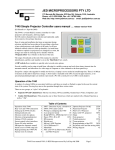
T430 connection: CAT5 option
Just left of centre in the photo to the right is a CAT5 socket.
This is a quick wiring option for the communications, power,
and PIR to user wiring or the T447 “cable-top” box, which provides terminations to the projector (DB9), power in
socket, and PIR screw terminals. (It is NOT an Ethernet connection, and wire colours are later in this manual section.)
T430 Switches:
•
Two hex switches provide “Program Select” to select
an entry in the data-base of projector/flat panels. Use
a screwdriver to select codes from 00 to FF;
•
One 8-position “Option” switch, allows installers to
select options, eg alternate video or computer sources,
auto-send of pixel align and keyboard type;
•
One “Reset” switch, used to enter “program re-load”
or manually set “constants” such as time delays, etc.
This is a small push-button switch.
Setting up the T430 switches
Selection of Options
An 8-switch options selection switch (SW4) is used to
select install-time options.
NOTE: The OFF (default) position is with all sliders DOWN (by the switch numbers and green connectors).
Moving a switch to the ON position selects the option, as defined in this table:
Switch
On Function
Switch
On Function
OPT1
On: Swap Video 1 (usually Composite) and
Video 2 (usually HDMI) sources, i.e. select
which is used as main video source.
OPT5
On: Swap Computer 1 and Computer 2
sources, i.e. select which is used as main
computer source.
OPT2
Set automatic sending of Auto Pixel Align after
any Computer key selection.
(Time after Computer command is Constant:7)
OPT6
Off: Select Video alone or Computer alone
for dual source (as selected on OPT8).
On: Select mixed video/computer in dual
mode. (OPT4 on, OPT8 Off)
OPT3
(Not used.)
OPT7
On: Enable projector state sensing, and
turn T430 off if OFF or COOLDOWN
sensed
OPT4
Off: Limits T430 to control of a single source.
On: Enables toggle mode between two sources,
as determined by OPT1, OPT5, OPT6 & OPT8
OPT8
Off: Select Computer or Computer1/2
On: Select Video or Video 1/2
T430 User’s manual V107A, © Jed Micro Pty Ltd
Page 3