1
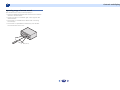
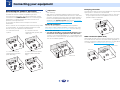
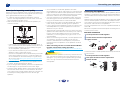
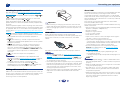
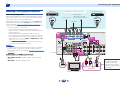
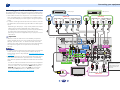
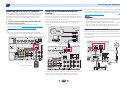
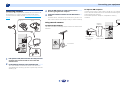
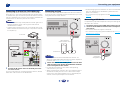
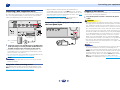
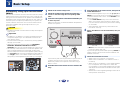
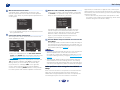
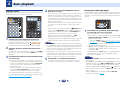
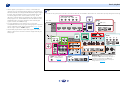
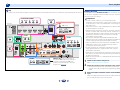
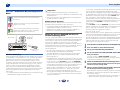
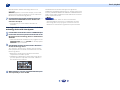
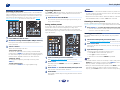
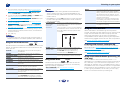
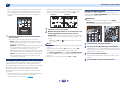
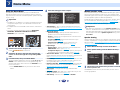
2 Connecting your equipment Connecting optional Bluetooth® ADAPTER When the Bluetooth ADAPTER (Pioneer Model No. AS-BT100 or AS-BT200) is connected to this unit, a product equipped with Bluetooth wireless technology (portable cell phone, digital music player, etc.) can be used to listen to music wirelessly. Connect a Bluetooth ADAPTER to the ADAPTER PORT terminal on the rear panel. • For instructions on playing the Bluetooth wireless technology device, see Pairing the Bluetooth ADAPTER and Bluetooth wireless technology device on page 34. Connecting to the network through LAN interface By connecting this receiver to the network via the LAN terminal, you can listen to Internet radio stations. To listen to Internet radio stations, you must sign a contract with an ISP (Internet Service Provider) beforehand. When connected in this way, you can play audio files stored on the components on the local network, including your computer. Internet Modem Important Router LAN PC 1 to LAN port Note • Refer to the operation manual of the equipment you have as the connected equipment and connection method may differ depending on your Internet environment. • When using a broadband Internet connection, a contract with an Internet service provider is required. For more details, contact your nearest Internet service provider. Connecting to a wireless LAN WAN • Do not move the receiver with the Bluetooth ADAPTER connected. Doing so could cause damage or faulty contact. Turn on the DHCP server function of your router. In case your router does not have the built-in DHCP server function, it is necessary to set up the network manually. For details, see The Network Setup menu on page 46. 2 Wireless connection to the network is possible through a wireless LAN connection. Use the separately sold AS-WL300 for connection. For details, refer to the operating instructions of the wireless LAN converter. 3 Internet LAN cable (sold separately) VSX-1024 FM Modem 75 VSX-1024 WAN Router Bluetooth® ADAPTER DC 5V Connect the LAN terminal on this receiver to the LAN terminal on your router (with or without the built-in DHCP server function) with a straight LAN cable (CAT 5 or higher). 22 Ethernet WPS Wireless LAN converter (AS-WL300) 4 9 61