1
SPECIAL FUNCTIONS
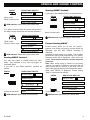
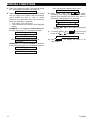
C. Enter your master user code. The siren will sound
for 2 seconds and the display will change to:
TESTING
D. Walk throughout the protected area and make
sure you trigger every detector with no exception
(move across the field of view of motion
detectors and open/close doors and windows).
Each time a detector is triggered:
• The “Happy Tune” will sound,
• The zone name and number will be displayed
briefly.
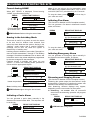
EXAMPLE 1: You triggered a motion detector in
the living room (zone 11). The display will show:
LIVING ROOM
Z11 VIOLATED
After 5 seconds the display will revert to:
TESTING
After 5 seconds the display will revert to:
TESTING
E. When done, click the
button
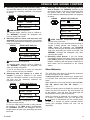
repeatedly. The display will show the test results,
partition after partition and zone after zone, in
ascending numerical order. For example:
GUEST ROOM
(alternating)
Z13 OK
or: “Z13 NOT OK” if there was no response
from Z13.
F. To resume testing, click
mode, click
. To quit the test
. The display will then read:
<OK> TO EXIT
I OK . The display will revert to its
G. Click
normal state.
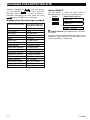
EXAMPLE 2: You opened a window in partition 3
in the guest room (zone 13). The display will show:
GUEST ROOM
Z13 OPEN
18
D-302981