1
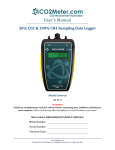
User’sManual CO2SamplingDataLogger ModelsCovered CM‐0001 CM‐0002 CM‐0050 CM‐0056 CM‐0003 SeeTable1onpage7fordetails. WARNING! InstallourcomplimentaryGasLab®softwarebeforeconnectingyourCO2Meterproduct(s)toyour computer.FailuretodosomayaffecttheabilityforGasLab®todetectyourmeter. Savemeterinformationforfuturereference ModelNumber: SerialNumber: PurchaseDate: USR‐013 www.co2meter.com Copyright©2014CO2Meter,Inc.AllRightsReserved. Rev.1.8 SamplingDataLoggerUser’sManual CO2Meter.com WARNING! InstallourcomplimentaryGasLab®softwarebeforeconnectingyour CO2Meterproduct(s)toyourcomputer.Failuretodosomayaffectthe abilityforGasLab®todetectyourmeter.Ifthishappens,pleasefollowthe instructionsinthe“USBDriverInstallationInstructions”sectiononpage15of thismanual. 11/24/2014 REV. 1.8 PAGE2 of17 SamplingDataLoggerUser’sManual CO2Meter.com TableofContents WELCOME...................................................................................................................4 IMPORTANTSAFEGUARDS...................................................................................4 PACKAGECONTENTS..............................................................................................5 OPTIONALACCESSORIES...............................................................................................................5 GASLAB®SOFTWARE..............................................................................................5 MINIMUMSYSTEMREQUIREMENTS............................................................................................5 POWERINGTHEMETER.................................................................................................................7 PRODUCTOVERVIEW.............................................................................................7 INSTRUMENTOVERVIEW..............................................................................................................8 DETECTORPRINCIPAL...................................................................................................................8 OPERATIONGUIDE..................................................................................................9 CONNECTINGMETERS...................................................................................................................9 LCDDISPLAY..................................................................................................................................9 DATASTORAGE...............................................................................................................................9 LOGGINGDATA...............................................................................................................................9 SETUP............................................................................................................................................10 DATALOGGERMODELS..............................................................................................................10 SETTINGS................................................................................................................10 DISPLAYSETTINGS......................................................................................................................10 PORTSETTINGS...........................................................................................................................11 TIME/DATESETTINGS...............................................................................................................11 LOGGINGSETTINGS.....................................................................................................................11 QUICKSTARTGUIDE...........................................................................................12 CALIBRATION........................................................................................................12 CALIBRATIONPROCEDURE........................................................................................................13 APPENDIX...............................................................................................................14 METERSPECIFICATIONS.............................................................................................................14 TROUBLESHOOTINGGUIDE..............................................................................15 USBDRIVERINSTALLATIONINSTRUCTIONS..........................................................................15 SUPPORT.................................................................................................................16 WARRANTY............................................................................................................16 LIABILITY................................................................................................................16 RETURNS.................................................................................................................16 CONTACTUS...........................................................................................................17 11/24/2014 REV. 1.8 PAGE3 of17 SamplingDataLoggerUser’sManual CO2Meter.com Welcome Thankyouforpurchasingourmeter.CO2Meter,Inc.isaFloridabasedbusinessspecializinginthedesignand manufacturingofgasdetectionandmonitoringdevices–mainlyCO2.Ourapproachisonebasedinthescienceof gasandhowbesttoaccuratelyandrepeatedlymeasurethatgasfortheenduserspurposes.Ourbusinesspartners inAgriculture,Medical,Pharmaceuticals,Science,Beverage,andotherfieldsfindourdevicestobehighlyaccurate andcosteffective. Weapproacheachcustomer’sapplicationasauniqueopportunitytounderstand,educate,andprovideproduct solutionsthatmeetthecustomers’needswhileexceedingtheirexpectationsforreliabilityandservice.Our continuedproductinnovationincombinationwithour“customerfirst”focusallowsCO2Meter,Inc.tocontinueto providesolutionsforthefuture. BasedinOrmondBeach,FL,CO2Meter,Inc.iscommittedtothesuccessofourcustomers;thehealth,welfare,and prosperityofourtalentedemployees;andthecontinueddevelopmentofourlocalcommunity. CO2Meter,Inc.appreciatesyourbusinessandlooksforwardtoworkingwithyouandyourteaminthefuture. Pleasetakesometimetoreadthroughthismanualinordertobecomefamiliarwiththemeter.Also,pleasepay specialattentiontotheimportantsafeguards. ImportantSafeguards Toreducetheriskoffire,electricalshockand/orinjurytopersons,basicsafetyprecautionsshouldalwaysbe followedwhenusingelectricalappliances,includingthefollowing: READALLINSTRUCTIONSBEFOREUSINGTHISMETER. INSTALLGasLab®SOFTWAREBEFORECONNECTINGMETERTOACOMPUTER. Useonlytheincludedpowersupplytooperatethismeter.Inappropriatevoltagesupplycouldcause irreparabledamagetothisdevice. DoNOTuserechargeableAAbatteries. DuracellbrandAAAlkalinebatteriesarerecommended DonotstorethemeterwiththeAAAlkalinebatteriesinstalledtopreventthepotentialforbatteryleakage. Makesurethatthetubesaresecurelyattachedtothemeterbeforesamplingaclosedenvironment. Donotoperatewithanobstructedsamplepath. Thismeterisnotdesignedforoutdooruse. Donotexposethismetertowateroranyliquids. Donotoperatethismeteriftheenclosureisopened. Donotoperatethedeviceifitismalfunctioning. SAVETHESEINSTRUCTIONS! 11/24/2014 REV. 1.8 PAGE4 of17 SamplingDataLoggerUser’sManual CO2Meter.com PackageContents Pleaseverifythatyourpackagecontainsthefollowingitemsbeforeusingthemeter: ALLUNITS: (1)Meter (1)Protectiverubbergrips (1)6‐footUSBcable (1)Internationalpowersupply (1)High‐impactcarryingcase (1)Certificateofcalibration (1)Usermanual (1)10‐footlong1/8”tubing (2)¼28UNFLockingNut (2)¼28PanelMountConnector (2)MaleLuerLockConnectors (2)LuerLockCaps (2)1/8”Barbtubingbulkhead (2)1/8”Barb10‐32UNFfittings (2)Particulatefilter(CM‐0118) (2)Hydrophobicfilter(CM‐0117) (1)Moisturetrap(CM‐0112) Figure1:Basickit‐ all units OptionalAccessories Ifthemeteristooperateinenvironmentswherehumidityisveryhigh(>95%RH),anExtremeMoistureFilter(CM‐ 0103)canbepurchasedseparately.Thisfilterwillallowfreeflowofsampledairwhilekeepingmoistureoutofthe meter.A10,000Hr.pumpisalsoavailableatthetimeofpurchase. Note:Pleasecontactourtechnicalsupportstaffformoredetailsabouttheseaccessories. GasLab®Software IMPORTANT:MAKESURETOINSTALLSOFTWAREBEFORECONNECTINGYOURMETERTOYOURCOMPUTER. MinimumSystemRequirements Toutilizeourcomplimentarysoftware,thecomputermustmeetthefollowingminimumrequirements: 1GHzprocessorwith1GBRAM,1GBfreediskspace(2GBfreediskspacefor64‐bitsystems). WindowsXP*/7/8/8.1withMicrosoft.NETFramework4.0**orlater. OnIntel‐basedMaccomputers,GasLab®softwarecanrunusingaWindows7/8virtualmachinesoftware suchasVMwareFusion®orsimilar. *Microsoft.NETisnotsupportedonMediaCenterorTableteditions. **Installerwilloptionallyinstall.NETFramework. Visitwww.co2meter.com/pages/downloadstodownloadourcomplimentaryGasLab®softwaretoyour computer.YoucanalsodownloadtheGasLab®usermanualinPDFfromthispage. 11/24/2014 REV. 1.8 PAGE5 of17 SamplingDataLoggerUser’sManual CO2Meter.com PleasereadtheGasLab®usermanualcarefullytobecomemorefamiliarwithhowthesoftwareworkssothatyou cangetthemaximumbenefitfromthisusefultool. InstalltheGasLab®softwarefirsttoensurethattheproperdriver,necessaryforthemeter,isinstalledonyour computerbeforeconnectingthemeter. Figure2:GasLab®downloadpage(InternetExplorer11shown) Followthestepsandinstructionspromptedbyyourcomputer’soperatingsystem.Makesureyouhave administratorprivilegesinordertoinstallthisprogram. NOTE:WestronglyrecommendallowingGasLab®toinstalldriversforthemeterautomatically. SoftwareCapabilities OurGasLab®softwarewillallowusersto: Manageanddownloadlogs ConfigureSensor Adjustloggingintervals Calibratethemeter AutomaticdataloggingwhenmeterispoweredON DataloggingsessionstatusdisplayedonLCDscreen Collectdatareal‐time 11/24/2014 REV. 1.8 PAGE6 of17 SamplingDataLoggerUser’sManual CO2Meter.com PoweringtheMeter Thismetercanbepoweredbyfour(4)AAsizebatteries(notincluded)butsamplingunitscanalsobepoweredby theincluded6VDCinternationalwallpowersupply.TheseunitsshouldNOTbepoweredusingtheincludedUSB cablesinceitsuppliesinconsistentvoltagetothemeter,whichdegradessensoraccuracy. Iftheunitisnotgoingtobeusedforanextendedperiodoftime,batteriesshouldberemovedtopreventdamage duetopotentialbatteryleakage. Thepowerswitch ontheleftsideofthemeterturnstheunitON/OFF.TheLOGswitchontherightsideofthe meterenables/disablesdataloggingandpumpfunction. ProductOverview Thisportablebattery‐poweredCO2Meter,Inc.meterisdesignedtomeasurecarbondioxide(CO2)inrealtimein inaccessibleareasforapplicationssuchas,butnotlimitedtofermentationvats&barrels,biologicalincubators, andCO2leakdetection. MeterswithloggingcapabilitiesaredesignedtorecordCO2concentrationleveldataoverperiodsoftime.Itstores upto15,000collecteddatapointstoitsinternalmemorytoberetrievedatalatertimeforanalysis.When combinedwithourGasLab®software,youcanalsoseereal‐timedataonyourcomputer’sscreen.Thesemetersare idealforapplicationssuchas,butnotlimitedtoCO2monitoringofproductswithmodifiedatmospherepackaging (MAP),monitoringofmoldproductioninareasusedtostoregrains,andtestingoffiresuppressionsystems. Itsbuilt‐in1,000hourssamplingmicro‐pump(10,000Hr.optional)ensuresreliableoperationforpersistent readingsbasedonuser‐selectedtimeintervals. Scientificdevicessuchasthissamplingmeterrequireuserstohaveintimateknowledgeofthemeter’sfeatures, limitations,operation,requiredsoftware,andspecificationspriortouse.CO2Meter,Inc.highlyrecommends readingthisuser’smanualbeforeoperatingthismeter,especiallytheImportantSafeguardssectiononpage4. Thetablebelowshowsallavailablemodelsandtheirrespectivecharacteristics. Table1:Metermodelscoveredinthismanual Model#(P/N) CM‐0001 CM‐0002 CM‐0003 CM‐0050 CM‐0056 CO2Level 1% 30% 100% 60% 5% MeterType SamplingLogger SamplingLogger SamplingLogger SamplingLogger SamplingLogger 11/24/2014 REV. 1.8 PAGE7 of17 SamplingDataLoggerUser’sManual CO2Meter.com USBConnector(covered) ConnectincludedUSBcable tocommunicatewithunit. InstrumentOverview BarbFitting(x2) USBConnector (coverremoved) PowerSwitch (GreenLEDrim) Turnsthemeter ON/OFF. LOGSwitch (AmberLEDrim) Turnslogging& pumpON/OFF. Inlet Outlet RubberBoot(x2) Protectsmeter andimprovesgrip. Display ShowsCO2 concentration level,data loggingandfree memoryspace. PowerJack Connectincluded powersupply. DetectorPrincipal TheCO2sensorinsidethismeterusesNDIR(non‐dispersiveinfrared)technologytosense,asafunctionof transmittedlight,theconcentrationofCO2intheair.Thismeterhasbeenfactorycalibratedtooperatewithinthe specifiedrangeandprecision. 11/24/2014 REV. 1.8 PAGE8 of17 SamplingDataLoggerUser’sManual CO2Meter.com OperationGuide Makesureyoureadthroughtheseinstructionsthoroughlybeforeusingthemeter.Thisguidewillhelpyoubecome morefamiliarwiththemeterinordertobeasproductiveaspossibleinashortperiodoftime.Pleasereadthe ImportantSafeguardsonpage4beforecontinuing. IMPORTANT:Followtheseinstructionstoensurepropersetup: 1. DownloadtheGasLab®softwaretoyourcomputerasshownintheGasLab®Softwaresectiononpage5. 2. Powerthemeterusingtheincludeduniversalpowersupply.TurnON themeter. 3. Waituntilthedisplaychangescolorstovisuallyconfirmithasresetsuccessfullyafterconnectingittoa computer. ConnectingMeters Thefirsttimethemeterisconnectedtoyourcomputer,theoperatingsystemwillinstallthenecessaryUSBdrivers asshowninFigure3.Thisprocesscouldtakeafewminutes. Figure3:USBDriverInstallation. LCDDisplay TheLiquidCrystalDisplay(LCD)showsthefollowingfeatures: CO2concentrationlevelinparts‐per‐million(ppm)for1%and5%models CO2concentrationlevelinpercentageformat(##.##%)forallothermodels LoggingON/OFF Percentageoffreememory DataStorage Thismeterfeaturesaninternalmemorycapableofstoring15,000datapoints.Duetothenatureoftheirdesign, thesemeterswillneedtobeinitializedbeforeoperationanditsloggingperiodandreal‐timeclockwillneedtobe setunderthe“Settings”menu. LoggingData OncetheGasLab®softwarehasbeeninstalledandthemeterisconnectedtothecomputer,youcangatherdataina varietyofways.Datacanbecollectedinrealtime,datalogscanbedownloadedfromthemeter’smemoryand savedtothecomputer,anddatacanbereviewedonthemeter’sLCDdisplay. Foreachloggingsession 11/24/2014 REV. 1.8 PAGE9 of17 SamplingDataLoggerUser’sManual CO2Meter.com 1. TurnthemeterON. 2. Themetermustbestartedatleast1minutepriortodeploymentanddataloggingtoallowtheCO2sensor timetowarm‐upandcalibrate. 3. Settheloggingintervalasdesiredandcommenceloggingbydepressingthe“Log”buttonontherightside ofthemeter. 4. Whendataloggingiscompleted,turnthe“Log”OFF. NOTE:RefertotheGasLab®User’sManualformoreinformation. Setup CO2Meter,Inc.’ssamplingmeterswillrequireminimalsetupsincetheyaredesignedtobeportable.Themost importantaspectofthesetupinvolvesconnectingthesamplinghosesandensuringpropersetup.TheInstrument Overviewsectiononpage8showsthelabeledcomponentsofthesemeters,asreferencedthroughouttherestof thismanual. DataLoggerModels Thesemodelsfeatureaninternalmemorycapableofstoringdatawhennotconnectedtoacomputer.Theseunits willallowyoutosimultaneouslyreadandstoreCO2concentrationleveldata.Duetothenatureoftheirdesign, theseunitsshouldbeconnectedtoyourcomputerfirst,beforeoperation,inordertoinitializeandsetthelogging intervalandreal‐timeclock. Insertfour(4)AAsizebatteriesintothisunitorconnecttheunittotheincludedpowersupply.Inordertoinitialize dataloggingfunctionality,theunitMUSTbeconnectedtothecomputerwithdataloggingswitchedtoOFF,andthe GasLab®softwarestarted.Oncetheunithasbeenconnected,clickonthe“ConfigureSensor”buttonintheGasLab® interface,setthedataloggingintervalandpumpperiodsasdesired.Werecommendleavingthepumpintervalto thedefault10‐secondperiod.Forthepumpperiod,werecommend10ormoreseconds. ThepumpPWMperiodcanalsobeadjustedforadvancedapplications,with1beingfulldutycycle,andvalues approaching255beingtheshortestdutycycle.Thepumpmodeshouldalwaysbesetto“Datalogging”forproper operationoftheunit. AllmodelshaveaninternalcoincellCR‐20323Vbatterybackupforthereal‐timeclock.Thisbatteryisinsertedin thefactoryforyourconvenienceandshouldlastthelifetimeoftheproduct. Settings Settings–allowsyoutoaccessalltheparameters,options,outputs,communications,anddate/timesettingstobe changedorprogrammed. DisplaySettings Hereyoucanchangethebrightnessandcolortheme(3available)onthedeviceandyoucanalsoactivateaScreen Timeouttosavepower.Thissettingwillnotaffectthemeter’sfunctionalitybutwillaffectthebatterylife dependingonhowyousetthisparameter. 11/24/2014 REV. 1.8 PAGE10 of17 SamplingDataLoggerUser’sManual CO2Meter.com PortSettings HereyoucanconfigureandactivateportsthatcontroladditionalaccessoriessuchasthedeviceModbusaddress. Pleasecalltechnicalsupportforguidanceandimportantinformationbeforemakingchangestotheconfiguration ofanyoftheseports.Youcanreachusduringregularbusinesshoursat(386)256‐4910orsendusamessageto [email protected]. Time/DateSettings Hereyoucanchangethedateandtimeonthemeterformoreaccuratereferenceontherecords.Thedefaulttime ofyourmetercouldvarydependingonyourlocation.Reviewthesesettingsbeforeyoustartusingthemeter. LoggingSettings Hereyoucanchangetheloggingintervalandduration.Thiswillenableyoutocollectthedataforaperiodoftime inaspecificlogginginterval.Thisscreenalsogivesyoutheoptiontosetthedesiredpumpinterval.Rememberto synchronizethepumpbefore,during,oraftertheloggingintervaltoreadandcollectthecorrectreadingaccording totheapplication. ClosedLoopOperation Figure4:ClosedLoop OpenLoopwithEnvironmentalExhaust Figure5:OpenLoop Inordertousethismeterproperly,hoses/tubingmustbeattachedtotheinletandoutletbarbfittingssecurely. Thepumpwilldrawairfromtheinletbyvacuumeffect,pushittothesensingchamberthroughthesensor,and thenexhausttheairoutsidethemeterthroughtheoutlet. 11/24/2014 REV. 1.8 PAGE11 of17 SamplingDataLoggerUser’sManual CO2Meter.com Werecommendinstallingtheincludedhumidity/contaminatefiltertoensurethesensingchamberandpump bafflestaysclearandcorrosion‐free.ReplacementsfiltersareavailableonCO2meter.com. ToMeterSensor Hydro‐ Phobic Filter WaterTrap Particulate Filter Figure6:FilterInstallationandOrientation QuickStartGuide IMPORTANT:MAKESURETOINSTALLSOFTWAREBEFORECONNECTINGYOURMETERTOYOURCOMPUTER. 1. 2. 3. 4. InstallfreshsetofAAbatteries(Duracellbrandrecommended)orconnecttheincludedpowersupply. InstallfiltersandtubingincludedasshownonFigure6. TurnthemeterONbypressingthepowerswitchonce. TurnloggingONbypressingtheLOGswitchonce.Oncethesamplingprocessiscompleted,datacanbe downloadedtoyourcomputerusingourGasLab®software. Calibration Allunitsarefactory‐calibratedwithmultiplereferencepointsofgas,andhavebeenverifiedtobeaccuratewithin theirspecificfunctionalitybeforeshipment.However,iftheunitisseverelyjoltedorotherwisemechanically disturbed,thesensorcandriftrequiringrecalibration.Allcalibrationproceduresfollowasingle‐pointcalibration routinethateffectivelyshiftsthezero‐pointoftheCO2sensor. Supplycalibrationgastotheunitandconnecttheunittoapersonalcomputer.Openthecalibrationscreeninthe GasLab®software.ClicktheCALIBRATEbuttoninthecalibrationtabforthedesiredgas,locatedinthe CONFIGURESENSORscreen.Aslongasthegasconcentrationisstable,theunitshouldinstantlyreflectthe calibratedvalue.Thiscanbeconfirmedbywatchingthedisplay.Toseethecalibrationvalueinrealtime,clickin theCOLLECTREAL‐TIMEbuttontocapturethesevaluesbeforeopeningtheconfigurationscreen. 11/24/2014 REV. 1.8 PAGE12 of17 SamplingDataLoggerUser’sManual CO2Meter.com 1%or30%SamplingDataLogger Calibrationcanbeperformedusingeither100%CO2calibrationgas(typicallynitrogen,argon,etc.),orusinga freshsourceofair,assumedtobeapproximately400ppm. NOTE:RefertotheGasLab®User’sManualforcompleteinstructions. CalibrationProcedure Tocalibrateyourmeter,followthesesteps: 1. TurnONthemeter. 2. Exposethemetertoambientair(assumedtobeat400ppm)orsupplycalibrationgasbottle/cylinder (100%nitrogenorargon)withtheappropriatedemandregulator. 3. Wait25secondstocollectasample.Writedownthisvalueasthe“before”value. 4. ClicktheCALIBRATEbuttonafterselectingyourcalibrationgas. 5. Wait25secondsagain.Thistime,themeterwilltakeasampleandusethisdatatoadjustzerovalues.The displayedmeasurementwillshowthenewcalibrationvalue(0or400ppm,dependingonmethodused). 6. DisconnecttheCalibrationgasandwait25seconds.Alldisplayeddatawillnowbebasedonthenew calibrationvalue.Repeatthisprocedureifthesensorisstilloperatingoutsideofitsspecifiedrangeorif readingsvarygreatly. 5%,60%,and100%SamplingDataLogger ThesemodelsdonotfeatureAutomaticBackgroundCalibration(ABC)algorithmduetotheCO2scalethey measure.Toensurethehighestaccuracy,werecommendcalibratingtheseunitswithcalibrationgas(Nitrogenfor ZEROorCO2),closetotheconcentrationbeingmeasured.Alternatively,a100%orambientcalibrationcanbe performed. Toperformacalibration,attachtheunittoyourcomputer,poweritwiththewalladapterandeitherexposeitto atmosphereorsupplyitwithyourcalibrationgas,fedwithademand‐basedregulator. OpentheGasLab®softwareonyourpersonalcomputerandclicktheCONFIGURESENSORbutton.CicktheTURN PUMPONCONTINUOUSLYbuttontoensurecontinuousflow.(Toapplyanychanges,themeterhastobe restarted). ZeroorFreshAirCalibration Supplygasandselecttheappropriateconcentrationinthescreen.ClicktheCALIBRATEbutton.Thesensorreading shouldinstantlyreflectthecalibration. High‐ConcentrationCalibration WritedowntheoriginalZeroValuebeforeadjustmentforfuturereference.Applythedesiredconcentration calibrationgas;adjusttheZeroValueinincrementsof10pressingthelargeSAVEbuttonontherightuntiltheunit displaysthecorrectconcentration. 11/24/2014 REV. 1.8 PAGE13 of17 SamplingDataLoggerUser’sManual CO2Meter.com Appendix MeterSpecifications SensorType CO2Sensor Performance andRatings Measuring Range Accuracy Repeatability General DataLogging Warm‐up Time Life Expectancy Maintenance Interval DataPoints Programma‐ bleInterval Data Non‐dispersiveinfrared (NDIR) 0‐10,000ppm(1%CO2) 0‐50,000ppm(5%CO2) 0‐30%vol.(30%CO2) 0‐60%vol.(60%CO2) 0‐100%vol. (100%CO2) ±30ppm,±5%ofmeasured value ±20ppm,±1%measured value(1%models) ±0.1%,±2%ofmeasured value(allothermodels) <1 min.(instant measurements) >15years Nomaintenancerequired 15,000 Date,time,CO2,O2 (every15 secondsto18hours) Pump Characteristics Power Dimensions Max.Flow (STP) Max.Vacuum Max. Pressure Max.System Pressure Life Expectancy InputVoltage Method Power Consumption WxHxD in(mm) 0.40 LPM 150mbar 500mbar ~101.3KPa(1atm.) 1,000(standard),depending onsamplinginterval 6VDC Powersupplyor4xAA batteries ~0.5Watt.Avg.(pump running) 4.8(122)x7.1(181)x2.1(55) 11/24/2014 REV. 1.8 PAGE14 of17 SamplingDataLoggerUser’sManual CO2Meter.com TroubleshootingGuide Symptom/ Issue PossibleCause/Resolution Meternot recognizedby computer/OS Device doesn’tpower ON Yourdevice’sbatteriesmightbedepleted.Replacethebatteries withfreshones,ormakesurethepowersupplyisconnected properly(usetheincludedpowersupplyonly). Makesurethepowersupply isconnectedproperlyandthat thereispowerintheoutlettheadapterisconnectedhasthe appropriatevoltage.Ifusingbatteries,makesuretheyarenot depleted. TheGasLab® Yoursoftwaremightbeoutofdate.Updateyoursoftwareby software eithervisitingourdownloadwebpageat doesn’tstart* http://www.co2meter.com/pages/downloadsorbyselecting the“CheckforUpdates”undertheHelpmenu.Makesureyour PCmeetstheminimumrequirements. Slow Checktheairflowchannelstomakesuretheyarenot response obstructed. Reading Makesurethemeterisinmaximumorminimummode. doesn’t change “Bat”and Thepowersupplyoutputvoltageisinappropriateorbatteries greenLED depleted.Pleaseusetheincludedpowersupplyonlyorreplace keepflashing batterieswithafreshset. *FormoretroubleshootingtipsonGasLab®software,seeitsmanuallocatedatwww.co2meter.com/pages/downloads. USBDriverInstallationInstructions ToinstalltheappropriateUSBportdriverscompatiblewithyourmeter,followthesesteps: 1. Gotohttp://www.ftdichip.com/Drivers/VCP.htmanddownloadthepackageappropriatefortheversionof Windowsinstalledinyourcomputer. 2. Movethefileyoudownloadedtoalocationyoucaneasilyaccess.Makesureyouhaveadministrator privileges. 3. Extractthefilebyrightclickingonitandselectingextracthere. 4. Gotoyourcomputer’sDeviceManagerintheControlPanel. ForWindows8,presstheWindowskeyand'x'atthesametimetobringupthestartmenuthenclickon DeviceManager. ForWindows7,openthestartmenuandtypeDeviceManagerinthesearchbar. 5. FindtheUnrecognizedUSBDeviceinthelist(itusually,butnotalways,hasayellowtriangleicon). 6. RightclicktheUnrecognizedUSBDeviceitemandselectUpdateDriverSoftware. 7. SelectBrowseMyComputerandpointtothefolderwhereyouextractedthedriverfilesto(step#3). ThiswillinstallthenecessarydriverstoyourcomputerandallowyoutouseyourmeterwithGasLab®.Ifyouhave multiplesensorsyoushouldonlyhavetoperformthisprocedureonce;theoperatingsystemwillautomatically findthedriverforalltheothersensors. 11/24/2014 REV. 1.8 PAGE15 of17 SamplingDataLoggerUser’sManual CO2Meter.com Support Thequickestwaytoobtaintechnicalsupportisviaemail.Pleasesendallsupportinquiresto [email protected]. Pleaseincludeaclear,concisedefinitionoftheproblemandanyrelevanttroubleshootinginformationorsteps takensofar,sowecanduplicatetheproblemandquicklyrespondtoyourinquiry. Warranty Thismetercomeswitha1YEAR(warrantyperiod)limitedmanufacturer’swarranty,startingfromthedatethe meterwasshippedtothebuyer. Duringthisperiodoftime,CO2Meter.comwarrantsourproductstobefreefromdefectsinmaterialsand workmanshipwhenusedfortheirintendedpurposeandagreestofixorreplace(atourdiscretion)anypartor productthatfailsundernormaluse.Totakeadvantageofthiswarranty,theproductmustbereturnedto CO2Meter.comatyourexpense.If,afterexamination,wedeterminetheproductisdefective,wewillrepairor replaceitatnoadditionalcosttoyou. Thiswarrantydoesnotcoveranyproductsthathavebeensubjectedtomisuse,neglect,accident,modificationsor repairsbyyouorbyathirdparty.NoemployeeorresellerofCO2Meter.com’sproductsmayalterthiswarranty verballyorinwriting. Liability AllliabilitiesunderthisagreementshallbelimitedtotheactualcostoftheproductpaidtoCO2Meter.com.Inno eventshallCO2Meter.combeliableforanyincidentalorconsequentialdamages,lostprofits,lossoftime,lostsales orlossordamagetodata,injurytopersonorpersonalpropertyoranyotherindirectdamagesastheresultofuse ofourproducts. Returns Iftheproductfailsundernormaluseduringthewarrantyperiod,aRMA(ReturnMaterialAuthorization)number mustbeobtainedfromCO2Meter.com.AftertheitemisreceivedCO2Meter.comwillrepairorreplacetheitemat ourdiscretion. ToobtainaRMAnumber,callusatoremailusat(386)256‐[email protected] RMApleaseprovidereasonforreturnandoriginalordernumber. Ifwedeterminethattheproductfailedbecauseofimproperuse(waterdamage,dropping,tampering,electrical damageetc.),orifitisbeyondthewarrantydate,wewillinformyouofthecosttofixorreplacetheproduct. Formoreinformationvisitourwebsite:www.CO2Meter.com/pages/faq 11/24/2014 REV. 1.8 PAGE16 of17 SamplingDataLoggerUser’sManual CO2Meter.com ContactUs Weareheretohelp! Forinformationortechnicalsupport,pleasecontactus. [email protected] (386)256‐4910(TechnicalSupport) (386)872‐7665(Sales) www.co2meter.com Address: CO2Meter,Inc. 131BusinessCenterDrive OrmondBeach,FL32174 USA 11/24/2014 REV. 1.8 PAGE17 of17