1
K332
Fitting Kit
GB Fitting Instructions for Basic Carrier
x4
Revision No:
1.0
x4
x4
1
GB
Fitting Kit
K332
First Time Installation
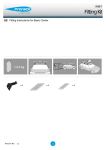
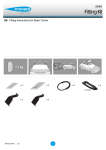
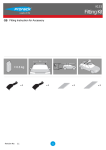
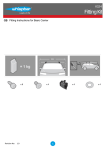
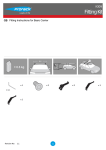
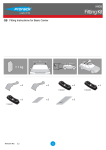
Remove parts from packaging and check
contents. Contact your Prorack dealer if
parts are missing or damaged.
This kit fits type A and B only.
These instructions show type A crossbar
fitted. They also apply to type B.
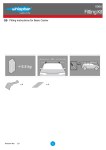
Use keys to remove covers.
3
GB
Fitting Kit
K332
Use hex screwdriver to reverse adjusting
screw 10 turns.
Press adjusting screw and pull crossbar legs
out. Refer to the crossbar instructions for
crossbar adjustment.
Ensure each end of the crossbar is adjusted
equally 'X'.
Adjust crossbar in or out to suit vehicle.
Refer to the crossbar instructions for
crossbar adjustment.
Ensure that the crossbar is adjusted evenly
at both ends.
Please check the rear of this manual for
information relating specifically to your
vehicle.
4
GB
Fitting Kit
K332
Tighten adjusting screw to 5 Nm.
Remove clamp block by pressing backwards.
Select plastic internal block (from fitting kit)
and insert into foot.
5
GB
Fitting Kit
K332
Fit rubber pad (supplied with crossbar) to
foot.
Make sure the pad fits into the holes
underneath the foot.
Repeat for all legs.
Fitment
Locate plastic ditch mouldings on roof.
Run your finger along the inboard edge of
the moulding and locate fixed points.
Pull ditch moulding back towards you.
Hook clamps into the fixed points on the
vehicle.
6
GB
Fitting Kit
K332
Ensure internal clamp sits upright.
Repeat for all four positions.
Mount crossbars over clamps.
7
GB
Fitting Kit
K332
Tighten the red plastic knob. The side with
the nut showing should be facing up.
Ensure the red plastic knob is in the position
shown when fully tightened.
Repeat for all legs.
Check crossbar is securely attached to the
vehicle.
Use keys to fit and lock covers
8