1
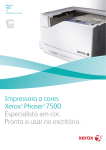
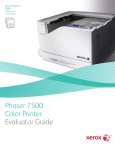
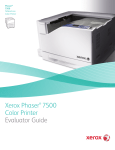
Xerox Phaser 7500 Colour Printer
®
®
Give your entire office professional-level colour. Now there’s a network-ready
printer that’s robust enough to handle short-run professional-quality print jobs, yet
easy enough to fit right into your busy office. Inspired colour control features and
printer management tools simplify printing and give you the power to do more than
ever before.
On-demand Productivity
Quality Colour You Can Count On.
Save big when you bring your work group’s
diverse and high-volume colour printing in
house. The Phaser 7500 sports plenty of
features that make it a perfect fit for the office
on-demand print environment.
Produce brilliant, accurate colour right “out of
the box.” The Phaser 7500 printer delivers the
tools to make you look like a colour expert.
• Fast 35 ppm colour printing. That means
100 copies of your 20-page colour report will
print during your lunch hour. The high-speed
1 GHz processor ensures that both long print
runs and complex jobs with graphics, photos
or charts process rapidly.
• Networked to share. Gigabit Ethernet is
standard, and everyone, regardless of
environment – Microsoft Windows®, Apple
Macintosh® and Linux® – can tap into the
power of the Phaser 7500.
• Increase accountability and reduce costs.
Use accounting features to track and analyse
both colour and black-only printing, and to
accurately charge back billing for individuals
or departments.
• Convenient and resourceful. Sized to fit
your work group’s space and printing needs,
it’s available as a low-profile desktop printer,
or it can be configured into a highly productive floor-standing model with three additional 500-sheet trays that can load paper
sizes up to 13 x 18 in.
• Bring more types of jobs in house. Produce
professional-looking brochures, newsletters
and reports with features such as automatic
two-sided printing, booklet printing and collation. Print on an array of media, including
labels and card stock, and sizes up to 47 in.
banners.
Colour By Words:
Unique Colour Control
Have you ever wanted to change
the colour of one object or area in a
printout without affecting the rest
of the page? With this feature there
is no need to go back to square
one and manipulate source files.
You simply select the desired colour
modifications from a drop-down list,
and Colour By Words will adjust your
printout.
• 1200 x 1200 dpi resolution for sharp,
detailed prints.
• So precise, the colour you’re matching does
exactly what you expect – it matches. The
secret? It uses the tools of the pros: True
Adobe® PostScript® 3™ ensures that visually
rich documents print reliably and fast, while
Pantone®-approved colour tables make sure
that specified colours print accurately and
consistently.
• Xerox® EA Toner produces the smallest
toner particles in the market – for finer lines,
higher contrast and sharper quality. EA toner
also requires less energy to manufacture and
reduces the amount of toner needed for
printing each page.
• A powerful colour technology works
behind the scenes to automatically give
you the best colour for each element on the
page. Use it to select automatic presets to
match a specific target, like a press or your
computer screen. Or get creative and use it
to fine-tune colour and get special effects
without changing your file.
Original photo not right? Use the Colour
By Words drop-down lists and choose
“yellow-green colours a lot more green,”
and “red colours a lot more saturated.”
Picture-perfect results.
• Expert-level tools are built in, including
the Black Trapping feature, which keeps text
sharp and readable whether printed in black
on coloured backgrounds or in colour on
black backgrounds.
Print
Phaser 7500 Quick Facts
• Built-in networking
• 35 ppm colour/black and white
• 1200 x 1200 dpi resolution
• Print oversize media –
Tabloid Extra
• 2,100 sheet maximum
paper capacity
12 x 18 in.
35
ppm
WxDxH:
(7500DX configuration)
25.2 x 26.2 x 30.3 in.
640 x 665 x 770 mm