1
NX242 REMOTE CONTROL PAGE
Save/recall box
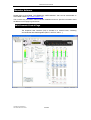
The Save and recall buttons store NX242 memory parameters. (This allows them to
be recalled without PC control.)
Group
Creating, removing groups
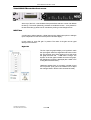
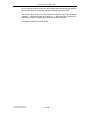
Group management is achieved by right clicking in the
Group view window (in the left frame) and selecting the
desired menu function.
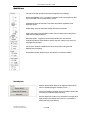
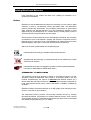
Each time a new group is created, a corresponding
button is inserted in the group box of each NX242
control page, and in the group box (properties tab) of
each EtherSound device.
Affecting NX242 to groups
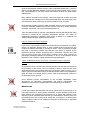
Once a button corresponding to the group has been created,
push this button to link the corresponding NX242 to the Group.
The button will change color, and the selected NX242 will
appear in the left group frame.
However the following restrictions prevent change of an NX
grouping.
-
Another EtherSound element belongs already to the group (as a patch panel or
YGDAI card).
-
NX242s with different
setups can’t be put
into the same group.
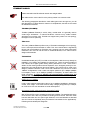
Group buttons, that
can’t be accessed,
are grayed.
Group mode
When the group is selected in the Group view frame, group mode is enabled. The
Control window displayed is then a global view of each NX242s under control.
In this mode, each command is duplicated on every NX242 belonging to the group.
You can command the NX242 individually by click-choosing the particular unit. In that
situation, the settings will no longer remain locked to the rest of the group. This is
shown by turning the setting color to orange, or displaying a small orange spot near
NXTENSION USER MANUAL
DOCUMENT REVISION 150305
PAGE 14