1
Page 52/113
8.4.5
GEO S12 HARDWARE SETUP PROCEDURE
Two GEO S12 on wind-up stand or on RS15 horizontally
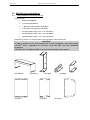
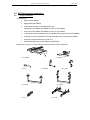
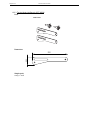
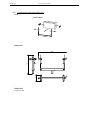
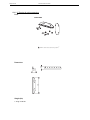
Required items
•
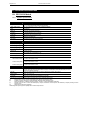
1 x U” Bracket for two GEO S12 (GPT-PSBRK)
•
1 x Wind Up stand diameter 35mm (Eurotruss ES160 or equivalent);
•
Or NEXO PS pole stand (PLSTD) for mounting on top of RS15
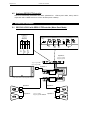
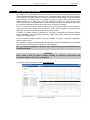
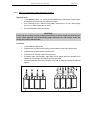
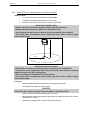
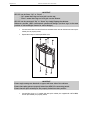
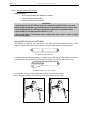
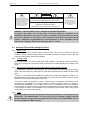
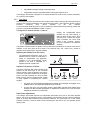
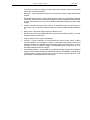
IMPORTANT (WIND UP STAND)
- Wind Up stand must be rated for assembly weight (80kg rated load min);
- Wind Up stand must always be installed on a horizontal surface;
- Stand height and footprint must be defined to prevent assembly from collapsing;
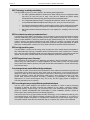
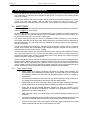
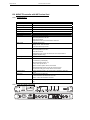
- Ensure that public is not allowed within a safety area which radius is equal or higher
than assembly height.
H
R>H
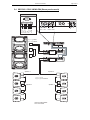
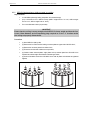
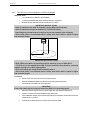
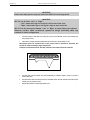
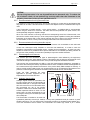
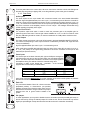
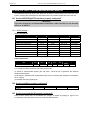
IMPORTANT (RS15 POLE STAND)
- NEXO STDPS pole stand only should be used for mounting on top of NEXO RS15
- If 2 RS15s are to be stacked below GEO S12s pole mounted, they should be connected
together through use of RS15 rigging plates;
- RS15s must always be installed on a horizontal surface;
- Ensure that public is not allowed within a safety area which radius is equal or higher
than assembly height.
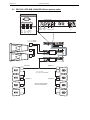
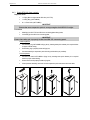
Procedure
•
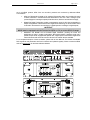
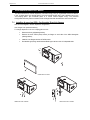
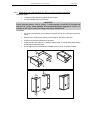
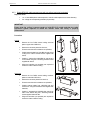
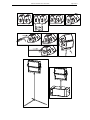
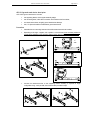
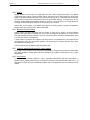
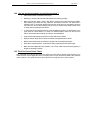
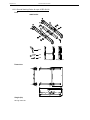
Set the 2 GEO S12 next to each other front grid to the floor
•
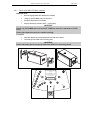
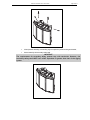
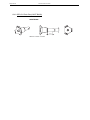
Slide GPT-PSBRK side plates into GEO S12s connecting plate oblong holes;
•
Lock safety pins into GEO S12s connecting plate;
IMPORTANT
Ensure that safety pins are properly locked into GEO S12s connecting panels.
•
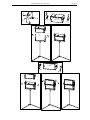
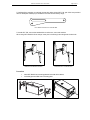
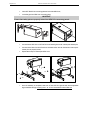
Adjust inter-cabinet angle and lock to required angle value with 8x20quick release pins;
•
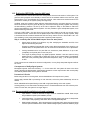
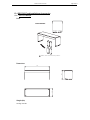
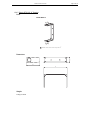
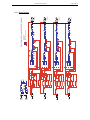
Position “U” bracket over these side plates; align centre holes;
•
Insert adjustment handles, adjust vertical angle and tight the handles to prevent GEO S12s from
rotating around “U” bracket;
•
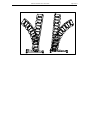
Lift assembly on Wind Up stand or on RS15 with PLSTD pole stand.