1
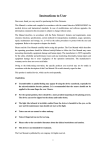
5.2 Battery installation
A. Refer to Figure 3. and insert the two AAA size batteries with the
correct polarity.
B. Replace the cover.
Figure 3
5.3 Accessories
A. Lanyard
C. User manual
B. Two dry batteries (AAA)
(optional)
D. USB lead
E. CD (PC software)
6 Operating Guide
6.1 Application method
A.
a) Insert the two batteries
ensuring the correct
polarity, and then replace
the cover.
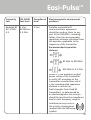
b) Open the clip as shown
in Figure 4.
c) Insert the finger into the
foam rubber cushions
of the clip (make sure
the finger is in the right
position), and then
release the clip onto the
finger.
10
d) The data can be read
directly from the screen
on the measuring
interface.
Figure 4 Put finger in position