1
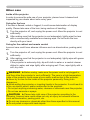
Operating Using the automatic adjustment feature AUTO button on the remote control. 1. Press Pressing this button performs the following. AUTO button MY SOURCE/ COMPUTER DOC.CAMERA F or a computer signal The vertical position, the horizontal position and the horizontal phase will be automatically adjusted. Make sure that the application window is set to its maximum size prior to attempting to use this feature. A dark picture may still be incorrectly adjusted. Use a bright picture when adjusting. F or a video signal and s-video signal The video format best suited for the respective input signal will be selected automatically. This function is available only when the AUTO is selected for the VIDEO FORMAT item in the INPUT menu (34). The vertical position and horizontal position will be automatically set to the default. For a component video signal The vertical position and horizontal position will be automatically set to the default. The horizontal phase will be automatically adjusted. ● The automatic adjustment operation requires approx. 10 seconds. Also please note that it may not function correctly with some input. ● When this function is performed for a video signal, a certain extra such as a line may appear outside a picture. ● When this function is performed for a computer signal, a black frame may be displayed on the edge of the screen, depending on the PC model. ●T he items adjusted by this function may vary when the FINE or DISABLE is selected for the AUTO ADJUST item of the SERVICE item in the OPTION menu (49). VIDEO ASPECT AUTO SEARCH BLANK PAGE UP VOLUME FREEZE MAGNIFY ON 㧗 DOWN OFF KEYSTONE MY BUTTON 1 2 MUTE MENU POSITION ENTER RESET ESC VIDEO ASPECT Adjusting the position 1. MAGNIFY ON MY SOURCE/ COMPUTER DOC.CAMERA AUTO FREEZE SEARCH BLANK PAGE UP VOLUME 㧗 DOWN OFF Press POSITION button on the remote control when no menu is indicated. The “POSITION” indication will appear on the screen. Use the ▲/▼/◄/► cursor buttons to adjust the picture position. When you want to reset the operation, press RESET button on the remote control during the operation. To complete this operation, press POSITION button again. Even if you do not do anything, the dialog will automatically disappear POSITION button after a few seconds. ●W hen this function is performed on a video signal or s-video signal or component video signal, some image such as an extra-line may appear at outside of the picture. ● When this function is performed on a video signal or an s-video signal, the range of this adjustment depends on OVER SCAN in IMAGE menu (30) setting. It is not possible to adjust when OVER SCAN is set to 10. ● If POSITION button is pressed when a menu is indicated on screen, the displayed picture does not move its position but the menu does. ● This function is unavailable for a signal from the HDMI port. KEYSTONE MY BUTTON 1 MUTE MENU POSITION 2. 2 ENTER ESC RESET 19