1
5.
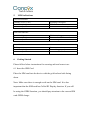
LED Indications
GPS LED Indicator
Flashing (1s on, 1s off)
Continuously bright
Continuously dark
Searching GPS signal
GPS fix
No GPS fix or initializing
GSM LED Indicator
Quick flashing
Continuously bright
Continuously dark
GSM initializing
Connected to GSM network
No GSM signal
Power Status
Flashing
Continuously bright
Continuously dark
Power on
Not working properly
Power off
6. Getting Started
Please follow below instructions for ensuring safe and correct use.
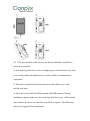
6.1 Insert the SIM Card
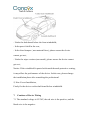
Place the SIM card into the device with the gold-colored side facing
down.
Note: Make sure there is enough credit on the SIM card. It is also
important that the SIM card has Called ID Display function. If you will
be using the GPRS function, you should pay attention to the current SIM
card GPRS charge.