1
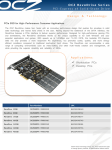
Welcome! The OCZ RevoDrive 350 SSD provides an exceptional SSD experience. The OCZ RevoDrive 350 is designed with power users and multimedia designers in mind, and gives enthusiasts the cutting-edge storage they crave. With the RevoDrive 350, OCZ is offering unprecedented performance. The OCZ Virtualized Controller Architecture (VCA) provides features such as TRIM support and SMART data monitoring, something previously unheard of with PCIe solutions. In addition the RevoDrive 350 SuperScale storage accelerator enables scalable SSD performance and significantly reduces the host CPU burden inherent in competing PCIe storage offerings. Your operating system may permit you to use the RevoDrive 350 as a boot device or as a storage device. This guide contains instructions for both uses. The instructions assume that you are an experienced IT user and that you have access to the full user information for your system. At OCZ we have one primary goal, and that is to ensure that every customer is 100% satisfied. If you have any questions during or after the installation process, please contact our industry-leading technical support team using the details inside the front cover of this guide. SSD handling precautions Store the SSD in the supplied anti-static bag until it is ready for installation Electrostatic Discharge (ESD) can permanently damage the RevoDrive 350: ensure that you are properly grounded before handling the RevoDrive 350 do not tamper with the card; doing so voids your warranty keep the drive away from direct sunlight, moisture, and extreme temperatures Supported operating systems RevoDrive 350 supports: Microsoft Windows 7, 8 and 8.1 Linux: Fedora 18 - 20 Mint 13 - 17 Ubuntu 10.04, 12.04, 12.10, 13.04, 13.10, 14.04 See ocz.com for any updated operating systems support. ISF-UserGuide-RV350, Revision 2 1