1
Eco Solution
■■Energy Saving (Off / Low / Medium / High / Picture Off) :
This adjust the brightness of the TV in order to reduce power
consumption. If you select Picture Off, the screen is turned
off, but the sound remains on. Press any button except volume
button to turn on the screen.
■■Eco Sensor (Off / On) for LED 5000 series : To enhance your power
savings; the picture settings will automatically adapt to the light
in the room.
✎✎ If you adjust the Backlight, the Eco Sensor will be set to
Off.
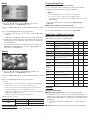
❑❑ Connecting a USB Device
1. Turn on your TV.
2. Connect a USB device containing photo, music and/or movie
files to the USB jack on the side of the TV.
3. When USB is connected to the TV, you can select Media Play
(USB) in Application menu.
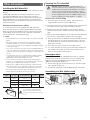
❑❑ Using the Media Play Menu
Min. Backlight: When Eco Sensor is On, the minimum screen
brightness can be adjusted manually.
✎✎ If Eco Sensor is On, the display brightness may change
(become slightly darker in most cases) depending on the
surrounding light intensity.
Media Play
Videos
■■No Signal Power Off (Off / 15 min. / 30 min. / 60 min.): Sets
how quickly the TV switches to standby mode, if no picture is
being received.
✎✎ Disabled when the PC is in power saving mode.
SUM
■■Auto Power Off (Off / On): The TV will be automatically turned
off when no user operation is received for 4 hours.
▒ Change Device
E Enter
R Return
1. Press the MENU button. Press the ▲ or ▼ button to select
Application, then press the ENTERE button.
2. Press the ▲ or ▼ button to select Media Play (USB), then
press the ENTERE button.
Support Menu
3. Press the ◄ or ► button to select an icon (Videos, Music,
Photos, Settings), then press the ENTERE button.
Self Diagnosis
■■Picture Test: Use to check for picture problems. If the problem
continues to occur, check the color pattern.
■■Sound Test: Use the built-in melody sound to check for sound
problems.
■■Signal Strength: (digital channels only) An HD channel’s
reception quality is either perfect or the channels are unavailable.
Adjust your antenna to increase signal strength.
■■Reset: Reset all settings to the factory defaults.
✎✎ The PIN input screen appears before the setup screen.
✎✎ It might not work properly with unlicensed multimedia files.
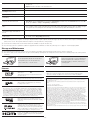
✎✎ Need-to-Know List before using Media Play (USB)
xxThe file system supports FAT16, FAT32 and NTFS.
xxCertain types of USB Digital camera and audio devices may not
✎✎ Enter your 4-digit PIN. Change the PIN using the Change
be compatible with this TV.
xxMedia Play only supports USB Mass Storage Class (MSC)
devices. MSC is a Mass Storage Class Bulk-Only Transport
device. Examples of MSC are Thumb drives and Flash Card
Readers. Devices should be connected directly to the TV’s USB
port. USB HDD is not supported.
PIN option.
xxBefore connecting your device to the TV, please back up your
Software Upgrade
xxA USB device that requires high power (more than 0.5A) may not
files to prevent them from damage or loss of data. SAMSUNG is
not responsible for any data file damage or data loss.
be supported.
Software Upgrade can be performed by downloading the latest
firmware from samsung.com to a USB memory device.
xxDo not disconnect the USB device while it is loading.
xxThe higher the resolution of the image, the longer it takes to
HD Connection Guide
display on the screen.
Refer to this information when connecting external devices to the
TV.
xxThe maximum supported JPEG resolution is 15360 x 8640 pixels.
xxIf a file is corrupted or the TV does not support the file type, the
Contact Samsung
xxThe TV cannot play MP3 files with DRM that have been
“Not Supported File Format” message appears.
POWER
P
downloaded from a for-pay site. Digital Rights Management
(DRM) is a technology that supports the creation, distribution,
and management of digital content in an integrated and
comprehensive way, including protecting the rights and interests
of content providers, preventing illegal copying of contents, and
managing billings and settlements.
View this information when your TV does not work properly or
when you want to upgrade the software. You can find information
regarding our call centers and how to download products and
software.
Media Play
Enjoy photos, music and/or movie files saved on a
USB Mass Storage Class (MSC) device.
MEDIA.P
-9-