1
Guide 3: How to amend your details
Follow the step by step instructions to amend your details.
On 6 April 2014 we introduced new functionality in SMS to automatically apply changes to the address of your organisation. If you meet the
criteria, changes will be applied immediately and the new details will be instantly visible on SMS. We will write to you if you meet the criteria
and automation has been granted.
This function can be used to notify us of changes to your details, such as changes to your address and/or organisation name.
You should read the guidance for sponsors before amending your licence details.
Step
1
Instruction
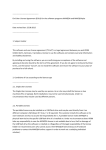
Screen example
From the Licence summary,
applications and services screen,
select Request changes to licence
details.
_________________________________________________________________________________________________________________________________
Document reference Managing your licence | Version number 3.0 | Published April 2015 | Manual 2 of 12 | Page 17 of 48