1
ADJUSTING AUDIO (AUDIO MENU)
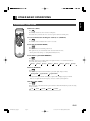
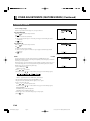
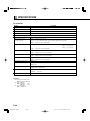
BASIC OPERATION [EX.: ADJUSTING VOLUME BALANCE (Balance)]
You can make changes to all audio adjustment options in the AUDIO Menu.
The changes you make will be stored for the selected input mode. Therefore, you need to select a desired input mode before making any
changes.
1
2
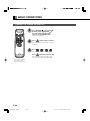
Press
.
The main menu screen will appear.
Press
or
to select “AUDIO”.
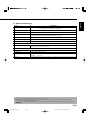
Each time you press or , one of the available
menus appears in the following sequence:
PICTURE
POSITION/SIZE
AUDIO
“AUDIO” selected in the main menu screen
FEATURES
FACTORY DEFAULT
The AUDIO Menu screen will appear.
3
4
Press
or
“Balance”.
Press
to select
.
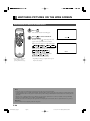
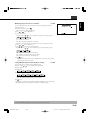
The “Balance” adjustment screen will appear.
“Balance” selected in the AUDIO Menu
screen
5
Press
or
to adjust the
balance.
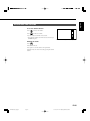
: Higher volume from the right-hand speaker
: Higher volume from the left-hand speaker
6
Press
to store.
Press
when you finish.
* Repeat steps 3 to 6 when you wish to make
changes to other options.
E-36
E-MHD00834(31_37)j.p65
Page 36
03.10.24, 0:48 PM
Adobe PageMaker 6.5J/PPC