1
Battery replacement
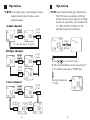
1.The symbol " B " that appears in the upper left
of the LCD display indicates that the unit's
battery is running low. Please replace the 1.5V
battery at once to ensure the test accuracy.
2.Remove the battery cover by one screwdriver.
3.Replace the old battery with four new 1.5V
batteries and lock the battery cover.
4.Prior to replacing the battery, please make
certain to remove the thermocouple from the
temperature gauge as a safety precaution.
5.When in extended idle, please remove the 1.5V
battery from the temperature gauge and store
the temperature gauge only in a cool and lowhumidity setting.
6.To avoid combustion, DO NOT dispose of
batteries in general into an open flame.
7.Caution the positive and negative polarity when
loading battery.
8.Please abide by pertinent laws and regulations
when disposing of used batteries.
16
Introduction
Thank you for purchasing the temperature gauge
from us. Please take a few minutes to browse
through this user manual before you begin to
operate the unit to ensure that you are fully familiarized with how best to operate the temperature
as accurately and safely as possible.
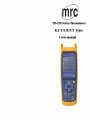
The TM-7xx serial temperature gauges features a
microprocessor-ratsd digital temperature gauge,
which according to varied input configurations
and different thermocouple types, is divided into
48 modes, refer to the table below for a
concise summary of subtle distinctions in their
designed functions.
TM-7X X X Series
1.Single Channel
2.Dule Channel
3.Triple Channel
4.Four Channel
1.K Type
2.K/J Types
4.K/J/E/T Types
7.K/J/E/T/R/S/N Types
.Basic equipment(No Back Light)
R.RS-232 Interface(Include Back Light)
D.RS-232+Data Logger(Include Back Light)
1