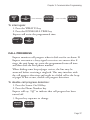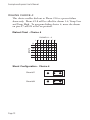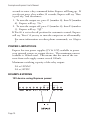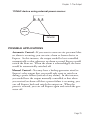
1
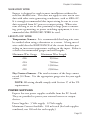
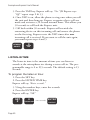
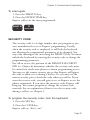
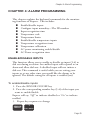
SENSAPHONE® Express
User’s Manual
Phonetics, Inc.
LIT-0009
Every effort has been made to ensure that the information in this
document is complete, accurate and up-to-date. PHONETICS,
INC. assumes no responsiblity for the results of errors beyond its
control. PHONETICS, INC. also cannot guarantee that changes
in equipment made by other manufacturers, and referred to in
this manual, will not affect the applicability of the information
in this manual.
Copyright © 1995 by Phonetics, Inc., d.b.a. Sensaphone
Third Edition, version 1.61, November 2004.
Written and produced by Phonetics, Inc.
Please address comments on this publication to:
PHONETICS, INC.
901 Tryens Road
Aston, PA 19014
www.sensaphone.com
Sensaphone® is a registered trademark of Phonetics, Inc.
Touch Tone™ is a registered trademark of AT&T.
IMPORTANT SAFETY INSTRUCTIONS
Your Sensaphone Express has been carefully designed to give you
years of safe, reliable performance. As with all electrical equipment, however, there are a few basic precautions you should take
to avoid hurting yourself or damaging the unit:
• Read the installation and operating instructions in this manual
carefully. Be sure to save it for future reference.
• Read and follow all warning and instruction labels on the
product itself.
• To protect the unit from overheating, make sure all openings
on the unit are not blocked. Do not place on or near a heat
source, such as a radiator or heat register.
• Do not use your unit near water, or spill liquid of any kind
into it.
• Be certain that your power source matches the rating listed on
the AC power transformer. If you're not sure of the type of
power supply to your facility, consult your dealer or local
power company.
• Do not allow anything to rest on the power cord. Do not
locate this product where the cord will be abused by persons
walking on it.
• Do not overload wall outlets and extension cords, as this can
result in the risk of fire or electric shock.
• Never push objects of any kind into this product through ventilation holes as they may touch dangerous voltage points or
short out parts that could result in a risk of fire or electric
shock.
• To reduce the risk of electric shock, do not disassemble this
product, but return it to Sensaphone Technical Service, or
other approved repair facility, when any service or repair work
is required. Opening or removing covers may expose you to
dangerous voltages or other risks. Incorrect reassembly can
cause electric shock when the unit is subsequently used.
• If anything happens that indicates that your unit is not working properly or has been damaged, unplug it immediately and
follow the procedures in Appendix C for having it serviced.
Return the unit for servicing under the following conditions:
1. The power cord or plug is frayed or damaged.
2. Liquid has been spilled into the product or it has been
exposed to water.
3. The unit has been dropped, or the cabinet is damaged.
4. The unit doesn't function normally when you're following
the operating instructions.
• Avoid using a telephone (other than a cordless type) during an
electrical storm. There may be a remote risk of electric shock
from lightning.
• Do not use the telephone to report a gas leak in the vicinity of
the leak.
CAUTION
TO REDUCE THE RISK OF FIRE OR INJURY TO PERSONS, READ AND FOLLOW THESE INSTRUCTIONS:
1. Use only the following type and size battery: Sealed lead-acid
12V 1.9 - 2.2AH.
2. Do not dispose of the battery in a fire. The cell may explode.
Check with local codes for possible special disposal instructions.
3. Do not open or mutilate the battery. Released electrolyte is
corrosive and may cause damage to the eyes or skin. It may be
toxic if swallowed.
4. Exercise care in handling the battery in order not to short the
battery with conducting materials such as rings, bracelets, and
keys. The battery or conductor may overheat and cause burns.
1 YEAR LIMITED WARRANTY
PLEASE READ THIS WARRANTY CAREFULLY BEFORE USING THE
PRODUCT.
THIS LIMITED WARRANTY CONTAINS SENSAPHONE’S STANDARD TERMS
AND CONDITIONS. WHERE PERMITTED BY THE APPLICABLE LAW, BY
KEEPING YOUR SENSAPHONE PRODUCT BEYOND THIRTY (30) DAYS
AFTER THE DATE OF DELIVERY, YOU FULLY ACCEPT THE TERMS AND
CONDITIONS SET FORTH IN THIS LIMITED WARRANTY.
IN ADDITION, WHERE PERMITTED BY THE APPLICABLE LAW, YOUR
INSTALLATION AND/OR USE OF THE PRODUCT CONSTITUTES FULL
ACCEPTANCE OF THE TERMS AND CONDITIONS OF THIS LIMITED WARRANTY (HEREINAFTER REFERRED TO AS "LIMITED WARRANTY OR WARRANTY"). IF YOU DO NOT AGREE TO THE TERMS AND CONDITIONS OF THIS
WARRANTY, INCLUDING ANY LIMITATIONS OF WARRANTY, INDEMNIFICATION TERMS OR LIMITATION OF LIABILITY, THEN YOU SHOULD NOT USE
THE PRODUCT AND SHOULD RETURN IT TO THE SELLER FOR A REFUND
OF THE PURCHASE PRICE. THE LAW MAY VARY BY JURISDICTION AS TO
THE APPLICABILITY OF YOUR INSTALLATION OR USE ACTUALLY CONSTITUTING ACCEPTANCE OF THE TERMS AND CONDITIONS HEREIN AND AS
TO THE APPLICABILITY OF ANY LIMITATION OF WARRANTY, INDEMNIFICATION TERMS OR LIMITATIONS OF LIABILITY.
1. WARRANTOR: In this Warranty, Warrantor shall mean "Dealer, Distributor,
and/or Manufacturer."
2. ELEMENTS OF WARRANTY: This Product is warranted to be free from
defects in materials and craftsmanship with only the limitations and exclusions
set out below.
3. WARRANTY AND REMEDY: One-Year Warranty — In the event that the
Product does not conform to this warranty at any time during the time of one
year from original purchase, warrantor will repair the defect and return it to you
at no charge.
This warranty shall terminate and be of no further effect at the time the product
is: (1) damaged by extraneous cause such as fire, water, lightning, etc. or not
maintained as reasonable and necessary; or (2) modified; or (3) improperly
installed; or (4) misused; or (5) repaired or serviced by someone other than
Warrantors’ authorized personnel or someone expressly authorized by
Warrantor’s to make such service or repairs; (6) used in a manner or purpose
for which the product was not intended; or (7) sold by original purchaser.
LIMITED WARRANTY, LIMITATION OF DAMAGES AND DISCLAIMER OF
LIABILITY FOR DAMAGES: THE WARRANTOR’S OBLIGATION UNDER THIS
WARRANTY IS LIMITED TO REPAIR OR REPLACEMENT OF THE PRODUCT,
AT THE WARRANTOR’S OPTION AS TO REPAIR OR REPLACEMENT. IN NO
EVENT SHALL WARRANTORS BE LIABLE OR RESPONSIBLE FOR PAYMENT OF ANY INCIDENTAL, CONSEQUENTIAL, SPECIAL AND/OR PUNITIVE DAMAGES OF ANY KIND, INCLUDING BUT NOT LIMITED TO ANY
LABOR COSTS, PRODUCT COSTS, LOST REVENUE, BUSINESS INTERRUTPION LOSSES, LOST PROFITS, LOSS OF BUSINESS, LOSS OF DATA
OR INFORMATION, OR FINANCIAL LOSS, FOR CLAIMS OF ANY NATURE,
INCLUDING BUT NOT LIMITED TO CLAIMS IN CONTRACT, BREACH OF
WARRANTY OR TORT, AND WHETHER OR NOT CAUSED BY WARRANTORS’ NEGLIGENCE. IN THE EVENT THAT IT IS DETERMINED IN ANY
ADJUDICATION THAT THE LIMITED WARRANTIES OF REPAIR OR
REPLACEMENT ARE INAPPLICABLE, THEN THE PURCHASER’S SOLE
REMEDY SHALL BE PAYMENT TO THE PURCHASER OF THE ORIGINAL
COST OF THE PRODUCT, AND IN NO EVENT SHALL WARRANTORS BE
LIABLE OR RESPONSIBLE FOR PAYMENT OF ANY INCIDENTAL, CONSEQUENTIAL, SPECIAL AND/OR PUNITIVE DAMAGES OF ANY KIND, INCLUDING BUT NOT LIMITED TO ANY LOST REVENUE, BUSINESS
INTERRUTPION LOSSES, LOST PROFITS, LOSS OF BUSINESS, LOSS OF
DATA OR INFORMATION, OR FINANCIAL LOSS, FOR CLAIMS OF ANY
NATURE, INCLUDING BUT NOT LIMITED TO CLAIMS IN CONTRACT,
BREACH OF WARRANTY OR TORT, AND WHETHER OR NOT CAUSED BY
WARRANTORS’ NEGLIGENCE.
WITHOUT WAIVING ANY PROVISION IN THIS LIMITED WARRANTY, IF A
CIRCUMSTANCE ARISES WHERE WARRANTORS ARE FOUND TO BE
LIABLE FOR ANY LOSS OR DAMAGE ARISING OUT OF MISTAKES, NEGLIGENCE, OMISSIONS, INTERRUPTIONS, DELAYS, ERRORS OR DEFECTS
IN WARRANTORS’ PRODUCTS OR SERVICES, SUCH LIABILITY SHALL NOT
EXCEED THE TOTAL AMOUNT PAID BY THE CUSTOMER FOR WARRANTORS’ PRODUCT AND SERVICES OR $250.00, WHICHEVER IS GREATER.
YOU HEREBY RELEASE WARRANTORS FROM ANY AND ALL OBLIGATIONS, LIABILITIES AND CLAIMS IN EXCESS OF THIS LIMITATION.
INDEMNIFICATION AND COVENANT NOT TO SUE: YOU WILL INDEMNIFY,
DEFEND AND HOLD HARMLESS WARRANTORS, THEIR OWNERS, DIRECTORS, OFFICERS, EMPLOYEES, AGENTS, SUPPLIERS OR AFFILIATED
COMPANIES, AGAINST ANY AND ALL CLAIMS, DEMANDS OR ACTIONS
BASED UPON ANY LOSSES, LIABILITIES, DAMAGES OR COSTS, INCLUDING BUT NOT LIMITED TO DAMAGES THAT ARE DIRECT OR INDIRECT,
INCIDENTAL, SPECIAL OR CONSEQUENTIAL, AND INCLUDING ATTORNEYS FEES AND LEGAL COSTS, THAT MAY RESULT FROM THE INSTALLATION, OPERATION, USE OF, OR INABILITY TO USE WARRANTORS’
PRODUCTS AND SERVICES, OR FROM THE FAILURE OF THE WARRANTORS’ SYSTEM TO REPORT A GIVEN EVENT OR CONDITION, WHETHER
OR NOT CAUSED BY WARRANTORS’ NEGLIGENCE.
YOU AGREE TO RELEASE, WAIVE, DISCHARGE AND COVENANT NOT TO
SUE WARRANTORS, THEIR OWNERS, DIRECTORS, OFFICERS, EMPLOYEES, AGENTS, SUPPLIERS OR AFFILIATED COMPANIES, FOR ANY AND
ALL LIABILITIES POTENTIALLY ARISING FROM ANY CLAIM, DEMAND OR
ACTION BASED UPON ANY LOSSES, LIABILITIES, DAMAGES OR COSTS,
INCLUDING BUT NOT LIMITED TO DAMAGES THAT ARE DIRECT OR INDIRECT, INCIDENTAL, SPECIAL OR CONSEQUENTIAL, AND INCLUDING
ATTORNEYS FEES AND LEGAL COSTS, THAT MAY RESULT FROM THE
INSTALLATION, OPERATION, USE OF, OR INABILITY TO USE WARRANTORS’ PRODUCTS AND SERVICES, OR FROM THE FAILURE OF THE WARRANTORS’ SYSTEM TO REPORT A GIVEN EVENT OR CONDITION,
WHETHER OR NOT CAUSED BY WARRANTORS’ NEGLIGENCE, EXCEPT
AS NECESSARY TO ENFORCE THE EXPRESS TERMS OF THIS LIMITED
WARRANTY.
EXCLUSIVE WARRANTY: THE LIMITED WARRANTY OR WARRANTIES
DESCRIBED HEREIN CONSTITUTE THE SOLE WARRANTY OR WARRANTIES TO THE PURCHASER. ALL IMPLIED WARRANTIES ARE
EXPRESSLY DISCLAIMED, INCLUDING: THE WARRANTY OF MERCHANTIBILITY AND THE WARRANTY OF FITNESS FOR A PARTICULAR USE AND
THE WARRANTY OF FITNESS FOR A PARTICULAR PURPOSE AND THE
WARRANTY OF NON-INFRINGEMENT AND/OR ANY WARRANTY ARISING
FROM A COURSE OF DEALING, USAGE, OR TRADE PRACTICE.
It must be clear that the Warrantors are not insuring your premises or business
or guaranteeing that there will not be damage to your person or property or
business if you use this Product. You should maintain insurance coverage sufficient to provide compensation for any loss, damage, or expense that may arise
in connection with the use of products or services, even if caused by
Warrantors’ negligence. The warrantors assume no liability for installation of the
Product and/or interruptions of the service due to strikes, riots, floods, fire,
and/or any cause beyond Seller’s control, further subject to the limitations
expressed in any License Agreement or other Agreement provided by
Warrantors to purchaser.
The agreement between the Warrantors and the Purchaser, including but not
limited to the terms and conditions herein shall not be governed by the
Convention for the International Sale of Goods. Where applicable, the Uniform
Commercial Code as adopted by the State of Delaware shall apply.
4. PROCEDURE FOR OBTAINING PERFORMANCE OF WARRANTY: In the
event that the Product does not conform to this warranty, the Product should be
shipped or delivered freight prepaid to a Warrantor with evidence of original purchase.
5. LEGAL REMEDIES AND DISCLAIMER: Some jurisdictions may not allow,
or may place limits upon, the exclusion and/or limitation of implied warranties,
incidental damages and/or consequential damages for some types of goods or
products sold to consumers and/or the use of indemnification terms. Thus, the
exclusions, indemnification terms and limitations set out above may not apply, or
may be limited in their application, to you. If the implied warranties can not be
excluded, and the applicable law permits limiting the duration of implied war-
ranties, then the implied warranties herein are to be limited to the same duration
as the applicable written warranty or warranties herein. The warranty or warranties herein may give you specific legal rights that will depend upon the applicable law. You may also have other legal rights depending upon the law in your
jurisdiction.
6. CHOICE OF FORUM AND CHOICE OF LAW: In the event that a dispute
arises out of or in connection with this Limited Warranty, then any claims or suits
of any kind concerning such disputes shall only and exclusively be brought in
either the Court of Common Pleas of Delaware County, Pennsylvania or the
United States District Court for the Eastern District of Pennsylvania.
Regardless of the place of contracting or performance, this Limited Warranty
and all questions relating to its validity, interpretation, performance and enforcement shall be governed by and construed in accordance with the laws of the
State of Delaware, without regard to the principles of conflicts of law.
Effective date 05/01/2004
PHONETICS, INC. d.b.a. SENSAPHONE
901 Tryens Road
Aston, PA 19014
Phone: 610.558.2700 Fax: 610.558.0222
www.sensaphone.com
Table of Contents
IMPORTANT SAFETY INSTRUCTIONS . . . . . . . . . . . . .III
CAUTION.......................................................................iv
WARRANTY ...................................................................v
CHAPTER 1: INTRODUCTION . . . . . . . . . . . . . . . . . . .13
PROGRAMMING EXPRESS .......................................13
CHAPTER 2: INSTALLATION . . . . . . . . . . . . . . . . . . . .15
OPERATING ENVIRONMENT.....................................15
MOUNTING EXPRESS ...............................................15
STRAIN RELIEF ..........................................................16
POWERING EXPRESS ...............................................16
TURNING EXPRESS ON ............................................17
PHONE LINE ...............................................................18
LINE SEIZURE ............................................................19
TEMPERATURE SENSOR ..........................................19
THE MICROPHONE ....................................................20
THE ALARM INPUTS ..................................................20
POWER SUPPLIES .....................................................23
WIRING SUMMARY ....................................................24
NOTICE........................................................................26
CHAPTER 3: COMMUNICATION PROGRAMMING . . .29
VOICE MESSAGES .....................................................29
ID NUMBER.................................................................31
DIAL-OUT TELEPHONE NUMBERS...........................32
SPECIAL DIALING ......................................................33
TONE OR PULSE DIALING ........................................34
CALL DELAY TIME ......................................................35
INTERCALL TIME........................................................36
CALL PROGRESS.......................................................37
VOICE REPETITIONS .................................................38
MAX CALLS.................................................................38
TELEPHONE ANSWERING DEVICE COMPATIBILITY...39
Page ix
Sensaphone Express User’s Manual
LISTEN-IN TIME ..........................................................40
SECURITY CODE .......................................................41
LOCAL MUTE ..............................................................42
CHAPTER 4: ALARM PROGRAMMING . . . . . . . . . . . .45
ENABLE/DISABLE INPUTS ........................................45
CONFIGURE INPUT NORMALITY..............................46
INPUT RECOGNITION TIME ......................................47
TEMPERATURE SCALE .............................................48
TEMPERATURE LIMITS..............................................48
ENABLE/DISABLE TEMPERATURE INPUT ...............50
TEMPERATURE RECOGNITION TIME ......................50
TEMPERATURE CALIBRATION..................................52
AC POWER MONITORING ENABLE/DISABLE..........53
POWER RECOGNITION TIME....................................54
EXIT DELAY.................................................................55
CHAPTER 5: CALL-IN COMMANDS . . . . . . . . . . . . . . .57
ALARM ACKNOWLEDGMENT....................................57
STATUS REPORT........................................................58
PHONE COMMANDS..................................................61
CHAPTER 6: USER OPTIONS . . . . . . . . . . . . . . . . . . .65
TONE/PULSE ACKNOWLEDGMENT .........................66
REMOTE SECURITY...................................................66
REDIAL ON BUSY.......................................................67
THERMISTOR ALTERNATIVE.....................................67
OUTPUT CONTROL....................................................68
DIALING PATTERN......................................................69
CHAPTER 7: THE OUTPUT . . . . . . . . . . . . . . . . . . . . . .73
AUTOMATIC CONTROL ..............................................73
MANUAL CONTROL....................................................73
POWER LIMITATIONS.................................................74
EXAMPLE WIRING......................................................74
POSSIBLE APPLICATIONS ........................................75
CHAPTER 8: PROGRAMMING SUMMARY . . . . . . . . .77
Page x
MONITORING FUNCTIONS........................................77
COMMUNICATIONS FUNCTIONS ..............................79
USER OPTIONS..........................................................81
CHAPTER 9: EXPRESS EXAMPLES . . . . . . . . . . . . . .83
SAMPLE STRATEGY ..................................................84
COMMUNICATIONS PARAMETERS...........................84
MONITORING PARAMETERS ....................................85
EXPRESS EXAMPLES................................................85
CHAPTER 10: TROUBLESHOOTING . . . . . . . . . . . . . .93
APPENDIX A: PROPER OPERATION CHECK . . . . . . .97
APPENDIX B: ACCESSORIES . . . . . . . . . . . . . . . . . . .99
APPENDIX C: THERMISTOR LOOK-UP TABLE . . . . .101
APPENDIX D: RETURNING UNIT FOR REPAIR . . . .103
Page xi
Sensaphone Express User’s Manual
Page xii
Chapter 1: Introduction
CHAPTER 1: INTRODUCTION
Welcome to the Sensaphone Express.
Express is an advanced environmental monitoring system that
combines digital speech recording technology with your creativity. With Express, you can enjoy comprehensive monitoring
capability and the versatility of recording your own voice for the
dial-out alarm and ID messages.
Express features monitoring of up to 4 dry contacts, a built-in
temperature sensor, and on-board power monitoring. In addition, Express has a built-in microphone to allow remote monitoring of on-site sounds.
Express can call up to 8 phone numbers using pulse or Touch
Tone dialing. It is able to share a phone line with answering
devices such as answering machines and modems. Express’s call
progress feature detects a busy signal or no answer. The Dialing
Pattern option allows you to customize your dial-out sequence.
Express is equipped with a rechargeable Gel Cell battery backup
to ensure continued monitoring through power failure. In addition, Express has non-volatile memory to retain programming
and voice messages with no power at all.
PROGRAMMING EXPRESS
Reading this instruction manual will help you install and program Express easily. Programming and voice recording are performed locally using the built-in keypad. Some programming
and voice messages can also be accessed via touch-tone phone.
If there are any questions or problems that arise upon installation or operation, please contact Technical Support at:
PHONETICS, INC.
901 Tryens Road
Aston, PA 19014
Phone: 610-558-2700
FAX: 610-558-0222
[email protected]
Page 13
Sensaphone Express User’s Manual
ABOUT THIS MANUAL
This manual is comprised of the instructions and commands
necessary to install and program Express. In addition, summary
and application chapters are included to help you speed programming and to understand Express’s features.
Page 14
Chapter 2: Installation
CHAPTER 2: INSTALLATION
This chapter provides information to install the Sensaphone®
Express. Please read the entire chapter before starting.
Within the packaging will be a Warranty Registration Card.
Please take the time to fill this out and mail. The Limited 1 Year
Warranty is explained in the back of this manual.
CAUTION: Express is a sensitive electronic device. Personnel
and work area should be grounded before handling this device.
Do not install Express near strong electrostatic, electromagnetic,
magnetic or radioactive fields.
OPERATING ENVIRONMENT
Express should be mounted and operated in a safe environment.
The temperature range that Express can operate in is 32°F to
120°F (0°C to 48°C). If Express needs to operate below freezing, a strip heater should be added.
MOUNTING EXPRESS
When you receive Express, carefully remove it from the shipping
container. On the top and bottom of the enclosure are mounting holes to attach the unit to the wall. (See Figure 1)
Use #12 screws and appropriate anchoring hardware to mount
the unit securely. Mount it in an upright position so that you
can easily gain access to the front panel. An easily accessible
power outlet and telephone jack must be located nearby. Decide
where you will be mounting Express and drill holes accordingly.
Page 15
Sensaphone Express User’s Manual
6.00"
8.25"
10.94"
Overall Enclosure
Dimensions & Weight
Height: 10.50"
Width: 8.50"
Depth: 6.25"
Weight: 9 lbs. 4 oz.
.25"
6.25"
Figure 1: Mounting Express
STRAIN RELIEF
Strain relief clamps are provided in the Express enclosure to prevent wiring from being pulled from the circuit board or damaged when passing through the enclosure. To use the strain
relief, thread wires through the clamp and clear rubber bushing.
Position the bushing in the clamp and tighten the screws on
either side so that the wiring does not move.
POWERING EXPRESS
Express is provided with a 12V AC power transformer. This
should be plugged into a 115V AC outlet, ± 10%, 60Hz.
Wire from the transformer is pre-wired to the terminals labelled
AC.
GROUNDING
Express should be earth grounded by connecting a true earth
ground to the terminal labelled EG. This is not essential for
Express to operate, but it is necessary to prevent possible damage
caused by a lightning strike in or around the immediate area.
Page 16
Chapter 2: Installation
BACKUP BATTERY
Express has a 12V 1.9AH sealed Gel Cell (lead acid) rechargeable battery. This will provide approximately 12 hours backup
time. The battery comes pre-wired with the red wire attached to
the BAT terminal and the black wire attached to the G terminal.
Express will automatically charge the battery whenever the power
switch is turned on and the power transformer is plugged in.
The unit also includes special circuitry to prevent the battery
from being damaged in the event of an extended power outage.
When the battery runs down to 9V, the unit will automatically
disconnect it. The battery will remain disconnected until it
charges back up to 12.3 volts. The battery should provide 5
years of backup service before needing replacement.
Also included is a 3V lithium battery to retain user recorded
voice messages when the unit is turned off. This battery will
provide two years of backup time while the unit is off and up to
10 years of intermittent use.
CAUTION
Danger of explosion if battery is incorrectly replaced.
Replace only with the same or equivalent type recommended by the manufacturer. Dispose of used batteries according to the manufacturer's instructions.
ATTENTION
Il y a danger d'explosion s'il y a remplacement íncorrect de la batterie. Remplacer uniquement avec une
batterie du même type ou d'un type équivalent recommandé par le constructeur. Mettre au rebut les batteries usagées conformément aux instructions du
fabricant.
TURNING EXPRESS ON
Now that Express has power, the ON-OFF switch may be
turned on. Express’s BATTERY OK LED will go on and glow
steadily. The unit will say: “OK.”
Page 17
Sensaphone Express User’s Manual
When the unit is turned off, it is disabled but your voice messages and programming are retained by the 3V lithium battery.
In the off position, the 3V lithium battery is in use. The 12V
battery backup is not.
LED INDICATORS
Express has nine LED indicators on the front panel. These are
provided to indicate the alarm status, the battery condition and
calling status of the unit.
ALARM LEDs
The alarm LEDs show three different input conditions as
described below:
LED OFF: Input condition OK, no alarms exist.
LED BLINKING: Input is in alarm and has NOT been
acknowledged.
LED STEADY: Input is in alarm and has been acknowledged.
BATTERY OK LED
The battery OK LED indicates the folowing battery condition:
LED STEADY: Battery is charged and ready to power the unit if
main power fails.
LED BLINKING: Battery voltage is low and will provide only
limited backup power.
LED OFF: The battery voltage is very low and may need to be
replaced if it fails to recharge.
PHONE LED
The phone LED indicates whether or not the unit is presently
communicating on the phone line.
PHONE LINE
The Sensaphone Express comes prewired with the telephone
cord connected to the unit's PHONE LINE jack. Connect this
cord to any standard telephone system that will accept pulse or
Page 18
Chapter 2: Installation
tone dialing. Express dials using loop start only and will recognize ringer frequencies from 16 to 60Hz.
NOTE: Express will operate with all standard 2-wire analog
telephone systems that accept pulse or tone dialing.
Certain private telephone systems and public switching equipment may not accept Express dialing or may generate an unacceptable ring signal. In those cases, a dedicated line may be
required for Express. Consult the supplier of your telephone system if you encounter problems.
CAUTION: Never install telephone wiring during a lightning
storm. Never install telephone jacks in wet locations unless
the jack is specifically designed for wet locations. Never touch
uninsulated telephone wires or terminals unless the telephone
line has been disconnected at the network interface. Use caution when installing or modifying telephone lines.
LINE SEIZURE
Line seizure gives the Express unit the ability to "seize" the telephone line when it needs to dial out. For example, if an emergency occurs which puts the Express into alarm mode, the unit
will be able to dial out even if a telephone had been left off the
hook. Next to the PHONE LINE jack there is another jack
labeled LINE SEIZE. This jack can be used to share the line
with other devices (telephone, fax machine, modem) and to give
priority to the Express unit in the event of an emergency. To
make use of this feature you must have all extension devices originate from the LINE SEIZE jack. Whenever the unit must
make an alarm phone call the unit will disconnect any current
phone calls and seize the line for its own use. The unit will continue to seize the line until the alarm has been acknowledged.
TEMPERATURE SENSOR
Express is provided with a 2.8K remote temperature sensor. This
is pre-wired to the temperature terminals labelled TMP and G.
It is on a 20 ft. cable. It is used to measure temperature for your
Page 19
Sensaphone Express User’s Manual
application. The temperature range of the sensor is -60° to
175°F (-58° to 80°C).
THE MICROPHONE
Express is provided with a polarity-sensitive microphone. It is
pre-wired on a 25 ft. cord. The microphone is used for recording alarm messages and remote monitoring of on-site sounds.
THE ALARM INPUTS
Express can monitor up to four dry contacts. These sensors are
to be wired to the terminal block located directly to the right of
the line seize jack. An alarm input can be used with any normally open (N.O) or normally closed (N.C.) input device.
Open is when there is no contact and closed is when a contact
exists. Express will adapt to N.O. or N.C. sensors when the
unit’s ID number is programmed (see Chapter 4).
Each alarm input consists of two screws called a terminal pair.
Each screw in the terminal pair is labelled. The labels are:
1 C, 2 C, 3 C, and 4 C. You must determine what type of
sensor will by connected to each alarm input. See Figure 2.
Figure 2: Connecting a sensor to an input terminal
Page 20
Chapter 2: Installation
After you have selected the sensor, loosen the two screws of the
alarm input to which it will be connected. Two wire leads are
used to connect any monitoring sensor. Fasten one lead to the
numbered screw (1, 2, 3, or 4) and the other lead to the common screw (C). Tighten both screws. Express may recite an
alarm message as you connect the sensor. If it does, press the
ALARM CANCEL key to stop it.
Do not use sensors, switches, or relays that supply any voltage or
current to Express.
NOTE: Any N.O. or N.C. sensor can be attached to Express
using 22-gauge wire. The sensor can be up to 1500 ft. from
the unit. The total resistance of the circuit cannot be greater
than 50 ohms. Use wire appropriate for the application. See
Length of Wire, later in this chapter.
Express may have more than one sensor connected to the same
terminal. However, the normal condition for each sensor on the
same terminal must be identical (either all N.O. or all N.C.).
NORMALLY CLOSED SENSORS
To wire more than one normally closed sensor on one input,
they must be connected in series. Connect one lead from the
first sensor to the numbered screw of the terminal pair. Next,
take the other lead from the first sensor and connect it to one
lead from the next sensor. Continue connecting sensors end-toend until you have connected all of your sensors. Take the second lead from your last sensor and connect it to the common
screw of the terminal pair. See Figure 3.
Multiple N.C. inputs are typically magnetic reed switches to
monitor the security of windows and doors.
Page 21
Sensaphone Express User’s Manual
Multiple normally closed
sensors wired in series.
Alert occurs when a
switch is opened.
Figure 3: Connecting multiple N.C. sensors to one input terminal
NORMALLY OPEN SENSORS
To wire several normally open sensors to one alert input, connect
them in parallel. To do this, take one lead from each sensor and
attach it to the numbered terminal. Then, take the second lead
from each sensor and attach each to the corresponding common
screw. See Figure 4.
Multiple N.O. inputs are typically TEMP°ALERTs to monitor
the temperature in several different locations simultaneously.
Figure 4: Attaching multiple N.O. sensors to one input terminal
Page 22
Chapter 2: Installation
SHIELDED WIRE
Express is designed to work in most installations without the
need for shielded wire. This does not apply to wire run in conduit with other noise-generating conductors, such as 60Hz AC.
It is strongly recommended that input wiring be run in a conduit separated from AC power or output wiring. When wire
runs are long or are in close proximity to large power consuming, power generating, or power switching equipment, it is recommended that SHIELDED WIRE be used.
LENGTH OF WIRE
Temperature Sensors - It is recommended that long wire runs
be avoided when using a thermistor as a sensor. A long run of
wire could alter the RESISTANCE of the circuit therefore providing an inaccurate temperature reading on the input. Below is
a chart of recommended gauges and wire lengths:
Minimum Wire Gauge
Maximum Wire Length
#26
250 feet
#24
700 feet
#22
1500 feet
#20
2500 feet
Dry Contact Sensors - The total resistance of the loop cannot
exceed 50 Ohms. Use the appropriate gauge wire for your application.
NOTE: All wiring should comply with Section 17 of the UL
requirements.
POWER SUPPLIES
Express has two power supplies available from the PC board.
They are provided to power your external sensors or output
devices.
Power Supplies: 5 Volt supply; 12 Volt supply
Maximum Current Available: 100 mA total (for both supplies
combined, not 100 mA for each supply.)
Page 23
Sensaphone Express User’s Manual
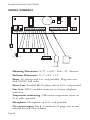
WIRING SUMMARY
ON
3V
OFF
PHONE
LINE
PHONE
LINE
LINE
SEIZE
SENSOR
1
LINE SEIZURE
JACK
1 C 2 C 3 C 4 C TMP G MIC G
SENSOR
2
SENSOR
3
1
2
3
4
5
6
7
8
12VAC EGBAT G 5V G 12V G
NO C NC
SENSOR
4
TEMP SENSOR
AC ADAPTER
MICROPHONE
Mounting Dimensions: 10.75" x 6.00"; holes: .25" diameter.
Enclosure Dimensions: 11.7" x 8.4" x 5.9"
Power: AC adapter with 6 ft. cord provided. Plugs into standard 120VAC wall outlet
Phone Line: Standard RJ11C phone jack on 10 ft. cord provided.
Line Seize: RJ11C modular connector to connect telephone
extensions.
Temperature monitoring: 2.8K remote temperature sensor on
25 ft. cable, provided.
Microphone: Microphone on 25 ft. cord provided.
Dry contact inputs 1 to 4: 2 conductor 22 gauge wire recommended for each. Not included.
Page 24
Chapter 2: Installation
FCC REQUIREMENTS
PART 68 - This equipment complies with Part 68 of the
FCC rules. On the outside of the enclosure there is a
label that contains, among other information, the FCC
Registration Number and the Ringer Equivalence
Number (REN) for this equipment. You must, upon
request, provide this information to your local telephone
company.
The REN is useful to determine the quantity of devices
that you may connect to your telephone line and still
have all of those devices ring when your telephone number is called. In most, but not all areas, the sum of the
REN’s of all devices connected to one line should not
exceed five (5.0). To be certain of the number of devices
that you may connect to your line, you may want to contact your local telephone company to determine the
maximum REN for your calling area.
This equipment may not be used on coin service provided by the telephone company. Connection to party lines
is subject to state tariffs.
Should EXPRESS cause harm to the telephone network, the telephone company may discontinue your
service temporarily. If possible, they will notify you in
advance. But if advanced notice isn’t practical, you will
be notified as soon as possible. You will be informed of
your right to file a complaint with the FCC. The telephone company may make changes in its facilities,
equipment, operations, or procedures that could affect
the proper functioning of your equipment. If they do, you
will be notified in advance to give you an opportunity to
maintain uninterrupted telephone service.
Page 25
Sensaphone Express User’s Manual
If you experience trouble with this equipment, please
contact:
PHONETICS, INC.
901 Tryens Road
Aston, PA 19014
610.558.2700
Fax: 610.558.0222
for information on obtaining service or repairs. The telephone company may ask that you disconnect this equipment from the network until the problem has been
corrected or until you are sure that the equipment is not
malfunctioning.
PART 15 - This equipment has been tested and found to
comply with the limits for a Class A digital device, pursuant to Part 15 of the FCC Rules. These limits are
designed to provide reasonable protection against harmful interference when the equipment is operated in a
commercial environment. This equipment generates,
uses and can radiate radio frequency energy and if not
installed and used in accordance with the instruction
manual, may cause harmful interference to radio communications. Operation of this equipment in a residential
area is likely to cause harmful interference in which case
the user will be required to correct the interference at his
own expense.
NOTICE
The Canadian Department of Communications label
identifies certified equipment. This certification means
that the equipment meets certain telecommunications
network protective operational and safety requirements.
The Department does not guarantee the equipment will
operate to the user’s satisfaction.
Before installing this equipment, users should ensure
that it is permissible to be connected to the facilities of
Page 26
Chapter 2: Installation
the local telecommunications company. The equipment
must also be installed using an acceptable method of
connection. In some cases, the company’s inside wiring
associated with a single line individual service may be
extended by means of a certified connector assembly
(telephone extension cord). The customer should be
aware that compliance with the above conditions may
not prevent degradation of service in some situations.
Repairs to certified equipment should be made by an
authorized Canadian maintenance facility designated by
the supplier. Any repairs or alterations made by the user
to this equipment, or equipment malfunctions, may give
the telecommunications company cause to request the
user to disconnect the equipment.
Users should ensure for their own protection that the
electrical ground connections of the power utility, telephone lines and internal metallic water pipe system, if
present, are connected together. This precaution may
be particularly important in rural areas.
CAUTION: Users should not attempt to make such
connections themselves, but should contact the appropriate electric inspection authority, or electrician, as
appropriate.
The Load Number (LN) assigned to each terminal device
denotes the percentage of the total load to be connected
to a telephone loop which is used by the device to prevent overloading. The termination on a loop may consist
of any combination of devices subject only to the
requirement that the total of the Load Numbers of all the
devices does not exceed 100. For Sensaphone
EXPRESS, the Load Number is 9.
Page 27
Sensaphone Express User’s Manual
Page 28
Chapter 3: Communication Programming
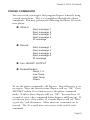
CHAPTER 3: COMMUNICATION PROGRAMMING
This chapter explains the keyboard functions for the communications operations for Express. This includes programming,
interrogating and/or resetting of:
Voice messages
ID Number
Dial-out phone numbers
Special dialing
Tone or pulse dialing
Rings until answer
Call delay time
Intercall time
Call Progress
Voice repetitions
Maximum number of calls
Telephone Answering Device compatibility
Listen-in time
Security code
Local voice mute
VOICE MESSAGES
Express’s digital speech recording feature allows you to record
your own voice for the four dial-out alarm messages and the ID
message. This means that when Express calls you during an
alarm, you will receive your personalized voice message telling
you exactly what alarm condition exists. You can record a separate message for each of the four inputs. The message can be a
maximum of 8 seconds. The ID message can be a maximum of
10.5 seconds. Each input has a default dialout message if none is
programmed.
Page 29
Sensaphone Express User’s Manual
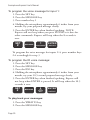
To program the voice message for input 1:
1. Press the SET key
2. Press the MESSAGE key
3. Press number key 1
4. Holding the microphone approximately 6 inches from your
mouth, say your prepared message clearly.
5. Press the ENTER key when finished speaking. NOTE:
Express will not beep when you press ENTER as it does for
other commands. Express will beep when the 8 seconds is
over.
SET
#
MESSAGE
1
ENTER
CALL DELAY
OUTPUT
To program the voice messages for inputs 2-4, press number keys
2-4 accordingly for step 3.
To program the ID voice message:
1. Press the SET key
2. Press the MESSAGE key
3. Press the ID# key
4. Holding the microphone approximately 6 inches from your
mouth, say your 10.5-second prepared message clearly.
5. Press the ENTER key when finished speaking. Express will
not beep when ENTER is pressed. It will beep when the 10.5
seconds is over.
SET
#
MESSAGE
9
ID#
STATUS
MUTE
To play back your messages:
1. Press the WHAT IS key
2. Press the MESSAGE key
Page 30
ENTER
OUTPUT
Chapter 3: Communication Programming
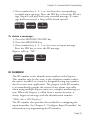
3. Press number key 1, 2, 3, or 4 to hear the corresponding
recorded input message. Press the ID# key to hear the ID message. Express will play back your recorded message. If a message had been erased, a beep will be heard instead.
WHAT IS
MESSAGE
1
CALL DELAY
*
To delete a message:
1. Press the SENSOR ON/OFF key
2. Press the MESSAGE key
3. Press number key 1, 2, 3, or 4 to erase an input message.
Press the ID# key to erase the ID message.
Express will say "OK."
SENSOR
ON/OFF
MESSAGE
1
CALL DELAY
ID NUMBER
The ID number is the identification number of the Express.
This number may be the same as the telephone number where
the unit is installed, or it may be designated using any number
that best suits your application. The purpose of the ID number
is to immediately provide the source of any alarm, especially
when using multiple Express units in a complex monitoring system. When the Express is called from a remote location, it
always begins its message with the identification number:
“Hello, this is (ID Number).”
The ID number also provides the method for configuring the
input normality. See Chapter 4 “Configure Input Normality” for
information on programming the ID number.
Page 31
Sensaphone Express User’s Manual
DIAL-OUT TELEPHONE NUMBERS
The Sensaphone Express can store up to eight 32-digit phone
numbers. These are the numbers that will be called during an
alarm dial-out. The numbers are dialed sequentially 1 through 8.
Therefore, program the first number you want called as Phone
#1, the second one as Phone #2, and so on. A pause, pound or
asterisk can be added to the phone number to access different
phone and beeper systems. See Special Dialing.
To program the dial-out telephone numbers:
1. Press the SET key
2. Press the PHONE NUMBER key
3. Select the Phone number (keys 1-8)
Express will say “Enter number.”
4. Enter the phone number using the number keys
5. Press the ENTER key
Express will say “OK.”
SET
#
PHONE
NUMBER
1
CALL DELAY
(enter number)
ENTER
OUTPUT
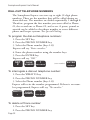
To interrogate a dial-out telephone number:
1. Press the WHAT IS key
2. Press the PHONE NUMBER key
3. Select the Phone number (keys 1-8)
Express will recite the number programmed. If there is no number programmed, Express will say “No number.”
WHAT IS
*
PHONE
NUMBER
1
CALL DELAY
To delete a Phone number:
1. Press the SET key
2. Press the PHONE NUMBER key
Page 32
Chapter 3: Communication Programming
3. Select the Phone number (1-8) to erase
Express will say “Enter number.”
4. Press the ENTER key
Express will say “OK.”
SET
#
PHONE
NUMBER
1
ENTER
CALL DELAY
OUTPUT
SPECIAL DIALING
Express has provisions for special dialing sequences. There are
four keys that represent special functions when used within a
phone number. The SET key produces a # tone. The WHAT IS
key produces the * tone. The PAUSE key represents a two second pause in dialing. The CODE key instructs Express to wait
until the call is answered before continuing. These provisions are
mainly for dialing out to a beeper or pager, or when the phone
system requires dialing an access number to reach an outside
line.
SET
#
WHAT IS
*
PAUSE
TONE
CODE
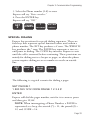
The following is a typical scenario for dialing a pager:
SET PHONE 1
1 800 555 1212 CODE PAUSE 1 2 3 4 #
ENTER
Express will dial the pager number, wait for it to answer, pause
and then give 1234#.
NOTE: When interrogating a Phone Number, a PAUSE is
represented as a beep, the asterisk (*) = 11, the pound (#) =
12, and CODE = 14.
Page 33
Sensaphone Express User’s Manual
TONE OR PULSE DIALING
Express can dial out in pulse or touch-tones. All numbers will
be called using the chosen dialing method. The default is
TONE.
To program as either tone or pulse:
1. Press the SENSOR ON/OFF key
2. Press the TONE key
Express will respond by saying “OFF” to indicate that tone dialing is off, or “ON” to indicate that tone dialing is on.
3. Repeat key sequence to change
SENSOR
ON/OFF
PAUSE
TONE
RINGS UNTIL ANSWER
The rings until answer is the number of rings that must occur
before Express answers the phone. This value can be from 1 to
32. The default value is 1.
To program rings until answer:
1. Press the SET key
2. Press the RINGS key
Express will say “Enter number.”
3. Using the number keys, enter a value
4. Press the ENTER key
Express will say “OK.”
SET
#
0
RINGS
TAD
(enter number)
To interrogate:
1. Press the WHAT IS key
Page 34
ENTER
OUTPUT
Chapter 3: Communication Programming
2. Press the RINGS key
Express will recite the current value.
WHAT IS
*
0
RINGS
TAD
CALL DELAY TIME
The call delay time is the length of time Express will wait after
an alarm is recognized before it starts the dial-out sequence. This
is only for the first call. To set delay time between calls, see
INTERCALL TIME. The default time is 30 seconds. The call
delay time can be programmed from 0 to 272 minutes 59 seconds.
The purpose of Call Delay is to allow time for personnel at the
Express unit’s installation site to respond to and cancel an alarm
before dial out begins. During this time, the unit will audibly
repeat its “alarm” message.
To program call delay time:
1. Press the SET key
2. Press the CALL DELAY key
Express will say “Enter seconds.”
3. Enter the seconds using the number keys
4. Press the ENTER key
Express will say “OK.”
SET
#
1
CALL DELAY
(enter seconds)
ENTER
OUTPUT
To interrogate:
1. Press the WHAT IS key
2. Press the CALL DELAY key
Page 35
Sensaphone Express User’s Manual
Express will recite the programmed time.
WHAT IS
1
*
CALL DELAY
INTERCALL TIME
The Intercall Time is the programmable period of time the
Express unit waits to call subsequent telephone numbers.
Intercall Time is activated only after alarm dial-out to the first
telephone number fails to be acknowledged. This period can
be programmed from 0 to 272:59 minutes. The default Intercall
Time is 30 seconds.
If an incoming telephone call is made to the unit during
Intercall Time (in between dialing of subsequent telephone numbers to report an alarm), it will answer the incoming call and
immediately report any existing alarms. The manner in which
the incoming call is answered depends upon whether or not
TAD is enabled or disabled:
If TAD (Telephone Answering Device) is enabled, Rings Until
Answer will be 1.
If TAD is disabled, Rings Until Answer will be 10.
To program intercall time:
1. Press the SET key
2. Press the INTERCALL TIME key
Express will say, “Enter minutes.”
3. Using the number keys, enter the number of minutes
4. Press the ENTER key
Express will say “Enter seconds.”
5. Using the number keys, enter the number of seconds
6. Press the ENTER key
Express will say “OK.”
Page 36
Chapter 3: Communication Programming
3
SET
#
iNTERCALL
TIME
(enter minutes)
ENTER
OUTPUT
(enter seconds)
ENTER
OUTPUT
To interrogate:
1. Press the WHAT IS key
2. Press the INTERCALL TIME key
Express will recite the programmed time.
WHAT IS
*
3
iNTERCALL
TIME
CALL PROGRESS
Express monitors call progress when it dials out for an alarm. If
Express encounters a busy signal or receives no answer after 8
rings, the unit hangs up, waits the programmed intercall time
and then dials the next phone number.
When dialing some beeper/pager sevices, the line may be
answered before receiving a ringback. This may interfere with
the call progress detection and result in a failed call to the beeper/pager. If this occurs, disable call progress detection.
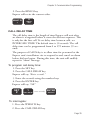
To disable call progress detection:
1. Press the Sensor On/Off key
2. Press the Phone Number key
Express will say “Off ” to indicate that call progress has been
turned off.
3. Repeat key sequence to change
SENSOR
ON/OFF
PHONE
NUMBER
Page 37
Sensaphone Express User’s Manual
VOICE REPETITIONS
The voice repetitions is how many times Express will repeat the
alarm message per phone call when it dials out. This can be programmed from 0 to 255 repetitions. The default value is 3 repetitions.
To program the voice repetitions:
1. Press the SET key
2. Press the VOICE REPS key
Express will say, “Enter number.”
3. Using the number keys, enter a value
4. Press the ENTER key
Express will say “OK.”
SET
#
2
VOICE REPS
(enter number)
ENTER
OUTPUT
To interrogate:
1. Press the WHAT IS key
2. Press the VOICE REPS key
Express will repeat the number programmed.
WHAT IS
2
*
VOICE REPS
MAX CALLS
This value determines the maximum number of calls Express
will make if none of the calls are acknowledged. If the number
of calls reaches this value, Express will automatically acknowledge the alarms and stop the dialout. The unit indicates it has
reached max calls by saying “warning message received by telephone number (ID number).” The max calls can be programmed
from 0 to 255. The default is 100.
Page 38
Chapter 3: Communication Programming
NOTE: If only one Phone Number is programmed, Express
will dial a maximum of 15 times, regardless of the programmed value of max calls.
To program max calls:
1. Press the SET key
2. Press the MAX CALLS key
Express will say “Enter number.”
3. Using the number keys, enter a value
4. Press the ENTER key
Express will say “OK.”
SET
#
4
MAX CALLS
(enter number)
ENTER
OUTPUT
To interrogate:
1. Press the WHAT IS key
2. Press the MAX CALLS key
Express will recite the value of max calls.
WHAT IS
4
*
MAX CALLS
TELEPHONE ANSWERING DEVICE COMPATIBILITY
Express can be used on the same telephone line as a telephone
answering device, such as an answering machine, fax machine, or
modem. This feature allows you to call in to Express and bypass
the answering device.
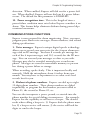
To use TAD:
1. Program Express’ RINGS UNTIL ANSWER to a greater
number than the rings until answer for your answering device.
For example, Express RINGS = 5, device rings = 3.
2. Press the SENSOR ON/OFF key
Page 39
Sensaphone Express User’s Manual
3. Press the TAD key. Express will say “On.” (If Express says
“Off ” repeat steps 2 & 3.)
4. Once TAD is on, allow the phone to ring once when you call
the unit and then hang up. Express recognizes that a call was
made and activates a 30 second internal timer. This allows you
30 seconds to call back the Express unit.
5. Call back within 30 seconds. Express will override the
answering device on this incoming call and answer the phone
on the first ring. Express resets the TAD timer after one
incoming call is received. If you want to call the unit again,
you must repeat steps 4 and 5.
SENSOR
ON/OFF
0
RINGS
TAD
LISTEN-IN TIME
The listen-in time is the amount of time you can listen to
sounds at the microphone site during a status call-in. The programmable range is 0 to 255 seconds. The default setting is 15
seconds.
To program the listen-in time:
1. Press the SET key
2. Press the LISTEN TIME key
Express will say “Enter seconds.”
3. Using the number keys, enter the seconds
4. Press the ENTER key
Express will say “OK.”
SET
#
Page 40
8
LISTEN TIME
(enter seconds)
ENTER
OUTPUT
Chapter 3: Communication Programming
To interrogate:
1. Press the WHAT IS key
2. Press the LISTEN TIME key
Express will recite the time programmed.
WHAT IS
8
*
LISTEN TIME
SECURITY CODE
The security code is a 4-digit number that you program to prevent unauthorized access to Express’ programming. Locally,
when the security code is employed, it will lock the keyboard,
not allowing the programmed parameters to be changed. You
may only interrogate the unit using the WHAT IS key. You must
unlock the keyboard by entering the security code to change the
programming parameters.
For call-in access, the position of the REMOTE SECURITY
PIN (see Chapter 6) determines whether the security code must
be entered via touch-tone phone to obtain programming access.
You may set the remote security pin so that Express will ignore
the code to allow access during a dial-in. Or, you may set the
remote security pin to check the code when you call in. If you
enter the correct code, you will gain access to Express to use the
phone commands. If you enter the incorrect code, Express will
hang up. You cannot program or change the security code
remotely. For an explanation of how to use the security code
during a call in, see Chapter 5.
To program the security code / lock the keyboard:
1. Press the SET key
2. Press the CODE key
Express will say “Enter code.”
Page 41
Sensaphone Express User’s Manual
3. Using the number keys, enter 4 digits
4. Press the ENTER key
Express will say “OK.”
SET
#
CODE
(enter code)
ENTER
OUTPUT
To unlock the keyboard:
1. Press the WHAT IS key
2. Press the CODE key
Express will say “Enter code.”
3. Using the number keys, enter your 4 digit code. (If you enter
the incorrect code, Express will say “Error.”)
4. Press the ENTER key
Express will say “OK” if the correct code was entered.
NOTE: You may not interrogate the security code. The
WHAT IS key is used to unlock the keyboard when the correct code is entered.
WHAT IS
*
CODE
(enter code)
ENTER
OUTPUT
LOCAL MUTE
When Express dials out with an alarm, it recites the alarm message over the phone and at the monitor site. The local voice
mute command allows you to mute the voice repetitions at the
monitor site.
To locally mute Express:
1. Press the SENSOR ON/OFF key
2. Press the MUTE key
Express will say “On” to indicate that the mute is on. It will say
“Off ” to indicate when the mute is off.
Page 42
Chapter 3: Communication Programming
3. Repeat key sequence to change.
SENSOR
ON/OFF
9
ID#
STATUS
MUTE
Page 43
Sensaphone Express User’s Manual
Page 44
Chapter 4: Alarm Programming
CHAPTER 4: ALARM PROGRAMMING
This chapter explains the keyboard commands for the monitoring functions of Express. This includes:
Enable/disable inputs
Configure input normality—The ID number
Input recognition time
Temperature scale
Temperature limits
Enable/disable temperature inputs
Temperature recognition times
Temperature calibration
AC power monitoring enable/disable
AC Power recognition time
ENABLE/DISABLE INPUTS
This function allows you to enable or disable an input (1-4) to
dial out during an alarm. An enabled input will respond to an
alarm and allow dial-out. A disabled input will not initiate a
dial-out. This command is useful while you are wiring your
inputs or at any other time you would like the alarms to be
ignored. The default setting for all inputs is enabled (on).
To enable/disable inputs:
1. Press the SENSOR ON/OFF key
2. Press the corresponding number key (1-4) of the input you
want to enable/disable
Express will say “Off ” to indicate disabled or “On” to indicate
enabled.
3. Repeat key sequence to change
SENSOR
ON/OFF
1
CALL DELAY
Page 45
Sensaphone Express User’s Manual
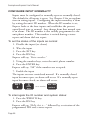
CONFIGURE INPUT NORMALITY
Inputs must be configured as normally open or normally closed.
The default for all inputs is open. See Chapter 2 for an explanation on wiring inputs. Configuring the input normality is done
by setting the unit’s ID number. When the ID number is set,
Express looks at the four inputs and establishes the present
open/closed state as normal. Any change from that normal state
is an alarm. The ID number is also usually programmed as the
unit phone number. This number is recited during a status
report and alarm dial-out report.
To set the status of the inputs as normal:
1. Disable the input (see above)
2. Wire the input
3. Press the SET key
4. Press the ID# key
Express will say, “Enter number.”
5. Using the number keys, enter the unit’s phone number
6. Press the ENTER key
Express will say “OK” if the number was accepted.
7. Enable the input
The inputs are now considered normal. If a normally closed
input becomes open, an alarm will occur. If a normally open
input becomes closed, an alarm will occur.
SET
#
9
ID#
STATUS
MUTE
(enter number)
ENTER
OUTPUT
To interrogate the ID number and system status:
1. Press the WHAT IS key
2. Press the ID# key
Express will say “Hello, this is ...” followed by a recitation of the
programmed ID# and a status report.
Page 46
Chapter 4: Alarm Programming
9
WHAT IS
ID#
STATUS
MUTE
*
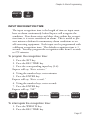
INPUT RECOGNITION TIME
The input recognition time is the length of time an input must
have an alarm continuously before Express will recognize the
condition. If an alarm exists and then clears within the recognition time, it is never considered an alarm. This is useful to prevent nuisance dialouts for momentary alarm conditions or on
self-correcting equipment. Each input can be programmed with
a different recognition time. The default recognition time is 3
seconds. You may program the recognition time from 0 seconds
to 272 minutes.
To program the recognition time:
1. Press the SET key
2. Press the REC TIME key
3. Press the corresponding input key (1-4)
Express will say “Enter minutes.”
4. Using the number keys, enter minutes
5. Press the ENTER key
Express will say “Enter seconds.”
6. Using the number keys, enter seconds
7. Press the ENTER key
Express will say “OK.”
SET
#
7
1
REC TIME
POWER
CALL DELAY
(enter minutes)
ENTER
OUTPUT
(enter seconds)
ENTER
OUTPUT
To interrogate the recognition time:
1. Press the WHAT IS key
2. Press the REC TIME key
Page 47
Sensaphone Express User’s Manual
3. Press the corresponding input key (1-4)
Express will recite the programmed recognition time for that
input.
WHAT IS
7
1
*
REC TIME
POWER
CALL DELAY
TEMPERATURE SCALE
Express can monitor temperature in degrees Fahrenheit or
degrees Celsius. The default setting is Fahrenheit. NOTE:
When switching from Fahrenheit to Celsius or vice versa,
remember to reprogram your temperature limits accordingly.
To program the temperature scale:
1. Press the SENSOR ON/OFF key
2. Press the TEMP key
Express will either say “On” to indicate Celsius, or “Off ” to indicate Fahrenheit.
3. Repeat key sequence to change
SENSOR
ON/OFF
TEMP
TEMPERATURE LIMITS
The following keyboard commands are used to set the low and
high temperature limits. The default settings are Low Temp =
10° and High Temp = 100°. The range of programming is -60°
to 300°F(-50° to 150°C). Note: the sensor included with
Express has a sensory range of only -60° to 175°F (-50° to 80°).
To program the low temperature limit:
1. Press the SET key
2. Press the LOW TEMP key
Page 48
Chapter 4: Alarm Programming
Express will say “Enter number.”
3. Using the number keys, enter the low temperature number.
If you want the number to be negative, press the PAUSE key
followed by the number.
4. Press the ENTER key
Express will say “OK.”
SET
#
5
LOW TEMP
(enter number)
ENTER
OUTPUT
To program the high temperature limit:
1. Press the SET key
2. Press the HIGH TEMP key
Express will say “Enter number.”
3. Using the number keys, enter the high temperature limit. If
you want the number to be negative, press the PAUSE key followed by the number.
4. Press the ENTER key
Express will say “OK.”
SET
#
6
HIGH TEMP
(enter number)
ENTER
OUTPUT
To interrogate the temperature limits:
1. Press the WHAT IS key
2. Press the LOW TEMP key to check the low temperature
limit. Press the HIGH TEMP key to check the high temperature limit.
WHAT IS
5
*
LOW TEMP
(or)
6
HIGH TEMP
Page 49
Sensaphone Express User’s Manual
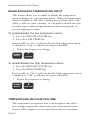
ENABLE/DISABLE TEMPERATURE INPUT
This feature allows you to enable or disable the temperature
input to dialout for a temperature alarm. When the temperature
input is enabled, it will cause a dialout for an alarm. If it is disabled, it will not cause a dialout. It is helpful to disable the temperature inputs while wiring thermistors and setting limits to
prevent tripping an alarm.
To enable/disable the low temperature alarm:
1. Press the SENSOR ON/OFF key
2. Press the LOW TEMP key
Express will say “On” to indicate that the low temperature alarm
is enabled, or “Off ” to indicate the input is disabled.
3. Repeat key sequence to change
SENSOR
ON/OFF
5
LOW TEMP
To enable/disable the high temperature alarm:
1. Press the SENSOR ON/OFF key
2. Press the HIGH TEMP key
Express will say “On” to indicate that the high temperature alarm
is enabled, or “Off ” to indicate the input is disabled.
3. Repeat key sequence to change
SENSOR
ON/OFF
6
HIGH TEMP
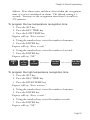
TEMPERATURE RECOGNITION TIME
The temperature recognition time is the length of time that a
low or high temperature alarm must exist continuously before
Express will recognize it as an actual alarm and start an alarm
Page 50
Chapter 4: Alarm Programming
dialout. If an alarm exists and then clears within the recognition
time, it is never considered an alarm. The default setting is 3
seconds. You may set the recognition time from 0 seconds to
272 minutes.
To program the low temperature recognition time:
1. Press the SET key
2. Press the REC TIME key
3. Press the LOW TEMP key
Express will say “Enter minutes.”
4. Using the number keys, enter the number of minutes
5. Press the ENTER key
Express will say “Enter seconds.”
6. Using the number keys, enter the number of seconds
7. Press the ENTER key
Express will say “OK.”
SET
#
7
5
REC TIME
POWER
LOW TEMP
(enter minutes)
ENTER
OUTPUT
(enter seconds)
ENTER
OUTPUT
To program the high temperature recognition time:
1. Press the SET key
2. Press the REC TIME key
3. Press the HIGH TEMP key
Express will say “Enter minutes.”
4. Using the number keys, enter the number of minutes
5. Press the ENTER key
Express will say “Enter seconds.”
6. Using the number keys, enter the number seconds
7. Press the ENTER key
Express will say “OK.”
Page 51
Sensaphone Express User’s Manual
SET
#
7
6
REC TIME
POWER
HIGH TEMP
(enter minutes)
ENTER
OUTPUT
(enter seconds)
ENTER
OUTPUT
To interrogate the low or high temperature recognition time:
1. Press the WHAT IS key
2. Press the REC TIME key
3. Press LOW TEMP key for the low temperature recognition
time. Press the HIGH TEMP key for the high temperature
recognition time.
Express will recite the programmed low or high temperature
recognition time.
WHAT IS
7
5
*
REC TIME
POWER
LOW TEMP
(or)
6
HIGH TEMP
TEMPERATURE CALIBRATION
Due to tolerance variations or other factors, you may want to
program an offset to calibrate the temperature input. The offset
can be from 1 to 15, or -1 to -15. Setting a positive number will
add that number to the temperature reading. Setting a negative
number will subtract.
To calibrate the temperature input:
1. Press the SET key
2. Press the PAUSE key
Express will say “Enter number.”
2a. To program a negative number (i.e. -7), press the PAUSE
key again.
3. Enter the number
4. Press the ENTER key
Express will say “OK.”
Page 52
Chapter 4: Alarm Programming
SET
#
PAUSE
TONE
(enter number)
ENTER
OUTPUT
To interrogate the present calibration:
1. Press the WHAT IS key
2. Press the PAUSE key
Express will recite the programmed temperature calibration.
WHAT IS
*
PAUSE
TONE
AC POWER MONITORING ENABLE/DISABLE
Express monitors AC power failure. This command enables or
disables the power failure detection. When enabled, Express will
monitor power and dial out if a valid failure occurs. When disabled, Express will not dial-out for a power alarm. The default
setting is ON.
To enable/disable the power input:
1. Press the SENSOR ON/OFF key
2. Press the POWER key
Express will say “On” to indicate that the power input is enabled;
OR, Express will say “Off ” to indicate that the power input is
disabled.
3. Repeat key sequence to change
SENSOR
ON/OFF
7
REC TIME
POWER
Page 53
Sensaphone Express User’s Manual
POWER RECOGNITION TIME
The power recognition time is the length of time that a power
failure must exist continuously before Express will recognize it as
an actual alarm and start the dial-out sequence. The default setting is 5 minutes. You may program the power recognition time
from zero seconds to 272 minutes.
To program the power recognition time:
1. Press the SET key
2. Press the REC TIME key
3. Press the POWER key
Express will say “Enter minutes.”
4. Using the number keys, enter the number of minutes
5. Press the ENTER key
Express will say “Enter seconds.”
6. Using the number keys, enter the number of seconds
7. Press the ENTER key
Express will say “OK.”
SET
#
7
7
REC TIME
POWER
REC TIME
POWER
(enter minutes)
ENTER
OUTPUT
(enter seconds)
To interrogate the power recognition time:
1. Press the WHAT IS key
2. Press the REC TIME key
3. Press the POWER key
Express will recite the power recognition time.
WHAT IS
7
7
*
REC TIME
POWER
REC TIME
POWER
Page 54
ENTER
OUTPUT
Chapter 4: Alarm Programming
EXIT DELAY
The Exit Delay feature provides a temporary time period during
which the unit will disregard an alarm condition. This is typically used in security applications where you may be monitoring a
doorway, and in the process of exiting the building you must go
through the monitored doorway. The Exit Delay will temporarily disable the input while you are leaving and then re-enable the
input automatically. The Exit Delay is 20 seconds.
To start the Exit Delay:
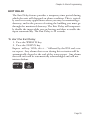
1. Press the WHAT IS key
2. Press the STATUS key
Express will say “Hello, this is ...” followed by the ID# and a status report. Any alarms that occur during this recitation will be
automatically cleared at the end of the status report. Any alarms
that still exist will be automatically acknowledged and will not
initiate dialout.
WHAT IS
*
9
ID#
STATUS
MUTE
Page 55
Sensaphone Express User’s Manual
Page 56
Chapter 5: Call-In Commands
CHAPTER 5: CALL-IN COMMANDS
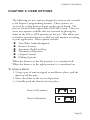
The following three functions are call-in commands. This
means that to utilize them, you must call Express to execute the
command. These features are: alarm acknowledgment, status
report and the phone commands. Alarm acknowledgment can
be accomplished and the status report can be obtained by pulse
(rotary) or touch-tone phone. To use the phone commands, you
must have a touch-tone phone.
ALARM ACKNOWLEDGMENT
When Express dials out with an alarm message, it will request
acknowledgment before hanging up. Acknowledgment indicates
to Express that the alarm message has been received. Upon
acknowledgment, Express will cease the dial out sequence. The
red LED for the alarm will stop blinking and glow steadily until
the alarm condition has been resolved.
There are four ways that an alarm can be acknowledged: locally,
by code, by call-in code acknowledgment and callback automatic
acknowledgment.
1. Local alarm acknowledgment: On the Express keyboard is
the ALARM CANCEL key. When an alarm exists, press the
ALARM CANCEL key to acknowledge the alarm. Express will
say “OK” and the red LED for that input will stop blinking.
2. Code acknowledgment: This method can only be used on a
touch-tone phone. At the end of the alarm dial out message,
Express requests acknowledgment that the message has been
received by saying: “Please acknowledge.” You have 10 seconds
to enter the code “555.”
To do this, press the number key 5 on the touch-tone phone
keypad three times. Express will say: “OK. Have a good day.”
The unit will then hang up.
Page 57
Sensaphone Express User’s Manual
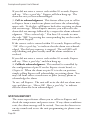
If you did not enter a correct code within 10 seconds, Express
will say: “Have a good day.” Express will then hang-up. The
alarm has not yet been acknowledged.
3. Call-in acknowledgment: This feature allows you to call-in
to Express from a touch-tone phone and enter the acknowledgment code. To do this, call Express back after receiving an alarm
dial out message. When Express answers, you will receive the
alarm dial out message followed by a request for alarm acknowledgment: “Please acknowledge.” You have 10 seconds to enter
the code “555” by pressing the corresponding key on the touchtone phone keypad.
If the correct code is entered within 10 seconds, Express will say
“OK. Have a good day,” to indicate that the alarm was acknowledged. The dial out sequence is stopped. The red LED will
stop blinking and glow steadily until the alarm condition is
resolved.
If you did not enter a correct code within 10 seconds, Express
will say: “Have a good day,” and then hang up.
4. Callback acknowledgment: This method is controlled by
the configuration of pin #2 on the Express circuit board, see
Chapter 6. When the shunt on pin #2 is in the on position,
simply calling Express will acknowledge an existing alarm. You
may call from either a touch-tone or pulse (rotary) phone to
acknowledge the alarm.
To use, call Express. The unit will recite the dial out alarm message and then say: “Alarm OK. Have a good day,” to indicate
that the alarm has been acknowledged.
STATUS REPORT
The status report feature allows you to call-in to Express and
check the temperature and power status. If any alarm conditions
exist, the alarm message will be recited. You can also listen in to
on-site sounds and access the unit programming via phone commands.
Page 58
Chapter 5: Call-In Commands
NOTE: If you happen to call Express during the alarm dial
out sequence (when an alarm condition exists but is not yet
acknowledged) you will not receive a status report. Express
will consider the call as either a call-in code acknowledgment
or callback acknowledgment (see above).
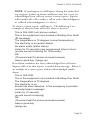
To obtain a status report, call Express. The following is an
example of what the unit will recite when it answers:
This is 555-3833 (unit phone number).
This is the equipment room located in Building One North
(ID message).
The temperature is 70 degrees (current temperature).
The electricity is on (power status).
No alarm exists (alarm status).
Listen for 10 seconds (user-programmed listen-in time).
(on-site sound monitoring for 10 seconds)
OK.
(10-second wait for phone command access)
Have a good day. (hangs up)
If an alarm condition has been acknowledged but still exists,
Express will recite that input’s recorded alarm message. Below is
an example of a status report with an acknowledged smoke
alarm.
This is 555-3833.
This is the equipment room located in Building One North.
The temperature is 70 degrees.
The electricity is on.
Smoke has been detected. A fire emergency is possible
(recorded alarm message).
Listen for 10 seconds.
(on-site sound monitoring)
OK.
(10-second wait for phone command access)
Have a good day.
(hangs up)
Page 59
Sensaphone Express User’s Manual
If the power is out but has not reached the recognition time to
be considered an alarm, Express will recite the following message
during the status report:
“... The temperature is 70 degrees.
The electricity is off.
No alarm exists.
Listen for ...”
If the power is out and has reached the recognition time to be
considered an alarm, Express will recite:
“... The temperature is 70 degrees.
The electricity is off.
Listen for ...”
Access to programming: The unit allows you to access and
change some of your programming remotely using a touch-tone
telephone. To initiate access, call the unit and listen to the entire
status report. Towards the end of the report the unit will say
“OK.” Press any key on your touch tone telephone within 10
seconds and the unit will again say “OK” and enter remote programming mode. The commands for this mode are described in
the following section, Phone Commands.
Remote programming access may be restricted by using the
security code. This code is the same as the one for keypad
security. You may, however, independently enable or disable
remote security code requirements by moving one of the shunts
described in Chapter 6.
If a security code has been programmed and the remote security
option is enabled, the unit will first ask you to enter the security
code before allowing remote access. Upon correct entry of the
security code the unit will say “OK.”
You may now program the Express unit remotely.
NOTE: You cannot permanently unlock the security code
remotely. You must do so on the local keypad only (see
Chapter 3).
Page 60
Chapter 5: Call-In Commands
PHONE COMMANDS
You can record, interrogate and program Express remotely using
a touch-tone phone. This is accomplished through the phone
commands. You may perform the following functions via touchtone phone:
What is:
Alert message
Alert message
Alert message
Alert message
ID message
1
2
3
4
Alert message
Alert message
Alert message
Alert message
ID message
1
2
3
4
Record:
Turn ON/OFF OUTPUT
Enable/Disable:
Alerts 1-4
Low Temp
High Temp
Power
To use the phone commands, call Express. You will receive a status report. After the listen-in time, Express will say “OK.” Press
ANY KEY within 10 seconds to access the phone command
mode. If this is done, Express will say “OK.” You now have 30
seconds to enter a key command before Express will hang up. If
you do not press a key within 30 seconds Express will say “Have
a good day,” and disconnect. More than one command can be
entered. The 30 second time out restarts at the end of each
command.
Page 61
Sensaphone Express User’s Manual
To listen to a recorded alarm message:
1.Press the * key on your phone
2.Press the corresponding number key: 1-4, or
Press number key 9 to listen to an ID message.
Express will recite the recorded message
To record a message remotely:
1. Press the # key
2. For an alarm message, press the corresponding number key:
1-4.
To record the ID message, press number key 9.
3. After the beep, say your message clearly. The alarm message
can be up to 8 seconds long. The ID message can be up to
10.5 seconds long.
Express will beep at the end of the time allotment.
To turn ON/OFF the output:
1. The output (pin #6) must be in the ON position for manual
control. See Chapter 6 for explanation of pin #6.
2. To turn the output ON, press O (number 6) then N (number 6)
Express will say “On.”
3. To turn the output OFF, press O (number 6) then F (number 3)
Express will say “Off.”
If pin #6 is in the off position for automatic control, Express
will say “Error” if you try to turn the output on or off.
To enable or disable an input:
1. Press the number key 0.
2. Press number key 1-4 to enable/disable alert 1-4
Press number key 5 to enable/disable Low Temp
Press number key 6 to enable/disable High Temp
Press number key 7 to enable/disable Power
Page 62
Chapter 5: Call-In Commands
3. Repeat key sequence to change
Express will say “On” to indicate the input is enabled or “Off ” to
indicate the input is disabled.
Page 63
Sensaphone Express User’s Manual
Page 64
Chapter 6: User Options
CHAPTER 6: USER OPTIONS
The following are user options designed to increase the versatility for Express’s programming features. These options are
accessed by setting shunts on pins on the circuit board. The
pins are located to the right of the ON/OFF switch. There are
seven user options available that are activated by placing the
shunt in the ON or OFF position on the pin. This allows you
to further customize Express to dial out and monitor according
to your application. These options include:
Tone/Pulse Acknowledgment
Remote Security
Automatic Redial on Busy
Thermistor Alternative
Output Control
Dialing Options
When the shunt is in the left position, it is considered off.
When the shunt is in the right position, it is considered on.
To move a shunt:
1. Using a pair of narrow-tipped or needlenose pliers, pull the
shunt up off the pins.
2. Move the shunt to the on or off position
3. Carefully push the shunt back into place.
Shunt in OFF position:
Shunt in ON position:
Page 65
Sensaphone Express User’s Manual
TONE/PULSE ACKNOWLEDGMENT
PIN#2: This feature enables you to acknowledge an alarm dialout call from a pulse (rotary) phone. Use only when phones
receiving the calls cannot use touch-tone. When the shunt is in
the off position, alarm calls can only be acknowledged from a
touch-tone phone by entering the code “555.”
When the shunt on pin #2 is in the on position, alarm calls can
be acknowledged by a pulse phone in addition to a touch-tone
phone. Acknowledgment by pulse phone is accomplished by
simply calling the unit back after receiving an alarm call. When
Express answers the callback, the alarm(s) will be acknowledged.
See diagram.
Touch-Tone acknowledgment only:
Pulse/Tone callback acknowledgment:
REMOTE SECURITY
PIN #3: This option is used to control remote access to Express’
programming via telephone by enabling or disabling the security
code (see Chapter 3). When the remote security code is enabled,
the unit will prompt the user to enter the security code before
programming access is granted. The remote security shunt can
be used to enable or disable the security code during a call-in.
When the shunt on pin #3 is in the off position, the security
code is disabled during a call-in. Interrogation and programming by the phone commands are accessible without knowing
the security code.
When the shunt on pin #3 is in the on position and the security
code is programmed , that code is needed to access programming
with the phone commands.
Page 66
Chapter 6: User Options
Remote Security code Disabled:
Remote Security code Enabled:
REDIAL ON BUSY
PIN #4: This feature determines what Express will do when it
encounters a busy signal during an alarm dial-out. Depending
on the position of this shunt, Express will either hang up and
proceed to dial the next phone number, or it will dial the busy
phone number again before going on to the next number.
This feature is set by moving shunt on pin #4 on the circuit
board. When the shunt is in the off position, Express will hangup if it encounters a busy signal and proceed with calling the
next phone number.
When shunt on pin #4 is in the on position, Express will dial
the phone number again if it encounters a busy signal. If the
number is still busy, Express will hang up and proceed with the
next phone number.
Hang up on busy:
Dialback on busy:
THERMISTOR ALTERNATIVE
PIN #5: Two different kinds of thermistors are compatible with
Express for temperature monitoring — the 2.8K thermistor and
the 10K thermistor. A 2.8K thermistor is included with Express.
Page 67
Sensaphone Express User’s Manual
However, you may use the 10K sensor as an alternate. You
would use the 10K thermistor to get a broader range of temperature monitoring, particularly the warmer temperatures. Also, the
10K thermistor is available in a variety of special packages for
specific locations for temperature sensing, indoor/outdoor, etc.
See Appendix B for specifications.
To use the alternate 10K thermistor, you must switch the shunt
on pin #5 on the circuit board. When the shunt is in the off
position (to the left), the board is configured to use the normal
(2.8K) sensor. This is the factory default. To use the 10K thermistor move the shunt to the on position. See diagram below.
Normal--2.8K Thermistor:
Alternate--10K Thermistor:
OUTPUT CONTROL
PIN #6: This pin allows you to control the output in one of
two ways: automatically or manually. Automatic output control
turns on the output when an alarm occurs on any of the inputs.
The output is then turned off when the alarm is acknowledged.
For manual control, you call into the unit and control the output via phone command. When the shunt is in the off position,
it is configured for automatic control. Move the shunt to the on
position for manual (phone command) control.
Automatic Output Control:
Manual Output Control:
Page 68
Chapter 6: User Options
DIALING PATTERN
PINS #7 AND #8: Dialing pattern is a calling process that
allows you to prioritize your phone list by assigning dial-out for
certain alarms to Phone #1 only. There are four dialing choices
available with this feature. Each allows you to program Phone
#1 to be called only on specific alarms. Choice 1 enables dialout to all Phone numbers for all alarms. Choice 2 enables dialout to Phone #1 for input alarm #1. Choice 3 enables dial-out
to Phone #1 for temperature alarms only. Choice 4 enables dialout to Phone #1 for a power alarm only. Dialing choices are set
by moving the shunts on pins #7 and #8. When a shunt is to
the left, it is in the off position. When it is moved to the right,
it is in the on position. For each dialing choice below, there are
two diagrams. One is a chart illustrating the dial-out sequence
for each option. The second diagram shows the shunt configurations for each option.
Key for Dialout Charts:
An ‘x’ indicates that a phone number is dialed for an input
alarm.
1-4 = dry contact inputs
TL = temperature low
TH = temperature high
PW = power
DIALING CHOICE 1:
This choice enables dial-out for all alarms to all Phone numbers.
All 8 Phone numbers will be called for alarms 1-4, Temp Low,
Temp High, and power failure. To program dialing choice 1,
move shunts for pins #7 and #8 to the off position.
Page 69
Sensaphone Express User’s Manual
Dialout Chart - Choice 1
PHONE # 1 - 8
INPUTS
1 2 3 4 5 6 7 8
01
02
03
04
TL
TH
PW
x x x x x x x x
x x x x x x x x
x x x x x x x x
x x x x x x x x
x x x x x x x x
x x x x x x x x
x x x x x x x x
Shunt Configuration - Choice 1
Shunt #7:
Shunt #8:
DIALING CHOICE 2:
This choice enables dial-out to Phone #1 for alarm 1 only.
Phone #2-8 will be called for alarms 2-4, Temp Low, Temp
High, and power failure. To program dialing choice 2, move
shunt on pin #7 to the off position. Move shunt on pin #8 to
the on position.
Dialout Chart - Choice 2
PHONE # 1 - 8
INPUTS
1 2 3 4 5 6 7 8
Page 70
01 x
x x x x x x
02
03
x x x x x x
04
x x x x x x
TL
x x x x x x
TH
x x x x x x
PW
x x x x x x
x
x
x
x
x
x
Chapter 6: User Options
Shunt Configuration - Choice 2
Shunt #7:
Shunt #8:
DIALING CHOICE 3:
This choice enables dial-out to Phone #1 for Temp Low and
Temp High alarms only. Phone #2-8 will be called for alarms 14 and power failure. To program dialing choice 3, move shunt
on pin #7 to the on position. Move shunt on pin #8 to the off
position.
Dialout Chart - Choice 3
PHONE # 1 - 8
INPUTS
1 2 3 4 5 6 7 8
x
01
x
02
x
03
04
x
TL x
TH x
PW
x
x x x x x x
x x x x x x
x x x x x x
x x x x x x
x x x x x x
Shunt Configuration - Choice 3
Shunt #7:
Shunt #8:
Page 71
Sensaphone Express User’s Manual
DIALING CHOICE 4:
This choice enables dial-out to Phone #1 for a power failure
alarm only. Phone #2-8 will be called for alarms 1-4, Temp Low
and Temp High. To program dialing choice 4, move the shunts
on pins #7 and #8 to the on position.
Dialout Chart - Choice 4
PHONE # 1 - 8
INPUTS
1 2 3 4 5 6 7 8
01
02
03
04
TL
TH
PW x
x x x x x x x
x x x x x x x
x x x x x x x
x x x x x x x
x x x x x x x
x x x x x x x
Shunt Configuration - Choice 4
Shunt #7:
Shunt #8:
Page 72
Chapter 7: The Output
CHAPTER 7: THE OUTPUT
Express has one relay output that can be controlled automatically
or manually. Pin #6, located to the right of the ON/OFF switch
on the circuit board, is used to determine how the output will be
controlled. See Chapter 6 for more information on Pin #6.
AUTOMATIC CONTROL
For automatic control, Express will switch on the device wired to
the relay output whenever an alarm occurs on any of the inputs.
When the alarm is acknowledged (NOT when the condition is
corrected), the output is switched off.
To have the output controlled automatically, you must position
the shunt on pin #6 to the left (OFF position).
MANUAL CONTROL
You may manually control the output from the local keyboard,
or remotely by touch-tone phone. To allow the output to be
controlled manually, you must position Shunt #6 to the right
(ON position).
To switch the output locally:
1. Press the SENSOR ON/OFF key
2. Press the OUTPUT key
Express will say either "On" or "Off." Repeat the steps to
change.
To switch the output remotely:
You must use the phone commands to manually switch the output remotely. To do this, call into Express using a touch-tone
phone. First, you will receive a status report. After the listen-in
time, Express will say “OK.” Press ANY KEY on the touch-tone
keypad within 10 seconds to access the phone command mode.
If this is done, Express will say “OK” again. You now have 30
Page 73
Sensaphone Express User’s Manual
seconds to enter a key command before Express will hang up. If
you do not press a key within 30 seconds, Express will say “Have
a good day,” and disconnect.
1. To turn the output on, press O (number 6), then N (number
6). Express will say “On.”
2. To turn the output off, press O (number 6), then F (number
3). Express will say “Off.”
If Pin #6 is set in the off position for automatic control, Express
will say “Error” if you try to turn the output on or off manually.
For more information on other phone commands, see Chapter
5.
POWER LIMITATIONS
Express has two power supplies (5V & 12V) available to power
your external sensors or output devices. The maximum current
available is 100mA total. This means that the sum of the currents from each supply cannot exceed 100mA.
Maximum switching capacity of the relay output:
2A at 120VAC
2A at 30VDC
EXAMPLE WIRING
12V device using Express power:
Page 74
Chapter 7: The Output
110VAC device using external power source:
NO
C
NC
AC
power
DEVICE
POSSIBLE APPLICATIONS
Automatic Control—If you want to warn on-site personnel that
an alarm is occurring, you can wire a horn or buzzer device to
Express. In this instance, the output would be best controlled
automatically so that whenever an alarm occurred Express would
switch the horn on. When the alarm is acknowledged, the horn
would be automatically switched off.
Manual Control—You may have a backup generator wired to
Express’s relay output that you would only want to switch on
during a power failure (instead of any alarm). In this instance,
you would have the output manually controlled so that when
you received an alarm call that a power failure is occurring, you
can call Express back and switch the output on. When the
power is restored, you can call Express again and switch the generator off.
Page 75
Sensaphone Express User’s Manual
Page 76
Chapter 8: Programming Summary
CHAPTER 8: PROGRAMMING SUMMARY
This section is intended to help you understand the commands
and organize your programming. It is advisable to disable the
inputs while programming to avoid a dialout if you accidentally
trip an alarm. Remember to enable the inputs after programming has been completed. The following is a summary of the
possible programming commands. Refer to the programming
chapters—3 and 4—for explanation on how to use each command.
MONITORING FUNCTIONS
1. Disable inputs 1-4. This action will allow you to wire and
set the dry contact inputs without tripping an alarm dialout.
2. Wire inputs 1-4.
3. Configure inputs as normally opened or normally closed.
This command determines what will be the normal or alarm status for each input 1-4. When you set the ID number, the present open/closed state of your sensors will be considered normal.
For example, if you have input 1 wired as a closed input, setting
the ID number will make it normally closed. If the input
should be opened, an alarm will result.
4. Set input recognition time. This command determines the
length of time an alarm condition must exist before it is considered an alarm. It helps you to minimize alarm dialouts for
momentary and/or self-correcting alert incidents. For example,
input 1 monitors fluid depth in a brewing vat. Liquid is periodically poured into and drained from the vat. This action causes
the liquid to splash above the high fluid mark, resulting in an
alarm. However, the fluid quickly settles, just as personnel arrive
at the site to siphon the dangerous excess. Setting the recognition time for input 1 to 5 minutes would allow the liquid to stabilize, preventing a false alarm.
Page 77
Sensaphone Express User’s Manual
5. Enable inputs 1-4. The inputs are now operational and
monitoring chosen conditions.
6. Disable temperature inputs. This will allow you to determine Fahrenheit/Celsius, set limits and recognition times without causing an alarm dialout.
7. Determine temperature scale. Express has the capability to
monitor in Fahrenheit or Celsius. You should determine the
temperature scale before setting limits so that the temperature
readings will make sense in your application.
8. Set low and high temperature limits. The range of these
limits depends directly on the temperature scale you chose (°F or
°C) and the type of thermistor wired (2.8K or 10K).
With the 2.8K thermistor (included) the range is:
-60°F to 175°F
-50°C to 80°C
With a 10K thermistor (optional) the maximum* range is:
-60°F to 300°F
-50°C to 150°C
*Note: The range may be less depending on the sensor used.
It is extremely important to choose the appropriate temperature
scale for your application and to properly configure the thermistor before setting limits. Meaningless temperature readings and
alarms will result otherwise.
9. Temperature recognition times. This command determines
the length of time a low or high temperature condition must
exist before Express recognizes it as an alarm. This will prevent
dialouts from occurring for momentary and/or self-correcting
temperature alerts.
10. Enable temperature inputs. Express is now temperature
operational.
11. Enable or disable AC power monitoring. Express is capable of monitoring AC power failure. This feature is built-in, no
external wiring is required. You can enable or disable the power
Page 78
Chapter 8: Programming Summary
detection. When enabled, Express will dial out for a power failure. When disabled, Express will not dial out if a power failure
occurs. The default for this parameter is ENABLED.
12. Power recognition time. This is the length of time a
power failure condition must exist before Express considers it an
alarm. This feature helps eliminate dialouts during power blips
or minor brownouts.
COMMUNICATIONS FUNCTIONS
Express is now prepared for alarm monitoring. Next, you must
program your alarm voice messages, Phone numbers, and related
dialing specifications.
1. Voice messages. Express’s unique digital speech technology
allows you to record your own voice for the 4 input alarm messages and an ID message. You have 8 seconds per message for
each of the 4 input messages, and 10.5 seconds for the ID message. You can rerecord your messages as often as you wish.
Messages may also be recorded remotely over a touch-tone
phone. Messages are stored in nonvolatile memory to prevent
loss during a power failure or storage.
When recording, speak clearly. This is important locally and
remotely. Hold the microphone about 6 inches from your
mouth. You may have to experiment to see what voice level
records best for you.
2. Dialout telephone numbers. Express can dial up to eight
32-digit phone numbers. These phone numbers are dialed
sequentially, so program the first number you want called as
Phone #1, the second as Phone #2, etc.
You can also incorporate a pause, pound, or asterisk into the
phone number for special dialing circumstances. For example,
Express has the capability to call out to a beeper. The desired
result when calling a beeper is: 1) Express dials the phone number, 2) a beeper service will answer, 3) the service will look for
digits to send to the beeper.
Page 79
Sensaphone Express User’s Manual
3. Tone or pulse dialing. Express’ phone numbers can be
dialed out in either touch-tones or pulse depending on your line
service. This parameter programs all 8 Phone numbers as tone
or pulse. The default is TONE.
4. Rings until answer. This parameter determines how many
times Express will allow the phone to ring before answering. For
example, if you set this to 4, Express will wait 4 rings and then
answer. This feature is also used in conjunction with the
Telephone Answering Device (TAD) compatibility.
5. TAD compatibility. Express can operate on the same phone
line as other telephone answering devices such as a modem or
answering machine. To use this feature, program Express rings
until answer to a larger number than the other answering
device’s rings. For example, Express and an answering machine
are on the same phone line. You program the answering
machine to answer on the 3rd ring. Set Express to answer on
the 5th ring. When you call Express to obtain a status report,
you will want to bypass the answering machine. To do this,
allow the phone to ring once, hang up, and call again. On the
second call Express will override the answering machine by
answering on the first ring.
6. Call delay time. This is the amount of time Express will
wait after an alarm is recognized before it starts the dialout
sequence. NOTE: This feature is different from the input
recognition times. Recognition time is the amount of time
Express waits to declare an alarm. Call delay is the amount of
time Express waits to start the dialout for a declared alarm.
7. Intercall time. After the initial phone call, this is the
amount of time Express will wait between calls before dialing the
next number. For example, you set the intercall time to 2 minutes. When an alarm occurs and Phone #1 has been called,
Express will wait 2 minutes after hanging up with Phone #1
before calling Phone #2.
8. Voice repetitions. This parameter determines how many
times Express will repeat the alarm message when it dials out.
Page 80
Chapter 8: Programming Summary
For example, if you have this feature set to 5, Express will repeat
its message 5 times before requesting acknowledgment when an
alarm dialout is answered.
9. Max calls. The maximum number of calls Express will dial
if none of the calls are acknowledged is determined by this feature. If the number of calls reaches the max calls value, Express
will automatically acknowledge the alarm and the dialout will be
stopped. Of course, when a call is acknowledged the dialout
sequence is automatically stopped.
NOTE: If only one Phone Number is programmed, Express
will dial a maximum of 15 times, regardless of the value of
max calls.
10. Listen-in time. Express allows you to listen in to sounds at
the monitor site through its microphone when you call in for a
status report. This parameter allows you to determine the
amount of time for sound monitoring.
11. Local mute. This parameter allows you to mute the local
voice when Express dials out for an alarm. When the mute is
on, the dialout alarm message will not be heard at the monitor
site. When the mute is off, Express will repeat the message locally as well as over the phone.
USER OPTIONS
There are two other features available to further control and customize the dialout sequence: Redial on Busy and Dialing
Pattern. These two features are enabled by configuring PIN #4,
PIN #7 and PIN #8 on the circuit board.
Redial on Busy. This feature enables Express to redial a phone
number that is busy. Redial on Busy is determined by PIN #4
on the circuit board. Depending on the position of the shunt,
Express will either proceed to the next phone number when it
encounters a busy signal, or it will wait 10 seconds and dial the
phone number again. If on the second try the number is still
busy, Express will proceed to the next phone number.
Page 81
Sensaphone Express User’s Manual
Dialing Pattern. This feature allows you to organize your
dialout sequence so that Phone #1 will be called for specific
input alarms rather than all input alarms. There are four dialing
choices that are governed by the positions of PIN #7 and PIN
#8 located to the right of the ON/OFF switch on the Express
circuit board. This option is useful if you want Phone #1 to
have Express dial out to a municipal service, such as the fire
company. In this instance, you would only want it called for a
fire alarm. You would configure input 1 to monitor fire/smoke.
Program in the fire company phone number as Phone #1.
Configure the priority calling pins #7 and #8 to the dialing
choice #2. Now an alarm on input 1 will only call Phone #1.
All other input alarms will call the remaining 7 Phone numbers.
Page 82
Chapter 9: Express Examples
CHAPTER 9: EXPRESS EXAMPLES
This section is provided to illustrate how Express operates. An
example programming strategy is outlined below. The communications programming, monitoring setup and pin configurations are charted to give you a reference for the sample Express.
Next, possible alarm situations that you may encounter are given
to explain the process by which Express will respond. This section does not provide all the possible circumstances that may
happen, but it will give you an understanding of how the many
features of Express interplay to create a comprehensive monitoring package. Refer to Chapters 3, 4 and 5 for how to program
Express. See Chapter 8 for a summary of each parameter and
examples of how they are used.
The following is a quick outline of the alarm situations discussed
in this chapter. Refer to the corresponding heading for further
details:
EXAMPLE 1:
An alarm on input 1 demonstrates the dialing pattern and
touch-tone acknowledgment.
EXAMPLE 2:
An alarm on input 2 illustrates the function of the alarm recognition time.
EXAMPLE 3:
An alarm on input 3 demonstrates the redial on busy feature and
callback acknowledgment.
EXAMPLE 4:
An alarm on input 4 explains what happens when an input has
been disabled.
EXAMPLE 5:
A low temperature alarm demonstrates the dialout sequence and
callback acknowledgment.
Page 83
Sensaphone Express User’s Manual
EXAMPLE 6:
A high temperature alarm illustrates the max calls parameter.
EXAMPLE 7:
A power alarm explains on-site acknowledgment.
SAMPLE STRATEGY
Below is a sample Express setup. This setup will be used and
referred to in explaining how Express operates according to its
programming.
COMMUNICATIONS PARAMETERS
Voice Messages:
Location ID message: “This is the equipment room located in
Building One North.”
Input alarm message 1: “Water tank level exceeds acceptable
limits.”
Input alarm message 2: “Boiler 3 pressure has surpassed the safe
limits.”
Input alarm message 3: “Smoke has been detected. Fire emergency possible.”
Input alarm message 4: “Motion sensors have detected an
intruder on the premises.”
Dial-out Telephone Numbers:
Phone 1:
Phone 2:
Phone 3:
Phone 4:
Phone 5:
Phone 6:
Phone 7:
Phone 8:
Page 84
555-1111
555-1222
555-1233
555-1234
1-215-555-4555
1-609-555-4566
555-4567
555-7888
Chapter 9: Express Examples
TONE Dialing: ON
Rings Until Answer: 5
Call Delay Time: 150 seconds (2 min. 30 sec.)
Intercall Delay Time: 3 minutes 0 seconds
Voice Repetitions: 4
Max Calls: 50
Listen-in Time: 10 seconds
Security Code: 2327
Callback Acknowledgment (Pin #2): ON
Security Bypass (Pin #3): OFF
Redial on Busy (Pin #4): ON
Dialing Pattern (Pins #7 & #8): Dialout Option #1
ID #: 555-3833
MONITORING PARAMETERS
input
enabled/disabled open/closed rec. time
Input 1:
Enabled
N/O
2 min
Input 2:
Enabled
N/O
30 sec
Input 3:
Enabled
N/O
30 sec
Input 4:
Disabled
N/C
1 min
Low Temp: Enabled
10 min
High Temp: Enabled
10 min
AC Power: Enabled
30 min
condition
Tank water level
Pressure
Smoke/fire
Intrusion
Low limit: 60°F
High limit: 70°F
Power failure
EXPRESS EXAMPLES
The following section presents hypothetical alarm situations for
each of the inputs and illustrates the sequence of steps Express
will take depending on its programming.
EXAMPLE 1
Alarm Recognition:
The water level in Tank 1 has exceeded acceptable limits. The
normally open sensor has closed causing an alarm. This condition has existed longer than 2 minutes (recognition time for
input 1) and Express has recognized the condition as a valid
Page 85
Sensaphone Express User’s Manual
alarm. The red LED for input 1 on the Express face plate is lit
and blinking to indicate to on-site personnel that an alarm condition exists and has not been acknowledged.
Dialout:
1. After 2 minutes 30 seconds (call delay time), Express will
begin the alarm dial-out sequence.
2. Express dials Phone #1 and receives no answer.
3. Express hangs up. This will count as one call toward the max
calls total of 50.
4. Express waits 3 minutes (the intercall time) and dials Phone
#2. Again, Express receives no answer and hangs up.
5. Express waits 3 minutes and dials Phone #3. The call is
answered.
6. Express recites the following dialout alarm message:
“Hello, this is 555-3833. This is the equipment room located in
Building One North. Water tank level exceeds acceptable limits.”
The dialout message is repeated four times. At the end of the
fourth repetition, Express will request acknowledgment of the
alarm.
“Please acknowledge.”
Acknowledgment:
1. The receiver is at a touch-tone phone; she enters the code
“555” within 10 seconds to acknowledge the alarm.
2. Express says: “OK. Have a good day,” and hangs up. The
alarm is acknowledged.
Once the alarm is acknowledged, the dialout sequence is
stopped. The red LED will glow steadily but not blink as long
as the condition still exists. The max calls counter is reset to
zero.
EXAMPLE 2
Alarm recognition:
The pressure in boiler 3 has suddenly exceeded safe levels. Input
2 is wired to monitor the pressure in boiler 3. The N/O sensor
closes to indicate the alarm. In response, a pressure-sensitive
Page 86
Chapter 9: Express Examples
valve opens. This self-correcting mechanism reduces the pressure
to acceptable levels within 15 seconds. The alarm recognition
time for input 2 is 30 seconds. Because the alarm condition did
not exist for 30 seconds, Express did not recognize the situation
as a valid alarm. No dialout occurred.
NOTE: For the remaining examples, the Dialing Pattern has
been changed to illustrate an alternate dialing choice. Dialing
Choice #2 enables the alarm dialout to Phone #1 for an alarm
on input 1 only. Phone # 2-8 will be called for alarms 2-4,
Low Temp, High Temp and power failure.
EXAMPLE 3
Alarm recognition:
A frayed wire sparks and sets off a small fire and smoke begins
to fill the room. Input 3 detects smoke and the sensor closes.
After the 30 second recognition time, Express recognizes the
condition as a valid alarm. The red LED for Input 3 will be lit
and blinking. After the 2 minute, 30 second call delay time,
Express begins the alarm dialout.
Dialout:
1. The first number Express dials is Phone #2 (555-1222). This
is because Phone #1 is reserved for alarms on input 1. There
is no answer at Phone #2.
2. Express hangs up and waits 3 minutes.
3. Express then dials Phone #3 and receives a busy signal.
4. Express hangs up, waits 10 seconds and dials Phone #3 again
(the redial on busy option is on).
5. This time the call is answered. The following message is
repeated four times:
“Hello, this is 555-3833. This is the equipment room located in
Building One North. Smoke has been detected. Fire emergency
possible.”
Acknowledgment:
The receiving phone is pulse (rotary) dial. After the message has
been repeated, Express requests acknowledgment:
Page 87
Sensaphone Express User’s Manual
“Please acknowledge.”
Since Phone #3 is a pulse phone, it is not possible for the receiver to enter the acknowledgment code. However, the callback
acknowledgment feature is set to on so the receiver can call the
unit back to acknowledge that the alarm message was received.
Because the code was not entered within 10 seconds, Express
says, “Have a good day.”
To acknowledge the alarm, the receiver must call back
the unit.
1. Dial the unit phone number: 555-3833.
2. Express recites the dialout alarm message.
3. Simply stay on the line. After 10 seconds, Express will say,
“Alarm OK. Have a good day .” This indicates that the alarm
has been acknowledged.
The dialout sequence has been stopped. The red LED will glow
steadily until the alarm condition has been resolved.
EXAMPLE 4
Alarm recognition:
A suspicious character enters through the side door monitored
by a sensor wired to input 4. The normally closed sensor is thus
opened, tripping the sensor. However, input 4 has been disabled
therefore, no alarm dialout will occur. The red LED will turn
on after the one minute recognition time. It will glow steadily
(no blinking) until the alarm condition has been resolved.
EXAMPLE 5
Alarm recognition:
The tropical fish aquarium temperature has dropped below 60°F,
and is still falling. The tank heater has malfunctioned. Low
tank temperature is monitored on the temperature input. This
condition has existed for 10 minutes (recognition time) and the
fish are beginning to shiver. Express recognizes the condition as
an alarm. The red LED for low temp is blinking to alert on-site
personnel.
Page 88
Chapter 9: Express Examples
Dialout:
1. After the 2 minute, 30 second call delay, Express begins the
alarm dialout sequence.
2. Since this unit is programmed for Dialing Choice #2, the first
Phone number Express calls for a low temperature alarm is
Phone #2.
3. It receives no answer and hangs up.
4. After the 3 minute intercall time, Express dials Phone #3.
Again, no answer.
5. After 3 minutes, it dials Phone #4. Still receiving no answer,
Express hangs up, waits 3 minutes and dials Phone #5, then
Phone #6, Phone #7, and Phone #8—waiting the intercall
time between each call. (Total calls = 7)
6. Express calls Phone #2 again. This time, the call is answered.
7. Express recites the following alarm message four times:
“Hello, this is 555-3833. This is the equipment room located in
Building One North. The temperature is low. The temperature is
54 degrees.”
After the last repetition, Express will request acknowledgment:
“Please acknowledge.”
Acknowledgment:
The receiver did not enter the acknowledgment code within the
10-second time requirement. Express says:
“Have a good day.”
1. Express then hangs up. The receiver did not call the unit to
acknowledge the alarm.
2. Express waits 3 minutes (intercall time), and calls Phone #3.
3. The call is answered. Express recites the above alarm message
and requests acknowledgment.
4. Because the receiver is at a pulse phone, he cannot enter the
acknowledgment code,
5. However, after Express has hung up, he calls the unit back,
thus acknowledging the alarm.
The dialout sequence has been stopped. The red LED for low
Page 89
Sensaphone Express User’s Manual
temp stops blinking and glows steadily until the condition is corrected.
EXAMPLE 6
Alarm recognition:
Now the heater is back on in the fish aquarium. Unfortunately,
it has gone haywire. The water temperature has risen above
70°F and the fish are hopping. After 10 minutes, this condition
still exists. Express recognizes it as a valid alarm. The red LED
for high temp is on and blinking. After the 2 minute 30 second
call delay time, Express begins the dialout sequence.
Dialout:
1. Express dials out to Phone #2 and receives no answer.
2. The unit waits the 3 minute intercall time and then dials
Phone #3. No answer.
3. The unit waits 3 minutes and then dials Phone #4. The call is
answered by an answering machine.
4. Express recites the following message:
“Hello, this is 555-3833. This is the equipment room located in
Building One North. The temperature is high. The temperature
is 73 degrees.”
Express repeats this message four times and then requests
acknowledgment.
“Please acknowledge.”
Acknowledgment:
Since the receiver is an answering machine, it cannot enter the
acknowledgment code. After 10 seconds, Express says “Have a
good day.”
1. Express waits the 3 minute intercall time and then dials
Phone #5. (Total calls = 4)
2. The unit receives no answer, hangs up, waits 3 minutes and
dials Phone #6. The phone is busy.
3. Express hangs up and dials Phone #6 again (The dialback
option is on). The line is still busy.
Page 90
Chapter 9: Express Examples
4. Express hangs up, waits 3 minutes and dials Phone #7.
Express does not receive an answer from any of the Phone numbers. There was no callback acknowledgment. After 50 phone
calls (max calls), Express automatically acknowledges the alarm
and stops the dialout sequence. The red LED will remain on as
long as the alarm condition still exists.
EXAMPLE 7
Alarm recognition:
The building power blacked out at 7:25AM. At 7:55AM, the
power is still out, and Express recognizes the failure as an alarm
(30-minute recognition time).
Dialout:
1. After the 2-minute 30-second call delay time, Express begins
the dialout to Phone #2.
2. The call is not answered, so Express hangs up.
3. After the 3-minute intercall time, the unit dials Phone #3 and
again receives no answer.
4. In the meantime, the plant manager arrives at the building at
8AM. She discovers the power failure and checks Express to
see if the dialout sequence has been started and if the alarm
has been acknowledged.
Acknowledgment:
The manager sees that the alarm has been recognized (because it
existed beyond 30 minutes), and that it has not yet been
acknowledged (the red LED is still blinking). She presses the
alarm cancel key to acknowledge the alarm. Express says: “OK.”
The dialout sequence has been stopped. The red LED will glow
steadily until the condition is resolved or the battery backup is
exhausted.
Page 91
Sensaphone Express User’s Manual
Page 92
Chapter 10: Troubleshooting
CHAPTER 10: TROUBLESHOOTING
Problems with the Express can range from simply making sure
the unit is plugged in, to lightning damage. This chapter is provided to help you pinpoint and solve functioning problems. It is
divided into the common areas where problems occur. They are:
Communications / Dialout problems
Incorrect temperature readings
Monitoring problems
If the unit still does not work after you have tried the following
solutions, call our Technical Service Department at
610.558.2700 or follow the guidelines for sending the unit in
for repair.
Page 93
Possible Cause
Solution
Unit won’t dial out
Phone number incorrectly programmed
Incorrect tone/pulse selection
Incompatible phone line
See Chapter 3.
See Chapter 3.
Express must be hooked up to a standard 2-wire analog
phone line, NOT a digital extension to a phone system. If the
unit won’t dial out and it is not the two previous problems, try
hooking the unit up to a phone line that you know is standard
(such as a residential or home phone). If it works, then there
is an incompatibility with the other phone system. If this
does not work, call Phonetics’ Technical Service Department.
Unit won’t answer phone
Incorrect programming of rings until answer
When used on a proper extension line, some phone systems
won’t let the phone ring past 4 rings. If rings until answer is
greater than 4, you cannot get to the unit. Try setting the
rings to less than 4 (see Chapter 3). If it still does not work,
then the phone line may be incompatible. See below.
Incompatible phone line
Express must be hooked up to a standard 2-wired analog
phone line, NOT a digital extension to a phone system. If you
cannot call into the unit, try hooking it up to a phone line that
you know is standard (such as a residential or home phone).
If you can call in, then there is an incompatibility with the
other phone system. If you still cannot call in, call
Phonetics’ Technical Service Department.
Communications / Dialout:
Sensaphone Express User’s Manual
Page 94
Problem
Problem
Possible Cause
Solution
Incorrect temperature readings:
Temperature reads -60°
Temperature reads 175°
Temperature inaccurate
Temperature sensor is either disconnected
or has broken wires
Temperature sensor wires touching
Check wires to temperature sensor and connect or replace wiring.
Verify and correct wiring.
The temperature sensing may be affected
Move the temperature sensor to a different location.
by ambient heat source (i.e.. direct sunlight,
heating vent)
Incorrect Fahrenheit/Celsius selection
See Chapter 4.
Alarm status of alert
input incorrect
Incorrect input normality
Reset input normality. See Chapter 4.
False power out alarms
Power recognition time too short
It is common for the power to have brief interruptions. To
solve a false alarm, program the power recognition time longer.
Unit does not recognize
any alarms.
Inputs disabled for alarm
Enable the inputs for alarm. See Chapter 4.
Monitoring Problems:
Chapter 10: Troubleshooting
Page 95
Sensaphone Express User’s Manual
Page 96
Appendix A: Checking for Proper Operation
APPENDIX A: CHECKING YOUR SENSAPHONE
FOR PROPER OPERATION
We recommend that you test your Sensaphone weekly to be sure
it is functioning properly. This will ensure that when a problem
arises the Sensaphone will be ready to alert the appropriate personnel.
There are several tests that can be performed:
1) Call the unit and listen to the Status Report. This will test
the unit’s ability to answer the phone and speak a message. It
will also verify that all of the inputs are reading properly, the
alarm conditions are OK, the electricity is on and the microphone is functioning.
2) Create an alarm on each input and allow the unit to contact
all programmed telephone numbers. This will ensure that the
Sensaphone is programmed properly. It will also prepare personnel to respond appropriately when they receive a call from the
Sensaphone.
3) Test the battery by unplugging the AC adapter and making
sure that the Sensaphone continues to function. Press WHAT
IS, then STATUS on the keypad, and listen to the status report.
Make sure the report states that “the electricity is off.” Check the
"Battery OK" LED and make sure it is on steady. Keep the AC
adapter unplugged so that a Power Failure alarm occurs. Allow
the unit to dial all programmed telephone numbers while running on battery backup. Plug in the AC adapter after the unit
has finished dialing all of the telephone numbers.
Page 97
Sensaphone Express User’s Manual
Page 98
Appendix B: Accessories
APPENDIX B: ACCESSORIES
The sensors listed are the most commonly used input devices.
However, there is a virtually unlimited variety of sensor/switch
input devices available at commercial or industrial electrical supply houses. They can provide a device to monitor virtually any
condition that might be required for your business, industrial or
residential needs. Contact PHONETICS, INC. at 610-558-2700
for more information.
MODEL
NUMBER
SENSOR/
SWITCH
FGD-0006
FGD-0007
FGD-0010
FGD-0013
FGD-0022
FGD-0023
FGD-0027
FGD-0049
FGD-0054
FGD-0056
FGD-0063
FGD-0100
FGD-0101
FGD-0102
FGD-0103
FGD-0104
FGD-0105
FGD-0200
Magnetic Reed Switch
Passive Infrared Detector
50' two-conductor #22AWG shielded Accessory Cable
Spot Water Detector
Temp Alert
ISOTEL Surge Protector
Humidistat
Smoke Detector w/Built-in Relay
Power-Out Alert™
Zone Water Detector w/Water Rope
10' additional Water Rope for FGD-0056
2.8K Remote Temperature Sensor
2.8K Weatherproof Temperature Probe
10K Weatherproof Temperature Probe
10K Indoor Zone Temperature Sensor
10K Outdoor Air Temperature Sensor
10K Immersion Temperature Sensor
Phonecell SX3e Cellular Phone
Page 99
Sensaphone Express User’s Manual
Page 100
Appendix C: Look-Up Table
APPENDIX C: 10K THERMISTOR LOOK-UP TABLE
DEGREES (Celsius)
-37
-35
-32
-29
-26
-23
-21
-18
-15
-12
-9
-6
-4
-1
2
4
7
10
13
16
18
21
24
27
30
32
35
38
41
44
47
49
52
55
58
60
63
66
69
71
74
77
80
83
86
88
91
94
97
DEGREES (Fahrenheit)
-35
-30
-25
-20
-15
-10
-5
0
5
10
15
20
25
30
35
40
45
50
55
60
65
70
75
80
85
90
95
100
105
110
115
120
125
130
135
140
145
150
155
160
165
170
175
180
185
190
195
200
205
RESISTANCE (Ohms)
203.60K
173.60K
148.30K
127.10K
109.20K
94.07K
81.23K
70.32K
61.02K
53.07K
46.27K
40.42K
35.39K
31.06K
27.31K
24.06K
21.24K
18.79K
16.65K
14.78K
13.15K
11.72K
10.46K
9.35K
8.38K
7.52K
6.75K
6.08K
5.48K
4.95K
4.47K
4.05K
3.67K
3.33K
3.31K
2.76K
2.52K
2.30K
2.10K
1.92K
1.76K
1.61K
1.48K
1.36K
1.25K
1.16K
1.07K
0.98K
0.91K
Page 101
Sensaphone Express User’s Manual
Page 102
Appendix D: Returing Units for Repair
APPENDIX D: RETURNING UNITS FOR REPAIR
In the event that Express does not function properly and you
cannot reprogram it, we suggest that you do the following:
1) Carefully write down your observations of Express’s malfunctioning.
2) Call Phonetics Technical Service at 610-558-2700 if any
instructions are not clear or if you have any questions.
If the unit must be sent to us for servicing, do the following:
1) Turn the power switch off, unplug the AC power supply
from the wall outlet, and disconnect all sensors from the alert
inputs.
2) Carefully pack unit into its original container or a sturdy
shipping box. Be certain to use sufficient cushioning material to
avoid damage in transit.
3) Address package to:
SERVICE DEPARTMENT
PHONETICS, INC.
901 TRYENS ROAD
ASTON, PA 19014
4) Ship prepaid and insured via UPS or US Mail to ensure a
traceable shipment with recourse for damage or replacement.
5) To avoid processing delays, be sure to include the following:
a) Your name, address, and phone number
b) Model and Serial numbers
c) A letter explaining Express’s problem
Page 103