1
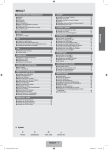
Setting up Your TV Media Play-DLNA ■ Viewing the Control Panel ................................................................. 2 ■ Accessories ....................................................................................... 3 ■ Viewing the Connection Panel ........................................................... 4 ■ Viewing the Remote Control .............................................................. 6 ■ Installing Batteries in the Remote Control ......................................... 7 ■ Viewing the menus ............................................................................ 8 ■ Placing Your Television in Standby Mode .......................................... 8 ■ Plug & Play Feature........................................................................... 9 CHANNEL ■ Channel Menu ................................................................................. 10 ■ Managing Channels ........................................................................ 13 PICTURE ■ Setting the DLNA Network ............................................................... 54 ■ Installing the DLNA Application........................................................ 55 ■ Using the DLNA Application............................................................. 56 ■ Using the DLNA Function ................................................................ 58 English CONTENTS ANYNET+ ■ Connecting Anynet+ Devices........................................................... 59 ■ Setting Up Anynet+ .......................................................................... 60 ■ Switching between Anynet+ Devices ............................................... 60 ■ Recording ........................................................................................ 61 ■ Listening through a Receiver (Home Theatre)................................. 61 ■ Troubleshooting for Anynet+ ............................................................ 62 Content Library ■ Coniguring the Picture Menu .......................................................... 15 ■ Viewing Picture-in-Picture................................................................ 19 ■ Using Your TV as a Computer (PC) Display .................................... 20 ■ Setting up the TV with your PC........................................................ 21 SOUND ■ Coniguring the Sound Menu ........................................................... 22 ■ Selecting the Sound Mode .............................................................. 23 SETUP ■ Coniguring the Setup Menu ............................................................ 24 ■ Setting the Time............................................................................... 27 ■ Network Connection ........................................................................ 29 ■ Setting the Network ......................................................................... 32 ■ Using the Content Library ................................................................ 63 ■ Using the TV Memory Contents....................................................... 64 ■ Using the Content Management ...................................................... 65 Internet@TV ■ Getting Started with Internet@TV.................................................... 66 ■ Editing Snippets in the Dock............................................................ 69 ■ Using the Proile Widget .................................................................. 69 ■ Using the Yahoo!® Widget Gallery .................................................. 71 ■ Using the Yahoo!® Weather Widget ................................................ 72 ■ Using the Yahoo!® News Widget..................................................... 72 ■ Using the Yahoo!® Flickr Widget ..................................................... 73 ■ Using the Yahoo!® Finance Widget ................................................. 74 ■ Troubleshooting for internet@TV..................................................... 74 Internet@TV INPUT / SUPPORT ■ Input Menu....................................................................................... 35 ■ Support Menu .................................................................................. 35 Media Play (USB & DLNA) ■ Connecting a USB Device ............................................................... 38 ■ Media Play Function ........................................................................ 39 ■ Sorting the Photo List ...................................................................... 40 ■ Photo List Option Menu ................................................................... 41 ■ Viewing a Photo or Slide Show........................................................ 42 ■ Slide Show Option Menu ................................................................. 43 ■ Sorting the Music List ...................................................................... 45 ■ Music List Option Menu ................................................................... 46 ■ Playing a Music ............................................................................... 47 ■ Sorting the Movie List ...................................................................... 48 ■ Music Play option Menu .................................................................. 48 ■ Movie List Option Menu ................................................................... 49 ■ Playing a Movie File ........................................................................ 49 ■ Movie Play Option Menu ................................................................. 52 ■ Using the Setup Menu ..................................................................... 53 ■ Getting Started with Internet@TV.................................................... 75 ■ Setting up Internet@TV ................................................................... 75 ■ Using the Internet@TV service........................................................ 76 ■ Troubleshooting for internet@TV..................................................... 77 ■ Help Website ................................................................................... 77 Home Network Centre ■ Home Network Centre ..................................................................... 78 ■ Setting Up the Home Network Centre ............................................. 79 ■ Using the Message Function ........................................................... 80 ■ Using the Media Function ................................................................ 81 RECOMMENDATIONS ■ Teletext Feature ............................................................................... 82 ■ Installing the Stand .......................................................................... 83 ■ Disconnecting the Stand.................................................................. 84 ■ Installing the Wall Mount Kit ............................................................ 84 ■ Assembling the Cables .................................................................... 84 ■ Anti-Theft Kensington Lock ............................................................. 84 ■ Securing the TV to the Wall ............................................................. 85 ■ Troubleshooting: Before Contacting Service Personnel .................. 86 ■ Speciications .................................................................................. 87 ❑ Symbol N O T Note One-Touch Button TOOL Button Press English - 1 2009-03-11 10:15:46