1
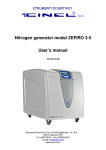
Hydrogen generator AD Series
User’s manual
Version 1.1
1
Index
INDEX ...................................................................................................................................................... 2
INTRODUCTION ..................................................................................................................................... 3
SCOPE OF THE MANUAL ......................................................................................................................... 3
SPECIFICATIONS .................................................................................................................................... 3
NOTES ON FCC COMPLIANCE ................................................................................................................ 4
CORRECT USE ....................................................................................................................................... 5
HEALTH AND SAFETY ............................................................................................................................. 5
WARNING: HYDROGEN AND OXYGEN...................................................................................................... 6
WARNING: ELECTRICITY......................................................................................................................... 6
WARNING: SAFETY PRECAUTIONS .......................................................................................................... 6
PACKING LIST ........................................................................................................................................ 7
DESCRIPTION ........................................................................................................................................ 7
INSTALLATION ...................................................................................................................................... 8
RECEIVING THE GENERATOR .................................................................................................................. 8
PLACING THE GENERATOR ..................................................................................................................... 8
SYMBOLS USED ON THE GENERATOR ...................................................................................................... 9
GAS CONNECTIONS................................................................................................................................ 9
INITIAL START-UP ............................................................................................................................... 11
FILLING THE WATER TANK .................................................................................................................... 11
INSTALLING THE DEIONIZER BAG ........................................................................................................... 12
START HYDROGEN GENERATORS AD SERIES ....................................................................................... 13
SOPPING THE EQUIPMENT AND DEPRESSURIZING ................................................................................... 16
WATER DRAIN PROCEDURE ............................................................................................................. 16
OVERWIEV OF WRITING "WATER" ................................................................................................... 17
HOW TO CHANGE THE FUSES .......................................................................................................... 18
MENU STRUCTURE ............................................................................................................................. 19
PRESSURE SET .................................................................................................................................... 19
SETUP................................................................................................................................................. 19
REFIL .................................................................................................................................................. 19
DIAGNOSTIC ........................................................................................................................................ 19
TEST ................................................................................................................................................... 20
MANITENANCE .................................................................................................................................... 20
CLEANING ........................................................................................................................................... 20
WATER REFILLING ............................................................................................................................... 21
DEIONIZER BAG ................................................................................................................................... 21
RETURNING THE UNIT........................................................................................................................ 21
2
Introduction
Scope of the manual
This manual provides operation an maintenance instructions for all model of hydrogen generator
AD Series.
Specifications
Specifications of the hydrogen generator AD Series
Min. outlet pressure
MODEL AD-100 0-100 cc/min at STP
MODEL AD-180 0-180 cc/min at STP
MODEL AD-260 0-260 cc/min at STP
MODEL AD-450 0-450 cc/min at STP
MODEL AD-510 0-510 cc/min at STP
MODEL AD-650 0-650 cc/min at STP
MODEL AD-770 0-770 cc/min at STP
MODEL AD-930 0-930 cc/min at STP
MODEL AD-1020 0-1020 cc/min at STP
2 bar (29 psi)
Max. outlet pressure
10.7 bar (157 psi)
Standard purity
99.9999% at STP
Hydrogen flow rate range
STP: Standard temperature
and pressure (20°C at 1 bar)
Input voltage nrange
Fuse type
Power consuption
Pressure accuracy
Microprocessor controller
color display
Operating conditions:
- Temperature
- Relative humidity erating
conditions:
- Temperature
- Relative humidity
Index of protection
115 V/60 Hz
230 V/50 Hz
N.2
0.1
0.2
0.3
5x20mm 6,3A type T
MODEL AD-100 090 VA
MODEL AD-180 125 VA
MODEL AD-260 160 VAr)
MODEL AD-450 265 VA
0.4 rMODEL AD-510 300 VA
0.5 MODEL AD-650 340 VA
MODEL AD-770 400 VAr)
0.6
MODEL AD-930 485 VA
MODEL AD-1020 530 VA
≈ 0.1 bar (1 psi)
Graphic colour display, 128x64 pixel
+5°C to +40°C/ +41°F to 105°F
0-80% non condensing+C to +35°C
0-80%, non condensing
IIIP20
Over voltage category
II
Sound pressure level
2 I< 40 dB (A)
Weight
G MODEL AD-1001/4
MODEL AD-180
3
MODEL AD-260
MODEL AD-450
MODEL AD-510
MODEL AD-650
MODEL AD-770
MODEL AD-930
MODEL AD-1020
Case dimension
339482 x 835 x339x553x445 mm (WxDxH) 641 mm (WxDxH
Notes on FCC compliance
This equipment has been tested and found to comply with the limits for a Class B digital device,
pursuant to part 15 of the FCC Rules. These limits are designed to provide reasonable protection
against harmful interference in a residential installation. This equipment generates uses and can
radiate radio frequency energy and, if not installed and used in accordance with the instructions,
may cause harmful interference to radio communications. However, there is no guarantee that
interference will not occur in a particular installation.
If this equipment does cause harmful interference to radio or television reception, which can be
determined by turning the equipment off and on, the user is encouraged to try to correct the
interference by one or more of the following mearures:
Reorient or relocate the receiving antenna.
Increase the separation between the equipment and receiver.
Connect the equipment into an outlet on a circuit different from that to which the receiver is
connected.
Consult the dealer or an experienced radio/TV technician for help.
WARNING!
Any changes or modifications to this equipment not expressely approved by the manufacturer may
void the user’s autority to operate the equipment.
4
Correct use
Hydrogen generator is designed to produce hydrogen for laboratory use. The units must only be
operated for this purpose, according to the specifications and instructions provided in this manual.
In particular, the following warnings must be observed at all times:
Indoor use only. Do not operate outdoors.
Never operate the unit in below-zero temperatures.
Only operate the unit in a room with sufficient ventilation (see “Placing the unit”).
Always unplug the unit from the mains power supply before accessing the internal
components for replacement.
Only the parts described in the “Spare parts list” can be replaced by the user.
Health and safety
Important: Do not operate this equipment before reading the instructions in the user guide. Use
of the equipment in a way not allowed by this user guide may compromise the protection of the
generator and could cause a wrong release of pressure which may cause serious personal injury
or damage.
Correct use of the hydrogen generator is important for your personal safety and for trouble-free
functioning of the hydrogen generator. Incorrect use can cause damage to the hydrogen generator
or can cause an incorrect gas supply.
Warning:
Read this manual before you start the installation and putting into operation of the
hydrogen generator Ad Series.
Contact your supplier if you detect a problem that you cannot solve with this
manual.
Only service-engineers, that are qualified to work on electric and pneumatic
equipment, are allowed to do installation, maintenance and repairs. Unqualified
people are not allowed to repair the equipment. Lift the hydrogen generator AD
Series with a forklift. Follow the legislation and instructions for operating the
forklift.
Do not tamper or experiment with the equipment. Do not exceed the technical
specifications for the hydrogen generator AD Series.
5
Warning: hydrogen and oxygen
Hydrogen is highly flammable gas. Keep the generator away from excessive heat
and naked flames.
The accumulation of hydrogen can displace oxygen, thereby creating an
asphyxiation hazard.
Always ensure that the generator in operated in well ventilated area and all of the
vent ports on the rear of the generator are kept clear and free from blockages.
The hydrogen generator AD Series is not designed for installation in an Exxclassified area.
Do not install hydrogen generator AD Series in an area where exsplosive mixsture
may occure.
Warning: electricity
Ensure that the equipment is depressurized and electrically isolated, prior to
carrying out any of the scheduled maintenance instructions specified within this
user guide.
Only service-engineers, that are qualified to work on electric equipment, are
allowed to do the installation, maintenance and reparations.
Disconnect the main power supply before you do the maintenance or repair.
If a service-engineer has to work on the hydrogen generator AD Series while the
electric power it is connected, the service-engineer must be very careful with
respect to the electric hazards.
Warning: safety precautions
Keep the ambient temperature between + 15 °C and 40 °C.
Do regular maintenance to the hydrogen generator AD Series.
6
Packing list
List of items included in the shipment
Quantity
Description
1
Hydrogen generator
1
Instruction manual
1
Deioniser bag
1
Water drain with flexible tubing
1
Power cable
Description
The gas generator will produce a constant stream of hydrogen at a pre-determined pressure and
flow rate when connected to a suitable power supply and fed with a suitable quality of de-ionized
water. The hydrogen generator AD Series produces pure hydrogen (and oxygen as a by-product)
by the electrolysis of water. The key element of the hydrogen generator is an electrochemical cell
assembly which contains a PEM, proton exchange membrane. No free acids or alkalines are used.
De-ionized or pure, distilled water is the only liquid which may came into contact with electrolytic
cell. As this is consumed it must be refilled from time to time as required.
It should be noted that Hydrogen generator AD Series must be installed and activated in not
more than three months from the dispatch by CINEL Strumenti Scientifici, to ensure the
optimum efficiency of the PEM. Failure to do this can invalidate the warranty.
The hydrogen gas is generated in the electrolytic cell by electrolysis of liquid water. Hydrogen gas
is accumulated in the automatic gas liquid separator and desiccant column. The internal and
external pressure are controlled by a pressure transducer. The outlet flow of hydrogen gas is
controlled by a proportional valve. The hydrogen gas is dried by passing through the automatic
dryer system. The hydrogen gas then passes through outlet port at the rear.
7
Installation
Receiving the generator
All units have been carefully inspected before transport. Visual checks for damage and functional
tests should be performed upon receipt. Any damage must be immediately noted and reported.
The generator must only be returned according to the shipping instructions provided.
Placing the generator
The hydrogen generator must be placed on a flat, level, vibration-free, shock-free surface. Do not
place the generator over a source of heat, as this may cause the device to overheat. The unit
should not be in contact with any other objects on any side, and the air inlet must not be blocked.
Leave at least 30 cm of free space at the rear for ventilation. Do not operate the generator in a
sealed or unventilated room, or in close proximity to open flame or other sources of ignition. Do not
operate the generator at below freezing temperatures. Operation is guaranteed at operating
temperatures between +5 and +40°C.
WARNING!
Normal precautions for any hydrogen supply should be taken when using the geneator.
DO NOT use in sealed or unventilated rooms. Hydrogen can causate suffocation.
8
Symbols used on the generator
Earth symbol: this symbol marks the earth connections to
the chassis of the hydrogen generator.
Electric shock: Risk of electric shock, highlights actions
or procedures which, if not performed correctly, could
lead to electric shock.
Gas connections
Pure dry hydrogen at regulated pressure is available at the hydrogen outlet port at the rear of the
generator. This port must be connected to 1/8” tubing using a stainless-steel Swagelok connector.
Teflon connectors are not suitable. The pressure at this port is adjusted and shown on the display.
The hydrogen relief port at the rear of the unit can be connected to an exhaust hood or other vent
system.
Hydrogen
outlet port
Hydrogen
relief port
9
WARNING!
The line from the relief port should never be connected in such a way that back pressure can
develop.
REMOVE THE TUBE from the oxygen vent and hydrogen vent before operating unit. Keep these
tube for transporting the unit.
Tube to
disconnect
10
INITIAL START-UP
Filling the water tank
To fill the water, remove the cap on the top of the generator. Carefully fill the tank with distilled or
deionised water.
The conductivity of the water used in the generator must be less of 1 Mohm·cm
(1 Mohm·cm = 1 µS·cm-1)
Rinse the water tank and internal water piping by filling and draining the tank of the generator
three times with required quality of deionised water. Fill the generator tank manually to the max
level indicator and then empty the water out by inserting the drain fitting. Repeat for a total of three
fills and drains. Remove the drain fitting after the final drain.
Check that the ion exchange resin bag is inserted into the water tank.
WARNING!
Use only deionised water
Do not fill the water tank higer the marked level
To prevent contamination of the electrolytic cell, it is important to use only deionised or distilled
water in the generator. Water containing ions will contaminate or damage the cell, and will void the
warranty.
11
Installing the deioniser bag
The deioniser bag has been developed for a higher water purity capacity. It is recommendable to
change this bag every three - four months.
Deioniser
bag
12
Deioniser
bag in
position
Start Hydrogen Generators AD Series
Switch on the unit.
The operating status of the unit is shown on the main screen on the graphic display.
“Flow” Current flow in cc/min being produced by the generator. This is for indication only and we
recommend the use of a flow meter to gain an accurate measurement.
“Tank” indicate the level of water in the internal tank of the generator.
“Water” indicate the quality of water.
13
1)Press start button.
The status of the machine change from stand-by to running and the color of the graphic display
change from blue to green.
2) Wait until the value of percentage is 100%.
3) At this moment press open button.
The status of the machine change from running to working.
The output pressure of hydrogen increase to the value of set point.
14
4) For set the pressure set point press menu button.
Select “Pressure Set”.
Set intended value.
Select “Exit” to return in main menu.
Select “Exit”.
15
Stopping the equipment and depressurizing
For stopping the hydrogen generator press the “Close” button for close the outlet valve. Then,
press “Stop” button for depressurized the internal pressure of hydrogen.
WARNING!
The equipment contains pressurized hydrogen gas. Ensure that it is fully depressurized prior
to shipment or servicing.
Switch off the unit and disconnect power supply cord.
Water drain procedure
Use the following instruction if it becomes necessary to replace the water in the hydrogen
generator due to poor water quality or for return the unit:
Switch off the unit.
Disconnect the power.
Drain the water using the system water drain fitting on the back of the generator.
Water
drain
fittings
16
The drain valve opens when the mating male fitting is inserted into the drain valve.
WARNING!
Do not re-use the old water.
Overwiew of writing “WATER”
The writing “Water” gives a graphical indication of the water quality. When all line is shaded the
water quality is to specification. When the line shaded drops under a default value the “Change
Water” pre-alarm will be displayed and an intermittent alarm will sound. Hydrogen will continue
to be delivered to the application.
If the water quality degrades further the outlet valve of the generator will be closed and a Bad
Water error generated. The graphic display will illuminate red and a alarm will sound. Hydrogen
will not be delivered to the application.
The water tank should be drained and refilled with deionised water ASTM II, > 1 Mohm-cm at
the earliest convenient time.
17
Because residual ions can build up in the water recirculation system, Cinel Strumenti Scientifici
recommends that you consider a monthly drain and refill your Hydrogen generator AD Series.
While this maintenance is not required in order to comply with the system warranty, a monthly
drain and refill of the internal water tank with fresh, high quality water (Deionised, ASTM II, > 1
Mohm-cm) helps to ensure the longest possible life from the hydrogen generator cell stack.
How to change the fuses
Switch off the unit and disconnect power supply cord. Open the fuses box.
Change N° 2 fuses (5x20 mm, 6.3 A, type T)
18
Menu stucture
Pressure Set
In this menu is possible to set the out intended pressure of hydrogen
Setup
Set clock: Allow the regulation of the clock of the unit. The central button of the display increase
the values and the left button passes to the next number.
Press.Drop Delay: Set a delay in minute to ignore a output pressure drop (override low pressure
alarm).
Autostart: Sets whether the unit automatically starts production when power is switched on.
Pressure unit: Set the desired unit of measure for the pressure.
Temperature unit: Set the desired unit of measure of the temperature.
Set default values: Set all configuration parameters to default.
Refill
History Alarm
Shows the history of the alarm occurred on the unit
Diagnostic
Item
Description
Life Time
Total number of hours the unit operation
Cell V.Peak
The maximum cell voltage in the life of the cell
Cell V.
Actual cell voltage
Cell I.Peak
The maximum cell current in the life of the cell
Cell I.
Actual cell current
MB T.Peak
The maximum Main Board temperature in the life of the cell
MB T.
Actual Main Board temperature
Int.Press.
Actual internal pressure of the unit
Dryer 1 T.
Actual temperature of the dryer 1
19
Dryer 2 T.
Actual temperature of the dryer 2
P.Trans.1 T.
Actual temperature of power transformer 1
P.Trans.2 T.
Actual temperature of power transformer 2
Water Quality
Actual water conductivity
Test
Internal Leak: The outlet valve is closed, the internal pressure is set to the max. When the internal
pressure reaches the max., production of hydrogen is stopped and the pressure drop is measured
over two minutes. After the test the generator gives a result, passed or failed.
External Leak: Work similar to the leak internal except the outlet valve is open and the test
pressure is equal to the pressure set. When the pressure out reach the pressure set point the
outlet valve is closed and pressure drop is measured over two minutes.
This function can be used to test the external gas lines.
Heaters: This test checks if there is a reaction of the heaters temperature when the power is
applied.
Valves: This test switch on/off the electro-valves. When an electro-valve is switch on you will can
see the green light and hear a sound.
This test is only for service-engineers
Manitenance
With proper care and maintenance, your hydrogen generator should provide you with years of
trouble-free operation. There are no adjustments to be made to the generator. The only routine
service operations are those described below.
Cleaning
Clean only the outside of the generator. Disconnect the generator power cord before cleaning the
generator. To clean the outside of the equipment only use a damp sponge or soft cloth.
WARNING!
To avoid marring the plastic surfaces, do not use acid or abrasive cleaners on the
generator.
20
Water refilling
The water tank must be refilled when the water level approaches the lower level, and the Refill
Water pre-alarm message appears. It is possible refill the generator during operation.
Deionizer bag replacement
Rinse the water tank and replace the deionizer bag approximately every three months, or
whenever the Change Water message appears. For installing a new deionizer bag see page
“Installing the deioniser bag”.
Returning the unit
In the event of any faults or damage, first notify the agent or distributor who supplied the unit.
Please also provide full details of the problem, including the model and serial number. Instructions
will then be provided for the service or the return of the unit. If the one year warranty has expired,
or the fault is due to misuse of the unit, all repair and shipping costs are to be paid by the
customer. All other costs are borne by the customer, except as otherwise expressly agreed upon.
WARNING!
If the unit has be transported, make sure that water tank is completely empty, and place
the tube (supplied with unit) on oxygen and hydrogen vent at the rear of the unit. Close
water tank with the cap.
WARNING!
The unit should be transported in an upright position; this warning should be reported on
the outside of the packaging.
21