1
P0699 Rev. –
April 19, 2000
12.0
Appendix A: Programming the ESS RC 900 Controller
Please refer to the ESS Operation Manual for RC 900 Controller for additional comments.
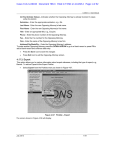
Figure 3: ESS RC 900 Temperature Controller Front Panel
13.1
Depress the Menu button on the front panel of the controller. Depress the Down
arrow until Pro9 appears in the upper display. Press the Menu button again. StEP
will be displayed in the lower display. Press the Up or Down arrow until 1 appears in
the upper display. You are now ready to program the RC 900 Controller. The
following commands can be accessed by pressing the Menu button (the command
appears in the lower display, use the Up and Down arrows to change the value of the
upper display. Press the Menu button to access the sub commands.):
StyP = Set Type, the main command which allows access to all the following
commands.
StPt = This command allows a set point to be entered
SP = Set Point (enter a value between –75° C and +100° C)
rAtE = Ramp Rate (in degrees per minute)
SoAH = Soak time
Hour = hours
Min = minutes
Sec =seconds
JMP = This command is used to repeat previous step. This is the only
command type used in step 7.
JStP = Specifies the Jump to Step number, 1 through 6.
JCnt = Specifies the number of times the controller will jump to the
jump step.
End = Step 8 is the final step and is always END.
HoLd = Commands the RC 900 to hold the final SP.
OFF = Turns the RC 900 Controller off.
Page 7 of 8