1
PolyLogic Limited
47 Old Forge Drive
West Haddon
Northampton, NN6 7ET
Tel/Fax: +44 (0) 5601 140733
[email protected]
www.polylogic.co.uk
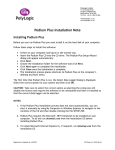
Using Online Help
Once Podium Flash is running you can view items in the Help menu at any time. To
display the online Help file press F1, choose Help ¨ Topics, or click the Help button
on the main toolbar.
User Manual
The Podium Flash User Manual is supplied on the installation CD in Adobe PDF format.
Updates
Check the Downloads section of the PolyLogic web site (www.polylogic.co.uk) for
updated versions of both the Podium Flash software and the User Manual.
Errors and Omissions
We want your experience of our software to be a good one. However, if you spot
something wrong or you think we’ve missed out a useful feature we would appreciate
it if you told us first.
Email your comments to: [email protected].
Uninstalling Podium Flash
Podium Flash can be removed from your computer by selecting the Add and Remove
Programs option within Windows Control Panel. Find Podium Flash in the list of
installed software, select it, and then click Remove.
This will remove the Podium Flash software together with its shortcuts and
configuration entries but all logged data, including any sample data provided on the
installation CD, will remain on the hard disk of the computer.
InstallationNote_v1.20
June 2007
Registered in England No. 4449122
VAT Reg. No. 796 8165 64