Transcript
Introduction
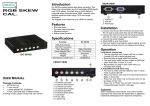
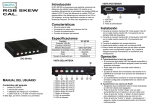
RGB SKEW
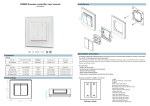
REAR VIEW
SK-101 provides perfect skew delay correction. This delay
is as a divaricately result of transmitting RGB signals over
CATS cables. The skew level in CATS cables is negligible
when distances below 150M. However skew become
significant when using CATS over longer distances.
We suggest, when distances over 150M it is needed.
1. VGA Output
Features
2. VGA Input
■ 62ns total delay
■ 2ns delay step increments
■ Memorize function
■ Button locked function
3. Power jack
Installation
1. Connect VGA IN port HD-15 female connector with
HD-15 male to male cable from device RGB signals.
2. Connect the VGA OUT port HD-15 female connector
with HD-15 male to male cable from monitor
3. Connect the power adapter.
4. Adjust RGB up and down button.
5. Push lock button to set data as original setting, so that
when the machine reboot it can keeps in this setting.
Operation
A. Lock/Unlock channel key
• The key controled lock (Locked LED on) or unlock
(llocked LED off) all skew adjusted keys.
■ Press this key to toggle switch lock/unlock.
■ The skew delay value will been written to EEPROM
when switch from "Unlock" to "Lock".
■ Recommand you keep in lock mode when you
FRONT VIEW
(SK-101)
complete skew setting.
B. Adjust/Reset R,QB skew value
■ You have to make sure that calibrator was in unlock
USER MANUAL
Package Contents
■
SK-101 Unit
1 user manual
1 power adapter DC 12V/600mA
1.
2.
3.
4.
5.
mode. (Locked LED off)
R channel up button
R channel down button
G channel up button
G channel down button
B channel up button
■
Press "UpTDown" key once for increase/decrease
2hs delay on each color.
■ Press "Up" and "Down" key on the same time for set
0ns delay on this color.
■
6. B channel down button
7. Lock button
8. Power LED
9. Locked LED
Press "Up" or "Down" key and hold 1 second, repeat
increase/decrease function continually
Trademarks:
1 VGA 1.2M cable (HD-15 Male to Male)
Any thing missed, please contact with your vendor.
-1-
All the companies, brand names, and product names
referred to this manual are the trademarks or registered
trademarks belonging to their respective companies.
-2-