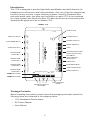
1
Features
• Powerful 400 mW (into 32 ohms) headphone amplification
• Adjustable demonstration timeout
• Automatic selection of customer audio source when connected
• Theft detection and integral alarm
• Multiple units (up to four) can be connected
Audio Sources and Customer Auto Demo
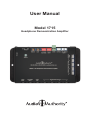
Connect a 1703 music player to the Audio Input jack as the default source. If desired,
provide a 3.5mm cord connected to the Customer Input so that customers may
use their own music players to demonstrate headphones. When audio is detected
on the Customer Input jack, the customer device is automatically selected as the
audio source. If no audio is detected on the Customer Input for 3 seconds, the 1715
switches back to the Default Input.
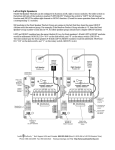
Audio Bus Out
The bus output feeds the currently selected audio input to more 1715 modules or
other audio devices in the system. Connect a 3.5mm patch cord from the first 1715
bus output to the second 1715 default Audio Input, etc. One linked system sharing a
Default Input also must share one Customer Input (do not use any Customer inputs
besides the first 1715).
Expansion Bus
Expansion Bus is a four-conductor cable that allows multiple 1715 modules to be
connected and communicate with each other. They can coordinate current product
selection as well as alarm signals and alarm reset (see Theft Detection on page 4).
The expanded system may allow one output per 1715 module to play (Module Mode),
or one output for the entire system (System Mode). Turn on Feature Switch 1 of each
1715 to activate System Mode.
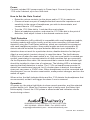
Product Select Button (PSB) Ports
Push-buttons (4-wire or 2-wire) may be used to select tracks.
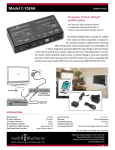
They are available in several styles and colors; pictured right is a
stainless steel button illuminated with blue LED ring.
Control Port
PSB-224 push-button. Various
cable lengths are available.
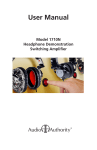
To control volume on all four outputs, connect a 1795 Visual
Volume™ Control knob (sold separately). This control option
gives visual feedback with its glow ring, its brightness indicating
volume changes; a slow pulse highlights the knob during attract
mode. Push to mute the track, and rotate knob to adjust volume.
Timeout Interval
The demo timer is initiated each time a customer selects a product
1795 Rotary Control with
output to audition. The demonstration length is set by the
black knob.
timeout switch, in 15 second increments. If the switch is set to 0,
then the automatic demonstration timeout feature is disabled.
3