1
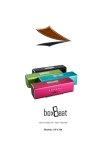
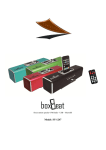
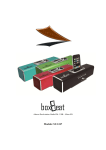
Speaker- FM Radio - USB – MicroSD Model: SY-1246 Thank you for purchasing the new Box beat speaker SY-1246. In order to fully benefit from this product, please read these instructions carefully. Store the user manual in a safe place for future reference. Care and Maintenance: Do not expose your Boxbeat to dust, moist or extreme temperatures. Do not use chemical products such as alcohol to clean the product. Clean your Boxbeat with a soft cloth damped with a drop of water. In case your Boxbeat stops to work, do not attempt to repair it by yourself. Contact the Sytech technical service department for a proper repair or exchange of the product. Do not drop any liquid on the Boxbeat as this would damage the internal circuit and the speakers. If you do not use your Boxbeat for a long time, please remove the battery from the unit and keep it safe until future use. Recharge the battery only when it has been fully discharged. Do not interrupt the charging process until the Boxbeat is fully charged. Content: 1 x. Boxbeat speaker 1 x USB power cable 1 x Line in cable 1 x Rechargeable battery 1 x User manual Functions USB port 2 USB/SD/FM: Mode function. : : Play / Pause function VOL- : Decrease volume VOL+: Increase volume : Previous track / Scan backwards : Next track / Scan forward Antenna connection Power connection Line in connection (CD, DVD) On / Off switch MicroSD slot The Boxbeat speaker is a perfect companion for listening to music while on the go. Enjoy the superb performance of Boxbeat thanks to the powerful woofer. The aluminum casing has been integrated to produce perfect resonance and at the same time a sleek design. Boxbeat is fully compatible with most of the USB pendrives and MicroSD memory cards. The Boxbeat can play up to 6 hours thanks to integrated Lithium polymer battery. It can support MP3 formats or connect an external audio device such as MP3, MP4, CD, DVD, Mobile phones, PC, etc… Thanks to the special features of Boxbeat you can now enjoy your music anywhere at any time. 3 Charging the internal battery. Make sure the battery is fully charged before starting to use the Boxbeat speaker. Connect the USB power cable (supplied) to your PC and the other end to your Boxbeat speaker. Make sure the cables are well connected. The unit can be turned to OFF or to ON as this will not vary the charging process. Charge the battery for 4 hours the first time. Later on you can charge it for 3 hours. The Boxbeat can also play and charge at the same time. When the Power is ON and music is playing, simply connect the same USB power cable to your PC or a compatible AC power adaptor 5V. Batteries have a limited life and therefore when the battery does not charge anymore, replace it for a new one. (Battery Warranty: 6 months). It is always recommended to fully charge and discharge the battery as it will help the battery to have a longer life. Do not intend to charge the battery when it is half full, at this point; wait until the battery is fully exhausted to recharge it. Playing back music through a USB. Plug in a USB pendrive and make sure MP3 files have been recorded into the flash drive. As soon as the USB has been inserted, the Boxbeat will playback the first track. Adjust the volume by pressing the VOL+ or VOL- buttons. Press the or buttons to access to the previous or next track. Press the button to pause or stop a song. Playing back music through a MicroSD memory card. Insert a MicroSD card inside the Boxbeat speaker slot. As soon as the MicroSD has been inserted, the Boxbeat will playback the first track. Adjust the volume by pressing the VOL+ or VOL- buttons. Press the or buttons to access to the previous or next track. Press the button to pause or stop a song. Note, when the USB and the Micro SD card are inserted in the same time, you will need to press the USB/SD/FM button to select the desired device you wish to play. Listening to the radio. Plug in the supplied wired antenna cable at the back of the unit. Press the USB/SD/FM button until you switch to the radio mode. To search a station, simply press the buttons until you have found the desired station. To scan automatically to the next channel, simply press and hold the buttons for approximately 2 seconds. The Boxbeat will automatically search the next available 4 radio station. The Boxbeat can also auto scan the channels and memorize them at the same time. Simply press and hold the for approximately 2 seconds and the Boxbeat will start the auto scan process. Once the scan is over, the Boxbeat will playback the first station it has in its memory. To shuffle between the different radio preset, press the buttons. Line In: Connect the line in cable to the back of your Boxbeat and the other end to your external audio device. On your Speaker, and press play on your external device to playback the desired track Adjust the volume on your external device. Note: the next and previous buttons on your Boxbeat will not work when an external device is connected. Tracks can only be forwarded or rewound through the keys of the external device. Power cable Antenna cable 5 Specifications: Compatible with USB and Micro SD Built in FM radio function with antenna LED indicator Tough aluminium casing USB power cable included Charge time:3-4hours Playback time:5-6hours Compatible audio format: MP3 (8~320Kbps) Maximum capacity : 16GB (USB / MicroSD) USB 2.0 port. Max output: 3Wx2 - 4 Ohm Line in: 3.5 jack included Frequency response:150-18000HZ Signal and Noise Ratio of Power amplifier: ≥80dB Loud speaker dimension: 45mm Battery capacity:800 mAh Power supply: 5V / 1000 mAh. Dimensions:165x60X60 mm Weight:190g For any technical assistance, please contact the Sytech technical department hotline: 902430967 DECLARATION OF CONFORMITY Manufacturer Name: Satyatrade S. L. Address: Pol. Ind. La Raya. C/ Guadalquivir, 2. Camarma de Esteruelas, 28816 Madrid Tel: 902 430 967 Fax: 91 8864285 NIF: B83254763 We declare under our own exclusive responsibility that the product: Sytech® Boxbeat SY-1246 Manufacturing country: China 6