1
Maintenance and Service
Maintenance and Service
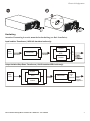
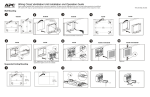
PDU Panel Replacement
See PDU Panel Installation instructions.
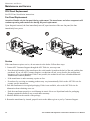
Fan Panel Replacement
Attention: Handle only the fan panel during replacement. The transformer and other components will
continue operating and remain active during fan panel replacement.
Upon fan panel removal, the fans immediately turn off; upon insertion of the new fan panel, the fans
immediately have power.
Service
If the transformer requires service, do not return it to the dealer. Follow these steps:
1. Contact APC Customer Support through the APC Web site, www.apc.com.
•
Note the model number of the transformer, the serial number located on the back of the unit, and the date
purchased. If you call APC Customer Support, a technician will ask you to describe the problem and
attempt to solve it over the phone. If this is not possible, the technician will issue a Returned Material
Authorization Number (RMA#).
•
•
If the transformer is under warranty, repairs are free.
Procedures for servicing or returning products may vary internationally. Refer to the APC Web site for
country specific instructions.
2. Pack the transformer in its original packaging. If this is not available, refer to the APC Web site for
information about obtaining a new set.
•
Pack the transformer properly to avoid damage in transit. Never use Styrofoam beads for packaging.
Damage sustained in transit is not covered under warranty.
3. Mark the RMA# on the outside of the package.
4. Return the transformer by insured, prepaid carrier to the address given to you by Customer Support.
14
APC Isolation and Step-Down Transformers 10/20 kVA User Manual