1
GasAlertMicroClip
User Manual
Resetting Gas Alarm Setpoints
Gas Alarm Setpoints
Note
The detector's gas alarm setpoints trigger the gas alarms
that are described in the table below.
To change the alarm setpoints, you must connect
the detector to the IR Link adapter and use the
GasAlertMicroClip Soft Tools software. Refer to the
GasAlertMicroClip Soft Tools manual for complete
instructions.
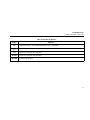
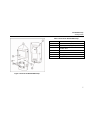
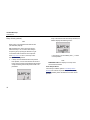
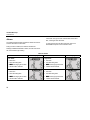
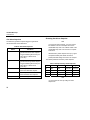
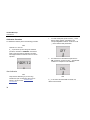
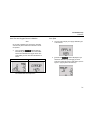
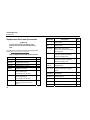
Table 8. Gas Alarm Setpoints
Alarm
Low alarm
Condition
Toxics and combustibles: Ambient
gas level above low alarm setpoint.
Standard factory alarm setpoints will vary by region.
Oxygen: Ambient gas level may be
set to above or below 20.9%
(or 20.8%).
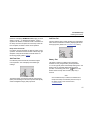
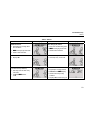
High alarm
Toxics and combustibles: Ambient
gas level above high alarm setpoint.
Oxygen: Ambient gas level may be
set to above or below 20.9%
(or 20.8%).
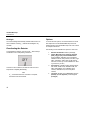
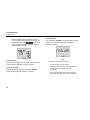
TWA alarm
Toxic only: Accumulated value
above the TWA alarm setpoint.
STEL alarm
Toxic only: Accumulated value
above the STEL alarm setpoint.
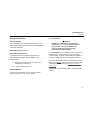
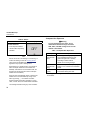
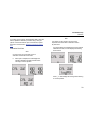
Multi-gas alarm
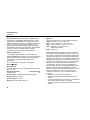
Occupational Safety and Health Association
(OSHA) standard settings are used as an example.
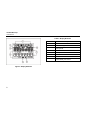
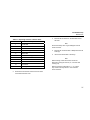
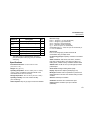
The following table lists the factory alarm setpoints.
Table 9. Sample Factory Alarm Setpoints
Low
High
O2
Gas
N/A
TWA
N/A
STEL
19.5% vol.
23.5% vol.
LEL
N/A
N/A
10% LEL
20% LEL
CO
35 ppm
50 ppm
35 ppm
200 ppm
H2S
10 ppm
15 ppm
10 ppm
15 ppm
Two or more gas alarm conditions.
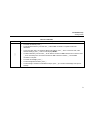
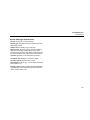
Note
You can disable an alarm by setting the alarm
setpoint to 0.
26