1
Replacing the heat sink and fan assembly
Attention
Do not open your computer or attempt any repair before reading and understanding the
“Important safety information” in the ThinkCentre Safety and Warranty Guide that came with
your computer. To obtain a copy of the ThinkCentre Safety and Warranty Guide, go to:
http://www.lenovo.com/support
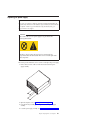
CAUTION:
The heat sink and microprocessor might be very hot. Turn off the computer and
wait three to five minutes to let the computer cool before opening the computer
cover.
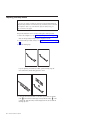
This section provides instructions on how to replace the heat sink and fan
assembly.
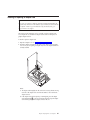
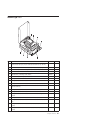
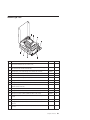
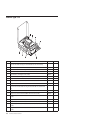
To replace the heat sink and fan assembly:
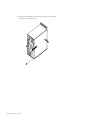
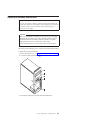
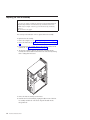
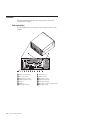
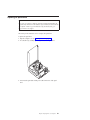
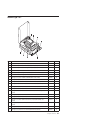
1. Open the computer cover. See “Opening the cover” on page 125.
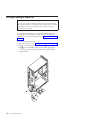
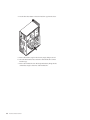
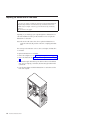
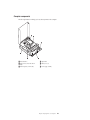
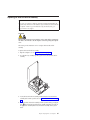
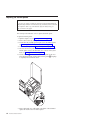
2. Pivot the drive bay assembly upward to gain access to the heat sink and fan
assembly.
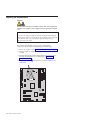
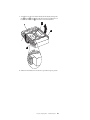
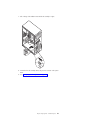
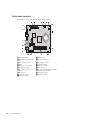
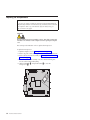
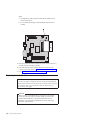
3. Locate the heat sink and fan assembly and disconnect the heat sink and fan
assembly cable from the system board. See “System board connectors” on page
124.
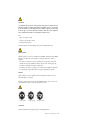
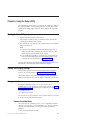
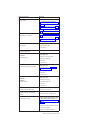
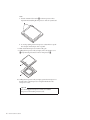
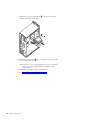
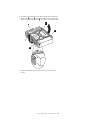
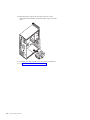
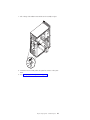
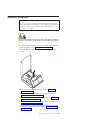
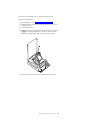
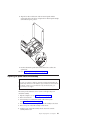
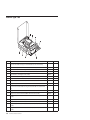
4. Remove the heat sink and fan assembly from the system board by pivoting the
lever 1 that secures the heat sink and fan assembly until the lever is fully in
the up position. Carefully lift the heat sink and fan assembly off the system
board.
Chapter 9. Replacing FRUs - 607 computers
137