1
.
1.
2.
Composition of Products .......................................................................................... 5
Name of each Part ................................................................................................... 5
2.1.
Explanation of Buttons ................................................................................. 6
2.2.
3.
Contents
LED Indication ............................................................................................ 7
Getting Started ........................................................................................................ 8
3.1.
How to Use Battery ..................................................................................... 8
3.2.
Charging of Battery ..................................................................................... 8
3.3.
Using of Battery for long .............................................................................. 9
3.4.
Getting Started of Terminal........................................................................... 9
3.4.1.
Using of Stylus ..................................................................................... 9
3.4.2.
Coordinates Control .............................................................................. 9
3.4.3.
Background ......................................................................................... 9
3.5.
How to Use Writing Recognition/Keyboard .................................................... 10
4.
5.
3.5.1.
How to Use Writing Recognition ............................................................ 11
Connection with PC ................................................................................................. 11
4.1.
ActiveSync Installation ................................................................................ 11
4.2.
SYNC with PC and Terminal......................................................................... 12
4.3
Exploration of Mobile Device ....................................................................... 13
Ethernet Cradle ....................................................................................................... 13
5.1
Charging ................................................................................................... 13
5.2
6
7
8
9
Performing of USB Sync ............................................................................. 13
Using of Scanner .................................................................................................... 14
Using of UHF RFID Reader ....................................................................................... 15
7.2
Explanation of Main Window ........................................................................ 16
7.3
Reader Setting Window ............................................................................... 17
7.4
Reading/Writing of Tag Memory ................................................................... 18
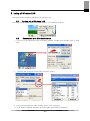
Using of Wireless LAN ............................................................................................. 22
8.1
Turning-on of Wireless LAN ........................................................................ 22
8.2
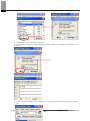
Connection with Wireless Network ................................................................ 22
8.3
Setting of Auto Profile ................................................................................ 25
8.4
Turning-off of Wireless LAN ........................................................................ 25
Environment Setting ................................................................................................ 26
9.1
Stylus ....................................................................................................... 26
9.2
Backlight .................................................................................................. 26
9.3
Date/Time ................................................................................................. 27
9.4
Power Properties ....................................................................................... 28
9.5
Button Setting ........................................................................................... 29
9.6
Manager of Repository ................................................................................ 30
9.7
Volume and Sound ..................................................................................... 30
Q&A ............................................................................................................................ 31
1.
Scanner ................................................................................................................. 31
2.
Power.................................................................................................................... 32
3.
Wireless LAN .......................................................................................................... 33
2