1
Palasso
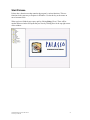
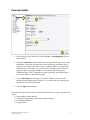
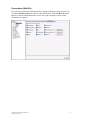
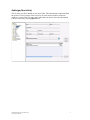
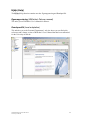
Palasso is a web-based system linked to the salary system. You access the system
through this link: https://palweb3.ds.palasso.com:8306/palasso
Palasso is intended for:
•
Self-reporting by administrative staff of salary events such as time off
(holidays, VAB (leave for care of sick child), paid time off), extras (overtime
and extra hours) and sick leave shorter than 8 days
•
Self-reporting by teaching staff of salary events such as time off (VAB (leave
for care of sick child), paid time off), extras (overtime and extra hours) and sick
leave shorter than 8 days
•
Attestation of self-reported salary events
•
Viewing one’s own salary specification, income statements and various
balances, e.g. remaining holiday entitlement.
A special quick reference guide exists for making attestations in Palasso.
In order to be able to use Palasso, you must have a correct and current type of
employment in the program.
If you have any questions about Palasso, you are very welcome to contact the Personnel
Department.
Exemptions from registering absence and sick leave
You must not use Palasso in any of the following situations:
¾ Ill for a long period (more than 7 days) full-time or part-time.
¾ Currently on parental leave with benefit paid by the Swedish Social Insurance
Agency (Försäkringskassan).
In either of these two cases you must use the appropriate forms that you fill in by hand
to report absence and sick leave. You report extra (overtime and extra hours) in Palasso.
This Quick Reference will show you how to report different salary events in a series of
simple steps. If you are on partial leave of absence please refer to the User’s Manual,
that describes how to self-report in more detail.
Quick Reference, Palasso, 2007-10-22
University of Skövde
3