1
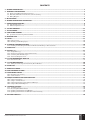
CONTENTS
1. GENERAL INFORMATION...............................................................................................................................................................5
2. TECHNICAL SPECIFICATIONS........................................................................................................................................................5
2.1. Electrical and Mechanical Characteristics.............................................................................................................................................................5
2.2. Main Unit, LED Indicator and Connector Functionality...................................................................................................................................... 6
2.3. Wiring Diagram..........................................................................................................................................................................................................7
3.INSTALLATION...............................................................................................................................................................................8
4. GENERAL OPERATIONAL DESCRIPTION.......................................................................................................................................9
5. CONFIGURATION METHODS..........................................................................................................................................................9
5.1. SMS Text Messages................................................................................................................................................................................................. 9
5.2. LDES Configuration Tool......................................................................................................................................................................................... 9
6. SYSTEM LANGUAGE.....................................................................................................................................................................12
7. SMS PASSWORD...........................................................................................................................................................................12
8. USER PHONE NUMBERS..............................................................................................................................................................13
8.1. System Control from any Phone Number........................................................................................................................................................... 14
9. DATE AND TIME...........................................................................................................................................................................15
10.INPUTS.......................................................................................................................................................................................15
10.1. Pulse Counter....................................................................................................................................................................................................... 16
10.2. Disabling and Enabling Inputs........................................................................................................................................................................... 16
11. ALARM/RESTORE NOTIFICATIONS............................................................................................................................................18
11.1. Enabling and Disabling Alarm/Restore Notification Delivery to All Listed Users..................................................................................... 21
12. AUDIO FILES...............................................................................................................................................................................22
13. OUTPUT (-S)...............................................................................................................................................................................22
13.1. Output Name (-s)................................................................................................................................................................................................. 22
13.2. Output Control by Free of Charge Phone Call................................................................................................................................................. 23
13.3. Control by SMS Text Message............................................................................................................................................................................ 28
13.4. Automatic Output Control.................................................................................................................................................................................. 31
14. SYSTEM INFORMATION. INFO SMS............................................................................................................................................37
14.1. Periodic Info SMS................................................................................................................................................................................................. 37
15. SYSTEM NOTIFICATIONS.......................................................................................................................................................... 38
15.1. SMSC (Short Message Service Center) Phone Number.................................................................................................................................38
16. EVENT LOG.................................................................................................................................................................................39
17. REMOTE LISTENING.................................................................................................................................................................. 40
18. GPRS NETWORK SETTINGS...................................................................................................................................................... 40
19. MONITORING STATION...............................................................................................................................................................41
19.1. Data Messages - Events..................................................................................................................................................................................... 41
19.2.Communication.................................................................................................................................................................................................... 41
20. PROJECT EXAMPLES AND CONFIGURATION............................................................................................................................. 45
20.1. Using in Enterprises............................................................................................................................................................................................ 45
20.2. Using in a Private House....................................................................................................................................................................................49
20.3. Using with Heating System and Flood Detector............................................................................................................................................ 51
20.4. Using for Breakdown Reports........................................................................................................................................................................... 53
21. TECHNICAL SUPPORT................................................................................................................................................................56
21.1.Troubleshooting.................................................................................................................................................................................................. 56
21.2. Restoring Default Parameters.......................................................................................................................................................................... 56
21.3. Updating the Firmware via USB Cable............................................................................................................................................................. 56
21.4. Updating the Firmware via GPRS Connection Remotely.............................................................................................................................. 57
22. RELATED PRODUCTS................................................................................................................................................................ 58
ESIM251/ESIM252 User Manual v.2.0
EN
3