1
Programming
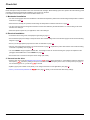
First power-up
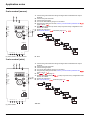
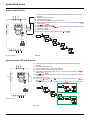
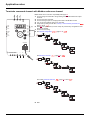
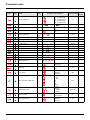
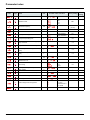
At first power-up you are prompted to set Standard motor frequency bFr page 45. Next time power is applied rdY appears. Operating
mode selection is then possible using the MODE key as detailed below.
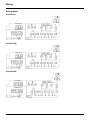
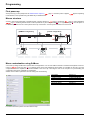
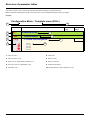
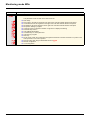
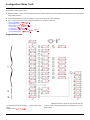
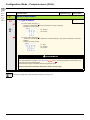
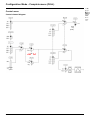
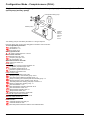
Menus structure
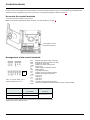
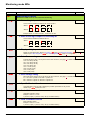
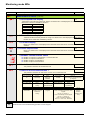
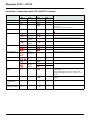
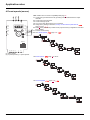
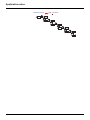
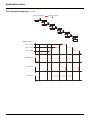
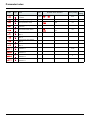
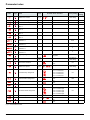
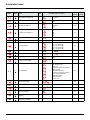
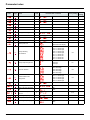
Access to menus and parameters is possible through 3 modes: Reference rEF page 37, Monitoring MOn page 38 and Configuration
COnF page 44. Switching between these modes is possible at any time using the MODE key or Jog Dial on keyboard. The first press on
the MODE key moves from the current position to the top of the branch. A second press switches to the next mode.
[LOCAL configuration]
[REMOTE configuration]
MODE
ESC
3s
rEN
LOC
MODE
ESC
3s
35.
ESC
ESC
rEF
rdY
2s
rdY
MODE
[SPEED REFERENCE]
MOn
ENT
[Analog input virtual
(Hz)]
ESC
MODE
[MONITORING]
COnF
MODE
[CONFIGURATION]
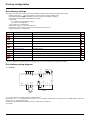
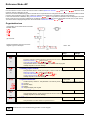
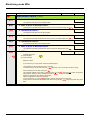
Menu customization using SoMove
ATV12 factory settings enable drive operation with most applications. You can use SoMove software to customize the "MyMenu" and FULL
menus of COnF mode (see page 44), by selecting which menus and parameters will be hidden or accessible for the user. Once the
configuration has been adjusted, it can be downloaded to the ATV12 by connecting the drive to the computer or by downloading the
configuration through the multiloader or simpleloader.
SoMove can be used to operate the drive for testing and commissioning.
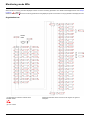
Description
SoMove
USB/RJ45 cable
Simple-loader tool
Multi-loader tool
Bluetooth adapter
References
TCSMCNAM3M002P
VW3A8120
VW3A8121
VW3A8114
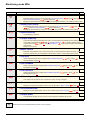
For further information, please consult the SoMove help.
34
BBV28581 05/2010