1
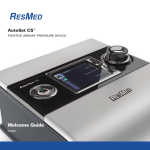
VPAP™ COPD NONINVASIVE VENTILATOR H5i™ HEATED HUMIDIFIER ClimateLine™ / ClimateLineMAX™ / ClimateLineMAX™ Oxy / SlimLine™ / Standard AIR TUBING Information Guide English Please read the entire Information and Welcome Guides before using your device. CAUTION In the US, Federal law restricts this device to sale by or on the order of a physician. VPAP COPD indications for use The VPAP COPD is indicated to provide noninvasive ventilation for patients weighing more than 30 lbs (13 kg) with respiratory insufficiency such as that associated with hypercapnic chronic obstructive pulmonary disease (COPD) or obstructive sleep apnea (OSA). The VPAP COPD is intended for home and hospital use. Note: COPD is defined as per the GOLD classification (Global Initiative for Chronic Obstructive Lung Disease) and hypercapnia as CO2 > 45 mm Hg. VPAP COPD contraindications Positive airway pressure therapy may be contraindicated in some patients with the following preexisting conditions: severe bullous lung disease pneumothorax or pneumomediastinum pathologically low blood pressure, particularly if associated with intravascular volume depletion dehydration cerebrospinal fluid leak, recent cranial surgery, or trauma. English 1 VPAP COPD adverse effects Patients should report unusual chest pain, severe headache, or increased breathlessness to their prescribing physician. An acute upper respiratory tract infection may require temporary discontinuation of treatment. The following side effects may arise during the course of therapy with the device: drying of the nose, mouth, or throat nosebleed bloating ear or sinus discomfort eye irritation skin rashes. H5i indications for use The H5i is indicated for the humidification of the air delivered from a CPAP or bilevel device. The H5i is for use only as recommended by a physician. The H5i is intended for single patient re-use in the home environment and re-use in a hospital/institutional environment. H5i contraindications The H5i is contraindicated for use with patients whose upper (supraglottic) airway has been bypassed. Troubleshooting If there is a problem, try the following suggestions. If the problem cannot be solved, contact your equipment supplier or ResMed. Do not attempt to open the device or the H5i enclosure. Problem/Possible cause Solution No display Power is not connected. Ensure the power cord is connected and the power outlet (if available) is on. The DC plug is partially inserted into the back of the device or inserted too slowly. Fully insert the DC plug. The VPAP COPD and H5i are not Ensure that the VPAP COPD and H5i are securely attached. connected correctly. 2 Problem/Possible cause Solution Insufficient air delivered from the device Ramp time is in use. Wait for air pressure to build up or change ramp time. Air filter is dirty. Replace air filter. Air tubing is not connected properly. Check air tubing. Air tubing is blocked, pinched or punctured. Unblock or free the air tubing. Check the air tubing for punctures. Mask and headgear are not positioned correctly. Adjust position of mask and headgear. Incorrect air tubing selected. If you are using the SlimLine, Standard or 3 m air tubing ensure that you have the correct air tubing selected via the menu. The H5i flip lid is not latched correctly. Close the flip lid ensuring that it clicks into place. The H5i flip lid seal is not fitted correctly. Make sure the flip lid seal is facing the right way up and fitted securely. Non-vented mask is used. Only use a vented mask. Mask vents might be blocked. Check if you have sufficient venting. Unblock mask vents if necessary. EPAP may be set too low. Talk to your clinician about your settings. Device does not start when you breathe into the mask Breath is not deep enough to trigger SmartStart/Stop. Take a deep breath in and out through the mask. SmartStart/Stop is disabled because the High Leak or Low Minute Ventilation alarm is enabled. Press Start/Stop to start therapy. English 3 Problem/Possible cause Solution SmartStart/Stop is disabled because Confirm Stop is enabled. Press Start/Stop to start therapy. SmartStart/Stop is disabled. Talk to your clinician about enabling the SmartStart/Stop feature. There is excessive leak. Adjust position of mask and headgear. Connect the air tubing firmly at both ends. Device does not stop when you remove your mask SmartStart/Stop is disabled because the High Leak or Low Minute Ventilation alarm is enabled. Press Start/Stop to stop therapy. SmartStart/Stop is disabled because Confirm Stop is enabled. A message appears on the screen. To stop therapy, select Yes and press the Push Dial. SmartStart/Stop is disabled. Talk to your clinician about enabling the SmartStart/Stop feature. SmartStart/Stop is enabled but the device does not stop automatically when you remove your mask Incompatible mask system being used. Only use equipment recommended by ResMed. Incorrect mask setting being used. Check the selected mask type in the Setup menu. Change it if necessary. The patient is using a nasal pillows mask with a set pressure less than 6 cm H2O. Disable SmartStart/Stop. The patient is using a pediatric mask with a set pressure less than 8 cm H2O. Disable SmartStart/Stop. 4 Problem/Possible cause Solution Pressure rises inappropriately Talking, coughing or breathing in an unusual manner. Avoid talking with a nasal mask on, and breathe as normally as possible. Mask cushion is buzzing against the skin. Adjust the headgear. Cushion seated incorrectly causing excessive leak. Adjust headgear or re-fit cushion. Displays message: Heated tube fault, replace tube Device has been left in a hot environment. Allow to cool before re-use. Disconnect the power cord and then reconnect it to restart the device. There is a fault in your ClimateLine, ClimateLineMAX or ClimateLineMAX Oxy heated air tubing. Discontinue using your ClimateLine, ClimateLineMAX or ClimateLineMAX Oxy heated air tubing and contact your clinician/service provider. Use SlimLine, Standard or 3 m air tubing in the interim. Displays message: Humidifier fault, replace humidifier Device has been left in a hot environment. Allow to cool before re-use. Disconnect the power cord and then reconnect it to restart the device. There is a fault in your humidifier. Discontinue using your humidifier and contact your clinician/service provider. Refilling the humidifier with cold Allow to cool before re-use. Ensure the humidifier is filled with water while humidifier is still hot water before the start of therapy to avoid running out of water after therapy. during therapy. Filling the humidifier with ice cold water on a warm day or with hot water. Use room temperature water. Displays message: High temperature fault, refer to user manual Device has been left in a hot environment. Allow to cool before re-use. Disconnect the power cord and then reconnect it to restart the device. English 5 Problem/Possible cause Solution Air filter is blocked. Replace your air filter. Disconnect the power cord and then reconnect it to restart the device. Air tubing is blocked. Check your air tubing and remove any blockages. Disconnect the power cord and then reconnect it to restart the device. Humidity level setting is too high, resulting in accumulation of water in the air tubing. Turn the humidity level setting down and empty the water from the air tubing. Displays message: Check ResMed 30/90W Power Supply Unit and fully insert the connector The DC plug is partially inserted into the back of the device or inserted too slowly. Fully insert the DC plug. A non-ResMed power supply unit is connected to the device. Remove the power supply unit and replace with a ResMed power supply unit. The power supply unit is being covered by bedding. Make sure that the power supply unit is free from bedding, clothes or other objects that could cover it. The following message is displayed on the LCD after you try to update settings or copy data to the SD card: Card error, please remove SD card and contact service provider SD card is not inserted correctly. Ensure that the SD card is inserted correctly. You may have removed the SD card before settings were copied to the device. Reinsert the SD card and wait for the Home screen or the "Settings updated successfully, press any key" message to appear on the LCD. Note: This message only appears once. If you re-insert the SD card after you have updated your settings, the message will not be redisplayed. The following message is NOT displayed on the LCD after you try to update the settings using the SD card: Settings updated successfully, press any key The settings were not updated. 6 Contact your clinician/service provider immediately. Problem/Possible cause Solution Water splashing on your face from the H5i The water tub is overfilled. Check that the water level is below the maximum water level mark. Condensation is forming in the air tubing and mask. Turn the humidity level setting down via the menu. Leaking water tub The water tub may be damaged or cracked. Contact your service provider for a replacement. The cleanable water tub is not assembled correctly. Check for damage and reassemble the cleanable water tub correctly. Air feels too warm/cold in the mask The temperature of the ClimateLine, ClimateLineMAX or ClimateLineMAX Oxy heated air tubing is set too high/low. Turn up/down the heated air tubing temperature via the menu. Alarms If the system has not been properly assembled, the device will trigger an alarm. Check that the air tubing has been properly attached to the device and mask (and humidifier if used). Problem/Possible cause Solution Alarm is activated and the LCD screen display disappears Power failure. Remove your mask until power is restored. Power cord is disconnected or mains power switch is turned off during therapy. Ensure the power cord is connected and the mains power switch (if available) is on. English 7 Problem/Possible cause Solution Displays message: High leak, please check system setup and all connections There is excessive leak. Adjust position of mask and headgear. Connect the air tubing firmly at both ends. If you use the ClimateLineMAX Oxy, check if the cap of the oxygen connector is attached firmly. Displays message: No tube, please check your tube is connected Flow is high because air tubing is not connected properly. Note: The tube disconnection check may not operate when an antibacterial filter is used. Connect the air tubing firmly at both ends. Displays message: Tube blocked, please check your tube Air tubing is blocked. Check your air tubing and remove any blockages. Disconnect the power cord and then reconnect it to restart the device. Displays message: Please close H5i flip lid, attach tube and press any key. H5i flip lid is not closed. Close the flip lid ensuring that it clicks into place. Air tubing is not connected properly. Connect firmly at both ends. Displays message: No SpO2 data, check oxi sensor attachment to module/finger Oximeter sensor is not attached properly. Ensure that the oximeter sensor is attached properly to the module and the patient's finger. Oximeter sensor might be faulty. If the message appears repeatedly but the oximeter is attached properly to the module and the patient's finger, the oximeter sensor might be faulty. Contact your service provider or exchange the oximeter. Displays message: Non-vented mask, use vented mask or unblock mask vents Non-vented mask is used. 8 Only use a vented mask. Problem/Possible cause Solution Mask vents might be blocked. Check if you have sufficient venting. Unblock mask vents if necessary. A low EPAP in conjunction with Talk to your clinician about your settings. supplemental oxygen may result in false triggering of this alarm on a vented mask. Displays message: No oximeter, check/connect oximeter adapter Oximeter adapter is not attached properly. Ensure that the oximeter adapter is attached properly. Oximeter adapter might be faulty. If the message appears repeatedly but the oximeter adapter is attached properly, the oximeter adapter might be faulty. Contact your service provider. Displays message: Alarm module fault, please contact service provider General failure of the device and/or the alarm module. Contact your service provider immediately. Therapy cannot be started again. General technical specifications Power supply 90W power supply unit Input range: 100–240V, 50–60Hz, 115V, 400Hz nominal for aircraft use Typical power consumption: 70W (80VA) Maximum power consumption: 110W (120VA) 30W power supply unit Input range: 100–240V, 50–60Hz, 115V, 400Hz nominal for aircraft use Typical power consumption: 20W (40VA) Maximum power consumption: 36W (75VA) 90W DC/DC converter Nominal inputs: 12V, 24V Typical power consumption: 70W Maximum power consumption: 110W English 9 Environmental conditions Aircraft use Electromagnetic compatibility IEC 60601-1 classification Operating temperature: 41°F to 95°F (+5°C to +35°C) Note: The air flow for breathing produced by this therapy device can be higher than the temperature of the room. Under extreme ambient temperature conditions (104ºF / 40ºC) the device remains safe. Operating humidity: 10 to 95% non-condensing Operating altitude: Sea level to 8,500' (2,591 m); air pressure range 1013 hPa to 738 hPa Storage and transport temperature: -4°F to 140°F (-20°C to +60°C) Storage and transport humidity: 10 to 95% non-condensing ResMed confirms that the device/s meets the Federal Aviation Administration (FAA) requirements (RTCA/DO-160, section 21, category M) for all phases of air travel. Product complies with all applicable electromagnetic compatibility requirements (EMC) according to IEC60601-1-2, for residential, commercial and light industry environments. It is recommended that mobile communication devices are kept at least 1 m away from the device. Information regarding the electromagnetic emissions and immunity of this ResMed device can be found on www.resmed.com, on the Products page under Service and Support. Click on the PDF file for your language. Class II (double insulation), Type BF, Ingress protection IP21 VPAP COPD technical specifications Mode pressure ranges Maximum single fault pressure 10 CPAP mode Set Pressure: 4–20 cm H2O S mode IPAP: 4–30 cm H2O; EPAP: 3–25 cm H2O Maximum single fault steady state pressure: 30 cm H2O—if pressure exceeded for > 6 sec; 40 cm H2O—if pressure exceeded for >1 sec Physical Air filter Sound DECLARED DUAL-NUMBER NOISE EMISSION VALUES in accordance with ISO 4871:1996 Alarm volume settings Supplemental oxygen Nominal dimensions (L x W x H): 6.0" x 6.8" x 3.4" (153 mm x 172 mm x 86 mm) Weight: 2.3 lbs (1.04 kg) Housing construction: Flame retardant engineering thermoplastic Air outlet: 22 mm conical air outlet (complies with ISO 5356-1:2004) Hypoallergenic air filter: Acrylic and polypropylene fibers in a polypropylene carrier Standard air filter: Polyester non-woven fiber Pressure level (CPAP mode) With SlimLine air 26 dBA with uncertainty of 2 dBA as measured according tubing: to ISO 17510 1:2007 With Standard air 27 dBA with uncertainty of 2 dBA as measured according tubing: to ISO 17510 1:2007 With either SlimLine 28 dBA with uncertainty of 2 dBA as measured according or Standard air to ISO 17510 1:2007 tubing and H5i: Power level (CPAP mode) With SlimLine air 34 dBA with uncertainty of 2 dBA as measured according tubing: to ISO 17510 1:2007 With Standard air 35 dBA with uncertainty of 2 dBA as measured according tubing: to ISO 17510 1:2007 With either SlimLine 36 dBA with uncertainty of 2 dBA as measured according or Standard air to ISO 17510 1:2007 tubing and H5i: Low (nominal 56 dBA), Medium (nominal 68 dBA), High (nominal 80 dBA) Recommended maximum supplemental oxygen flow: 15 L/min (CPAP, S) English 11 H5i technical specifications Temperature Physical Materials Maximum heater plate temperature: 150°F (65°C) Temperature cut-out: 165°F (74°C) Maximum gas temperature: 106°F ( 41°C) Dimensions (L x W x H): 6.0" x 5.7" x 3.4" (153 mm x 145 mm x 86 mm) Weight (standard water tub): Docking station and unfilled water tub 1.52 lb (0.69 kg) Weight (cleanable water tub): Docking station and unfilled water tub 1.74 lb (0.79 kg) Water capacity: To maximum fill line 380 mL Docking station: Flame retardant engineering thermoplastic, aluminium Water tub: Injection molded plastic, aluminium and thermoplastic elastomer Cleanable water tub: Injection molded plastic, stainless steel and silicone seal Air tubing technical specifications Air tubing ClimateLine heated air tubing Material Flexible plastic and electrical components Flexible plastic and electrical ClimateLineMAX heated air components tubing ClimateLineMAX Oxy heated air Flexible plastic and electrical components tubing SlimLine air tubing Flexible plastic Standard air tubing Flexible plastic 3 m air tubing Flexible plastic Heated air tubing temperature cut-out: 106°F ( 41°C) 12 Length 6'6" (2 m) Inner diameter 0.6" (15 mm) 6'3" (1.9 m) 0.75" (19 mm) 6'3" (1.9 m) 0.75" (19 mm) 6' (1.8 m) 6'6" (2.0 m) 9'10" (3.0 m) 0.6" (15 mm) 0.75" (19 mm) 0.75" (19 mm) Notes: The manufacturer reserves the right to change these specifications without notice. The temperature and relative humidity settings displayed for Climate Control are not measured values. Check with your clinician/service provider before using the SlimLine air tubing with devices other than the S9 or H5i. The electrical connector end of the heated air tubing is only compatible with the H5i air outlet and should not be fitted to the device or mask. When using the SlimLine or ClimateLine above 20 cm H2O, the device optimum performance may not be reached if used with an antibacterial filter. The device performance must be checked prior to prescribing the SlimLine for use with an antibacterial filter. The ClimateLine, ClimateLineMAX or ClimateLineMAX Oxy are designed only for use with the H5i. Humidifier performance The following settings have been tested at 71.6°F (22°C) ambient temperature: Mask pressure RH output % Nominal system output AHa, BTPSb cm H2O Setting 3 Setting 6 Setting 3 Setting 6 3 90 100 10 18 10 95 100 11.5 21 20 95 100 11 18 25 100 100 12 13.5 a. AH - Absolute Humidity in mg/L. b. BTPS - Body Temperature Pressure Saturated. English 13 Pneumatic flow path 1. Flow sensor 2. Blower 3. Pressure sensor 4. Mask 5. Air tubing 6. H5i 7. Alarm module 8. Device 9. Inlet filter Flow (maximum) at set pressures The following are measured at the end of the specified air tubing: Pressure, cm H2O VPAP COPD and VPAP COPD, H5i VPAP COPD and Standard, L/min and Standard, SlimLine, L/min L/min 4 200 170 195 8 200 170 190 12 200 170 184 16 200 170 175 20 190 170 168 25 180 161 144 14 VPAP COPD, H5i and ClimateLine, L/min 170 170 170 170 161 125 Displayed values Value Range Display resolution Pressure sensor at air outlet Mask pressure Flow derived values Leak Tidal volume Respiratory rate Minute ventilation Ti I:E ratio 3–30 cm H2O 0.1 cm H2O 0–200 L/min 0–4000 mL 0–50 BPM 0–30 L/min 0.1–4.0 sec 1:50–2:1 1 L/min 1 mL 1 BPM 0.1 L/min 0.1 sec 0.1 Value Accuracya Pressure measurementa Mask pressure Flow measurementsa Leakb ±0.5 cm H2O (+4% of measured value) ±12 L/min or 20% of reading, whichever is greater, at 0 to 60 L/min Tidal volumeb.c ±20% Respiratory rateb,c ±1 BPM Minute ventilationb, c ±20% a. Results are expressed at ATPD (Ambient Temperature and Pressure, Dry). b. Accuracy may be reduced by the presence of leaks, supplemental oxygen, tidal volumes <100 mL or minute ventilation <3 L/min. c. Measurement accuracy verified as per ISO 10651-6:2004 for Home Care Ventilatory Support Devices (Figure 101 and Table 101) using nominal ResMed mask vent flows. English 15 Symbols The following symbols may appear on your product or packaging. Caution; Read instructions before use; vertically dripping water; Manufacturer; code; Catalogue number; Alarm mute key; Serial number; Follow instructions for use; Start/Stop; European RoHS; Batch Direct current; Lock/unlock; China pollution control logo 2; Not drip proof; Not for use on more than one patient.; Disinfectable up to 200°F (93°C); tub to fill; Class II equipment; European Authorized Representative; China pollution control logo 1; dry; Protection against insertion of fingers and against Type BF equipment; Keep Maximum water level; Use distilled or deionized water only.; Remove Prescription only (In the US, Federal law restricts these devices to sale by or on the order of a physician.); Environmental information WEEE 2002/96/EC is a European Directive that requires the proper disposal of electrical and electronic equipment. This device should be disposed of separately, not as unsorted municipal waste. To dispose of your device, you should use appropriate collection, reuse and recycling systems available in your region. The use of these collection, reuse and recycling systems is designed to reduce pressure on natural resources and prevent hazardous substances from damaging the environment. If you need information on these disposal systems, please contact your local waste administration. The crossed-bin symbol invites you to use these disposal systems. If you require information on collection and disposal of your ResMed device please contact your ResMed office, local distributor or go to www.resmed.com/environment. Servicing The VPAP COPD and H5i are intended to provide safe and reliable operation when operated in accordance with the instructions provided by ResMed. ResMed recommends that the VPAP COPD and H5i be inspected and serviced by an authorized ResMed Service Center if there is any sign of wear or concern with device function. Otherwise, service and inspection of the devices generally should not be required during the five year design life of the device. 16 Limited warranty ResMed Ltd (hereafter 'ResMed') warrants that your ResMed product shall be free from defects in material and workmanship from the date of purchase for the period specified below. Product Warranty period Mask systems (including mask frame, cushion, headgear and 90 days tubing)—excluding single-use devices Accessories—excluding single-use devices Flex-type finger pulse sensors Humidifier water tubs Batteries for use in ResMed internal and external battery 6 months systems Clip-type finger pulse sensors 1 year CPAP and bilevel device data modules Oximeters and CPAP and bilevel device oximeter adapters Humidifier cleanable water tubs Titration control devices CPAP, bilevel and ventilation devices (including external 2 years power supply units) Humidifiers Battery accessories Portable diagnostic/screening devices This warranty is only available to the initial consumer. It is not transferable. If the product fails under conditions of normal use, ResMed will repair or replace, at its option, the defective product or any of its components. This Limited Warranty does not cover: a) any damage caused as a result of improper use, abuse, modification or alteration of the product; b) repairs carried out by any service organization that has not been expressly authorized by ResMed to perform such repairs; and c) any damage or contamination due to cigarette, pipe, cigar or other smoke. Warranty is void on product sold, or resold, outside the region of original purchase. Warranty claims on defective product must be made by the initial consumer at the point of purchase. This warranty replaces all other expressed or implied warranties, including any implied warranty of merchantability or fitness for a particular purpose. Some regions or states do not allow limitations on how long an implied warranty lasts, so the above limitation may not apply to you. ResMed shall not be responsible for any incidental or consequential damages claimed to have English 17 resulted from the sale, installation or use of any ResMed product. Some regions or states do not allow the exclusion or limitation of incidental or consequential damages, so the above limitation may not apply to you. This warranty gives you specific legal rights, and you may also have other rights which vary from region to region. For further information on your warranty rights, contact your local ResMed dealer or ResMed office. WARNINGS Read the entire manual before using the device. Use the device only as directed by your physician or healthcare provider. Use the device only for the intended use as described in this manual. Advice contained in this manual should not supersede instructions given by the prescribing physician. If you notice any unexplained changes in the performance of the device, if it is making unusual or harsh sounds, if the device or the power supply are dropped or mishandled, if water is spilled into the enclosure, or if the enclosure is broken, discontinue use and contact your ResMed Service Center. Beware of electrocution. Do not immerse the device, humidifier, power supply or power cord in water. In the event of a spill, disconnect the device from the power supply and let the parts dry. Always unplug the device before cleaning and make sure that all parts are dry before plugging in the device. Explosion hazard—do not use in the vicinity of flammable anesthetics. Make sure the power cord and plug are in good condition and the equipment is not damaged. Keep the power cord away from hot surfaces. The device should only be used with masks (and connectors1) recommended by ResMed, or by a physician or respiratory therapist. A mask should not be used unless the device is turned on. Once the mask is fitted, ensure that the device is blowing air. The vent hole or holes associated with the mask should never be blocked. Explanation: The device is intended to be used with special masks (or connectors) which have vent holes to allow continuous flow of air out of the mask. When the device is turned on and functioning properly, new air from the device flushes the exhaled air out through the mask vent holes. However, when the device is not operating, insufficient fresh air will be provided through the mask, and the exhaled air may be rebreathed. Rebreathing of exhaled air for longer than several minutes can, in some circumstances, lead to suffocation. This applies to most models of CPAP or bilevel devices. 1 Ports may be incorporated into the mask or in connectors that are near the mask. 18 Oxygen supports combustion. Oxygen must not be used while smoking or in the presence of an open flame. Always ensure that the device is turned on and airflow generated before the oxygen supply is turned on. Always turn the oxygen supply off before the device is turned off, so that unused oxygen does not accumulate within the device enclosure and create a risk of fire. Do not operate the H5i if it is not working properly or if any part of the bilevel device or H5i has been dropped or damaged. Do not leave long lengths of air tubing around the top of your bed. It could twist around your head or neck while you are sleeping. Do not use electrically conductive or antistatic air tubings. Do not use the air tubing if there are any visible signs of damage. Only ResMed air tubing and accessories should be used with the device. A different type of air tubing or accessory may alter the pressure you actually receive, reducing the effectiveness of the treatment. Only use the ResMed 90W or 30W power supply unit. Use the 90W power supply unit to power the system comprising the device, H5i, air tubing, DC/DC converter and battery pack. The 30W power supply unit is designed to power the device only and recommended for travelling. Only ResMed products are designed to be connected to the module connector port. Connecting other devices could damage the device. Blocking the air tubing and/or air inlet of the device while in operation could lead to overheating of the device. CAUTIONS Do not open the device enclosure. There are no user serviceable parts inside. Repairs and servicing should only be performed by an authorised ResMed service agent. Do not use bleach, chlorine, alcohol, or aromatic-based solutions, moisturizing or antibacterial soaps or scented oils to clean the device, humidifier or air tubing. These solutions may cause damage and reduce the life of these products. Incorrect system setup may result in incorrect mask pressure reading. Ensure the system is correctly set up. Be careful not to place the device where it can be bumped or where someone is likely to trip over the power cord. English 19 Make sure that the area around the device is dry and clean and clear of bedding, clothes or other objects that could block the air inlet or cover the power supply unit. Ensure that the device is protected against water if used outdoors. Enclose the device in the S9 travel bag for transport. Do not open the H5i enclosure. There are no user serviceable parts inside. Repairs and servicing should only be performed by an authorised ResMed service agent. The H5i should only be used with tubing or accessories recommended by ResMed. Connection of other delivery tubes or accessories could result in injury, or damage to the device. Do not overfill the water tub as water may enter the device and air tubing. Do not use any additives (eg, scented oils or perfumes). These may reduce the humidification output of the H5i and/or cause deterioration of the water tub materials. Take care when handling your H5i as the water/water tub may be hot. Allow 10 minutes for the heater plate and any excess water to cool. The H5i should only be connected or disconnected when the water tub is empty. Make sure that the water tub is empty before transporting the H5i. Do not operate the H5i on an aircraft as water may enter the bilevel device and air tubing during turbulence. Always place the H5i on a level surface below the level of the user to prevent the mask and tubing from filling with water. If liquids are inadvertently spilled into or on the H5i, unplug the device from the power outlet. Disconnect the H5i from the device and allow the H5i to drain and dry before re-using. Manufacturer: ResMed Ltd 1 Elizabeth Macarthur Drive Bella Vista NSW 2153 Australia. Distributed by: ResMed Corp 9001 Spectrum Center Boulevard San Diego CA 92123 USA. ResMed (UK) Ltd 96 Milton Park Abingdon Oxfordshire OX14 4RY UK. See www.resmed.com for other ResMed locations worldwide. For patent information, see www.resmed.com/ip. S9, H5i, ClimateLine, SlimLine, SmartStart and VPAP are trademarks of ResMed Ltd. S9, ClimateLine, SlimLine, SmartStart and VPAP are registered in U.S. Patent and Trademark Office. © 2012 ResMed Ltd. 368839/1 2012-12 Global leaders in sleep and respiratory medicine www.resmed.com