1
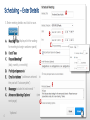
Scheduling – Advanced Options
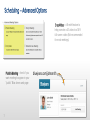
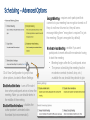
Encrypt Meeting – requires each participant that
connects to your meeting has encryption turned on. If
they do not have it turned on, they will see a
message telling them “encryption is required” to join
the meeting. (Skype is encrypted by default)
Click View Configuration to jump to two
other options, located in Room Settings:
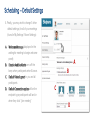
Disable Audible Alerts – turns off the alert
tone when participants arrive or leave the
meeting. Note: you can disable alerts in
the middle of the meeting.
Disable Video Animations – disables the
active speaker’s animated video
thumbnail (not recommended ).
Moderator-less Meeting – enable if you want
participants to meet without the moderator having
to start the meeting:
• Meeting begins after first 2 participants arrive.
• The person scheduling the meeting has the
moderator controls (mute all, drop, etc.)
available for use, should they decide to join.