1
How to configure
an SNMP-enabled
Uninterruptable Power Supply
with DSS V6
Software Version: DSS ver. 6.00 up10
Presentation updated: September 2010
How to configure an SNMP-enabled UPS
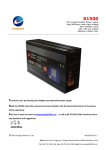
Example configuration with UPS ONLINE model XANTO S1500
Please read your UPS Web/SNMP
Manager user manual and
configure the IP address of the
network adapter.
In this presentation, the UPS
network adapter IP address will be
set to 192.168.0.251.
www.open-e.com
2
How to configure an SNMP-enabled UPS
TO CONFIGURE THE SNMP – ENABLED UPS, THE FOLLOWING STEPS
NEED TO BE PERFORMED:
1.
Configure the UPS Network Adapter
2.
Configuring UPS support in DSS V6
3.
Testing Online and On-Battery mode
NOTE:
You must be using DSS V6 up10 build 3719 or newer.
www.open-e.com
3
How to configure an SNMP-enabled UPS
1. Configure the UPS Network Adapter
Enter the WebGUI of the UPS network adapter. In
the “UPS Model & System” section, set the UPS
Model parameter to XANTO S1500.
www.open-e.com
4
How to configure an SNMP-enabled UPS
1. Configure the UPS Network Adapter
Next, go to the “Network & Security” section and
set the SNMP Trap Version parameter to 1.
www.open-e.com
5
How to configure an SNMP-enabled UPS
1. Configure the UPS Network Adapter
Next, go to the “SNMP” section and enter the IP
address of the DSS V6 server (you can enter more
than one). Please enter public into the Community
fields. In order to confirm the settings click the Apply
button, then select „Save Configuration” in the left
menu.
www.open-e.com
6
How to configure an SNMP-enabled UPS
2. Configuring UPS support in DSS V6
Data Storage Software (DSS)
IP Address:192.168.0.220
Enter the WebGUI of the DSS
server, go to the „SETUP” menu
and select „hardware”. In UPS
settings, check the Use UPS box
and select MGE as vendor. Next,
select UM-Link (SNMP) as UPS
model and enter its IP address into
the SNMP Host Agent Domain
field. In order to confirm the
settings click the apply button.
www.open-e.com
7
How to configure an SNMP-enabled UPS
3. Testing Online and On Battery mode
Data Storage Software (DSS)
IP Address:192.168.0.220
Go to the „STATUS” menu and
choose „hardware”. If the UPS is
online and properly detected and
configured, the Status parameter
in UPS status will show OL.
www.open-e.com
8
How to configure an SNMP-enabled UPS
3. Testing Online and On Battery mode
Data Storage Software (DSS)
IP Address:192.168.0.220
In order to test the On-Battery
mode, remove the main power cord
from the UPS. Now, the Status
parameter in UPS status should
show OB (refresh the GUI page in
your browser if needed). Then,
reconnect the main power cord
back to the UPS and refresh the
GUI page – the Status parameter
should show OL again.
NOTE:
An event viewer prompt with “on
battery” messages is shown here.
www.open-e.com
9
Thank you!
Follow Open-E:
www.open-e.com
10