1
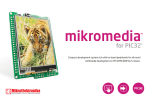
user's guide to multime ia for PIC32MX7 Compact development system rich with on-board peripherals for all-round multimedia development on PIC32MX795F512L TO OUR VALUED CUSTOMERS I want to express my thanks to you for being interested in our products and for having confidence in Mikroelektronika. The primary aim of our company is to design and produce high quality electronic products and to constantly improve the performance thereof in order to better suit your needs. Nebojsa Matic General Manager The Microchip, Atmel, NXP and CYPRESS name, logo and products names are trademarks of Microchip, Atmel, NXP and CYPRESS Inc. in the U.S.A. and other countries. Table of Contents Introduction to MMB for PIC32MX7 4 6. Temperature sensor 20 Package contains 5 7. Flash Memory 22 Key Features 6 8. EEPROM Memory 24 System Specification 7 9. MMC/SD Card Slot 26 1. Connecting power supply 8 10. Audio Module 28 Via USB MINIB connector 8 11. Joystick 30 Via screw terminal 9 12. USB connectors 32 10 13. Indication LEDs 35 step 1 – Connecting PIC32MX7 10 14. RS-232 module 36 step 2 – Browsing for .hex file 11 15. Ethernet module 38 step 3 – Select .hex file 11 16. Accelerometer 40 step 4 – .hex file uploading 12 17. Pinout 42 step 5 – Finish upload 13 18. Pads 43 14 19. PIC32MX795F512L Microcontroller 44 2. Programming with bootloader 3. Programing with mikroProg™ programmer mikroProg features: 15 4. Programing with ICD3 programmer 16 5. Touch Screen 18 Page 3 Key microcontroller features 20. Dimensions 44 45 X7 Introduction to MMB for PIC32M The MMB for PIC32MX7 is a compact development system which provides a convenient platform for development of devices with multimedia contents. The central part of the system is a 32bit microcontroller PIC32MX795F512L that is programmed with bootloader or with external programmer mikroProg (mikroElektronika), or ICD3® (Microchip®). The MMB for PIC32MX7 features integrated modules such as audio module, TFT 320x240 touch screen display, USB connector for communication with the microcontroller, accelerometer, RS-232 module, EEPROM memory, FLASH memory, temperature sensor, joystick and MMC/SD card slot. Page 4 Package contains 01 Damage resistant protective box user's guide to 02 multime ia for CD with documentation and examples 06 USB cable multime ia for PIC32MX7 MMB for PIC32MX7 user’s guide 03 schematic PIC32MX7 Compact developm ent system rich with on-board periphera for all-round multimed ls ia development on PIC32MX795F512 L 04 MMB for PIC32MX7 development system Compact developm ent system rich with on-board peripher for all-round multime als dia development on PIC32MX795F51 2L 05 MMB for PIC32MX7 schematic Page 5 Key Features 01 01 Pads 02 TFT 320x240 display 03 Temperature sensor 04 Indication LEDs 05 Joystick 06 RESET button 07 2x5 male header for mikroProg programmer 08 ICD3 connector 02 09 Ethernet connector 10 PIC32MX795F512L 03 11 MicroSD Card Slot 12 RS-232 connector 13 USB MINIB connector 14 USB HOST connector 04 05 15 3.5mm microphone connector 16 Audio module 17 3.5mm headphone connector Page 6 06 07 System Specification 08 power supply 09 Over a USB cable (5V DC) or via screw 10 terminal (7-23V AC or 9-32V DC) 11 power consumption 50mA in idle state (when on-board modules are off) 13 12 board dimensions 14 12.6 x 8.9cm (4.9 x 3.5 inch) weight 15 ~200g (0.5 lbs) 16 17 Page 7 1. Connecting power supply Via USB MINIB connector Figure 1-1: Powering the development system via USB MINIB connector Connect the development system to a PC via a USB cable, Figure 1-1. The TFT display and POWER LED will be automatically turned on. Page 8 Via screw terminal Figure 1-2: Powering the development system via screw terminal CN1 Instead of using power supply via USB MINIB connector, it is also possible to use AC/DC power supply via screw terminal CN1. Connected power supply source voltage can vary from 9 to 32V DC and from 7 to 23V AC. Page 9 2. Programming with bootloader step 1 – Connecting PIC32MX7 For programming, microcontroller use bootloader program which is preinstaled in to MCU memory. To transfer .hex file from a PC to MCU you need bootloader software (mikroBootloader USB HID) which can be downloaded from: http://www.mikroe.com/eng/products/view/573/ multimedia-board-for-pic32mx7/ 01 02 After software is downloaded unzip it to desired location and start mikroBootloader USB HID software. Figure 2-1: mikroBootloader USB HID 01 Connect PIC32MX7 board with a PC via USB cable and USB icon will turn red 02 Whitin 5s click on Connect button Page 10 step 2 – Browsing for .hex file step 3 – Select .hex file 01 01 01 Figure 2-2: Browse for HEX Figure 2-3: Selecting HEX 01 Click on Browse for HEX button 01 Select .hex file via open window 02 Click on Open button Page 11 step 4 – .hex file uploading 01 01 Figure 2-4: Begin uploading Figure 2-5: Progress bar 01 To start .hex file uploading click on Begin uploading button 01 You can monitor .hex file uploading via progress bar Page 12 step 5 – Finish upload 01 Figure 2-6: Restarting MCU Figure 2-7: mikroBootloader ready for next job 01 To finish uploading click on OK button Page 13 3. Programing with mikroProg™ programmer The microcontroller can be programmed with mikroProg programmer. The mikroProg programmer is connected to the development system via the CN10 connector, Figure 3-1. Figure 3-1: Connecting mikroProg programmer In order to connect the mikroProg programmer to the development system, it is necessary to place IDC10 connector on 2x5 male header CN10. Make sure that knob on IDC10 connector must be oriented towards mark MIKROPROG, Figure 3-1. Page 14 mikroProg features: 01 Fast mikroICD In-Circuit Debugger 02 Support for over 600 PIC, dsPIC and PIC32 devices 03 Compatible with mikroC, mikroBasic and mikroPascal compilers for PIC, dsPIC and PIC32 04 Elegant minimalistic design, clean matte white plastic finish and color indicator LEDs Page 15 4. Programing with ICD3 programmer The microcontroller can be also programmed with ICD3 programmer. This programmer is connected to PIC32MX7 board via on-board ICD connector CN5. Figure 4-1: Connecting ICD3 programmer In order to make connection between ICD3 programmer and PIC32MX7 place programmers cable in to ICD connector CN5, Figure 4-1. To use ICD3 programmer it is necessary to instal program MPLAB on a PC. Page 16 E9 10uF RE4 RE3 RE2 RG13 RG12 RG14 RE1 RE0 RA7 RA6 RG0 RG1 RF1 RF0 VCC VCAP RD7 RD6 RD5 RD4 RD13 RD12 RD3 RD2 RD1 VCC3 VCC3 MCLR# PIC32MX795F512L GND RC14 RC13 RD0 RD11 RD10 RD9 RD8 RA15 RA14 GND OSC2 OSC1 VCC RA5 RA4 RA3 RA2 RG2 RG3 VUSB VBUS RF8 RF2 RF3 PGC PGD RB6 RB7 RA9 RA10 AVCC AGND RB8 RB9 RB10 RB11 GND VCC RA1 RF13 RF12 RB12 RB13 RB14 RB15 GND VCC RD14 RD15 RF4 RF5 VCC3 RG15 VCC RE5 RE6 RE7 RC1 RC2 RC3 RC4 RG6 RG7 RG8 MCLR RG9 GND VCC RA0 RE8 RE9 RB5 RB4 RB3 RB2 RB1 RB0 note VCC3 VCC3 VCC3 MCLR# GND PGD PGC PGD PGC CN5 6 5 4 3 2 1 ICD 1 3 5 2 4 6 RJ11 VCC3 R14 100K VCC3 C12 100nF VCC-3.3 R15 100K RESET VCC-3.3 PGC PGD MCLR# VCC3 CN10 Figure 4-2: Connectors CN5 and CN10 connection schematic If you accidently erase bootloader program from MCU memory it is possible to load it again with external programer. MMB MX7 USB HID Bootloader v1.10.hex file is located in Firmware sub folder, Page 10. Page 17 5. Touch Screen The development system features a TFT 320x240 display covered with a resistive touch panel. Together they form a functional unit called a touch screen. It enables data to be entered and displayed at the same time. The way of entering and displaying data depends on the program loaded into the microcontroller. The TFT display is capable of showing data in 262.000 different colors. Figure 5-1: Touch Screen Page 18 Figure 5-2: Touch Screen connection schematic Page 19 6. Temperature sensor Figure 6-1: MCP9700A The built in temperature sensor (MCP9700A) is capable for measuring temperature in range between -40 and +125°C with accuracy of +/-2°C. Temperature sensor is attached to MCU via pin RB8 (TEMP). Page 20 Figure 6-2: Temperature sensor connection schematic Page 21 7. Flash Memory Figure 7-1: Flash memory module Since multimedia applications are getting increasingly demanding, it is necessary to provide additional memory space to be used for storing programs by the microcontroller. The flash memory module enables the microcontroller to use additional 8Mbit flash memory. It is connected to the microcontroller via the Serial Peripheral Interface (SPI). Page 22 E9 10uF RE4 RE3 RE2 RG13 RG12 RG14 RE1 RE0 RA7 RA6 RG0 RG1 RF1 RF0 VCC VCAP RD7 RD6 RD5 RD4 RD13 RD12 RD3 RD2 RD1 VCC3 VCC3 EE-CS# SDI1 PIC32MX795F512L GND RC14 RC13 RD0 RD11 RD10 RD9 RD8 RA15 RA14 GND OSC2 OSC1 VCC RA5 RA4 RA3 RA2 RG2 RG3 VUSB VBUS RF8 RF2 RF3 RB6 RB7 RA9 RA10 AVCC AGND RB8 RB9 RB10 RB11 GND VCC RA1 RF13 RF12 RB12 RB13 RB14 RB15 GND VCC RD14 RD15 RF4 RF5 VCC3 RG15 VCC RE5 RE6 RE7 RC1 RC2 RC3 RC4 RG6 RG7 RG8 MCLR RG9 GND VCC RA0 RE8 RE9 RB5 RB4 RB3 RB2 RB1 RB0 VCC3 VCC3 VCC3 Figure 7-2: Flash memory module connection schematic Page 23 R18 27 R19 27 SDO1 SCK1 VCC3 C37 100nF VCC3 VCC3 R57 100K EE-CS# R22 27 SDI1 VCC3 VCC3 U10A CS SDO WP GND M25P80 VCC HOLD SCK1 SCK SDO1 SDI 8. EEPROM Memory Figure 8-1: EEPROM memory module EEPROM (Electrically Erasable Programmable Read-Only Memory) is a built-in memory module used for storing data that should be saved when power goes off. The 24AA01 circuit may store 1Kbit data and uses serial I2C communication to exchange data with the microcontroller. Page 24 Figure 8-2: EEPROM memory module connection schematic Page 25 9. MMC/SD Card Slot Figure 9-1: Inserting microSD card Figure 9-2: microSD card There is a built-in MMC/SD slot for MMC/SD card provided on the development system. It enables the system to additionally expand available memory space. The Serial Peripheral Interface (SPI) is used for communication between the microcontroller and MMC/SD card. Page 26 Figure 9-3: MMC/SD slot connecting schematic Page 27 10. Audio Module The Multimedia Board features an audio module providing an interface for a microphone and stereo headphones. This module enables audio recording via a mono microphone. The microphone is connected to the system via a 3.5mm connector CN7. Stereo Figure 10-1: Inserting 3.5mm headphones jack headphones are used for audio reproduction. They are connected to the system via a 3.5mm connector CN6. For the proper use of microphone and headphones, it is necessary to write a program and load it into the microcontroller. In addition to the audio recording and reproduction, the audio module can also generate a side tone in the headphones. Volume as well as other functions of this module are controlled by the microcontroller from within the software using serial I2C communication. Communication between the audio module and the microcontroller is performed via the Serial Peripheral Interface (SPI). Page 28 VCC3 VCC3 VCC3 GND RC14 RC13 RD0 RD11 RD10 RD9 RD8 RA15 RA14 GND OSC2 OSC1 VCC RA5 RA4 RA3 RA2 RG2 RG3 VUSB VBUS RF8 RF2 RF3 PIC32MX795F512L R47 27 SDO3A LRC SDI3A VCC3 CLKOUT R17 SCK3A R58 1K R59 27 DACLRC SCLK ADCDAT SDIN ADCLRC CSB HPVDD LHPO RHPO LLINEIN RHPOUT RLINEIN LOUT L2 VCC3 10uH 22pF VCCA3 SCL2 SDA2 CDC-CS# R32 4K7 MODE LHPOUT HPGND SDA2 SCL2 330 MICBIAS ROUT VMID AVCC AGND VCCA3 E14 10uF C26 E20 100nF 100nF 10uF SDO3A VCC3 Figure 10-2: Audio module connecting schematic Page 29 VCC3 C23 1nF R34 680 R35 47K VCC3 C27 C28 E15 100nF 100nF 10uF LHPO E16 330uF RHPO E17 330uF CN7 PHONEJACK EXTERNAL MICROPHONE C24 1nF VCCA3 C25 R31 4K7 VCC3 R33 MICIN WM8731SEDS VCCA3 C21 XTO DACDAT XTI/MCLK R39 22pF X3 12.288MHz DCVCC BCLK 27 1K VCC3 DGND SDI3A VCC3 SCK3A LRC VCC3 C22 DBVCC RB6 RB7 RA9 RA10 AVCC AGND RB8 RB9 RB10 RB11 GND VCC RA1 RF13 RF12 RB12 RB13 RB14 RB15 GND VCC RD14 RD15 RF4 RF5 CDC-CS# RG15 VCC RE5 RE6 RE7 RC1 RC2 RC3 RC4 RG6 RG7 RG8 MCLR RG9 GND VCC RA0 RE8 RE9 RB5 RB4 RB3 RB2 RB1 RB0 VCC3 U7 RE4 RE3 RE2 RG13 RG12 RG14 RE1 RE0 RA7 RA6 RG0 RG1 RF1 RF0 VCC VCAP RD7 RD6 RD5 RD4 RD13 RD12 RD3 RD2 RD1 VCC3 CDC-CS# SDA2 SCL2 E9 10uF CN6 R36 47K R37 PHONEJACK 47K STEREO OUTPUT 11. Joystick Figure 11-1: Joystick with taster function Use built-in joystick to make simple games, menus and other applications that requires movement in four directions with taster function (when joystick is pressed). Page 30 Figure 11-2: Joystick connecting schematic Page 31 12. USB connectors MultiMedia Board for PIC32MX7 have two USB connectors: USB MINIB and USB HOST. Figure 12-1: Inserting the USB MINIB cable USB MINIB represents OTG device which is used for connection with a PC. This USB connector is used for MCU programming via bootloader software. Page 32 Figure 12-2: MMB for PIC32MX7 connected with USB device via USB cable Figure 12-3: Inserting the USB cable in USB HOST connector USB HOST (USB A) connector is used for attaching another devices to MMB for PIC32MX7 board like printer, scanner, keyboard etc. Bare in mind that is necessary to write a program which will control these devices. Page 33 Figure 12-4: USB connectors connecting schematic Page 34 13. Indication LEDs An LED (Light-Emitting Diode) is a highly efficient electronic source of light. When connecting LEDs, it is necessary to use a current limiting resistor. A common LED diode voltage is approximately 2.5V, while the current varies from 1 to 20mA depending on the type of LED. The Multimedia Board uses LEDs with current I=1mA. Figure 13-1: On-board LEDs E9 10uF RE4 RE3 RE2 RG13 RG12 RG14 RE1 RE0 RA7 RA6 RG0 RG1 RF1 RF0 VCC VCAP RD7 RD6 RD5 RD4 RD13 RD12 RD3 RD2 RD1 VCC3 VCC3 VCC3 LED-2 VCC3 VCC3 R44 4K7 LD0 LED R45 4K7 R46 4K7 LD1 LED LD2 LED Page 35 LED-2 VCC3 There are three LEDs on the Multimedia Board that can be assigned a signal function. LEDs are connected to the following I/O microcontroller pins: LD0 - RA0, LD1 - RA1 and LD2 - RD9. The LED marked POWER indicates when the system is turned on, whereas the diode marked MMC/SD is used to indicate memory card activity. LED-1 GND RC14 RC13 RD0 RD11 RD10 RD9 RD8 RA15 RA14 GND OSC2 OSC1 VCC RA5 RA4 RA3 RA2 RG2 RG3 VUSB VBUS RF8 RF2 RF3 LED-0 PIC32MX795F512L LED-1 VCC3 LED-0 RG15 VCC RE5 RE6 RE7 RC1 RC2 RC3 RC4 RG6 RG7 RG8 MCLR RG9 GND VCC RA0 RE8 RE9 RB5 RB4 RB3 RB2 RB1 RB0 RB6 RB7 RA9 RA10 AVCC AGND RB8 RB9 RB10 RB11 GND VCC RA1 RF13 RF12 RB12 RB13 RB14 RB15 GND VCC RD14 RD15 RF4 RF5 VCC3 Figure 13-2: LEDs connecting schematic 14. RS-232 module The development board features the RS-232 module which communicates with MCU via UART communication. Figure 14-1: Connecting RS-232 cable UART (Universal Asynchronous Receiver/Transmitter) is one of the most common ways of exchanging data between a PC and peripheral devices. The RS-232 serial communication is performed via a 9-pin SUB-D connector and the microcontroller’s UART module. Page 36 Figure 14-2: RS-232 module connecting schematic Page 37 15. Ethernet module Figure 15-2: Ethernet cable connected with board Figure 15-1: Inserting the Ethernet cable Due to the Ethernet module, the development system can access the LAN network in order to establish communication with remote devices. The Ethernet module operates in compliance with the IEEE 802.3/802.3u and ISO 802-3/IEEE 8021.3 (10BASE-T) standards. The development system is connected to the LAN network via a standard RJ45 ethernet connector. Page 38 E9 10uF AERXERR VCC3 AECRSDV R73 1K5 AETXD0 AETXD1 VCC3 R75 27 R74 27 R80 1M C47 100nF VCC3 AERXD0 AERXD1 C48 2.2uF TXP R83 49.9 R84 49.9 R85 49.9 R87 220 R86 49.9 CN9 TD+ CT TD- TXN RXP X4 25MHz RD+ CT RD- RXN C49 C50 22pF 22pF C51 10pF Page 39 C52 10pF C53 10pF C54 10pF C55 100nF C56 100nF R82 10K RJ45 with LEDs RXD1 AECRSDV LED2 AERXERR R76 27 K2 VCC3 LED2 LED1 VCC3 K1 FP1 VDD2A U20 CRS_DV RXER VDDIO RXD0 LED2 LED1 XTAL2 XTAL1 RBIAS R81 12K1 LAN8720A VDDCR TXN TXP RXN RXP VCC3 AEMDIO MDIO VCC3 LED1 VDD1A VCC3 MDC TXD1 TXD0 TXEN nRST INT AEMDC TXN TXP RXN RXP AEMDC AEMDIO AETXEN A2 R48 27 A2 AEREFCLK R77 27 AERXD1 PIC32MX795F512L A1 R78 27 AERXD0 VCC3 VCC3 GND RC14 RC13 RD0 RD11 RD10 RD9 RD8 RA15 RA14 GND OSC2 OSC1 VCC RA5 RA4 RA3 RA2 RG2 RG3 VUSB VBUS RF8 RF2 RF3 RB6 RB7 RA9 RA10 AVCC AGND RB8 RB9 RB10 RB11 GND VCC RA1 RF13 RF12 RB12 RB13 RB14 RB15 GND VCC RD14 RD15 RF4 RF5 R79 27 AETXEN AETXD0 AETXD1 AEREFCLK RG15 VCC RE5 RE6 RE7 RC1 RC2 RC3 RC4 RG6 RG7 RG8 MCLR RG9 GND VCC RA0 RE8 RE9 RB5 RB4 RB3 RB2 RB1 RB0 A1 Figure 15-3: Ethernet module connecting schematic RE4 RE3 RE2 RG13 RG12 RG14 RE1 RE0 RA7 RA6 RG0 RG1 RF1 RF0 VCC VCAP RD7 RD6 RD5 RD4 RD13 RD12 RD3 RD2 RD1 VCC3 R88 220 16. Accelerometer Figure 16-1: Accelerometer The accelerometer is used to measure acceleration, orientation, gravity, etc. The accelerometer’s function is defined by the user in the program loaded into the microcontroller. Communication between the accelerometer and the microcontroller is performed via the SPI interface. Page 40 Figure 16-2: Accelerometer connection schematic Page 41 17. Pinout Pin functions Pin functions +3.3V power supply Ground PMD15 PMD14 PMD13 PMD12 PMD11 PMD10 PMD9 PMD8 Used for TFT PMD7 display control PMD6 lines PMD5 PMD4 PMD3 PMD2 PMD1 PMD0 PMRD PMWR AN3/JOY-D Analog I/O / AN2/JOY-C Joystick pins AN1/JOY-B AN0/JOY-A Vref+/JOY-CP VrefAnalog I/O AN4 AN5 Ground +5V power supply VCC3 GND RB9 RB14 RD3 RA6 RG13 RG12 RG14 RA7 RD1 RA4 RA5 RA14 GND RA2 RA3 GND RF4 RF5 RF13 RC4 RD0 RD10 GND RA0 RA1 RD9 GND VCC3 VCC3 GND RD7 RD6 RD13 RD12 RF0 RF1 RG1 RG0 RD7 RD6 RE5 RE4 RE3 RE2 RE1 RE0 RD5 RD4 RB3 RB2 RB1 RB0 RA10 RA9 RB4 RB5 GND VCC5 Page 42 +3.3V power supply Ground USB-PSW LCD-CS# Digital I/O TRCLK Trace data clock TRD0 TRD1 Trace data bits TRD2 TRD3 Digital I/O INT3 GND SCL2 I2C SDA2 Ground SDI3A SDO3A SCK3A SPI SDI1 SDO1 SCK1 Ground LED-0 Connected with LED-1 LED-2 LEDs / Digital I/O Ground +3.3V power supply 100nF AERXERR VCC3 C6 100nF VCC3 C7 100nF RG15 VCC RE5 RE6 RE7 RC1 RC2 RC3 RC4 RG6 RG7 RG8 MCLR RG9 GND VCC RA0 RE8 RE9 RB5 RB4 RB3 RB2 RB1 RB0 VCC3 PMD5 PMD6 PMD7 LCD-RST EE-CS# ACL-CS# SDI1 SD-WP SD-CD# AECRSDV MCLR# AEREFCLK VCC3 100nF VCC3 C9 100nF VCC3 LED-0 AERXD0 AERXD1 RB5 CDC-CS# JOY-D JOY-C JOY-B JOY-A VCC3 VCC3 RD1 VCC3 HDR1 GND RC14 RC13 RD0 RD11 RD10 RD9 RD8 RA15 RA14 GND OSC2 OSC1 VCC RA5 RA4 RA3 RA2 RG2 RG3 VUSB VBUS RF8 RF2 RF3 PIC32MX795F512L SOSCO SOSCI R8 27 SDO1 AEMDC R19 27 SCK1 LED-2 AEMDIO AETXEN RA14 CLKO CLKI VCC3 RA5 RA4 SDA2 SCL2 USBDP USBDN VCC3 USB-DET U1ATX U1ARX USB-ID RB6 RB7 RA9 RA10 AVCC AGND RB8 RB9 RB10 RB11 GND VCC RA1 RF13 RF12 RB12 RB13 RB14 RB15 GND VCC RD14 RD15 RF4 RF5 C8 VCC3 RE4 RE3 RE2 RG13 RG12 RG14 RE1 RE0 RA7 RA6 RG0 RG1 RF1 RF0 VCC VCAP RD7 RD6 RD5 RD4 RD13 RD12 RD3 RD2 RD1 10uF LCD-BLED E9 C5 VCC3 PMD4 PMD3 PMD2 TRD0 TRD1 TRD2 PMD1 PMD0 TRD3 TRCLK PMD8 PMD9 PMD10 PMD11 VCAP VCC3 VCAP PMD15 PMD14 PMRD PMWR PMD13 PMD12 RD3 18. Pads PMD15 PMD14 PMD13 PMD12 PMD11 PMD10 PMD9 PMD8 PMD7 PMD6 PMD5 PMD4 PMD3 PMD2 PMD1 PMD0 PMRD PMWR JOY-D JOY-C JOY-B JOY-A JOY-CP SD-CS# CDC-CS# RB5 VCC5 1 2 3 4 5 6 7 8 9 10 11 12 13 14 15 16 17 18 19 20 21 22 23 24 25 26 27 28 29 30 HDR2 USB-PSW LCD-CS# RD3 TRCLK TRD0 TRD1 TRD2 TRD3 RD1 RA4 RA5 RA14 GND SCL2 SDA2 SDI3A SDO3A SCK3A SDI1 SDO1 SCK1 LED-0 LED-1 LED-2 VCC3 1 2 3 4 5 6 7 8 9 10 11 12 13 14 15 16 17 18 19 20 21 22 23 24 25 26 27 28 29 30 E8 C1 22pF C2 22pF C3 22pF PROTO 27 SDO3A R47 LCD-RS AETXD0 AETXD1 SDI3A LCD-CS# LED-1 SCK3A LRC LCD-YU LCD-XL LCD-YD LCD-XR TEMP X2 32.768kHz PROTO SOSCO CLKO CLKI X1 8MHz USB-PSW T10uF 100nF SOSCI PGC PGD SD-CS# JOY-CP VCC3 C10 The access to the microcontroller pins on the development system is enabled via pads provided along the two short sides of the development system. C4 22pF Figure 18-1: Pads connecting schematic Page 43 ntroller 19. PIC32MX795F512L Microco The mikromedia for PIC32 development system comes with the PIC32MX795F512L microcontroller. This high-performance 32-bit microcontroller with its integrated modules and in combination with other on-board modules is ideal for multimedia applications. Key microcontroller features - 1.56 DMIPS/MHz, 32-bit MIPS M4K Core; - 512K Flash (plus 12K boot Flash); - 128K RAM (can execute from RAM); - 85 I/O pins; - SPI, I2C, A/D; - 16-bit Digital Timers; - Internal Oscillator 8MHz, 32kHz; - RTCC; etc. MIPS M4K 32 -bit core - 80MHz, 1. 5 DMIPS/MH z - 5 Stage Pi peline, 32-b it ALU Trace 32-bit 32 Core HW Registers JTAG Mul/Div Shadow Se t Instruction Data PIC32 DMA 4Ch 2-wire Debug USB OTG Bus Matrix Prefetch Buffer Cach e Flash SRAM Peripherial 16-bit Parallel Port RTCC Page 44 16 Ch 10-bit ADCs I2C (2) Interrupt Controller GPIO (85) VREG Bus Input Capture (5) UARTs (2) Output Compare PWM(5) 16-bit Timers (5) SPI Analog Comparator (2) s (2) 5.70mm (0.22") 125.71mm (4.94") 5.51mm 0.21") 31.02mm (1.22") 13.14mm 15.93mm (0.62") (0.51") 6.13mm (0.24") 8.31mm (0.34") 69.23mm (2.72") 20.96mm (0.82") 125.71mm (4.94") 118.11mm (4.65") 3.94mm (0.15") 14.46mm (0.56") 8.50mm (0.33") 14.46mm (0.56") 6.25mm (0.24") 14.25mm (0.56") 14.25mm (0.56") 7.70mm (0.30") 4.60mm (0.18") 3.32mm (0.13") Page 45 13.63mm (0.53") 1.63mm (0.064") Tolerance +/- 1mm (0.04") 9.34mm (0.36") 28.39mm (1.11") 4.72mm (0.18") 9.95mm (0.39") 20. Dimensions 2.54mm (0.10") 88.86mm (3.49") 81.25mm (3.19") 19.09mm (0.75") 50.21mm (1.97") 3.05mm (0.12") Notes: Page 46 DISCLAIMER All the products owned by MikroElektronika are protected by copyright law and international copyright treaty. Therefore, this manual is to be treated as any other copyright material. No part of this manual, including product and software described herein, may be reproduced, stored in a retrieval system, translated or transmitted in any form or by any means, without the prior written permission of MikroElektronika. The manual PDF edition can be printed for private or local use, but not for distribution. Any modification of this manual is prohibited. MikroElektronika provides this manual ‘as is’ without warranty of any kind, either expressed or implied, including, but not limited to, the implied warranties or conditions of merchantability or fitness for a particular purpose. MikroElektronika shall assume no responsibility or liability for any errors, omissions and inaccuracies that may appear in this manual. In no event shall MikroElektronika, its directors, officers, employees or distributors be liable for any indirect, specific, incidental or consequential damages (including damages for loss of business profits and business information, business interruption or any other pecuniary loss) arising out of the use of this manual or product, even if MikroElektronika has been advised of the possibility of such damages. MikroElektronika reserves the right to change information contained in this manual at any time without prior notice, if necessary. HIGH RISK ACTIVITIES The products of MikroElektronika are not fault – tolerant nor designed, manufactured or intended for use or resale as on – line control equipment in hazardous environments requiring fail – safe performance, such as in the operation of nuclear facilities, aircraft navigation or communication systems, air traffic control, direct life support machines or weapons systems in which the failure of Software could lead directly to death, personal injury or severe physical or environmental damage (‘High Risk Activities’). MikroElektronika and its suppliers specifically disclaim any expressed or implied warranty of fitness for High Risk Activities. TRADEMARKS The Mikroelektronika name and logo, the Mikroelektronika logo, mikroC, mikroC PRO, mikroBasic, mikroBasic PRO, mikroPascal, mikroPascal PRO, AVRflash, PICflash, dsPICprog, 18FJprog, PSOCprog, AVRprog, 8051prog, ARMflash, EasyPIC5, EasyPIC6, BigPIC5, BigPIC6, dsPIC PRO4, Easy8051B, EasyARM, EasyAVR5, EasyAVR6, BigAVR2, EasydsPIC4A, EasyPSoC4, EasyAVR Stamp LV18FJ, LV24-33A, LV32MX, PIC32MX4 MultiMedia Board, PICPLC16, PICPLC8 PICPLC4, SmartGSM/GPRS, UNI-DS are trademarks of Mikroelektronika. All other trademarks mentioned herein are property of their respective companies. All other product and corporate names appearing in this manual may or may not be registered trademarks or copyrights of their respective companies, and are only used for identification or explanation and to the owners’ benefit, with no intent to infringe. © Mikroelektronika™, 2011, All Rights Reserved. If you want to learn more about our products, please visit our website at www.mikroe.com If you are experiencing some problems with any of our products or just need additional information, please place your ticket at www.mikroe.com/en/support If you have any questions, comments or business proposals, do not hesitate to contact us at [email protected]