1
Table of Contents
Introduction ................................................................................................................................................... 1
How to Use This Guide .............................................................................................................................. 2
Conventions of this Guide........................................................................................................................... 2
A Note about Icons ..................................................................................................................................... 2
System Requirements.................................................................................................................................. 3
Package Contents........................................................................................................................................ 4
Chapter I. Installing Genius Scanner .......................................................................................................... 5
Software Requirements ............................................................................................................................... 5
Hardware Requirements.............................................................................................................................. 5
Installing and Setting up the Scanner.......................................................................................................... 5
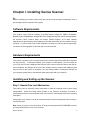
Step 1. Hassle-Free Lock Mechanism.................................................................................................... 5
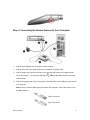
Step 2. Connecting the Genius Scanner to Your Computer ................................................................... 6
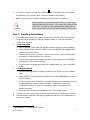
Step 3. Installing the Software .............................................................................................................. 7
Software Setup Troubleshooting................................................................................................................. 8
Installing Additional Software .................................................................................................................... 8
Uninstalling the Scanner ............................................................................................................................. 8
Uninstall from the “Start Menu” (Uninstall Wizard) ............................................................................ 8
Chapter II. Usage and Maintenance .......................................................................................................... 10
Operating the Scanner............................................................................................................................... 10
Testing the Scanner.............................................................................................................................. 11
Scan and Image Editing....................................................................................................................... 11
Scanning the Films.................................................................................................................................... 12
Installing the Transparency Adapter ................................................................................................... 12
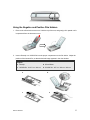
Using the Negative and Positive Film Holders.................................................................................... 13
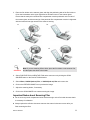
Important Notes about Scanning Film ................................................................................................. 14
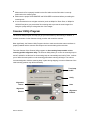
Scanner Utility Program ........................................................................................................................... 15
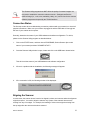
Connection Status ................................................................................................................................ 16
Aligning the Scanner............................................................................................................................ 16
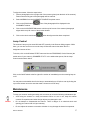
Lamp Control....................................................................................................................................... 17
Maintenance.............................................................................................................................................. 17
Removing the Document Cover................................................................................................................ 18
Chapter III. How to Use Quick Function Buttons .................................................................................... 19
"SCAN" Button ........................................................................................................................................ 19
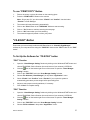
To Set up the Default Application Program......................................................................................... 19
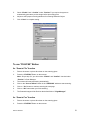
To Use the “SCAN” Button ................................................................................................................. 20
"E-MAIL/WEB" Button ........................................................................................................................... 20
To Set a Default Simple MAPI Client (i.e. Outlook Express)............................................................... 20
To Set Up the " E-MAIL/WEB " Button ............................................................................................... 21